Node-mssql: mssql :: TypeError: The "config.server" property is required and must be of type string.
I am unable to connect to SQL Server Express 2017 from nodejs express web app. I have enabled TCP/IP to sql server express. changed windows authentication to sql server authentication set 'sa' and 'sa1234' as username and password. I am using the following config variable in the code.
Expected behaviour:
I should be able to connect and have a localhost:3000 running
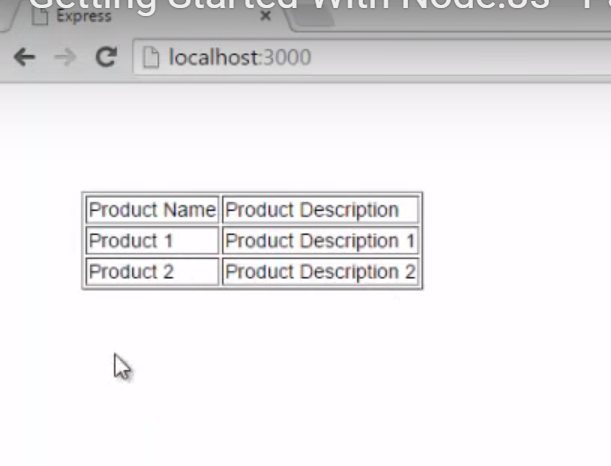
Actual behaviour:

var express = require('express');
var router = express.Router();
/* GET home page. */
router.get('/', function(req, res, next) {
res.render('index', {title:'Express'});
GetData(function(recordset)
{
res.render('index',{products: recordset})
});
// another function
});
function GetData(callback)
{
var sql = require('mssql');
var config = {
user : 'sa',
password:'sa1234',
database:'NodeJsDB',
sever:'DESKTOP-S844OHK\SQLEXPRESS',
};
var connection = new sql.ConnectionPool(config, function(err)
{
// check for error by inspecting the err parameter
if (err) {
console.log(err);
return;
}
var request = new sql.Request(connection);

request.query('SELECT * from Products', function(err, recordset)
{
  if (err) {
    console.log(err);

  }
  else {
    console.log(recordset);
  }
  callback(recordset);
  connection.close();
});
});
}
module.exports = router;
Configuration:

Software versions
- NodeJS: latest
- node-mssql: 5.1.0
- SQL Server: Express 2017
 praveen2916
All 3 comments
You need to fix your typo in the server property in your config object. You have sever and not server.
The error is pretty accurate and unambiguous.
 dhensby
on 12 May 2019
dhensby
on 12 May 2019
Thank you @dhensby , I am really sorry if I was out of place in posting this silly doubt as an issue in here. It works perfectly now. I am new and am learning ins and outs of this place.
praveen2916
on 12 May 2019
No problem <3
dhensby
on 13 May 2019
Related issues
 baekft
·
5Comments
baekft
·
5Comments
 Halt001
·
3Comments
Halt001
·
3Comments
 MinsknBoo
·
5Comments
MinsknBoo
·
5Comments
 danpetitt
·
3Comments
danpetitt
·
3Comments
 agilitehub
·
4Comments
agilitehub
·
4Comments
Most helpful comment
Thank you @dhensby , I am really sorry if I was out of place in posting this silly doubt as an issue in here. It works perfectly now. I am new and am learning ins and outs of this place.