Nlog: JSON: forward slashes (e.g. in URL) are getting escaped
Hello,
When I am trying to capture the url of my asp.net core application using JsonLayout the url of the site is being escaped.
NLog version: 4.5.11
NLog.Web.AspNetCore version: 4.8.0
Platform: .NET Core 2.2
Current NLog config (xml or C#, if relevant)
<?xml version="1.0" encoding="utf-8" ?>
<nlog xmlns="http://www.nlog-project.org/schemas/NLog.xsd"
      xmlns:xsi="http://www.w3.org/2001/XMLSchema-instance"
      autoReload="true"
      internalLogLevel="Info"
      internalLogFile="c:\temp\internal-nlog.txt">

  <!-- enable asp.net core layout renderers -->
  <extensions>
    <add assembly="NLog.Web.AspNetCore"/>
  </extensions>

  <!-- the targets to write to -->
  <targets async="true">
    <!-- Write logs as Json into a file -->
    <target name="json-file"
      xsi:type="File"
      fileName="${basedir}/application-logs.json"
      archiveAboveSize="50000000"
      archiveEvery="Day"
      maxArchiveFiles="9"
      concurrentWrites="False">
      <layout xsi:type="JsonLayout">
        <attribute name="date" layout="${longdate}" />
        <attribute name="level" layout="${level:upperCase=true}"/>
        <attribute name="logger" layout="${logger}"/>
        <attribute name="identity" layout="${aspnet-user-identity}"/>
        <attribute name="url" layout="${aspnet-request-url:IncludePort=true:IncludeQueryString=true}" encode="true"/>
        <attribute name="host" layout="${aspnet-Request-Host}"/>
        <attribute name="userAgent" layout="${aspnet-Request-UserAgent}"/>
        <attribute name="referrer" layout="${aspnet-Request-Referrer}"/>
        <attribute name="action" layout="${aspnet-mvc-action}"/>
        <attribute name="clientIp" layout="${aspnet-request-ip}"/>
        <attribute name="message" layout="${message}" />
        <attribute name="exception" layout="${onexception:|${exception:format=ToString}}" />
      </layout>
    </target>

  </targets>
  <rules>
    <!--Skip non-critical Microsoft logs and so log only own logs-->
    <logger name="Microsoft.*" maxlevel="Info" final="true" /> <!-- BlackHole without writeTo -->

    <!-- Log all events to the json-file target -->
    <logger name="*" writeTo="json-file" minlevel="Trace" />
  </rules>
</nlog>
- What is the current result?
The output line looks like the following, notice the escaped slashes in the url:
{ "date": "2019-09-08 14:06:51.4229", "level": "DEBUG", "logger": "API.Controllers.ValuesController", "url": "https:\/\/localhost:5001\/api\/values", "action": "Get", "clientip": "::1", "message": "Some Log Goes Here", "exception": "|System.Exception: An exception" }
- What is the expected result?
The url would not be escaped.
{ "date": "2019-09-08 14:06:51.4229", "level": "DEBUG", "logger": "Miovision.QAP.API.Controllers.ValuesController", "url": "https://localhost:5001/api/values", "action": "Get", "clientip": "::1", "message": "Some Log Goes Here", "exception": "|System.Exception: An exception" }
I have tried to set the encoding to false but then the url is no longer wrapped in quotes, which is needed for me to consume the url correctly in a later step.
 kylelaverty
All 19 comments
Hi! Thanks for opening your first issue here! Please make sure to follow the issue template - so we could help you better!
![welcome[bot] picture](https://avatars.githubusercontent.com/in/4141?v=4&s=40) welcome[bot]
on 9 Sep 2019
welcome[bot]
on 9 Sep 2019

 304NotModified
on 17 Sep 2019
304NotModified
on 17 Sep 2019
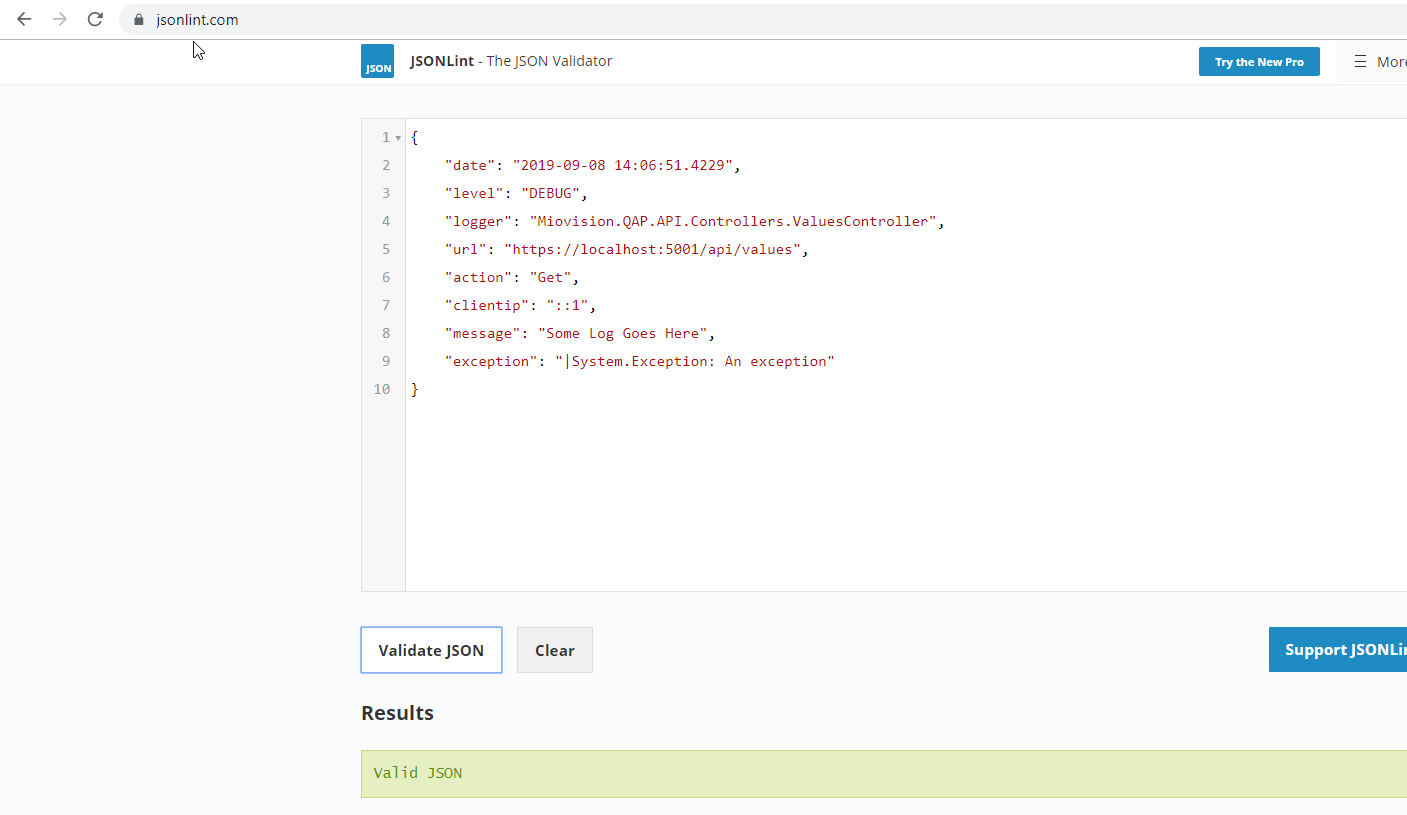
Funny, forward slash isn't in the list but it's escaped:
https://www.freeformatter.com/json-escape.html#ad-output

304NotModified
on 17 Sep 2019
 304NotModified
on 17 Sep 2019
304NotModified
on 17 Sep 2019
@snakefoot what do you think? Change the current escape? Make it optional?
Guess changing it is a large semantic change.
304NotModified
on 17 Sep 2019
@snakefoot Think the only reason to escape \ is to escape </script>-tags when sending json in javascript.
See no reason to escape \ by default. Since NLog is not used to provide json to javascripts. Probably need an option.
 snakefoot
on 17 Sep 2019
snakefoot
on 17 Sep 2019
Ok option it is :)
Any suggestions for the name? And on what level? (Attribute element? Layout element?)
304NotModified
on 17 Sep 2019
I have reconsidered. Would prefer no option for this. And not escape by default. Like Json to be as easily readable as possible.
snakefoot
on 17 Sep 2019
Like Json to be as easily readable as possible.
Me too. But I'm a bit afraid of the semantic breaking change.
304NotModified
on 17 Sep 2019
I noticed this too. We have a multi-language system and wanted our C# application to produce JSON logs on-par with our Java and Rust applications, neither of which have these extra escapes. It makes the logs much harder to read and search for.
Would love to see an option to disable this, even if it isn't the default for the sake of backwards compatibility.
 sagebind
on 17 Sep 2019
sagebind
on 17 Sep 2019
Me too. But I'm a bit afraid of the semantic breaking change.
If an option is created, then the default should be no-escape of forward-slash. Even if it "breaks" compatibility.
snakefoot
on 17 Sep 2019
Ok. Best approach is an option to go back then. Still doubting which level (layout, attribute, global)
304NotModified
on 17 Sep 2019
fixed by #3586
304NotModified
on 25 Oct 2019
@kylelaverty + @sagebind NLog 4.6.8 has been released
https://www.nuget.org/packages/NLog
New setting EscapeForwardSlash has been added to JsonLayout.
snakefoot
on 5 Nov 2019
I upgraded to 4.6.8 and It seems like the new setting is not taking effect on JsonLayout. Here's my config:
<?xml version="1.0" encoding="utf-8" ?>
<nlog xmlns="http://www.nlog-project.org/schemas/NLog.xsd"
    xmlns:xsi="http://www.w3.org/2001/XMLSchema-instance" autoReload="true" internalLogToConsoleError="true">
    <targets>
        <target xsi:type="Console" name="console">
            <layout xsi:type="JsonLayout" includeMdlc="true" escapeForwardSlash="false">
                <attribute name="@timestamp" layout="${date:universalTime=true:format=o}" />
                <attribute name="level" layout="${level:upperCase=true}" />
                <attribute name="message" layout="${message}" />
                <attribute name="exception" layout="${onexception:|${exception:format=ToString}}" />
                <attribute name="logger_name" layout="${logger}" />
                <attribute name="thread_name" layout="${threadid}" />
            </layout>
        </target>
    </targets>

    <rules>
        <logger name="Microsoft.*" maxlevel="Info" final="true" />
        <logger name="*" minlevel="Debug" writeTo="console" />
    </rules>
</nlog>
It _does_ work if I add escapeForwardSlash="false" to each JsonAttribute individually though:
<?xml version="1.0" encoding="utf-8" ?>
<nlog xmlns="http://www.nlog-project.org/schemas/NLog.xsd"
    xmlns:xsi="http://www.w3.org/2001/XMLSchema-instance" autoReload="true" internalLogToConsoleError="true">
    <targets>
        <target xsi:type="Console" name="console">
            <layout xsi:type="JsonLayout" includeMdlc="true">
                <attribute name="@timestamp" layout="${date:universalTime=true:format=o}" escapeForwardSlash="false" />
                <attribute name="level" layout="${level:upperCase=true}" escapeForwardSlash="false" />
                <attribute name="message" layout="${message}" escapeForwardSlash="false" />
                <attribute name="exception" layout="${onexception:|${exception:format=ToString}}" escapeForwardSlash="false" />
                <attribute name="logger_name" layout="${logger}" escapeForwardSlash="false" />
                <attribute name="thread_name" layout="${threadid}" escapeForwardSlash="false" />
            </layout>
        </target>
    </targets>

    <rules>
        <logger name="Microsoft.*" maxlevel="Info" final="true" />
        <logger name="*" minlevel="Debug" writeTo="console" />
    </rules>
</nlog>
Is this intended? I kind of expected the attribute behavior to inherit from the layout setting if unspecified.
sagebind
on 5 Nov 2019
I kind of expected the attribute behavior to inherit from the layout setting if unspecified
Me too. We have to look at that
304NotModified
on 5 Nov 2019
Hello. I also experiencing the same behavior. Is there are any news on that?
My config:
<layout xsi:type="JsonLayout">
  <attribute name="aspnet-request-url" layout="${aspnet-request-url}" escapeForwardSlash="false" /> <!-- escapeForwardSlash works as intended -->
  <attribute name="eventProperties" encode="false" escapeForwardSlash="false"> <!-- escapeForwardSlash not working for nested json -->
    <layout type="JsonLayout" includeAllProperties="true" excludeProperties="CallerMemberName,CallerFilePath,CallerLineNumber" renderEmptyObject="false" maxRecursionLimit="5" />
  </attribute>
</layout>
Log output:
{
  "aspnet-request-url": "http://localhost/json/controller/method/de833580-cd38-4c5f-9fc8-ffd5012980b8",
  "Request": {
    "Method": "GET",
    "Url": "https:\/\/domain:port\/api\/1.0.0\/controller\/method\/de833580-cd38-4c5f-9fc8-ffd5012980b8",
  }
}
 RollerKostr
on 5 Dec 2019
RollerKostr
on 5 Dec 2019
This indeed won't work for on layout level. The fix isn't trivial, so created a new issue here: https://github.com/NLog/NLog/issues/3741
304NotModified
on 27 Dec 2019
Created PR #3743 to resolve this. But it will only apply to sub-attributes.
If a nested attribute embeds a JsonLayout using encode="false", then it will not inherit the configuration from the top-JsonLayout (There is no guaranteed of the order of initializing NLog Layouts)
snakefoot
on 28 Dec 2019
Related issues
 FaMouZx3
·
3Comments
FaMouZx3
·
3Comments
 sszost
·
3Comments
sszost
·
3Comments
 Jerefeny
·
3Comments
Jerefeny
·
3Comments
 BobSeu
·
3Comments
BobSeu
·
3Comments
 linmasaki
·
3Comments
linmasaki
·
3Comments
Most helpful comment
@kylelaverty + @sagebind NLog 4.6.8 has been released
https://www.nuget.org/packages/NLog
New setting
EscapeForwardSlashhas been added to JsonLayout.