Nixpkgs: Baloo on plasma5 indexes /nix and exclude list is not preserved
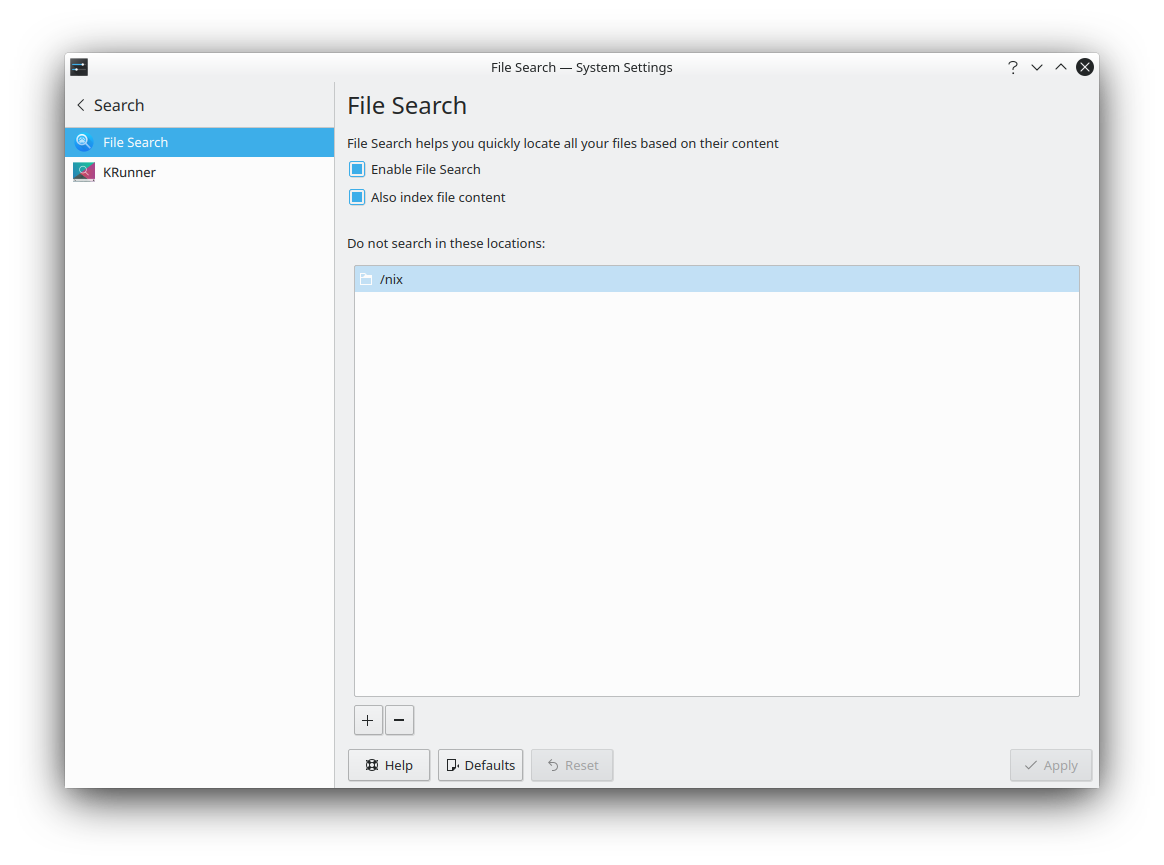
Default KDE installation has Search indexer enabled by default. Every time I rebuild my installation, Baloo (indexer) trying to index the /nix directory. Every time I add /nix to exclude list in File Search - System Settings, the next reboot completely wipes this exclude list.
The problem: it works even on Battery power and takes 12-35% CPU load on T580.
Indexer may be useful, but /nix directory must be excluded by default and this settings must be permanent for KDE.
 x61s
x61s
All 12 comments
I absolutely agree with you @x61s. This probably makes baloo supeerrrrrr sloooowwww
 worldofpeace
on 30 Sep 2020
worldofpeace
on 30 Sep 2020
cc @ttuegel
I kinda have a disposition to block on this, it's probably really bad for IO on systems without an ssd.
worldofpeace
on 30 Sep 2020
Thanks!
x61s
on 30 Sep 2020
@x61s Can you please check the contents of $HOME/.config/baloorc? After rebooting, I see /nix is removed from the GUI, but it is still present in $HOME/.config/baloorc. The strange thing is that I have other paths excluded, too, and they _do_ remain in both places.
@worldofpeace The only thing I can offer to fix this right now is to disable Baloo.
 ttuegel
on 30 Sep 2020
ttuegel
on 30 Sep 2020
It looks like this bug: https://bugs.kde.org/show_bug.cgi?id=417127
I tried commands:
balooctl config add excludeFolders /nix/
balooctl config ls excludeFolders
and this showed that the configuration was not updated.
I don't know why we don't have the patch for this issue.
ttuegel
on 30 Sep 2020
Excluding folders does work if I pick a folder inside $HOME. I suspect that Baloo is ignoring excluded folders which are not in any included folder. I can't find the code in Baloo that would do this, though, because the whole codebase is a mess of redirections. Actually, Baloo reports for me that it is not indexing files in /nix.
@x61s Could you run this command and report its output?
balooctl config ls includeFolders
@x61s Can you please check the contents of
$HOME/.config/baloorc? After rebooting, I see/nixis removed from the GUI, but it is still present in$HOME/.config/baloorc. The strange thing is that I have other paths excluded, too, and they _do_ remain in both places.@worldofpeace The only thing I can offer to fix this right now is to disable Baloo.
I have baloofilerc only contents:
[Basic Settings]
Indexing-Enabled=true

[General]
dbVersion=2
exclude filters=*~,*.part,*.o,*.la,*.lo,*.loT,*.moc,moc_*.cpp,qrc_*.cpp,ui_*.h,cmake_install.cmake,CMakeCache.txt,CTestTestfile.cmake,libtool,config.status,confdefs.h,autom4te,conftest,confstat,Makefile.am,*.gcode,*.csproj,*.m4,*.rej,*.gmo,*.pc,*.omf,*.aux,*.tmp,*.po,*.vm*,*.nvram,*.rcore,*.swap,lzo,litmain.sh,*.orig,.histfile.*,.xsession-errors*,*.map,*.so,*.a,*.db,*.qrc,*.ini,*.init,*.img,*.vdi,*.vbox*,vbox.log,*.qcow2,*.vmdk,*.vhd,*.vhdx,*.sql,*.sql.gz,*.class,*.pyc,*.pyo,*.elc,*.qmlc,*.jsc,*.fastq,*.fq,*.gb,*.fasta,*.fna,*.gbff,*.faa,po,CVS,.svn,.git,_darcs,.bzr,.hg,CMakeFiles,CMakeTmp,CMakeTmpQmake,.moc,.obj,.pch,.uic,.npm,.yarn,.yarn-cache,__pycache__,node_modules,node_packages,nbproject,core-dumps,lost+found
exclude filters version=5
exclude folders[$e]=/nix/
first run=false
folders[$e]=$HOME/
only basic indexing=true
Due to this line, Baloo should only look for files in $HOME/:
folders[$e]=$HOME/
If I run balooctl status on files in the Nix store, it reports that indexing is disabled:
$ balooctl status $(readlink $(which balooctl))
File: /nix/store/kcr07bqv7sqm99p2nm9ldjl8s9m6k4kn-baloo-5.73.0-bin/bin/balooctl
Basic Indexing: Disabled
As far as I can tell, Baloo is not indexing the Nix store.
ttuegel
on 1 Oct 2020
@ttuegel
As far as I can tell, Baloo is not indexing the Nix store.
Is there a way to find where Baloo is indexing in real time? I have 10-15 git repositories cloned and nothing more on my laptop right now, but indexing was several hours until I interrupt it buy changing settings in KDE System settings menu.
x61s
on 1 Oct 2020
Is there a way to find where Baloo is indexing in real time?
balooctl monitor should do it.
ttuegel
on 1 Oct 2020
Great! Thanks!
x61s
on 1 Oct 2020
FYI
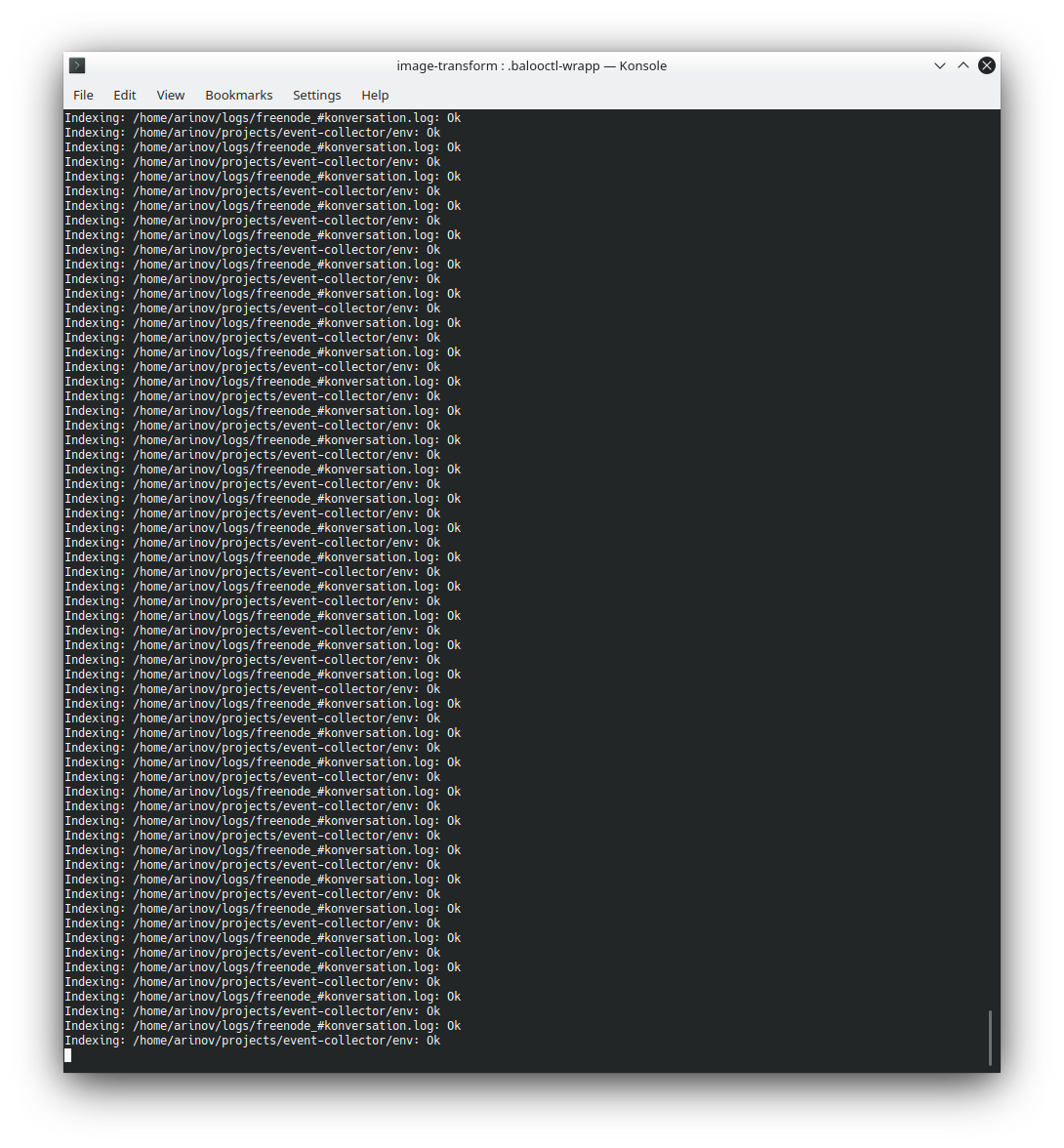
It happened again and now I run balooctl monitor and it seems the problem has other cause then I thought. Baloo is trying to index one of my projects and there is an python virutal env directories inside. Look.
 .
.
Two items cycled. Koversation is not running. And project has no opened files.
When I change something in KDE Search menu and pressing Apply this activity stops for a while. Does not matter what I do, any changes.
x61s
on 2 Oct 2020
Related issues
 ayyess
·
3Comments
ayyess
·
3Comments
 tomberek
·
3Comments
tomberek
·
3Comments
 copumpkin
·
3Comments
copumpkin
·
3Comments
 retrry
·
3Comments
retrry
·
3Comments
 rzetterberg
·
3Comments
rzetterberg
·
3Comments
Most helpful comment
Excluding folders does work if I pick a folder inside
$HOME. I suspect that Baloo is ignoring excluded folders which are not in any included folder. I can't find the code in Baloo that would do this, though, because the whole codebase is a mess of redirections. Actually, Baloo reports for me that it is not indexing files in/nix.@x61s Could you run this command and report its output?