Nivo: TypeError: Cannot read property 'animate' of undefined
Used library in React.js

if render , getting this error
animate = _useMotionConfig.animate
 OlegAnn
All 27 comments
Hi @OlegAnn,
Can you please reproduce this issue on codesandbox, it'll be difficult to help otherwise.
Thank you.
 plouc
on 23 Jun 2019
plouc
on 23 Jun 2019
@OlegAnn I had this error when using ResponsiveScatterPlot with the example data from https://nivo.rocks/scatterplot/
I ended up using the slightly older release of @nivo/scatterplot
yarn add @nivo/[email protected]
 tomyates
on 28 Jun 2019
tomyates
on 28 Jun 2019
I have the same error after upgrading from 0.51.0 to 0.58.0, using @nivo/bar.
 jberube
on 29 Jun 2019
jberube
on 29 Jun 2019
Which React version are you using? Did you tried latest 0.59.0 version of the component?
plouc
on 29 Jun 2019
It's really difficult to help on issues without any context or way to reproduce, that's the purpose of the issue template.
plouc
on 29 Jun 2019
I fixed it deleting node_modules and npm install.
I had the same error when I just updated from 0.56.2 to 0.59.1 @nivo/line and when I tried to reproduce the error at sandbox I just couldn't.
 vnponce
on 30 Jun 2019
vnponce
on 30 Jun 2019
It's really difficult to help on issues without any context or way to reproduce, that's the purpose of the issue template.
Sorry Plouc - will do next time. Thanks for your help.
tomyates
on 30 Jun 2019
Which React version are you using? Did you tried latest
0.59.1version of the component?
@plouc I use e [email protected], and using @nivo/[email protected] I had another issue, cause by the theme not being available on tick from different callbacks, same issue as https://github.com/plouc/nivo/issues/579
I could try with 0.59.1, does it contain a fix for this issue or #579 ?
jberube
on 1 Jul 2019
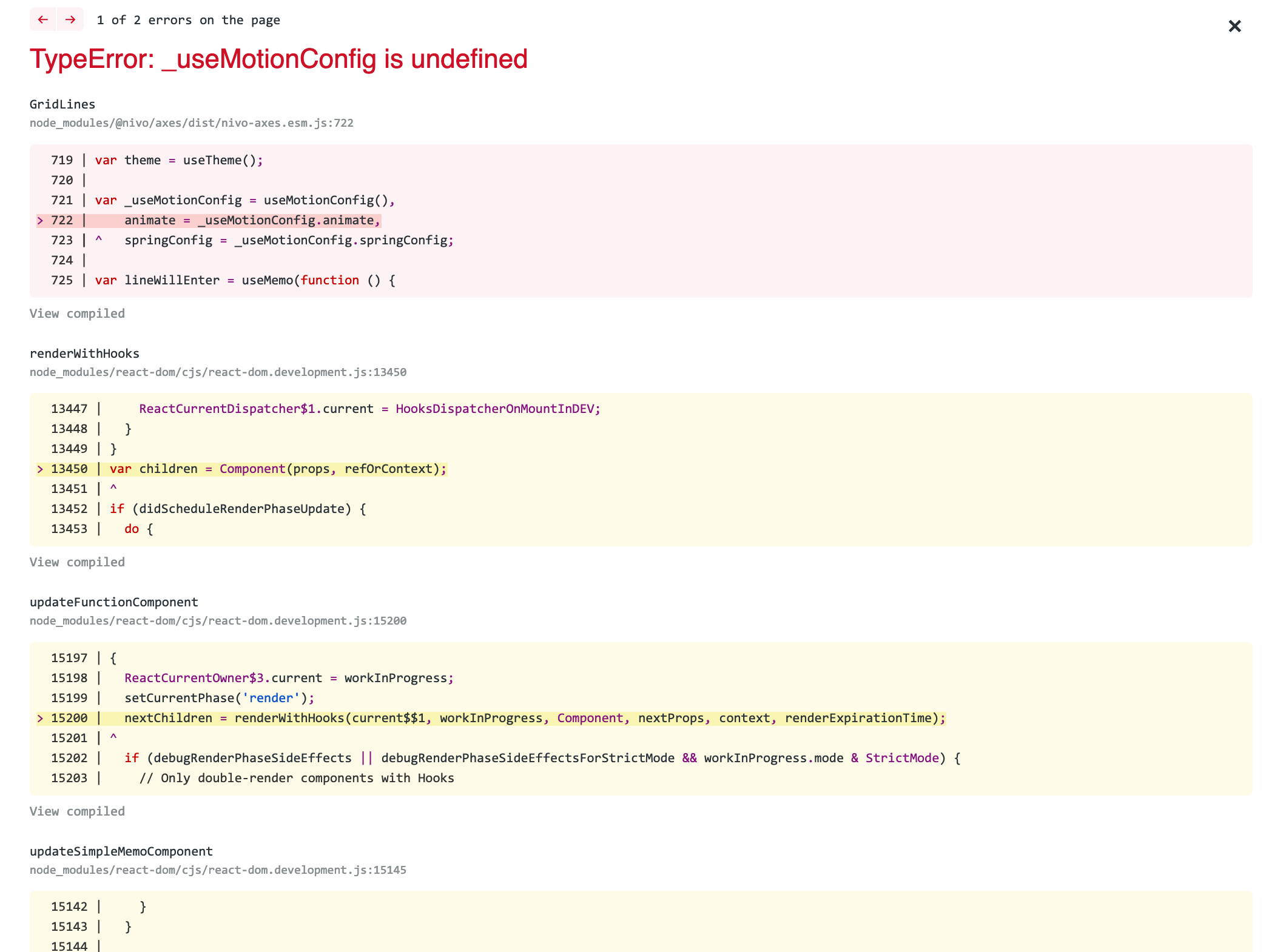
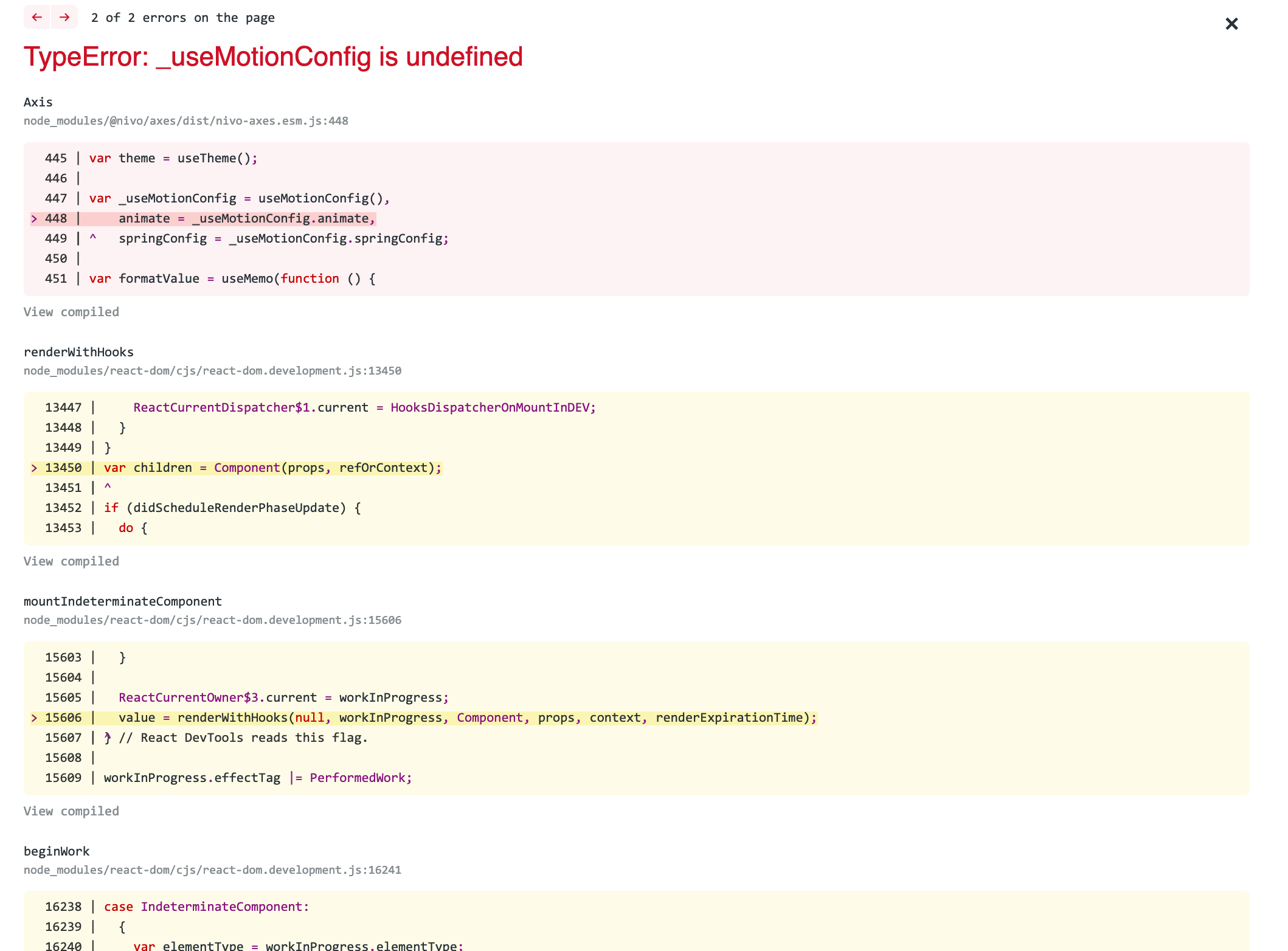
I have the same error TypeError: _useMotionConfig is undefined in 0.59.0 and 0.59.1.
Looks like a problem with nivo-axes.esm.js. Will attempt to reproduce in code sandbox.
0.58.0 does not have the error
Using react 16.8.6 and create-react-app.
Deleting /node_modules and reinstalling does not fix it for me.
 stahlmanDesign
on 2 Jul 2019
stahlmanDesign
on 2 Jul 2019
I hate to say it but I reinstalled 0.59.1 and I no longer have the bug. Maybe it did have something to do with deleting /node_modules
stahlmanDesign
on 2 Jul 2019
I faced the same issue, I use latest version of the libraries. I also was trying to reproduce it in the codesandbox but it throws an error only if enableSlices is equal to y when in the application I use almost the same data except enableSlices is equal to x. So, if I'm turning it off (enableSlices), everything will be working fine.
Update: Downgrading to 0.56.0 solved my problem, everything works good.
 di2pro
on 5 Jul 2019
di2pro
on 5 Jul 2019
Sorry but unless someone is able to reproduce this on codesandbox, I'm gonna close this issue, @di2pro, the error is different from the one originally mentioned here.
plouc
on 9 Jul 2019
@plouc I understand, that's ok. I'll add an example once I reproduce it.
di2pro
on 9 Jul 2019
I'm closing this, if someone is able to reproduce this please add a comment and I'll reopen.
plouc
on 12 Jul 2019
I had similar issues a few days ago. I use d3.js in my application and I had an older version in my package.json. Upgrading to a new d3 version solved this problem with Nivo for me.
 barnapisti1994
on 8 Aug 2019
barnapisti1994
on 8 Aug 2019
I Had similar issues. resolved by downgrading nivo/radar lib and upgrading React-dom version.
nivo/radar: 0.56.2
React-dom: 16.8.0
 cruze17
on 4 Dec 2019
cruze17
on 4 Dec 2019
Hi,
I'm facing the same issue "TypeError: Cannot read property 'animate' of undefined" with @nivo/bar 0.61.0.
Moving to version 0.56.2 solved the issue.
I did not managed to reproduce it in a sandbox ye but I will try again.
 xavierrh
on 20 Dec 2019
xavierrh
on 20 Dec 2019
I've had this issue too - It occurred when I had installed various @nivo types that were not of the same version. Making them all the same version and re-installing fixed the issue
 evantahler
on 23 Dec 2019
evantahler
on 23 Dec 2019
I've had this issue too - It occurred when I had installed various @nivo types that were not of the same version. Making them all the same version and re-installing fixed the issue
+1
Struggled with this issue mysteriously popping up for a week or so. Syncing my @nivo types to the same version made this go away. I wish I had seen this answer soon.
 ewarrenG
on 20 Jul 2020
ewarrenG
on 20 Jul 2020
Getting the same issue after updating all my nivo packages to 0.62.0, deleting node_modules and reinstalling
 SnarkieDesign
on 23 Jul 2020
SnarkieDesign
on 23 Jul 2020
i get the same issue when using @nivo/scatterplot haven't found a solution yet tho.
 philj0st
on 24 Jul 2020
philj0st
on 24 Jul 2020
Have the same issue with 0.62.0.
Easily reproducible:
- Use
create-react-appfor typescript npm install @nivo/line- Copy paste a bare minimal
ResponsiveLine.
$ node --version
v12.16.1
$ npm --version
6.13.4
 NewbiZ
on 11 Aug 2020
NewbiZ
on 11 Aug 2020
@plouc that is easily reproducible, as @NewbiZ pointed out — and it's already fixed in your current codebase. The issue lies in cyclic dependency between @nivo/core and @nivo/toolbar as of 0.62.0, which forces webpack to include @nivo/core twice in resolution graph.
Now, as I can see, it's fixed via moving @nivo/tooltip to peerDependencies in @nivo/core's package.json. What plan have you got in mind on publishing this change to npm registry? Maybe, we can hotfix the issue at hand by publishing 0.62.1, where changing dependency graph would be the only change?
Afterthought: not quite sure that changing to peerDep would help — cyclic dependency still remains at resolution time.
 radiosterne
on 13 Sep 2020
radiosterne
on 13 Sep 2020
As per https://github.com/yarnpkg/rfcs/blob/master/accepted/0000-plug-an-play.md, section Virtual packages:
Plug'n'Play guarantees that each combination of package name / version will only be instantiated once by Node, except in one documented case: if a package has any number of peer dependencies, Node will instantiate them exactly once for each time it is found in the dependency tree - and this regardless of whether the packages are strictly identical or not.
So, given that @nivo/core has peerDependencies (rightly so) and given cyclic dependency between @nivo/core and @nivo/tooltip, if I'm understanding everything correctly, nivo won't ever work with yarn 2.
@plouc can you, please, explain the necessity of keeping core and tooltip in two separate NPM packages? I may be mistaken, but considering their intertwinement it seems like the easiest way to solve this problem is to include tooltip code in core code and deprecate tooltip package altogether. Or, to preserve tooltip package and ensure backwards compatibility, move code to core, break cycle so that core is not dependent on tooltip, but keep tooltip intact and just use it as a point of re-exporting entities defined in core.
radiosterne
on 13 Sep 2020
Yes, arcanis has brought it to our attention in #879. I've also removed the tooltip provider from core and moved it into tooltip so then each package will import it individually. This is in #1039 and will be part of TypeScript migration.
 wyze
on 13 Sep 2020
wyze
on 13 Sep 2020
@wyze that's great! Looking forward to TS migration as well!
However, while we are all waiting, I've cobbled together a version of nivo compatible with yarn 2 by removing tooltip package and cyclic dependency. It is available on NPM as @blumenkraft/nivo-* packages, if anyone is interested, and I intend to deprecate it in favor of mainline nivo as soon as yarn 2 support is merged and published.
Does it sit right with nivo development team?
radiosterne
on 13 Sep 2020
I was facing the same issue, when migrating from 0.59.2 to 0.66.0.
Remove your node_modules folder, reinstall your dependencies (don't forget to install @nivo/core btw), upgrade all your chart packages (@nivo/pie, @nivo/geo, ...) to the same version of @nivo/core, and everything should work fine.
 MadDeveloper
on 7 Dec 2020
MadDeveloper
on 7 Dec 2020
Related issues
 danpettay
·
3Comments
danpettay
·
3Comments
 serendipity1004
·
3Comments
serendipity1004
·
3Comments
 Haaziq-Uvais
·
3Comments
Haaziq-Uvais
·
3Comments
 cedmax
·
4Comments
cedmax
·
4Comments
 dubzzz
·
3Comments
dubzzz
·
3Comments
Most helpful comment
I've had this issue too - It occurred when I had installed various @nivo types that were not of the same version. Making them all the same version and re-installing fixed the issue