Nivo: sliceTooltip - how to map slice.id to x-axis value?
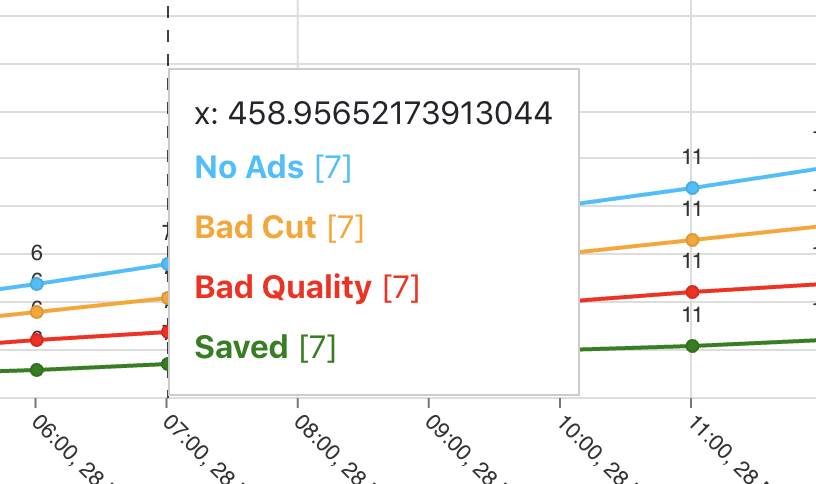
How can I map the slice.id to the value on x-axis?
I'm trying to display a corresponding date/time value from the X-Axis in the sliceTooltip in the responsive line chart. As far I can see there is a slice.id property which seems to have a value stored in pixels.
 rbtbar
All 2 comments
I'm sorry, I don't really understand what you're trying to achieve, can you share your current props/data and ideally a screenshot of what you're expecting? Thank you
 plouc
on 29 May 2019
plouc
on 29 May 2019
The data property on the point should have what you are looking for. Something like this:
<ResponsiveLine
  // ...
  sliceTooltip={({ slice }) => (
    <div>
      {slice.points.map((point) => (
        <div>X Value: {point.data.x /* or `point.data.xFormatted` */}</div>
      ))}
    </div>
  ))}
/>
 wyze
on 30 May 2019
wyze
on 30 May 2019
👍2
Was this page helpful?
0 / 5 - 0 ratings
Related issues
 p45mark
·
3Comments
p45mark
·
3Comments
 indvstry
·
3Comments
indvstry
·
3Comments
 vagnervst
·
4Comments
vagnervst
·
4Comments
 serendipity1004
·
3Comments
serendipity1004
·
3Comments
 Haaziq-Uvais
·
3Comments
Haaziq-Uvais
·
3Comments
Most helpful comment
The
dataproperty on the point should have what you are looking for. Something like this: