Nightwatch: .click() not working occasionally
Sometimes nightwatch.js .click() method works and other times it doesn't. I even put a .pause() to make sure the button is visible, I also inspect the element (while paused) to make sure it has the correct selector Im using and it does, but it just won't click the element. Sometimes it does work though, any ideas?
module.exports = {
'Step 8: Search Inventory' : function (browser) {
    browser
      .waitForElementVisible('button.searchInventory', 3000)
      .click('button.searchInventory')
      .waitForElementVisible('div.newVehicleHeader > h2', 6000)
      .assert.elementPresent('div.newVehicleHeader > h2')
      .end();}
};
 mbusta305
All 25 comments
Please see this answer on the mailing list: https://groups.google.com/forum/#!topic/nightwatchjs/3KXgjq7YiKY. You are reporting an issue with WebDriver/Selenium and not something that we can fix in Nightwatch.
 beatfactor
on 12 Oct 2016
beatfactor
on 12 Oct 2016
This is not a Selenium-specific bug but a Nightwatch bug. There have been many issues open about click() not working in a consistent manner, but you seem to always close them without any fix. If you don't want/are unable to fix this bug, please leave it open so that someone else can fix it. As a popular open source project you may have to rely on the community to fix issues.
 mdurban
on 31 Aug 2017
mdurban
on 31 Aug 2017
Is it possible the element is not enabled? Does it make sense for Nightwatch to offer .waitForElementClickable which checks visible + enabled?
 jonross
on 31 Aug 2017
jonross
on 31 Aug 2017
I don't think this is always the case, though. I have a test where I first verify it is enabled, then wait for it to be present, then click. And the click still fails:
browser.expect.element(selector).to.be.enabled     // passes
browser.waitForElementPresent(selector, 5000)
      .click(selector)
// assert side effect from click
But this passes if I just append a second .click(selector) to the end. Apparently clicking the element twice is a workaround, at least in this case.
mdurban
on 1 Sep 2017
I've found the same workaround as @mdurban. My dev machine is an i5 with 8gb running OSX and I experience this error consistently (double click workaround works though) but we also have a linux dedicated server (with much more memory and cores) running e2e that do not experience this quirk.
 javiercbk
on 6 Sep 2017
javiercbk
on 6 Sep 2017
Does the failure occur when this test is run by itself, and, can you elicit any difference in --verbose output between when it works vs when it fails? (I've found the Selenium command logging to be hugely helpful even though I barely understand it. :)
jonross
on 6 Sep 2017
Really dig nigthwatch! I have hit what I believe to be this same issue in several circumstances as I move our app into using nightwatch. As I continue writing my tests, these issues occasionally "go away" (magical faraway look...). I am not convinced it is not my own issue, but these elements are not ever in a disabled state. In debugging, I have noticed that if I put a pause in after I waitForElementVisible(), and then manually click in the browser window anywhere off in negative space, the tests will succeed after the pause finishes. I don't know if that is useful at all in thinking this one through, but one more data point.
 darrylivan
on 6 Sep 2017
darrylivan
on 6 Sep 2017
@jonross - In this specific situation, the test actually passes when I run it by itself. It fails when I run as an entire suite.
But today I found another situation where I had to do another workaround because the first click doesn't work, even when run by itself. What happened was that I did a browser.pause(5000) after the click and found out the the click() triggers (I know this because I put a console.log() in the click's callback), but the click didn't actually register in the browser for a solid 3 or 4 seconds.
mdurban
on 7 Sep 2017
@darrylivan We've found this frequently is caused by popups whose appearance isn't predictable due to e.g. A/B testing. For affected pages, we've added an angryClick command, which on a click failure assumes there is some modal DIV capturing events, clicks on the BODY to dismiss it, then retries the click target. (YMMV, use whatever "click outside the popup" event works on your site.) Hope it helps:
// Wrapper around standard .click()
//
// If click fails, it might be because something is in the way.
// Try dismissing lightboxes/overlays by clicking on the body tag,
// then click again.
exports.command = function angryClick(selector, callback) {
  var self = this;
  return this.click(selector, function(result) {
    if (result.status == 0) {
      // click succeeded, handle callback
      if (typeof callback === 'function') {
        callback.call(self, result);
      }
    }
    else {
      // click failed
      console.log('element not clickable; trying to dismiss lightboxes');
      this.execute(function() {
        // Bypass Selenium element selection and access the body directly.
        // TA body click handler will dismiss it.
        if (typeof document.body.click !== 'undefined') {
          document.body.click();
        }
      })
      // try clicking again
      .click(selector, callback);
    }
  });

};
Clicking twice did the trick for me too (using Chrome). @beatfactor can you please explain what is going wrong here so we can submit appropriate bug reports to Selenium?
 kdekooter
on 11 Sep 2017
kdekooter
on 11 Sep 2017
I think you will need the Selenium server log, with -debug true, showing that either the click request wasn't received, or wasn't handled as you expect. (It may even expose the problem.) Here's one such example:
13:41:12.069 WARN - Exception thrown
org.openqa.selenium.WebDriverException: unknown error: Element <input value="Google Search" aria-label="Google Search" name="btnK" type="submit" jsaction="sf.chk"> is not clickable at point (547, 411). Other element would receive the click: <b>...</b>
@jonross that sounds like a plan! How would one configure this debug flag in nightwatch?
kdekooter
on 12 Sep 2017
Nightwatch doesn't appear to offer Selenium startup options that aren't JVM properties (I'm looking at setCliArgs in lib/runner/selenium.js.) So I suggest you start it separately and set "start_process" : false in your nightwatch.json.
jonross
on 12 Sep 2017
I've found out that running tests on "headless chrome" duplicates the error consistently. After taking a look at the screenshots taken by the suite, I've realized that the button is below another element. So I might be experiencing the Other element would receive the click error.
javiercbk
on 8 Nov 2017
I can reproduce this consistently as well with the following steps:
- Run a headless Chrome on OSX
- Let the element to click be on the lower border of the web page, but also outside the view port.
- Try to click on it via Nightwatch.
This fails with the error that <html>...</html> would receive the click, but not the intended target.
This is caused due to the scrollbars of OSX, which appear when scrolling.
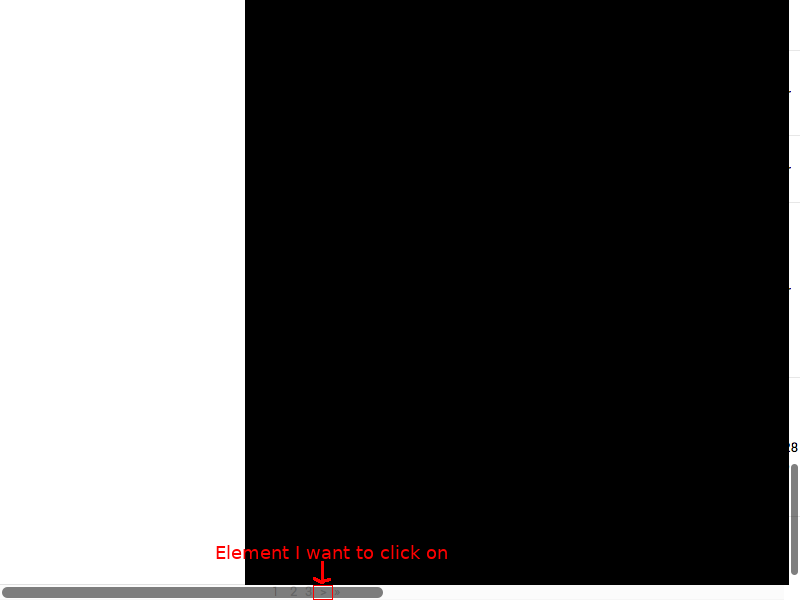
A temporary workaround is to move to the element, wait about a second, and then click on it:
page.moveToElement('@button', 100, 100);
browser.pause(1100);
page.click('@button);
 kaueraal
on 7 Dec 2017
kaueraal
on 7 Dec 2017
Thanks @kaueraal for your insight! I was pulling my hairs out over this one! However, I found that moveToElement would not always do the trick, so I had to invoke some scrollIntoView() for this one:
module.exports.command = function (selector) {
    this
        .execute(function (selector) {
            document.querySelector(selector).scrollIntoView();
        }, [selector])
        .pause(200)
        .click(selector);
};
 kanduvisla
on 12 Mar 2018
kanduvisla
on 12 Mar 2018
Thanks @kanduvisla, that code snippet solved my problem
 hay-bams
on 14 Mar 2018
hay-bams
on 14 Mar 2018
I came across this in a similar situation to the one described by @jonross.
The click command was being executed but the expected result was not seen. I either had to put a pause after the click and manually click it, or put a pause before the click to make it work.
Without those workarounds, running nightwatch with the --verbose (or -- --verbose via an npm script) revealed the following error:
INFO Request: POST /wd/hub/session/7bfda5c7c84c260c0733ab45e3bc69b5/element/0.28179814417982074-28/click
 - data:
 - headers:  {"Content-Length":0}
INFO Response 200 POST /wd/hub/session/7bfda5c7c84c260c0733ab45e3bc69b5/element/0.28179814417982074-28/click (62ms) { sessionId: '7bfda5c7c84c260c0733ab45e3bc69b5',
  status: 13,
  value: { message: 'unknown error: Element <button data-v-50d9c9f0="" type="button">...</button> is not clickable at point (268, 600). Other element would receive the click: <div class="overlay overlay-leave overlay-leave-active overlay-leave-to"></div>\n  (Session info: chrome=67.0.3396.79)\n  (Driver info: chromedriver=2.38.552518 (183d19265345f54ce39cbb94cf81ba5f15905011),platform=Mac OS X 10.12.6 x86_64)' } }
LOG     → Completed command click (89 ms)
So is the underlying issue actually just that the nightwatch .click() command just doesn't check for this selenium error status and log it?
(In a similar situation, if the selector is not found for example, nightwatch v0.9.21 will log an ERROR at that point.)
In my case the answer was just to wait for the overlay to not be present before issuing the click, but I would've realised much quicker if the underlying error had been reported without having to switch verbose logging on.
 woodcoder
on 12 Jun 2018
woodcoder
on 12 Jun 2018
I'd actually like to agree to the developer. In some occasions, it could be that the click doesn't work occasionally because something else except nightwatch. For me, I started ns with --verbose and it seems the element was covered by an overlay.
 alexandruluca
on 3 Sep 2018
alexandruluca
on 3 Sep 2018
@beatfactor You should re-open this ticket. This isn't an issue with Selenium...Selenium is properly reporting the errorStatus, but Nightwatch just isn't checking for the error. I wrote a custom command that checks for the Selenium response's errorStatus when clicking:
/**
 * Waits for an element to be visible and clicks it. Properly throws Selenium exceptions when click fails,
 * unlike the native click command in Nightwatch.js.
 *
 * Example: browser.waitAndClick('button', callback);
 *
 * @name waitAndClick
 * @param selector - Selector of element (ie. '[data-qa=Element]')
 * @param callback - Optional function to run after click
 */

exports.command = function (selector, callback) {
  const self = this;
  this.waitForElementVisible(selector);
  this.click(selector, function (result) {
      if (result.status !== 0 && result.errorStatus !== 13) {
        self.assert.fail(JSON.stringify(result))
      }
      else if (result.status !== 0 && result.errorStatus === 13) {
        let message = result.value.message;
        console.log(` ♦  Attempted to click ${selector} but received \n ${message},\n waiting 1s and attempting again`);
        self.pause(1000);
        self.click(selector, function (result2) {
          if (result2.status !== 0) {
            self.assert.fail(JSON.stringify(result2));
          }
          else if (callback !== undefined) {
            callback()
          }
        });
      }
      else if (callback !== undefined) {
        callback()
      }
    }
  )
};
 pschroeder89
on 16 Nov 2018
pschroeder89
on 16 Nov 2018
Another hacky workaround that I found to work with the click flakiness on iOS with Appium is to call setValue(css,'') before click(css). Since setValue doesn't clear the value, even if that button has a value for some odd reason, it wouldn't modify it. I find it to work pretty consistently without having to pause.
if(this.capabilities.platformName === 'iOS'){
  this.setValue(selector, '');
}
this.click(selector);
 chiahrens
on 15 Mar 2019
chiahrens
on 15 Mar 2019
In the next version all commands like .click() or .setValue() will initially check (with periodic retries) if the element in question is present and visible. Also, errors like element being present will be handled.
beatfactor
on 15 Mar 2019
@beatfactor How soon is the next release? You're the hero we need.
 abu-wizata
on 22 Mar 2019
abu-wizata
on 22 Mar 2019
@beatfactor has this release already been made? I'm still having this issue.
 krazyjakee
on 24 May 2019
krazyjakee
on 24 May 2019
@krazyjakee Yes, can you open a separate issue? Thanks.
beatfactor
on 24 May 2019
Related issues
 aking1012
·
4Comments
aking1012
·
4Comments
 willli666
·
3Comments
willli666
·
3Comments
 maxgalbu
·
3Comments
maxgalbu
·
3Comments
 manjero
·
4Comments
manjero
·
4Comments
 lgaticaq
·
3Comments
lgaticaq
·
3Comments
Most helpful comment
This is not a Selenium-specific bug but a Nightwatch bug. There have been many issues open about click() not working in a consistent manner, but you seem to always close them without any fix. If you don't want/are unable to fix this bug, please leave it open so that someone else can fix it. As a popular open source project you may have to rely on the community to fix issues.