Nighttab: [Feature request] Option to set the extension as the browsers homepage (not just new tab)
Every time I install the extension, I inspect the page load response and obtain the extension URL to index.html so that I can copy and paste it into the browsers Homepage field. It'd be great if there was an option to set this automatically, or at the very least show the extension URL somewhere within the extension so that I could get it from there more easily. Thanks!
 davenicoll
All 8 comments
Are you using Firefox? If so have you followed the instructions on the readme about Firefox homepage settings?
 zombieFox
on 27 May 2020
zombieFox
on 27 May 2020
Nevertheless, it would be great to have a button to copy the URL to be only shown for Firefox users.
I'm not sure if many users have Github or will come searching through here to find a fix, though this has been brought up a few times before:
https://github.com/zombieFox/nightTab/issues/119#issuecomment-564823896
(2019.. Wow times flies, doesn't it)
 Excigma
on 31 May 2020
Excigma
on 31 May 2020
Are you using Firefox? If so have you followed the instructions on the readme about Firefox homepage settings?
I hadn't, no - but thanks for that. As @Excigma pointed out, I don't think most users will visit that. A link or button would be nice.
davenicoll
on 2 Jun 2020
Nevertheless, it would be great to have a button to copy the URL to be only shown for Firefox users.
It would, however I'm not sure how to show some controls just for Firefox and hide them for Chrome. I could add some instruction and a link to the Firefox section on the Readme file as that's the simplest solution I can think of.
(2019.. Wow times flies, doesn't it)
Wow, it really does.
zombieFox
on 3 Jun 2020
I'm not sure if you can check if navigator.userAgent.search("Firefox") returns something higher than -1
Excigma
on 5 Jun 2020
I'm not sure if you can check if navigator.userAgent.search("Firefox") returns something higher than -1
Tested, that does indeed work. I'll see what I can do with it.
zombieFox
on 6 Jun 2020
The top answer on this question seems to be a good way to detect Firefox:
var isFirefox = typeof InstallTrigger !== 'undefined'
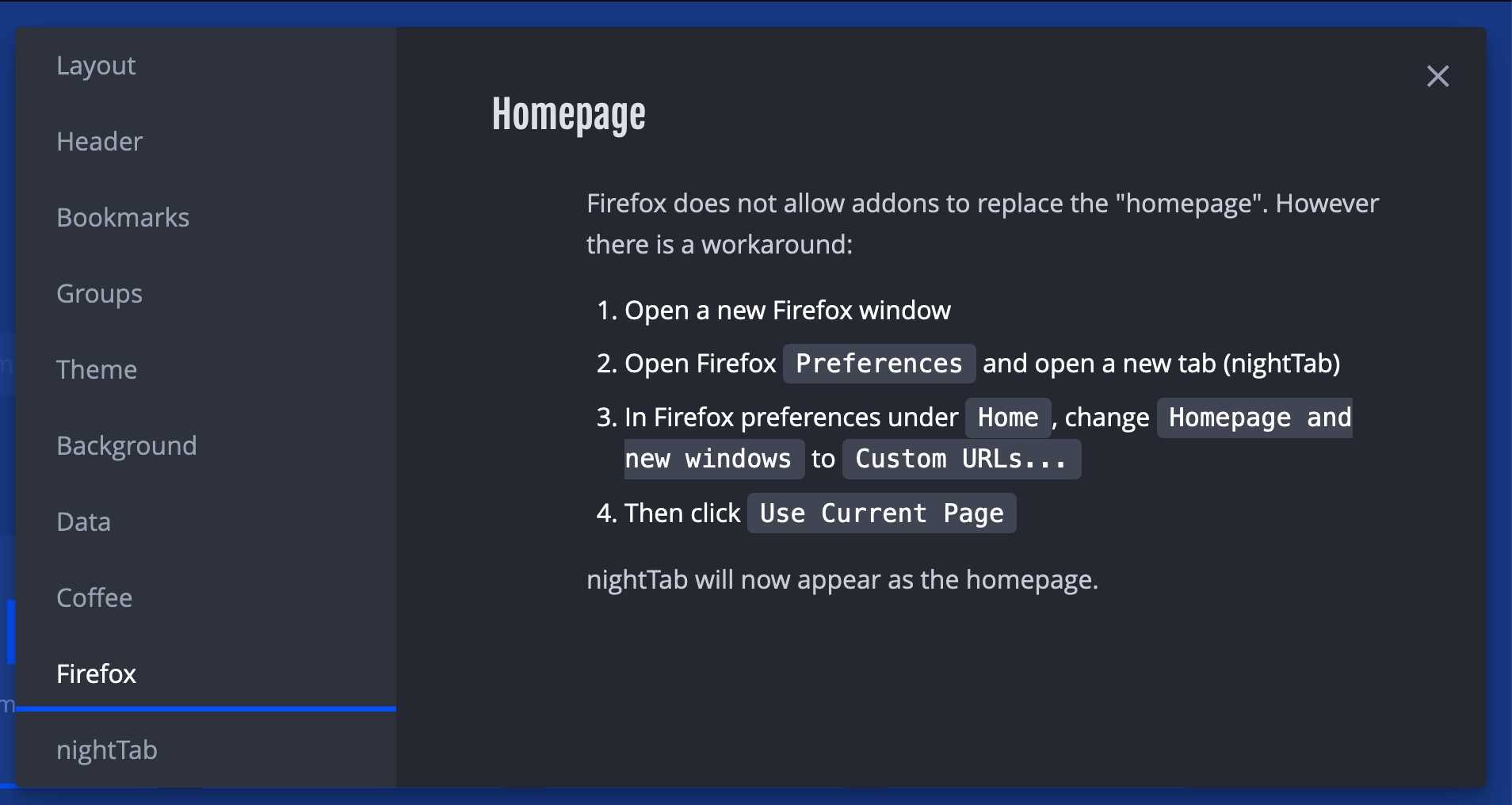
Planning to include the instructions in a Firefox specific menu tab:
zombieFox
on 10 Jun 2020
This feature is now on live 👍
zombieFox
on 15 Jun 2020
Related issues
 rezpower
·
3Comments
rezpower
·
3Comments
 ronmurphy
·
5Comments
ronmurphy
·
5Comments
 Zbergen-cli
·
4Comments
Zbergen-cli
·
4Comments
 tmeuze
·
5Comments
tmeuze
·
5Comments
 smaragdus
·
5Comments
smaragdus
·
5Comments
Most helpful comment
The top answer on this question seems to be a good way to detect Firefox:
var isFirefox = typeof InstallTrigger !== 'undefined'Planning to include the instructions in a Firefox specific menu tab: