Nighttab: [Feature Request] Option for hiding scrollbar
Pretty self explanatory; I've only got a few entries in list style overflowing the page, and realistically I'll never bother reaching for the scrollbar with the cursor just to reach those entries.

More importantly, it's ugly on an otherwise beautiful page.
 Q-out
Q-out
All 8 comments
Also it would be nice to have a option for scrollbar-width: thin; for Firefox users
https://developer.mozilla.org/en-US/docs/Web/CSS/scrollbar-width
 Excigma
on 22 Jan 2020
Excigma
on 22 Jan 2020
I'm not seeing the scroll bars on Mac OS. But I know Windows keeps bars visible most of the time. Using something like overflow-y: hidden will break the page and prevent content outside the viewport from being reached by the user.
@Q-out do you have bookmarks filling the page? If so the scroll bars will be displayed by the browsers. This may be unavoidable.
More importantly, it's ugly on an otherwise beautiful page.
Thanks!
@Excigma I didn't know about that property. I'll see to adding it.
 zombieFox
on 24 Jan 2020
zombieFox
on 24 Jan 2020
If you check out the scrollbar-width property linked by Excigma, you'll see that it also supports the value of none. If I force the scrollbar to change by using * { scrollbar-width: none !important } in my usercontent.css, it removes the scrollbar but keeps the content scrollable:
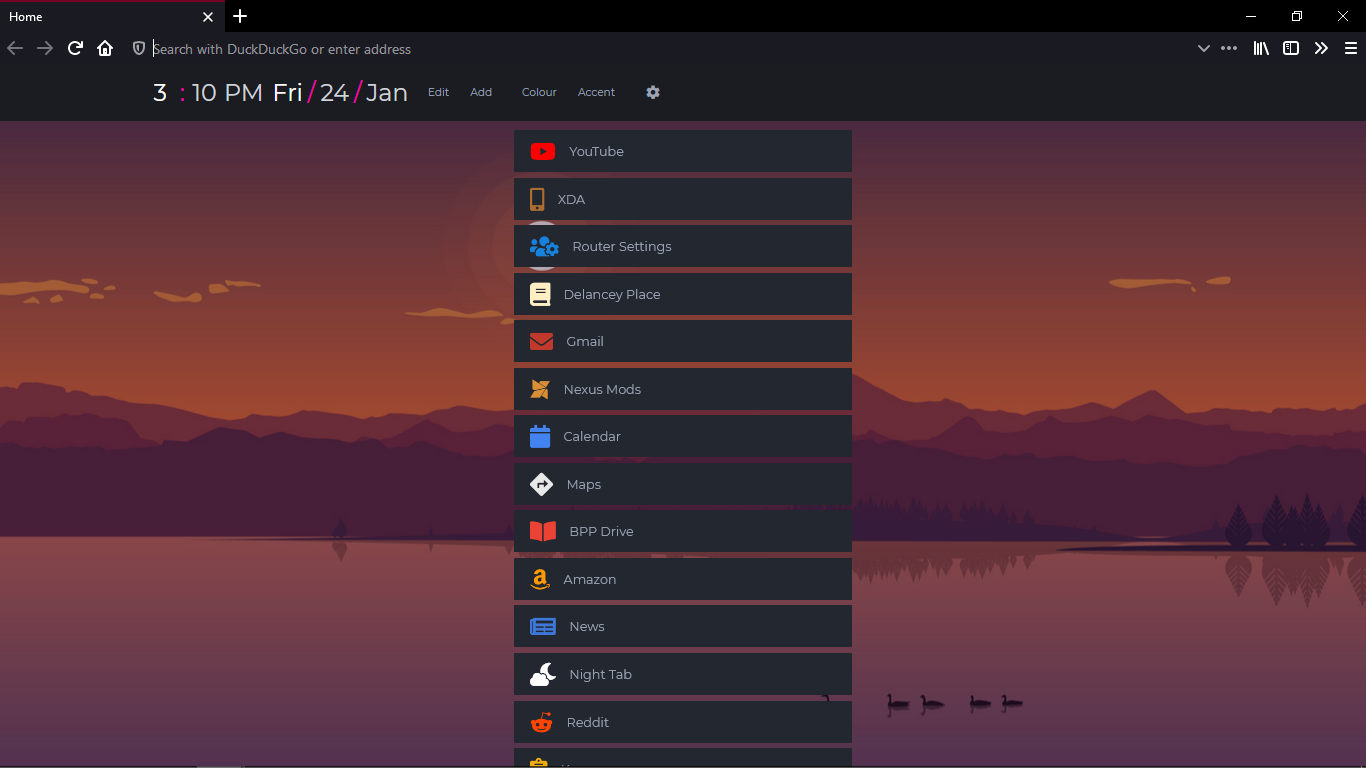
Here's * { scrollbar-width: thin !important }:

Only Firefox would support it if you implemented that property though. So I was hoping there was another way to do it for all browsers because feature parity is a nice-to-have. Although, other OS-browser combos may have better looking scrollbars, and Win-FF has that one which is better off hidden (or replaced with the thin one).
Q-out
on 24 Jan 2020
you'll see that it also supports the value of
none.
Excellent! Didn't know "none" was an option. That is a better solution than trying anything funky with overflow or measuring the height of the page with JS (which can get expensive fast). I'll work that into the project asap.
other OS-browser combos may have better looking scrollbars
Yep, very true.
zombieFox
on 24 Jan 2020
Giving this a bit more thought: hiding all scrollbars may bring up accessibility issue so this may not be an active feature all the time but rather an option which can be turned on from the menu.
zombieFox
on 24 Jan 2020
Yeah, hiding all scrollbars would be feel different for some people who may prefer to have them, OP did ask for it to be an option.
In regards to Chrome, it seems to have:
::-webkit-scrollbar {
    display: none;
}
From the top answer of: https://stackoverflow.com/questions/16670931/hide-scroll-bar-but-while-still-being-able-to-scroll
Excigma
on 1 Feb 2020
In regards to Chrome, it seems to have:
Awesome, I added that too. Working well enough in Chrome 79.0.3945.130.
zombieFox
on 2 Feb 2020
Thanks!
Q-out
on 20 Feb 2020
Related issues
 tmeuze
·
5Comments
tmeuze
·
5Comments
 Zbergen-cli
·
4Comments
Zbergen-cli
·
4Comments
 TOLIN987
·
5Comments
TOLIN987
·
5Comments
 spikecodes
·
3Comments
spikecodes
·
3Comments
 OofFan
·
5Comments
OofFan
·
5Comments
Most helpful comment
Awesome, I added that too. Working well enough in Chrome 79.0.3945.130.