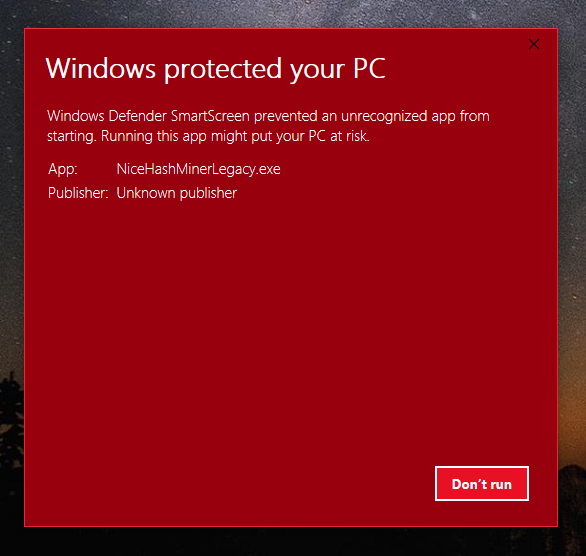
Nicehashminer: Cant run new versions 1.8.2.0 and 1.8.1.4 due to windows defender smartscreen.
hi, im using pre release of 1.8.1.4 3rd, i downloaded both latest version that is 1.8.1.4 and 1.8.2.0 , i cant run those, when i try to open i only have option showing "dont run" i tried to disable windows defender,
so what should i do now.
 mandeep148
All 4 comments
You need to go to the Windows Defender settings and configure SmartScreen to be "Warn" instead of "Block"
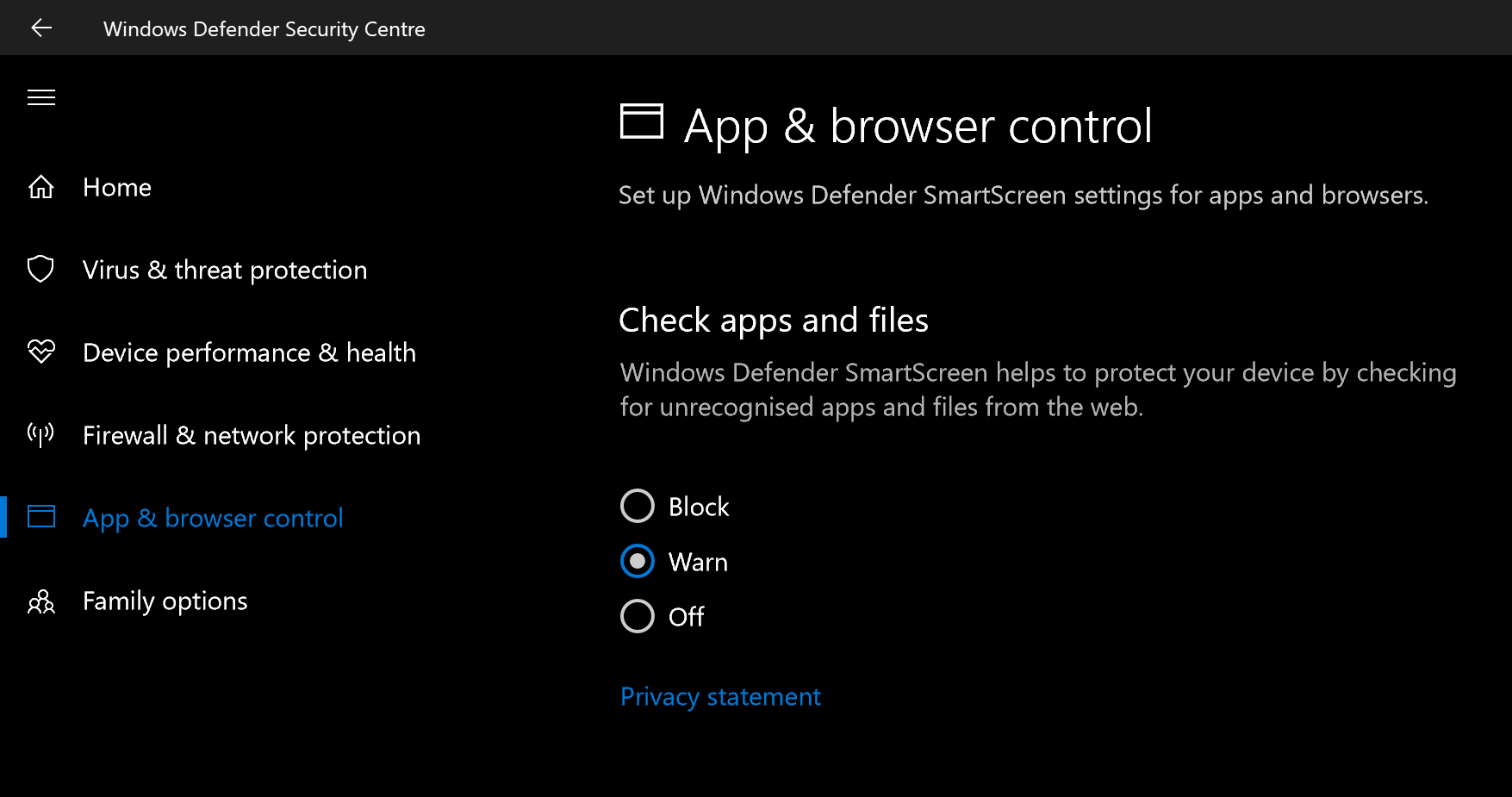
After that, that popup will have a "more info" button which exposes the "Run anyway" button
 DillonN
on 4 Nov 2017
DillonN
on 4 Nov 2017
@DillonN
Thanks for help,
Sorru but in dont think i should put my whole computer at risk just because of nicehash, dont you think you should improve or approve the software or whatever?
mandeep148
on 4 Nov 2017
Sorru but in dont think i should put my whole computer at risk just because of nicehash, dont you think you should improve or approve the software or whatever?
You annoying, computer illiterate, entitled person...! The only thing that puts your computer at risk is you. Dillon and others spent so much time helping you out with your silly questions and yet you have the temerity to throw snide remarks and boss the dev team around?
Changing SmartScreen behavior from Block to Warning is so much better than disabling Windows Defender as you thought to do. It does nothing to decrease security because you still have to approve every warning Windows Defender issues.
Had you spent at least as much time studying how Windows Defender works as you did complaining here about everything you couldn't figure out (that means everything), you would have known that you only need to confirm this change once each time after updating the version of the NiceHash executable, and switching back to Block after approving NiceHash would work for you.
 drkskwlkr
on 4 Nov 2017
drkskwlkr
on 4 Nov 2017
@drkskwlkr for 1 second i agree what you said,
you are telling
"annoying, computer illiterate, entitled person"
to your and all parents and all those person who are only using Pc for accounting..
everyone dont have all knowledge, i bet you dont even know how pc architect work, first of all your nothing without GOOGLE, look at your mouth, you look like you have Glue-ed youself with computer screen... you have no sense of how to talk...
Second thing i meant to said at first reply, was i will use older version, once issue get fixed... my kid can even install unknown SOFTWARE, i just cant revert settings to 'WARN". thats my choice..
mandeep148
on 4 Nov 2017
Related issues
mandeep148
·
3Comments
 liranscu
·
5Comments
liranscu
·
5Comments
 AtlAntA118
·
3Comments
AtlAntA118
·
3Comments
 LuckyGeniusss
·
4Comments
LuckyGeniusss
·
4Comments
 navjack
·
3Comments
navjack
·
3Comments