Ngx-formly: Formly Material - Validation error message doesn't seem to show
I'm submitting a ... (check one with "x")
[x] bug report => search github for a similar issue or PR before submitting
[ ] feature request
[ ] support request
Current behavior
When configuring formly as follows:
{
  key: 'name',
  type: 'input',
  templateOptions: {
    label: 'Name (required)',
    required: true
  }
}
..the form is properly invalidated, but the error message doesn't display. I'm using Angular Material here.
Expected behavior
The validation message shows 😉
Minimal reproduction of the problem with instructions
question
 juristr
All 4 comments
you have missed one small step, the error message should be defined in NgModule declaration:
    FormlyModule.forRoot({
      validationMessages: [
        { name: 'required', message: 'This field is required' },
      ],
    }),
 aitboudad
on 19 Mar 2018
aitboudad
on 19 Mar 2018
@aitboudad Oh, I thought those are built-in, as I didn't find them in the demo examples: https://formly.dev/examples/validation/built-in-validations
juristr
on 19 Mar 2018
Oh, stupid me...it's in the FormlyModule.forRoot 🙄
sorry 😓
juristr
on 19 Mar 2018
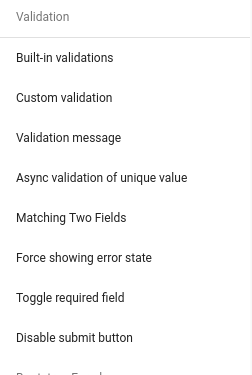
no worry :smile: , a bunch of examples that cover all validation possibilities :) are there:
aitboudad
on 19 Mar 2018
👍2
Was this page helpful?
0 / 5 - 0 ratings
Related issues
 sampow
·
4Comments
sampow
·
4Comments
 patrickrioux
·
3Comments
patrickrioux
·
3Comments
 johnRambo2k14
·
3Comments
juristr
·
3Comments
johnRambo2k14
·
3Comments
juristr
·
3Comments
 pascalbe-dev
·
3Comments
pascalbe-dev
·
3Comments
Most helpful comment
no worry :smile: , a bunch of examples that cover all validation possibilities :) are there: