Ngx-datatable: sample codes for deleting records from the datatable
HELLO, I am new to the Angular2/4 development. I was able to incorporate this wonderful datatable in my interface. However, my interface should also allow users to delete a row by clicking a "Delete" button in a separate column. I couldn't find any sample codes from documentation for that. Can anybody shed me some light how to achieve that? truly appreciate it! Alex
 wgsl2005
All 7 comments
You can use ng-datatable-column to define prop (id) to column and use ng-template to assign prop value to data (let-id="value") value mean your prop (id) and you can use html element to make delete button and handle event :D
<ngx-datatable-column name="Action" prop="id" [sortable]="false">
  <ng-template let-rowIndex="rowIndex" let-id="value" ngx-datatable-cell-template>
    <button class="btn btn-sm btn-danger" (click)="delete(id)>
      <i class="fa fa-trash"></i> Delete
    </button>
  </ng-template>
</ngx-datatable-column>
 pozterz
on 6 Oct 2017
pozterz
on 6 Oct 2017
Thank you pozterz for your help. Your codes worked for me. However, I noticed that the datatable didn't work with upper case column names. The link in this issue (https://github.com/swimlane/ngx-datatable/issues/289) didn't exist any more. Can you please help me how to use prop or direct me to the correct document page?
wgsl2005
on 7 Oct 2017
ok, I figured it out.
<ngx-datatable-column name="TableName" prop="TABLENAME"></ngx-datatable-column>
wgsl2005
on 7 Oct 2017
@wgsl2005 could you show me the code ?
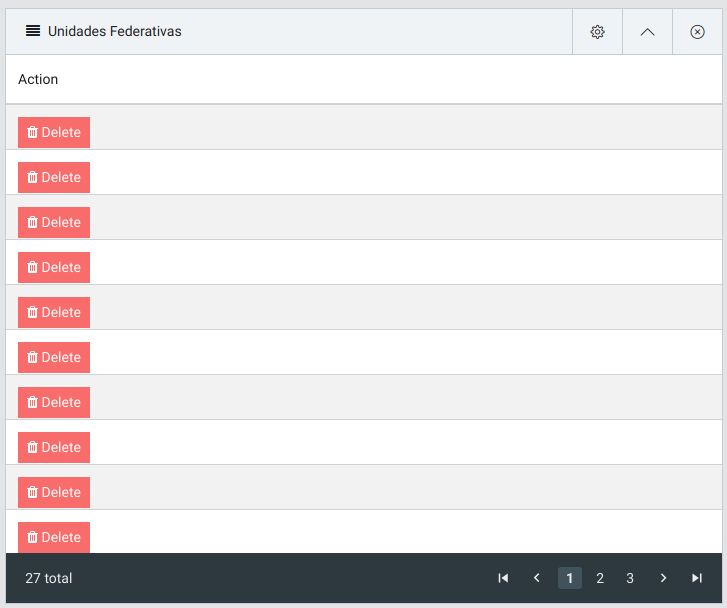
When I try to use
<ngx-datatable-column name="TableName" prop="TABLENAME"></ngx-datatable-column>
my other fields dont show in my table.
Thanks.
 duard
on 28 Oct 2017
duard
on 28 Oct 2017
@duard did you get any response to it or figure out a way to show the rest of your table? I'm having the same problem.
 danehendren
on 20 Jun 2018
danehendren
on 20 Jun 2018
@pozterz, can you put your delete(id) function on here? I've tried to do a delete function using splice and it isn't working. It deletes the last row no matter which row I've clicked.
 dtarvin
on 27 Aug 2018
dtarvin
on 27 Aug 2018
Okay, someone helped me with this. Apparently the problem is that you first have to set the array of rows to another variable and then do the slice from that variable, then reset the array of rows to the variable.
So:
deleteRow(rowIndex) {
let temp = [...this.rows];
temp.splice(rowIndex, 1);
this.rows = temp;
}
dtarvin
on 29 Aug 2018
Related issues
 lautarobock
·
3Comments
lautarobock
·
3Comments
 JanStock
·
3Comments
JanStock
·
3Comments
 ExTheSea
·
3Comments
ExTheSea
·
3Comments
 iget-esoares
·
3Comments
iget-esoares
·
3Comments
 devendraYebhi
·
3Comments
devendraYebhi
·
3Comments
Most helpful comment
You can use ng-datatable-column to define prop (id) to column and use ng-template to assign prop value to data (let-id="value") value mean your prop (id) and you can use html element to make delete button and handle event :D