Ngx-datatable: Column width distribution
I'm submitting a ... (check one with "x")
[ ] bug report => search github for a similar issue or PR before submitting
[x] feature request
[ ] support request => Please do not submit support request here, post on Stackoverflow or Gitter
Current behavior
Currently there are three ways of column distribution: force, standard and flex.

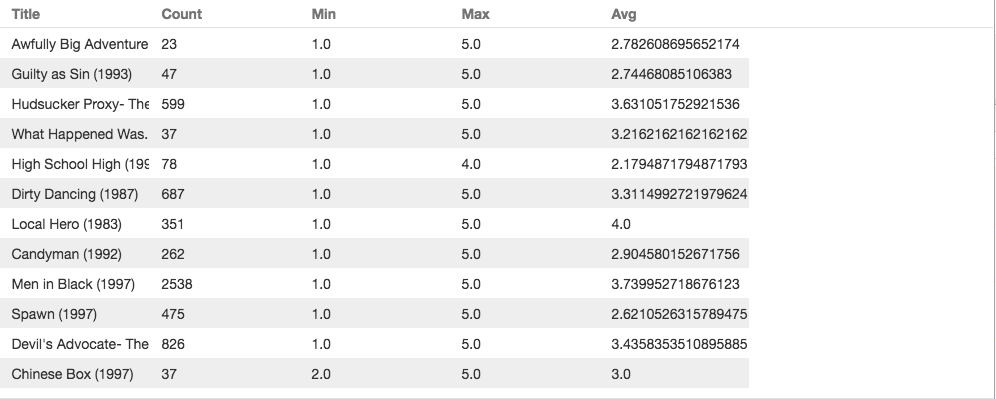

Expected behavior
Expect the column width flexible to the widest cell in the whole column. For example:

Reproduction of the problem
What is the motivation / use case for changing the behavior?
As the images show, in standard and force mode, there are always hidden cells while in flex mode the format is not clear.
Please tell us about your environment:
Operating system: osx 10.12
IDE: vs code
package manager: npm
http server: tomcat
Table version: 9.3.1
Angular version: 4.3.3
Browser: Chrome 59.0
Language: TypeScript 2.4.2
 zanecat
All 4 comments
I'm not sure this is possible given virtual scrolling.
 amcdnl
on 4 Aug 2017
amcdnl
on 4 Aug 2017
Does that mean that you either have same width columns, or you have to explicitly set a width to each column?
A normal html table will pr. default make the columns as slim as possible - I would expect this to be the default behaviour for a datatable as well?
 SuneRadich
on 21 Sep 2017
SuneRadich
on 21 Sep 2017
I've seen it done with virtual scrolling by increasing the width when it witnesses a bigger width.
 wizarrc
on 21 Sep 2017
wizarrc
on 21 Sep 2017
@amcdnl have you come to a conclusion on this matter?
This is the only part that's leaving me a bit worried about using ngx-datatable on my project.
Do you confirm that in virtualscrolling mode you can't do auto-width in relation to the columns content?
 gsoares02
on 27 Mar 2018
gsoares02
on 27 Mar 2018
Related issues
 iget-esoares
·
3Comments
iget-esoares
·
3Comments
 dinvlad
·
3Comments
dinvlad
·
3Comments
 Matthi0uw
·
3Comments
Matthi0uw
·
3Comments
 eddy-geek
·
3Comments
eddy-geek
·
3Comments
 rotemx
·
3Comments
rotemx
·
3Comments
Most helpful comment
@amcdnl have you come to a conclusion on this matter?
This is the only part that's leaving me a bit worried about using ngx-datatable on my project.
Do you confirm that in virtualscrolling mode you can't do auto-width in relation to the columns content?