Ngx-charts: How to set the width of Vertical Bar Charts?
I am using Vertical Stacked Bar Chart in my project. I don't know how to adjust the width of the bar of chart.
If I have multiple bars on charts, it looks good but if I have a single bar on charts it takes the whole space on chart and looks like a piece of block on chart. If there is a possible way to fix this issue please help me.
 ChitrajanDhiman
All 23 comments
[barPadding]="number" <- add this property to the page component you are using
Increasing this number will make the bar chart width smaller. I would dynamically (in your component) adjust this number based on the number of data objects you have.
Try on:
https://swimlane.gitbooks.io/ngx-charts/content/charts/bar-vertical-stacked.html
 menzie2
on 9 Jan 2018
menzie2
on 9 Jan 2018
it does not fix the issue if you have one bar in chart
So can i achieve the result represented in picture?

 galvakojis
on 7 May 2018
galvakojis
on 7 May 2018
I resolve this issue by adding predefined number of bars to the chart.
Example - Pass 10 bars to chart, If you have only one bar to display, pass other 9 bars with null data. It will create 10 bars on chart, but only one will be visible that contains some data.
If you increase number of bars the width of bar will be reduced.
ChitrajanDhiman
on 7 May 2018
Maybe you can give me an example, cause it don't let me to display 4 bars with null data
           for(let i=0; i < 5-datas.length; i++){
                array.push({
                    name: "",
                    value: ""
                })
            }
galvakojis
on 8 May 2018
@galvakojis Are you able to find the solution. I am also getting the same issue.
There should be option to control the bar width instead of doing workarounds. It don't look good in case of less number of bars.
 vijaychhajer
on 5 Jun 2018
vijaychhajer
on 5 Jun 2018
more or less :cry:
my work around:
 if(datas.length < 5){
            let empty = '  ';
            for(let i=0; i<5-datas.length; i++){
                array.push({
                    name: empty.repeat(i+1),
                    value: 0
                })
            }
        }
is there any news on it ?
 thesayyn
on 11 Jun 2018
thesayyn
on 11 Jun 2018
@thesayyn You can set barPadding and at increase the space between graphs you decrerase the width of bars.
 frankdavidcorona
on 11 Jun 2018
frankdavidcorona
on 11 Jun 2018
@frankdavidcorona it is not working if you have only one bar!
galvakojis
on 11 Jun 2018
@galvakojis That's rigth, my appologies.
frankdavidcorona
on 11 Jun 2018
Even if I'm passing null data i can see lines with 1 px height for each bar with null data
Is there any other way to set a fixed with for each bar?
In my case I'm showing a fixed number of bars all time.
 soothran
on 13 Jun 2018
soothran
on 13 Jun 2018
@soothran Please try to pass 0 instead of null
ChitrajanDhiman
on 13 Jun 2018
Yeah I tried. But no luck.
soothran
on 19 Jun 2018
is there any news on it ?
 JohnProg
on 7 Sep 2018
JohnProg
on 7 Sep 2018
why is this closed when it is not solved? clearly the first comment is on having one bar not multiple...
 kultigin
on 5 Dec 2018
kultigin
on 5 Dec 2018
please, I really need this issue to be solved!!
 issamalshamaly
on 6 Jul 2019
issamalshamaly
on 6 Jul 2019
Hi @issamalshamaly
I already resolved this issue earlier but not able to provide it here with example. Now I have an working example for this issue, you can clone it from "https://github.com/ChitrajanDhiman/VerticalChart".
The default behavior of chart is Image-1.png
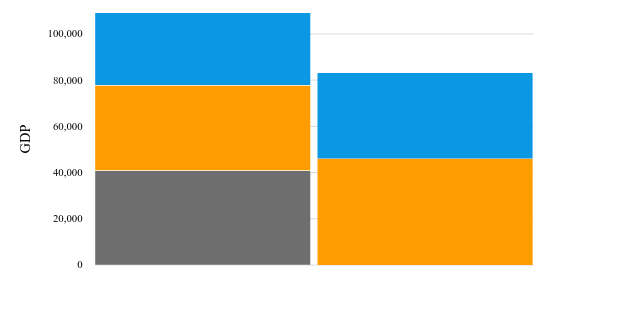
After resolving it will look like Image-2.png
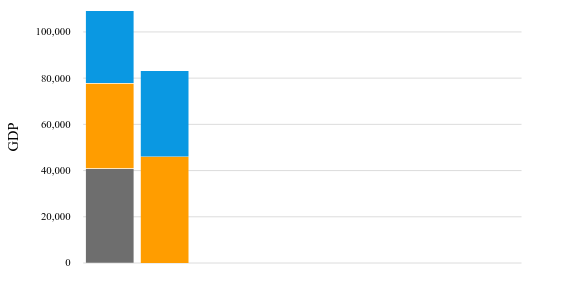
I hope it will resolve your issue
 cdhiman
on 8 Jul 2019
cdhiman
on 8 Jul 2019
I tried adding some bars with 0 as value and it still shows a blank section of the graph, doesn't push all the bars to the right like the second photo. Plus your hiding the X axis. This should work if you show the X-Axis.
 martheli
on 29 Apr 2020
martheli
on 29 Apr 2020
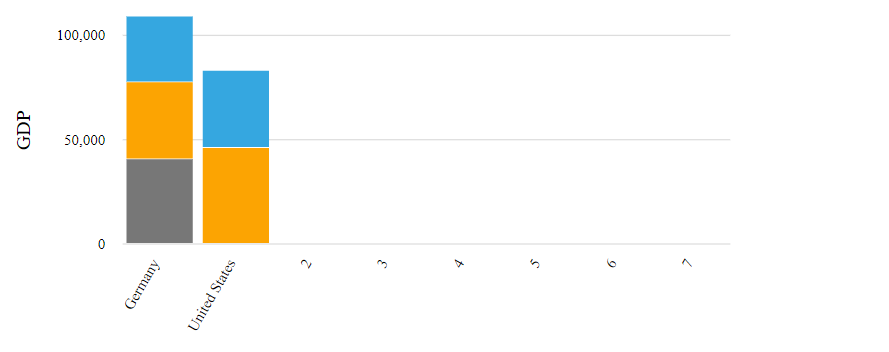
@martheli Its working with X axis also.
Can you show me your code to understand the issue?
cdhiman
on 30 Apr 2020
@cdhiman your example still has numbers on the bottom axis. It has "2", "3", "4" etc....how to remove those?
martheli
on 2 Jul 2020
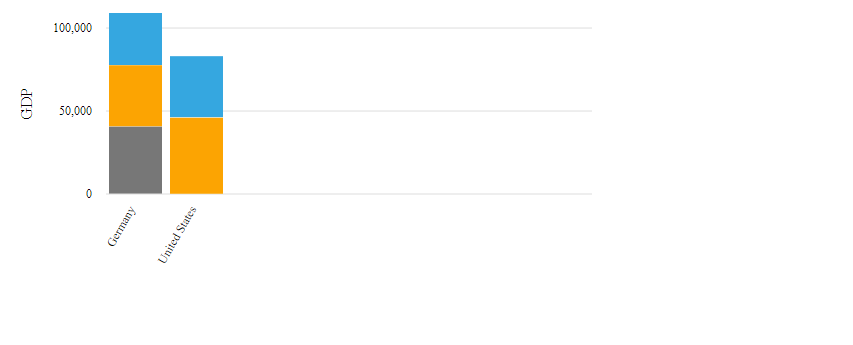
Hi @martheli, name for x-axis must b unique, so in this example I have just passed index number in name for empty data. I know this is not a proper solution for the problem, its just a work around for the time. We can avoid these numbers by adding empty spaces as name to avoid displaying index in x-axis. I have made changes in file - https://github.com/ChitrajanDhiman/VerticalChart/blob/master/src/app/app.component.ts
Now its look like -
ChitrajanDhiman
on 2 Jul 2020
I really need this too, it would be great if there were a way to solve this!
 Sina7312
on 11 Nov 2020
Sina7312
on 11 Nov 2020
Is this solved! I am facing the same issue on my project! I have tried using for loop to add null bars but then I get empty as a legend on the chat! Is there any workaround for this yet?
 Pragyansh99
on 18 Feb 2021
Pragyansh99
on 18 Feb 2021
Related issues
 NashIlli
·
3Comments
NashIlli
·
3Comments
 stephanrauh
·
4Comments
stephanrauh
·
4Comments
 achimha
·
3Comments
achimha
·
3Comments
 tobigit
·
4Comments
tobigit
·
4Comments
 faisalnet5
·
3Comments
faisalnet5
·
3Comments
Most helpful comment
why is this closed when it is not solved? clearly the first comment is on having one bar not multiple...