Ngx-bootstrap: Datepicker is not working for me
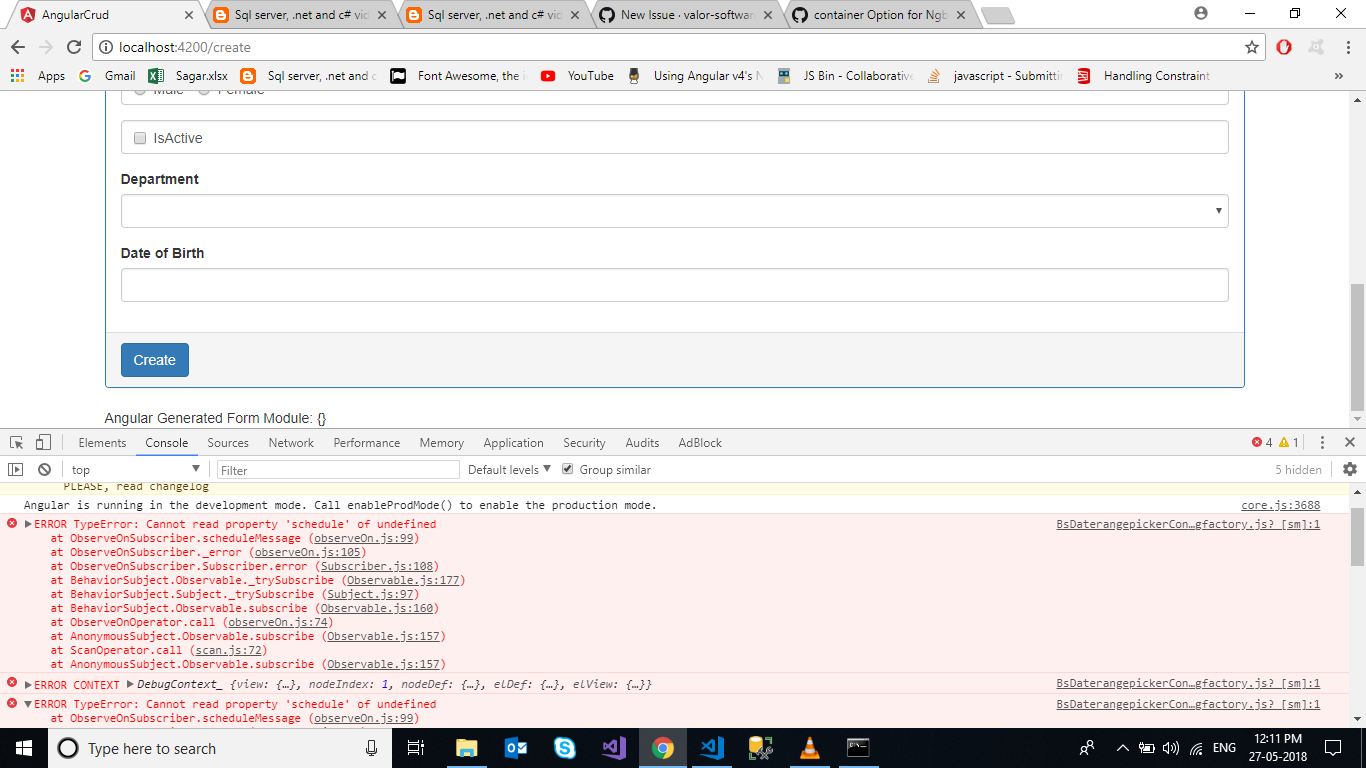
ERROR TypeError: Cannot read property 'schedule' of undefined
at ObserveOnSubscriber.scheduleMessage (observeOn.js:99)
at ObserveOnSubscriber._error (observeOn.js:105)
at ObserveOnSubscriber.Subscriber.error (Subscriber.js:108)
at BehaviorSubject.Observable._trySubscribe (Observable.js:177)
at BehaviorSubject.Subject._trySubscribe (Subject.js:97)
at BehaviorSubject.Observable.subscribe (Observable.js:160)
at ObserveOnOperator.call (observeOn.js:74)
at AnonymousSubject.Observable.subscribe (Observable.js:157)
at ScanOperator.call (scan.js:72)
at AnonymousSubject.Observable.subscribe (Observable.js:157)
 sagarmp02
All 6 comments
This error you get with the latest version of ngx-bootstrap when you are not using angular 6.0.0 or higher. You could use an older version of ngx-bootstrap or upgrade angular.
Maybe another solution for ngx-bootstrap to be compatible for more angular versions: use the rxjs-compat library
 rroex
on 28 May 2018
rroex
on 28 May 2018
Which version of ngx-bootstrap works for datepicker
 markoghifo
on 29 Jun 2018
markoghifo
on 29 Jun 2018
do any one have any solution for this
 Mohammadsaleem
on 10 Jul 2018
Mohammadsaleem
on 10 Jul 2018
if angular <6:
npm uninstall ngx-bootstrap
npm install [email protected] --save
 juniormayhe
on 20 Jul 2018
juniormayhe
on 20 Jul 2018
Thanks solved.
 shankarNalawade
on 17 Sep 2018
shankarNalawade
on 17 Sep 2018
It solved my problem,at the time I was using Angular 4! Thanks mate
 MFRamon
on 21 Sep 2018
MFRamon
on 21 Sep 2018
Related issues
 ghiscoding
·
3Comments
ghiscoding
·
3Comments
 PascalHonegger
·
3Comments
PascalHonegger
·
3Comments
 YevheniiaMazur
·
3Comments
YevheniiaMazur
·
3Comments
 pgeyman
·
3Comments
pgeyman
·
3Comments
 hugonne
·
3Comments
hugonne
·
3Comments
Most helpful comment
if angular <6: