Ngx-bootstrap: Modal With Component (BsModalRef.content) Is not accessible from the second component
I have the following code
public openModalUpdateComponent(dataComponet) {
    this.bsModalRef = this.modalService.show(UpdateComponent,
      {
        class: 'modal-lg',
        backdrop: 'static'
      });
    this.bsModalRef.content.data= dataComponet; //Object
    this.subscriptions.push(this.modalService.onHide.subscribe((reason: string) => {
      if (this.bsModalRef.content.supervisorResponse) {
        this.unsubscribe();
      }
    }));
  }
But when I tried to access the "data" content from the second component it tells me that the value is undefined
public data: any;

  constructor(public bsModalRef: BsModalRef, private supervisorService: SupervisorService) {
      console.log(this.data); // It tells me that the value is undefined
  }
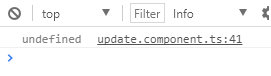
If I print the value "{{data}}" if I optengo a result but at the moment of optenerlo in the component tells me that it is undefined.
Any idea how I can get the property inside the component?
Thank you
 danieloquendo
All 10 comments
I was going to post same question, thanks for your question.
Here is Plunker - https://plnkr.co/edit/SFAKr6hPox36DTT3rOyc
I tried other Angular Life cycle hook, but no success. Look like it taking some time to bind model reference content data.
ngOnInit() {
this.list.push('Before time');
setTimeout(() => {
this.list.push('After time, Looks like its taking some time to bind content data...Before time data missed - check ngOnInit() ');
}, 2000);
}
 AbhijitMuke
on 4 Aug 2017
AbhijitMuke
on 4 Aug 2017
@AbhijitMuke
ngOnInit of modal content component is being called right after modalService.show(), before any operation below.
In your case, this.list.push('Before time'); is executed, but after that this.list property gets rewritten by this statement this.bsModalRef.content.list = list;.
So you have to choose one approach how to handle data in modal content component: manage it from place where you're creating the modal or in modal content component. I suppose that first option is more preferable
@danieloquendo
constructor(public bsModalRef: BsModalRef, private supervisorService: SupervisorService) {
console.log(this.data); // It tells me that the value is undefined
}
This is incorrect because at the stage of component's creation this.data isn't set. After assigning data you may call some method of your content component which will do something with the data you've passed
 IlyaSurmay
on 4 Aug 2017
IlyaSurmay
on 4 Aug 2017
Still not satisfied. Correct if I'm wrong.
export class ModalContentComponentComponent implements OnInit {
public title: string;
public list: any[] = [];
constructor(public bsModalRef: BsModalRef) { }
ngOnInit() {
console.log('Printing this in ngOnInit', this);
console.log('Checking inside of this for list', this.list);
}
}
Please find screenshot.

AbhijitMuke
on 5 Aug 2017
@IlyaSurmay need your attention.
AbhijitMuke
on 8 Aug 2017
@AbhijitMuke
quoting my previous comment, ngOnInit of modal content component is being called right after modalService.show(), before any operation below.
So constructor() or ngOnInit() won't reflect any data you've changed after showing a modal. You may use ngOnChanges or call a method in your content component to perform some operations with data after you change it .
Also in console this.list isn't empty because Chrome evaluates the value of it when you open it, not at the moment of printing.
IlyaSurmay
on 8 Aug 2017
From the ngx-bootstap V 2.0.3 doc example for modal (with Component)
 openModalWithComponent() {
    const initialState = {
      list: [
        'Open a modal with component',
        'Pass your data',
        'Do something else',
        '...'
      ],
      title: 'Modal with component'
    };
    this.bsModalRef = this.modalService.show(ModalContentComponent, {initialState});
    this.bsModalRef.content.closeBtnName = 'Close';
  }
}
However actually running this, all values passed in are undefined. The list of course is not as it is a property of the ModalContentComponent class, but passing anything else is undefined
 thebarefootdev
on 9 Apr 2018
thebarefootdev
on 9 Apr 2018
Bump.
I can confirm that passing initial state to the modal created as a component is NOT working.
All values will be undefined (or defaults of a modal-component) and ngOnChanges is not firing.
As a workaround you can still do like so:
this.bsModalRef.content.title = 'Modal with component';
this.bsModalRef.content.list = [
        'Open a modal with component',
        'Pass your data',
        'Do something else',
        '...'
      ];
 ChBernat
on 14 May 2018
ChBernat
on 14 May 2018
@ChBernat as far as I can tell, this approach doesn't work for @Ouput though.
e.g.
this.bsModalRef.content.onSubmitClicked = this.myFunction();
 richflee
on 30 Jul 2018
richflee
on 30 Jul 2018
FYI I managed to get this working for @Output
E.g. if you have an @Ouput: dismissBtnClicked
this.bsModalRef.content.dismissBtnClicked.subscribe(this.hideModal.bind(this));
richflee
on 30 Jul 2018
This general workaround works for me:
openDialog(component: any, config?: ModalOptions) {
        const modal = this.modalService.show(component, config);
        const changes: SimpleChanges = {};
        for (const key of Object.keys(config.initialState)) {
            changes[key] = new SimpleChange(undefined, config.initialState[key], true);
            modal.content[key] = config.initialState[key];
        }
        if (Object.keys(changes).length > 0) {
            modal.content.ngOnChanges(changes);
        }
}
I wonder why ngx-bootstrap doesn't do something like this internally...? (It makes using the same components both within and outside a modal complicated)
The workaround won't fix the issue of @Inputs not being defined in ngOnInit - It will only work for the initial ngOnChanges call (Probably due to what @IlyaSurmay explained above). If I load the passed component manually with my own ComponentFactory they're already available in ngOnInit:
const componentFactory = this.componentFactoryResolver.resolveComponentFactory(this.modalComponent);
const viewContainerRef = this.modalTemplateAnchor.viewContainerRef;
viewContainerRef.clear();

const componentRef = viewContainerRef.createComponent(componentFactory);
(<any> componentRef.instance).config = this.modalConfig.initialState.config;
const changes: SimpleChanges = {config: new SimpleChange(null, this.modalConfig.initialState.config, true)};
(<any> componentRef.instance).ngOnChanges(changes);
 lentschi
on 16 Apr 2019
lentschi
on 16 Apr 2019
Related issues
 phmello
·
3Comments
phmello
·
3Comments
 mounthorse-slns
·
3Comments
mounthorse-slns
·
3Comments
 pgeyman
·
3Comments
pgeyman
·
3Comments
 webdev48
·
3Comments
webdev48
·
3Comments
 YevheniiaMazur
·
3Comments
YevheniiaMazur
·
3Comments
Most helpful comment
From the ngx-bootstap V 2.0.3 doc example for modal (with Component)
However actually running this, all values passed in are undefined. The list of course is not as it is a property of the ModalContentComponent class, but passing anything else is undefined