Ngx-admin: Breaking changes: can not create custom login page
See my second comment for the working workaround.
I suspect that everyone that has a custom login page is affected.
Issue type
I'm submitting a ... (check one with "x")
- [X] bug report
- [ ] feature request
- [ ] question about the decisions made in the repository
Issue description
Current behavior:
When i try to implement a custom login page as described in https://akveo.github.io/nebular/docs/auth/configuring-ui#custom-ui-components i get some errors.
- 'nb-alert' is not a known element.
My solution is to change theme.module.ts in ngx-admin to:
import {
NbAlertModule, //I added this line
NbActionsModule,
NbCardModule,
NbLayoutModule,
NbMenuModule,
NbRouteTabsetModule,
NbSearchModule,
NbSidebarModule,
NbTabsetModule,
NbThemeModule,
NbUserModule,
NbCheckboxModule,
NbPopoverModule,
NbContextMenuModule,
} from '@nebular/theme';
And:
const NB_MODULES = [
NbAlertModule, //I added this line
NbCardModule,
NbLayoutModule,
NbTabsetModule,
NbRouteTabsetModule,
NbMenuModule,
NbUserModule,
NbActionsModule,
NbSearchModule,
NbSidebarModule,
NbCheckboxModule,
NbPopoverModule,
NbContextMenuModule,
NgbModule,
NbSecurityModule, // *nbIsGranted directive
];
- After that i get this error:
Error: Template parse errors:
Can't bind to 'status' since it isn't a known property of 'input'. ("
autofocus
fullWidth
[ERROR ->][status]="email.dirty ? (email.invalid ? 'danger' : 'success') : ''"
[required]="ge"): ng:///ThemeModule/NgxLoginComponent.html@28:17
Can't bind to 'status' since it isn't a known property of 'input'. ("
placeholder="Password"
fullWidth
[ERROR ->][status]="password.dirty ? (password.invalid ? 'danger' : 'success') : ''"
[require"): ng:///ThemeModule/NgxLoginComponent.html@49:17
Can't bind to 'routerLink' since it isn't a known property of 'a'. ("r *ngFor="let socialLink of socialLinks">
[ERROR ->][routerLink]="socialLink.link"
[attr.target]="socialLink.target"
[a"): ng:///ThemeModule/NgxLoginComponent.html@88:17
'nb-auth-block' is not a known element: - If 'nb-auth-block' is an Angular component, then verify that it is part of this module.
- If 'nb-auth-block' is a Web Component then add 'CUSTOM_ELEMENTS_SCHEMA' to the '@NgModule.schemas' of this component to suppress this message. ("
[ERROR ->]
Hello! "): ng:///ThemeModule/NgxLoginComponent.html@1:4
I am trying to find a solution for this as we speak. It looks like in my custom login component
input nbInput the directive is not recognized, so i have to find a way to import it in my themes.module.ts, but the input directive in @nebular/components is missing.
Steps to reproduce:
Install from scratch and try to create a custom login page
Related code:
This problem is related to Feat/auth button input # 595 in the nebular repository.
 Prefix1802
All 29 comments
I got it working by following steps. But still i think someone has to change some of the code in Nebular and ngx-admin to eliminate some of the steps below to get this working properly.
Here is what i did. (from a fresh install)
- Follow the steps in https://akveo.github.io/nebular/docs/auth/configuring-ui#custom-ui-components
- Delete the folders of any of the components you are not going to use, but leave the rest intact. In this case i am only going to use the login component so i delete the folders logout, register, request-password and reset-password. Also make sure that u implement step 1 accordingly. Your folder structure should look like this:

- Make sure that your imports refer to the correct directories. For example:
I change
import { NbAuthService } from '../services/auth.service';
to
import { NbAuthService } from '@nebular/auth/services/auth.service';
Do this for all component.ts files you just copied.
- In index.ts comment out the modules you are not using. For example:
export * from './auth.component';
export * from './auth-block/auth-block.component';
export * from './login/login.component';
//export * from './logout/logout.component';
//export * from './register/register.component';
//export * from './request-password/request-password.component';
//export * from './reset-password/reset-password.component';
Start the website with npm start end go to http://localhost:4200.
Error 'router-outlet' is not a known element:
You need import import RouterModule in theme.module.ts
import { RouterModule } from '@angular/router';
and in
@NgModule({
imports:[... , RouterModule],
})
- 'nb-alert' is not a known element:
In theme.module.ts
import {
NbAlertModule, //add this line
NbActionsModule,
NbCardModule,
NbLayoutModule,
NbMenuModule,
NbRouteTabsetModule,
NbSearchModule,
NbSidebarModule,
NbTabsetModule,
NbThemeModule,
NbUserModule,
NbCheckboxModule,
NbPopoverModule,
NbContextMenuModule,
} from '@nebular/theme';
const NB_MODULES = [
NbAlertModule, //add this line
NbCardModule,
NbLayoutModule,
NbTabsetModule,
NbRouteTabsetModule,
NbMenuModule,
NbUserModule,
NbActionsModule,
NbSearchModule,
NbSidebarModule,
NbCheckboxModule,
NbPopoverModule,
NbContextMenuModule,
NgbModule,
NbSecurityModule, // *nbIsGranted directive
];
- Can't bind to 'status' since it isn't a known property of 'input'. ("
Copy nebular-mastersrcframeworkthemecomponentsinput from Nebular repository
into your ngx-admin
ngx-admin-masternode_modules@nebularthemecomponents
- Add
export * from './components/input/input.directive';
export * from './components/input/input.module';
to
index.d.ts and index.js in ngx-admin-masternode_modules@nebulartheme
- In theme.module.ts
import {
NbInputModule, //add this line
NbAlertModule,
NbActionsModule,
NbCardModule,
NbLayoutModule,
NbMenuModule,
NbRouteTabsetModule,
NbSearchModule,
NbSidebarModule,
NbTabsetModule,
NbThemeModule,
NbUserModule,
NbCheckboxModule,
NbPopoverModule,
NbContextMenuModule,
} from '@nebular/theme';
const NB_MODULES = [
NbInputModule, //add this line
NbAlertModule,
NbCardModule,
NbLayoutModule,
NbTabsetModule,
NbRouteTabsetModule,
NbMenuModule,
NbUserModule,
NbActionsModule,
NbSearchModule,
NbSidebarModule,
NbCheckboxModule,
NbPopoverModule,
NbContextMenuModule,
NgbModule,
NbSecurityModule, // *nbIsGranted directive
];
And Voila. Working!!! Have fun coding.
Prefix1802
on 5 Aug 2018
I see now that css is not working properly. Looking for a solution now.

EDIT:
Partly solved by making the following changes to _components.scss in ngx-admin-masternode_modules@nebularthemestylesglobal
/**
- @license
- Copyright Akveo. All Rights Reserved.
- Licensed under the MIT License. See License.txt in the project root for license information.
*/
@import '../../components/layout/layout.component.theme';
@import '../../components/sidebar/sidebar.component.theme';
@import '../../components/card/card.component.theme';
@import '../../components/card/flip-card/flip-card.component.theme';
@import '../../components/card/reveal-card/reveal-card.component.theme';
@import '../../components/tabset/tabset.component.theme';
@import '../../components/route-tabset/route-tabset.component.theme';
@import '../../components/menu/menu.component.theme';
@import '../../components/user/user.component.theme';
@import '../../components/actions/actions.component.theme';
@import '../../components/search/search.component.theme';
@import '../../components/checkbox/checkbox.component.theme';
@import '../../components/progress-bar/progress-bar.component.theme';
@import '../../components/badge/badge.component.theme';
@import '../../components/popover/popover.component.theme';
@import '../../components/context-menu/context-menu.component.theme';
@import '../../components/alert/alert.component.theme';
@import '../../components/input/input.directive.theme'; //Add this line
@mixin nb-theme-components() {
@include nb-layout-theme();
@include nb-sidebar-theme();
@include nb-card-theme();
@include nd-reveal-card-theme();
@include nd-flip-card-theme();
@include nb-tabset-theme();
@include nb-route-tabset-theme();
@include nb-menu-theme();
@include nb-user-theme();
@include nb-actions-theme();
@include nb-search-theme();
@include nb-checkbox-theme();
@include nb-progress-bar-theme();
@include nb-badge-theme();
@include nb-popover-theme();
@include nb-context-menu-theme();
@include nb-alert-theme();
@include nb-input-theme(); //Add this line
}
Partly solved because the input boxes are not the right size so css has to be fixed somewhere.

Prefix1802
on 5 Aug 2018
I think i understand more and more where the problem arises.
When you download ngx admin and do a npm i ... it installs nebular 2.0.0-rc.9.
So when you follow the instructions to create a custom login it tells you to copy the auth code from the repository on github. But that code is from the nebular master branch (breaking changes). Not from 2.0.0-rc.9.
So when you copy the code from nebular master, you are missing functionality and folders in the @nebular folder in ngx admin.
So if you want to create a custom login page copy the auth folder from nebular 2.0.0-rc.9. But even then i am not certain that it will work properly. I haven't tried that yet.
Prefix1802
on 5 Aug 2018
Solved:
When i downloaded Nebular 2.0.0-rc.9 and used the auth files from that folder, i got it to work fairly easy.
Don't forget to import router to your theme.module.ts. And also you have to import auth-block.
I think al the answers you are looking for are in the above comments.
Prefix1802
on 5 Aug 2018
Hey @Prefix1802, thanks a lot, we definitely should mention that in the documentation.
 nnixaa
on 6 Aug 2018
nnixaa
on 6 Aug 2018
Hello, did someone solve the problem of the styles?, I have the same problem:

 ceaguilera
on 21 Aug 2018
ceaguilera
on 21 Aug 2018
Hi @ceaguilera
Don't copy the auth files from the master repository of Nebular, Instead copy them from RC9 or 10.
Prefix1802
on 21 Aug 2018
Hi @Prefix1802,
Thank you, I did what you told me by going down 10 and follow the same problem
ceaguilera
on 21 Aug 2018
@Prefix1802

ceaguilera
on 22 Aug 2018
@ceaguilera
I also tried RC 10 and that doesnt work for me. The auth files from RC9 are working for me.
The problem is,i think with the directive nbinput not being recognized.
Prefix1802
on 22 Aug 2018
@Prefix1802, @ceaguilera is there any particular error you are having?
In a case when you create your new auth components somewhere under your own module, you need to import there all required modules, such as button, etc.
Please check the following article which will be published soon https://github.com/akveo/nebular/blob/master/docs/articles/auth-custom-ui.md.
nnixaa
on 22 Aug 2018
@nnixaa @ceaguilera
I already helped him via Anydesk. It's working now.
Prefix1802
on 22 Aug 2018
@nnixaa
I am going to try your article with RC10. Hope it works ;)
Prefix1802
on 22 Aug 2018
@nnixaa
I tried your article, with ngxadmin 2.3.0 but got stuck at the first step "Create Auth Module"
When i copy and paste the code to auth.module.ts i get the follwing error message
@nebular/theme/index has no exported member NbButtonModule.
The same goes for NbInputModule.

index.js:

Prefix1802
on 28 Aug 2018
@nnixaa
I just tried it with master branche ngxadmin and it works. Thank you.
On a side note. The article could use some updating, but i know it's a work in progress.
Prefix1802
on 28 Aug 2018
@nnixaa
I copied over the contents from login.component.html from nebular master and got this error when npm run build:prod.

I commented out remember me:

And now it's working.
Prefix1802
on 28 Aug 2018
So my custom login is also breaking. Do I still need the auth files from nebular https://github.com/akveo/nebular/tree/2.0.0-rc.10 ?
 fransyozef
on 20 Sep 2018
fransyozef
on 20 Sep 2018
@fransyozef
https://github.com/akveo/nebular/blob/master/docs/articles/auth-custom-ui.md
@ nnixaa
I just tried it with master branche ngxadmin and it works. Thank you.
On a side note. The article could use some updating, but i know it's a work in progress.
Prefix1802
on 20 Sep 2018
@Prefix1802 First of all thank you very much for your guidance.
I tried with RC10 and it worked and all were fine. But my initial project was built using RC9. When I implemented your solution into my previous project i.e. RC9 one, the css s were not included. I copied the auth files from RC10. Could you plz let me know whether copying the auth files from RC9 to my project would make everything fine and would that apply the css s into my LogIn page?
 chris7716
on 23 Sep 2018
chris7716
on 23 Sep 2018
Yes It worked 👍
chris7716
on 23 Sep 2018
Hi @chris7716,
Glad it worked ;)
If you need anything else, let me know. The latest ngx admin is dependant on RC10 so you won't have to do anything with css.
Prefix1802
on 23 Sep 2018
Hi @Prefix1802 unfortunate to contact you again :(
My login function works properly. But once I log out while being at a particular page and log in again, I am redirected in to the required page but yet the menu item of the previously selected page is active on the side bar. Is there anything to do with NbMenuService while logging out to dis-select the menu item??
chris7716
on 25 Sep 2018
@chris7716
I have the some now that you mention it:
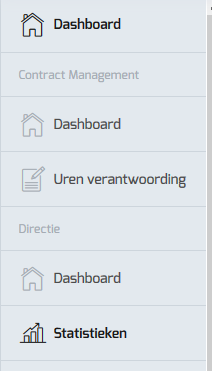
I will have a look at it.
Prefix1802
on 25 Sep 2018
Mixing your two solutions I managed to solve this issue like this:
I created these files in the @theme/components/auth folder

_login.component.ts_
import { Component } from '@angular/core';
import { NbLoginComponent } from '@nebular/auth';

@Component({
  selector: 'ngx-login',
  templateUrl: './login.component.html',
})
export class NgxLoginComponent extends NbLoginComponent {
}
_auth-block.component.ts_
import { Component } from '@angular/core';
import { NbAuthBlockComponent } from '@nebular/auth';

auth-block.component.ts
@Component({
  selector: 'ngx-auth-block',
  styleUrls: ['./auth-block.component.scss'],
  template: `
    <ng-content></ng-content>
  `,
})
export class NgxAuthBlockComponent {
}
_auth-block.component.scss_ from
https://github.com/akveo/nebular/tree/2.0.0-rc.9/src/framework/auth/components/auth-block
login.component.html
From template in https://github.com/akveo/nebular/blob/2.0.0-rc.9/src/framework/auth/components/login/login.component.ts
In the template change the selector
<nb-auth-block>...<nb-auth-block/>
to <ngx-auth-block>...<ngx-auth-block>
_theme.module.ts_
import { NgxLoginComponent } from './components/auth/login/login.component';
import { NgxAuthBlockComponent } from './components/auth/auth-block/auth-block.component';

@NgModule({
  ...
  declarations: [...,, NgxAuthBlockComponent, NgxLoginComponent],
  ...
})
_app-routing.module.ts_
import { NgxLoginComponent } from './@theme/components/auth/login/login.component';

const routes: Routes = [
  ...
  {
    path: 'auth',
    component: NbAuthComponent,
    children: [
      {
        path: '',
        component: NgxLoginComponent,
      },
      {
        path: 'login',
        component: NgxLoginComponent,
      },
      {
        path: 'register',
        component: NbRegisterComponent,
      },
      {
        path: 'logout',
        component: NbLogoutComponent,
      },
      {
        path: 'request-password',
        component: NbRequestPasswordComponent,
      },
      {
        path: 'reset-password',
        component: NbResetPasswordComponent,
      },
    ],
  },
 ...
];
All this effort just so I can add translation to the login pages, I think a better solution would be to extract the texts from the HTML templates and add them to the AUTH setting, so we will be able to translate/change them.
 noamvaza
on 26 Sep 2018
noamvaza
on 26 Sep 2018
@nnixaa
I tried your article, with ngxadmin 2.3.0 but got stuck at the first step "Create Auth Module"
When i copy and paste the code to auth.module.ts i get the follwing error message
@nebular/theme/index has no exported member NbButtonModule.
The same goes for NbInputModule.
index.js:
Same here.
I also use the startert kit "version": "2.3.0", And i cant import NbInputModule.
 tim6400
on 3 Oct 2018
tim6400
on 3 Oct 2018
@tim6400
You need ngx admin master branche for @nnixaa 's documentation link to work.
Prefix1802
on 3 Oct 2018
Im not interesting in change the default login page.
All I want is to be able to use the 'NbInputModule', am I need the 'ngx admin master' for that?
tim6400
on 3 Oct 2018
@tim6400
You should create a separate issue for that because this issue is related to auth/login
Prefix1802
on 3 Oct 2018
I guess we are good to close this one as the docs are added.
nnixaa
on 19 Nov 2018
Related issues
 maxlein
·
3Comments
maxlein
·
3Comments
 fabltd
·
3Comments
fabltd
·
3Comments
 queirozfcom
·
4Comments
queirozfcom
·
4Comments
 xandatspain
·
3Comments
xandatspain
·
3Comments
 myurAgarwal
·
3Comments
myurAgarwal
·
3Comments
Most helpful comment
Solved:
When i downloaded Nebular 2.0.0-rc.9 and used the auth files from that folder, i got it to work fairly easy.
Don't forget to import router to your theme.module.ts. And also you have to import auth-block.
I think al the answers you are looking for are in the above comments.