Ngl: ts2 branch: distance, angle, ... comments
Hey,
super nice job to get these things done. It's very helpful for interactive.
There are several things I think NGL can be enhanced:
- distance reps are only displayed if there are more than 1 distance.
- Disable changing size of stage container.
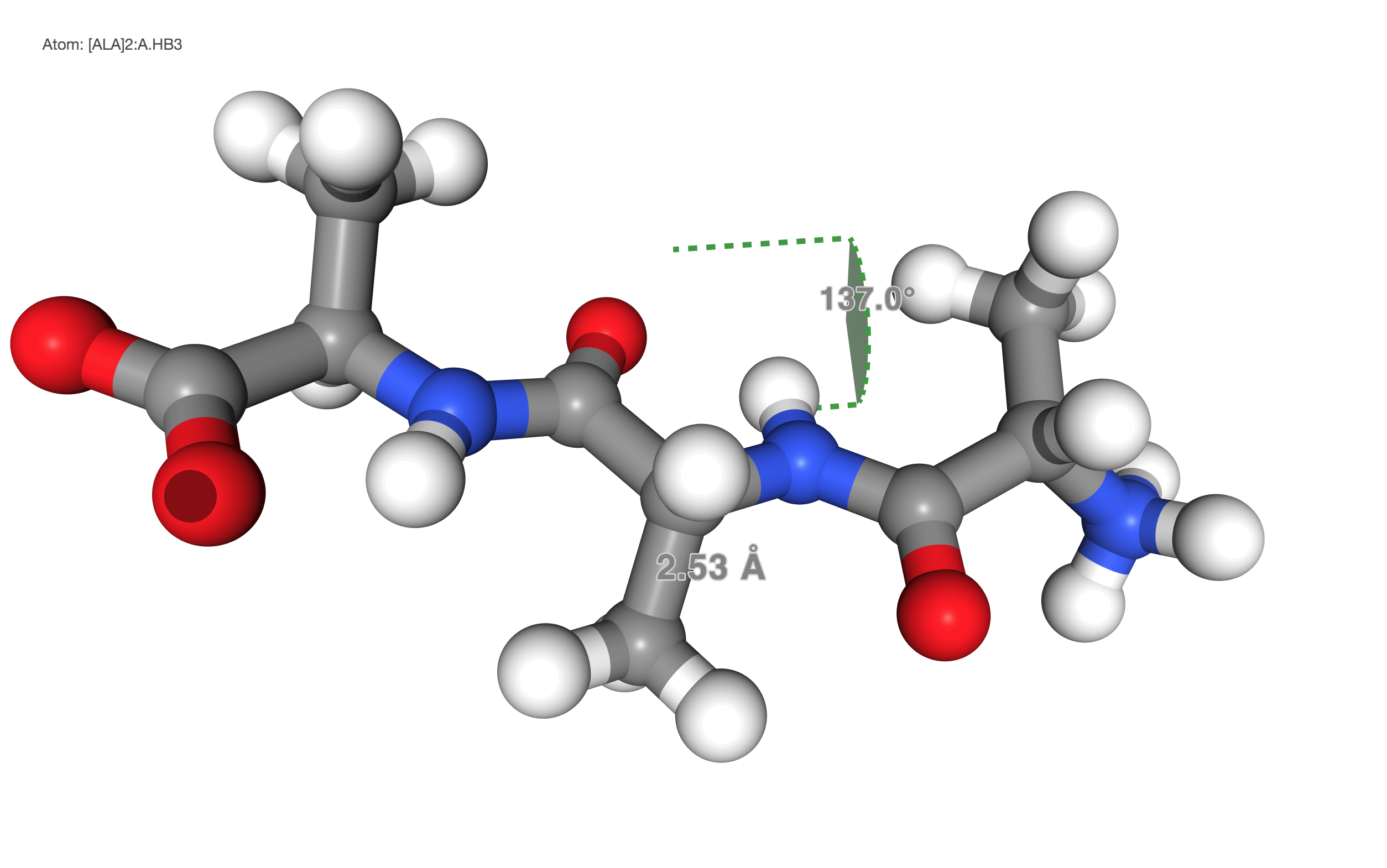
e.g: choose distance by "click -- click - click" (right now must be "click -- click -- click"). The former will exit the full screen mode. - the end point of the angle does not point to correct atom center (intention?)
 hainm
hainm
All 15 comments
distance reps are only displayed if there are more than 1 distance.
I think I fixed that recently (https://github.com/arose/ngl/commit/0776154f21ee999de6a530ff1354cf11764e35d6)
Disable changing size of stage container.
e.g: choose distance by "click -- click - click" (right now must be "click -- click -- click"). The former will exit the full screen mode.
The fullscreen on double-click option is something applications add, as far as i can remember it is not part of ngl itself.
the end point of the angle does not point to correct atom center (intention?)
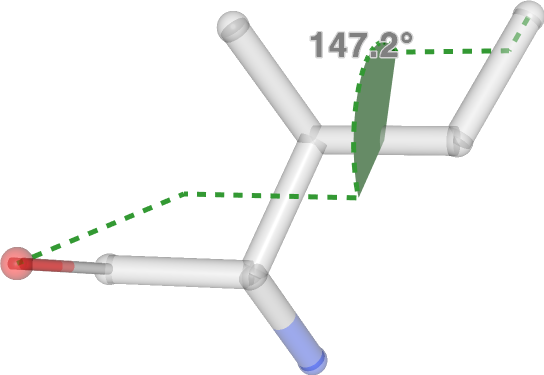
Hmm, the dihedral measurement might need some more tweaks, @fredludlow, maybe two additional helper lines to the first and last atom?
 arose
on 22 Nov 2017
arose
on 22 Nov 2017
the end point of the angle does not point to correct atom center (intention?)
Hmm, the dihedral measurement might need some more tweaks, @fredludlow, maybe two additional helper lines to the first and last atom?
Like this?
http://fredludlow.com/ngldev/examples/webapp.html?script=representation/dihedral
fredludlow/ngl@5f3a9c0
That makes it much more obvious when you pick unusual dihedral measurements but will for the most part be hidden by other representations when you pick a "standard" bond torsion or improper torsion.
 fredludlow
on 22 Nov 2017
fredludlow
on 22 Nov 2017
Yes, helpful and looks nice
arose
on 22 Nov 2017
I think I fixed that recently (0776154
indeed.
The fullscreen on double-click option is something applications add, as far as i can remember it is not part of ngl itself.
yeah, updated https://github.com/arose/nglview/blob/master/js/src/widget_ngl.js#L105.
hainm
on 23 Nov 2017
Few other things:
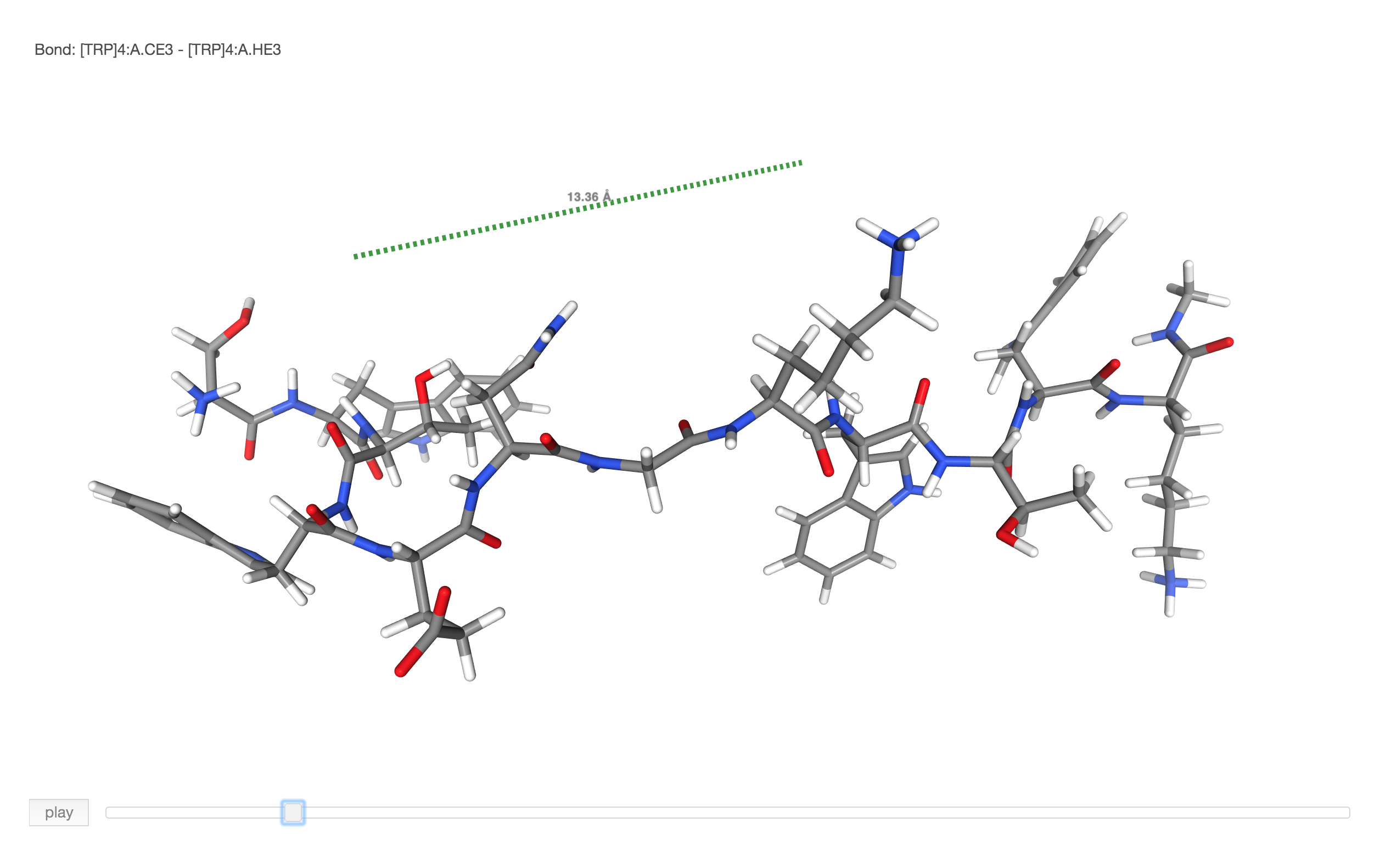
- distance should be recalculated if coordinates is changed. [figure below]
- how can nglview get the data? (saying I want to create a widget to hold all info (atom selection, distance)
- how can I clear all distance or angle reprs? (tried with
view.clear_distancebut does not work (view.remove_cartoon does))
hainm
on 23 Nov 2017
distance should be recalculated if coordinates is changed.
may be nglview should handle this? (if so, which code I should use?)
hainm
on 23 Nov 2017
- 2nd click to 1st atom should unselect it. e.g: user click it by mistake or just undo the click.
hainm
on 23 Nov 2017
distance should be recalculated if coordinates is changed.
fixed, was a bug
how can nglview get the data? (saying I want to create a widget to hold all info (atom selection, distance)
there is currently no clear api, please make another ticket
how can I clear all distance or angle reprs?
added structureComponent.removeAllMeasurements(bitFlag), 1 for distance, 2 for angle, 4 dihedral, not given for all
2nd click to 1st atom should unselect it
added that behavior
arose
on 28 Nov 2017
kool. Works nicely (except the removeAllMeasurements, still need to figure how to call that in nglview properly).
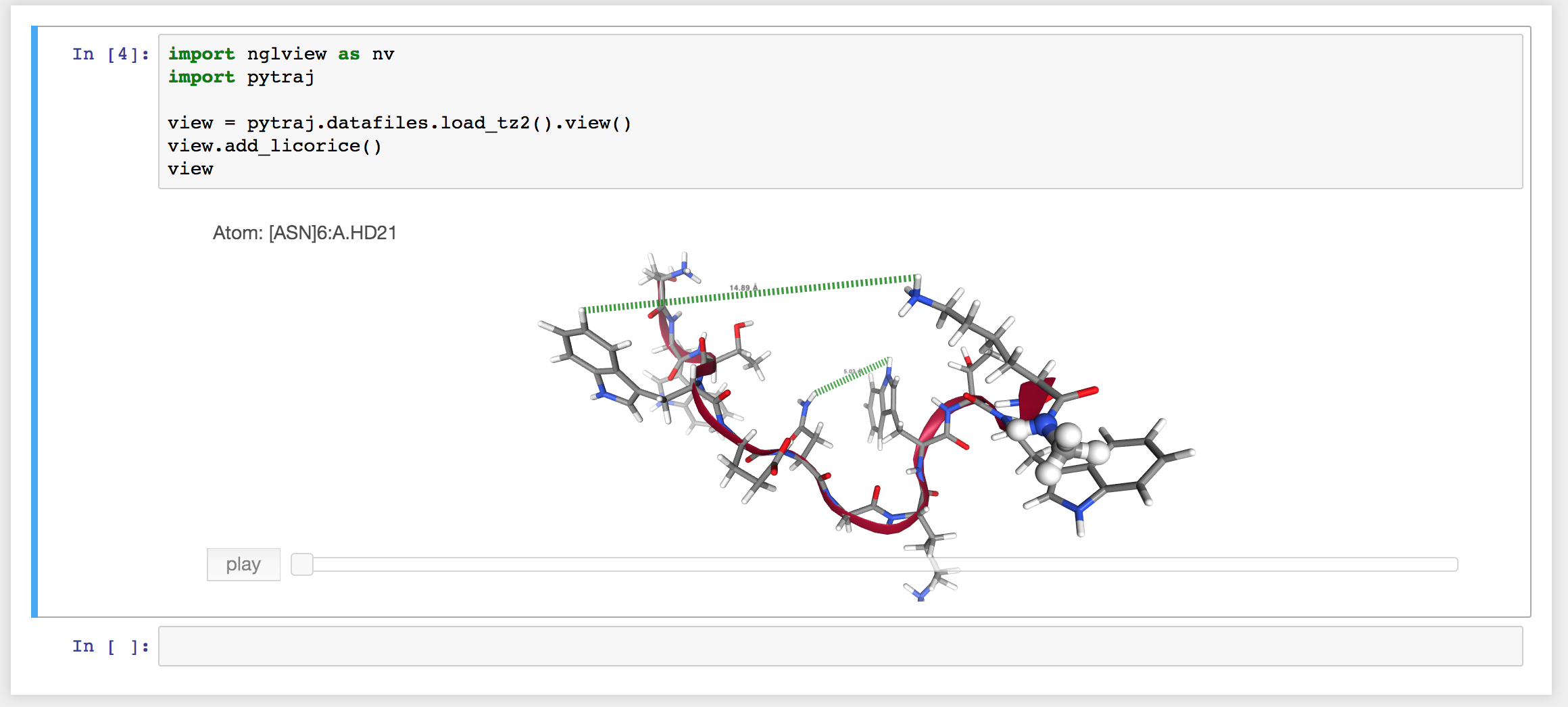
- The label is a bit small (compare to the distance line) if zooming out.
hainm
on 28 Nov 2017
It seems that distance selection does not work on my machine with centos 7.
How can I check if I am using correct NGL version? (I am sure the nglview js code is correct (saw my changes)).
hainm
on 28 Nov 2017
What is not working? Can you try here: http://nglviewer.org/ts2/test.html?script=interactive/ligand-viewer.
arose
on 28 Nov 2017
that example does not work for me (Alt-click).
hainm
on 28 Nov 2017
Alt-click does not highlight the atom.
hainm
on 28 Nov 2017
Changed the key modifier to do measurements from alt to ctrl (see 56490d8eb45db3ee50566b502c921af4dbb8e04e) as alt drags the window on some linux distros and is not emitted in the browser.
arose
on 12 Dec 2017
thanks, saving one key stroke for "fn" on mac.
hainm
on 12 Dec 2017
Related issues
arose
·
6Comments
 harryjubb
·
7Comments
harryjubb
·
7Comments
 sunhwan
·
4Comments
sunhwan
·
4Comments
 thomashopf
·
6Comments
thomashopf
·
6Comments
 fcharih
·
3Comments
fcharih
·
3Comments