Nginx-proxy-manager: Unable to set Wildcard Subdomain
Describe the bug
- A clear and concise description of what the bug is.
- What version of Nginx Proxy Manager is reported on the login page?
To Reproduce
Steps to reproduce the behavior:
- Go to 'Proxy Host'
- Click on 'New Proxy Host'
- Scroll down to 'Domain Names'
- Add
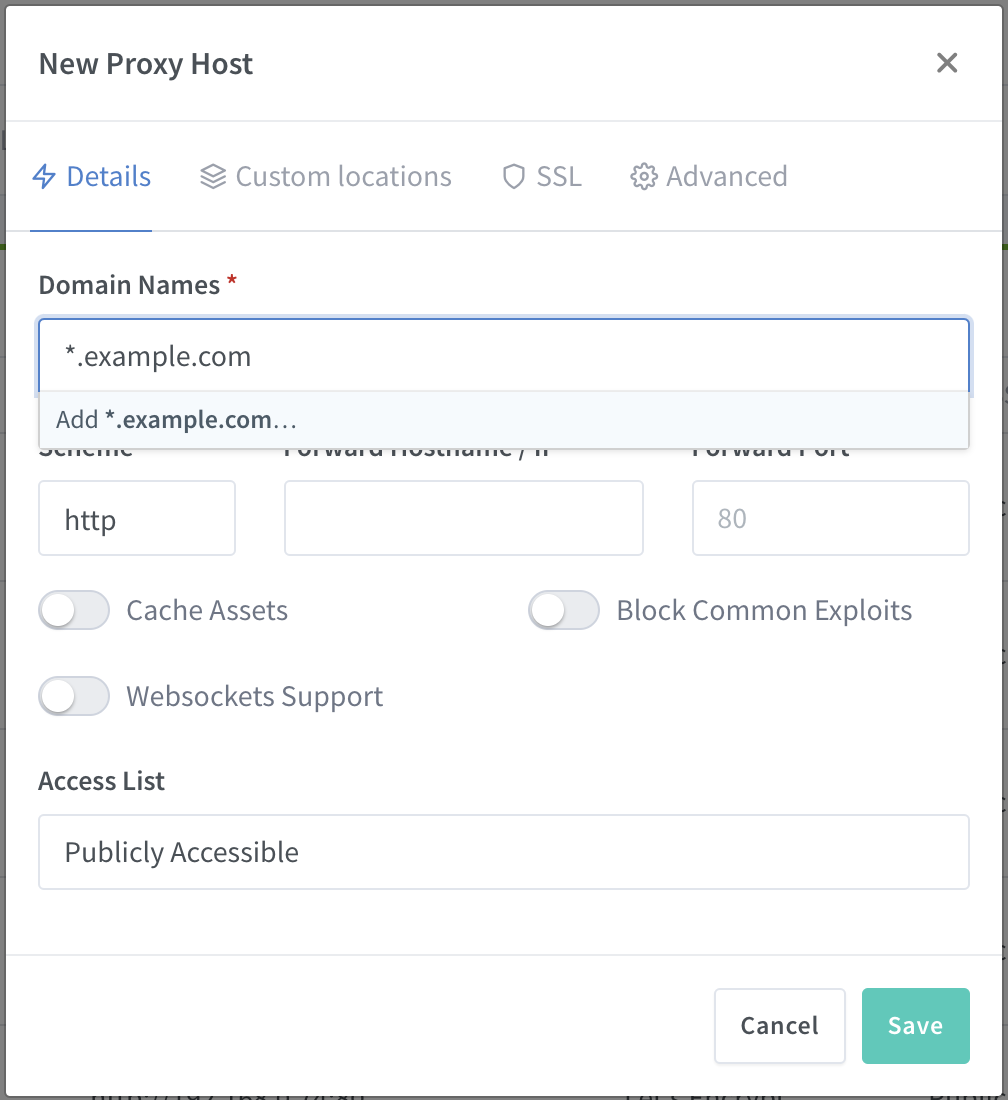
*.example.com
Expected behavior
Unable to add *.example.com
Screenshots
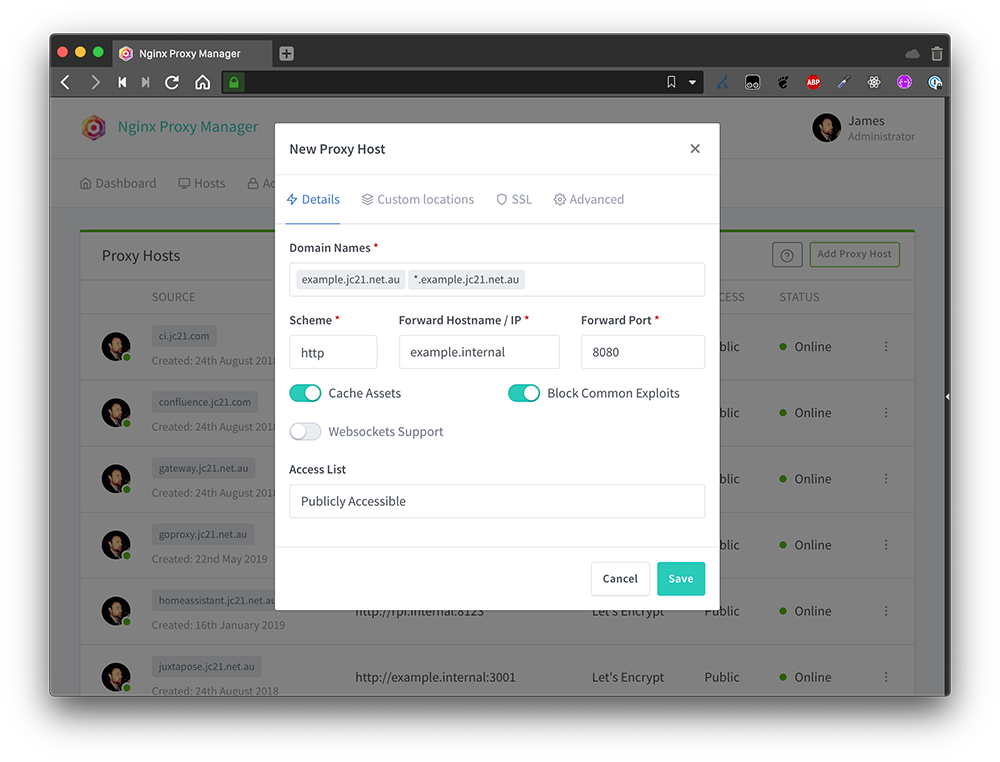
This is the example screenshot on your website:
 socheatsok78
All 9 comments
It works when I create cert from SSL CERTIFICATES menu. I can create wildcard domain.
Is it because of this filter?
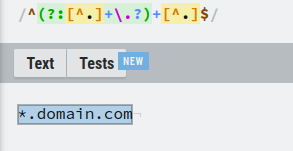
https://github.com/jc21/nginx-proxy-manager/blob/master/frontend/js/app/nginx/proxy/form.js#L227
 leimantas
on 9 Sep 2020
leimantas
on 9 Sep 2020
I think that might be the issue, have been looking at that too.
socheatsok78
on 9 Sep 2020
Any news? Now I manually edit generated nginx file.
leimantas
on 23 Oct 2020
@leimantas How do you do that manually? What is the modified file?
 launtony
on 23 Oct 2020
launtony
on 23 Oct 2020
Make folder for data files, mount it and then after creating PROXY sub.domain.com - go to this folder/nginx/proxy_host ; And there you will find generated conf file. Just edit this line: server_name sub.domain.com; into this: server_name *.domain.com;
It works with cloudflare.
And also! You have to create wildcard subdomain cert first.
leimantas
on 23 Oct 2020
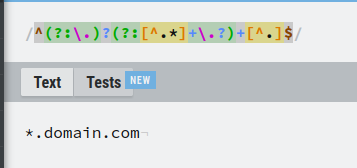
The latest update seem to fixed the issues with wildcard domain proxy.
But I haven't had time to try it yet.
socheatsok78
on 24 Oct 2020
@socheatsok78 I'm running the latest version and the wildcard is not supported :/ You don't have the "Add" button :/
launtony
on 24 Oct 2020
I ran into that same bug. Will have to live with a custom config for now...
Edit:
I just executed the POST /api/nginx/proxy-hosts manually and it worked.
Sample request in CURL (not tested, since I used Insomnia):
curl 'https://YOUR-NGINX-PROXMANAGER-INSTANCE/api/nginx/proxy-hosts' \
  -H 'User-Agent: Mozilla/5.0 (Macintosh; Intel Mac OS X 10.15; rv:83.0) Gecko/20100101 Firefox/83.0' \
  -H 'Accept: application/json, text/javascript, */*; q=0.01' \
  -H 'Accept-Language: en,de;q=0.7,en-US;q=0.3' --compressed \
  -H 'Content-Type: application/json; charset=UTF-8' \
  -H 'Authorization: Bearer YOUR_JWT_HERE' \
  -H 'Origin: https://YOUR-NGINX-PROXMANAGER-INSTANCE' \
  -H 'DNT: 1' \
  -H 'Connection: keep-alive' \
  -H 'Referer: https://YOUR-NGINX-PROXMANAGER-INSTANCE/nginx/proxy' \
  -H 'Cookie: _ga=GA1.2.1959346365.1603901789; _gid=GA1.2.2145157280.1604407981' \
  -H 'Pragma: no-cache' \
  -H 'Cache-Control: no-cache' \
  --data-raw ' \
  { \
    "domain_names": [ \
      "*.YOURDOMAIN.TLD" \
    ], \
    "forward_scheme": "http", \
    "forward_host": "localhost", \
    "forward_port": 8443, \
    "block_exploits": true, \
    "access_list_id": "0", \
    "certificate_id": 0, \
    "meta": { \
      "letsencrypt_agree": false, \
      "dns_challenge": false \
    }, \
    "advanced_config": "", \
    "locations": [], \
    "caching_enabled": false, \
    "allow_websocket_upgrade": false, \
    "http2_support": false, \
    "hsts_enabled": false, \
    "hsts_subdomains": false, \
    "ssl_forced": false \
  }'
_Make sure to replace the YOUR-NGINX-PROXMANAGER-INSTANCE, YOUR_JWT_HERE & *.YOURDOMAIN.TLD_
 felixgeissler
on 4 Nov 2020
felixgeissler
on 4 Nov 2020
Related issues
 Trrw
·
3Comments
Trrw
·
3Comments
 Kranzy
·
7Comments
Kranzy
·
7Comments
 raidoo9
·
6Comments
raidoo9
·
6Comments
 Treppengelaender
·
6Comments
Treppengelaender
·
6Comments
 MatijaTerzic
·
6Comments
MatijaTerzic
·
6Comments