Ng2-pdf-viewer: Spamming pages when navigating quickly through pages
Bug Report or Feature Request (mark with an x)
- [ ] Regression (a behavior that used to work and stopped working in a new release)
- [x] Bug report -> please search issues before submitting
- [ ] Feature request
- [ ] Documentation issue or request
How to reproduce:
Load a pdf with a lot of pages on e.g. the demo page, then hold enter on the next button
Expected:
To quickly go through the pages
Actual:
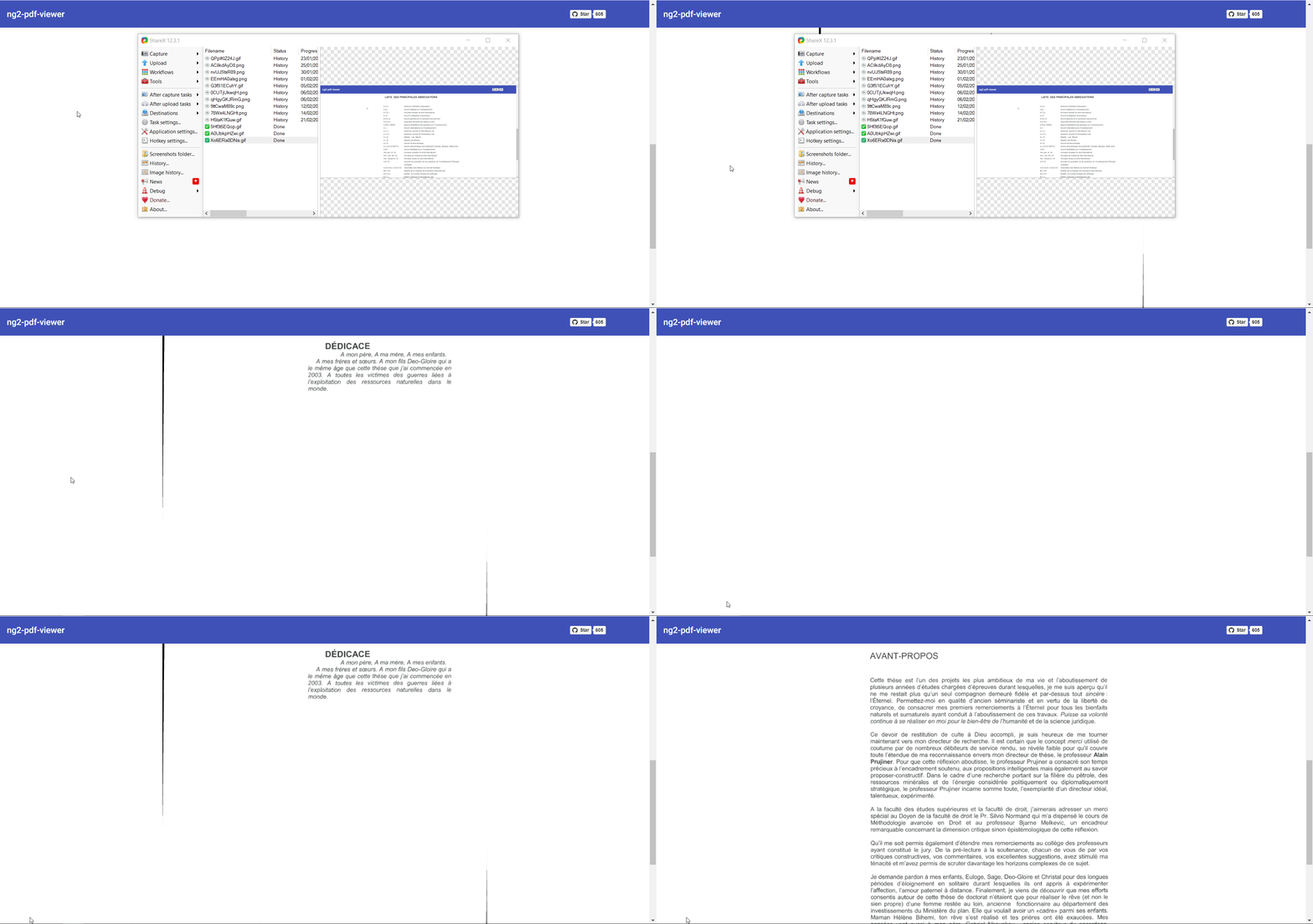
The most recent pages keep spamming back and forth as is seen in the gif
 brianmarting
All 17 comments
Having the same issue, did you find a solution?
 versavice
on 12 Apr 2019
versavice
on 12 Apr 2019
I am also getting this issue and it seems like your (page-rendered) and (text-layer-rendered) are useless because they don't have any guidance as to where the order of these pages being loaded. It should trigger the event when you change the page and it is not doing so
 RicardoViera
on 16 Apr 2019
RicardoViera
on 16 Apr 2019
@versavice @RicardoViera @brianmarting I am also having this issue. Any updates on this issue? Is there any temporary fix for this?
 vishnu-dev
on 17 Apr 2019
vishnu-dev
on 17 Apr 2019
I was gonna fill up an issue for this.
Workaround (for me): Don't use the two way data binding on the page attribute:
// Use the following
[page]="pageVariable"
// Instead of
[(page)]="pageVariable"
If you still need the event for page change you can use:
(pageChange)="pageChanged($event)"
The problem may come from the fact that inside the component the page attribute is updated after a time consuming function.
So if you change page two quickly the ngOnChange event and then the pageChange event will be trigger multiple times (with a different input) and will trigger the two way data bind on your variable in your side of the app which then trigger again the ngOnChange (infinite loop).
ref: https://github.com/VadimDez/ng2-pdf-viewer/blob/master/src/app/pdf-viewer/pdf-viewer.component.ts#L291
Reproduction in your demo page with the demo pdf:
- make sure
Show all pagesis not toggled - select the page input
- erase and enter any number quickly (del > 1 > del > 3 > del > 2 ...)
 vaidd4
on 28 May 2019
vaidd4
on 28 May 2019
@vaidd4 I am not using two way binding, but still I get this issue while changing pages too fast.
vishnu-dev
on 28 May 2019
Well I got rid of the issue simply by removing the parenthesis and not rewriting my page variable on any event.
How do you change pages ?
vaidd4
on 28 May 2019
If you remove parentheses how do you change page? Could you send code snippet.
vishnu-dev
on 28 May 2019
Normally, you would want to change page with the simple form:
 <pdf-viewer
    [src]="pdfSource"
    [page]="pageVariable"
    [show-all]="false"
  ></pdf-viewer>
The parenthesis are just syntactic sugar for two way data binding. More explained here: https://angular.io/guide/template-syntax#two-way-binding---
vaidd4
on 28 May 2019
@vishnu-dev Hey, the workaround I have used is just to disable the clickevents on the button for almost 1 sec and that allows for a small delay, thus not letting the user ever reproduce the double click behavior
RicardoViera
on 28 May 2019
@vaidd4 I understand that. But quickly changing pages still causes this erratic behaviour.
@RicardoViera That's a good idea. I'll try and get back.
I have a button which basically increments the page number. Is there someway to wait for the page to be loaded. Until it is loaded I'll disable the button. It's quite similar to what @RicardoViera said. But this is more systematic way I would say. Does page change return some kind of a promise that I could use?
vishnu-dev
on 29 May 2019
Sorry for the very late answer, it was solved by doing:
    currentPage = this.pageNumber;

...

prevPage(): void {
        this.pageNumber = this.currentPage - 1;
    }

    nextPage(): void {
        this.pageNumber = this.currentPage + 1;
    }
Where you would just adjust another variable instead of the real pageNumber
<pdf-viewer class="d-block"
                [src]="source"
                [render-text]="true"
                [page]="pageNumber"
                [zoom]="zoom"
                [autoresize]="true"
                [show-all]="showAllPages"
                (error)="onError($event)"
                (pageChange)="pageChanged($event)"
                (after-load-complete)="afterLoadComplete($event)"></pdf-viewer>
I assume this is only temporary, since it should be fixed and this is not working as intended
brianmarting
on 29 May 2019
@vishnu-dev this exact problem is caused by two way binding so if you are sure you don't use it I don't know what to suggest.
I use a bouton to increment pages too (previous & next) and also an input to select the page wanted.
And the only thing I changed for it to work is the parenthesis of the page attribute AND not using my page variable in an event from the component.
But if you want to wait for the page to be loaded you can use the page-rendered event.
https://github.com/VadimDez/ng2-pdf-viewer#page-rendered
vaidd4
on 29 May 2019
@vaidd4 @brianmarting Combining both of your ideas i.e. to have [page] and not [(page)], also having a separate variable for page solved it. Exactly like @brianmarting 's code. Thanks a lot for helping!
vishnu-dev
on 29 May 2019
does this have any other better solution? I was logging same and found this thread
 sardapv
on 25 Jan 2020
sardapv
on 25 Jan 2020
well for me as well [] worked instead of [()]
sardapv
on 25 Jan 2020
The @vaidd4 solution is the best, this way you can set a boolean to lock page change until pageChange has been emitted like this:
````html
[page]="page"
[show-all]="false"
(pageChange)="pageChanged($event)"
````
page = 1;
isChangingPage = false;

prevPage() {
    if(!this.isChangingPage) {
        this.isChangingPage = true;
        this.page--;
    }
}

nextPage() {
    if(!this.isChangingPage) {
        this.isChangingPage = true;
        this.page++;
    }
}

pageChanged(currentPage: number) {
    this.isChangingPage = false;
}
 bertrandg
on 2 Mar 2020
bertrandg
on 2 Mar 2020
This issue has been automatically marked as stale because it has not had recent activity. It will be closed if no further activity occurs. Thank you for your contributions.
![stale[bot] picture](https://avatars.githubusercontent.com/in/1724?v=4&s=40) stale[bot]
on 31 Jul 2020
stale[bot]
on 31 Jul 2020
Related issues
 kevinariasf
·
6Comments
kevinariasf
·
6Comments
 roginneil
·
3Comments
roginneil
·
3Comments
 viktorhajer
·
7Comments
viktorhajer
·
7Comments
 Vigneshjana
·
3Comments
Vigneshjana
·
3Comments
 manojbhardwaj
·
7Comments
manojbhardwaj
·
7Comments
Most helpful comment
@vishnu-dev this exact problem is caused by two way binding so if you are sure you don't use it I don't know what to suggest.
I use a bouton to increment pages too (previous & next) and also an input to select the page wanted.
And the only thing I changed for it to work is the parenthesis of the
pageattribute AND not using my page variable in an event from the component.But if you want to wait for the page to be loaded you can use the
page-renderedevent.https://github.com/VadimDez/ng2-pdf-viewer#page-rendered