Ng-zorro-antd: Popover (and related components) Allow option to target another element for alignment.
What problem does this feature solve?
Allow popover (and all other related components) to target another element (other than the one that is clicked) (angulat material and other libraries have this option.
My unanswered question from stackoverflow:
I was wondering if there was a way to get the nz-popover to center on another element.
I basically have a text input followed by two buttons in a div, I would like to center the popover on the div rather than on the button that triggers it.
I found that i could add the popover to the actual div and then use the nzVisible to trigger it but then i loose the ability to close the popup when the user leaves the area (prob when they hover over the mask or click it). I tried many ways to close it once the popover looses focus etc but that would cause the popover to close if the popover contains a menu or datepicker (when they are used).
I was able to make this work a little by doing this:
FESM2015 folder\ ng-zorrow-antd-tooltip.js file this._hasBackdrop = this._trigger === 'click' to this._hasBackdrop = this._trigger === 'click' || this._trigger === 'special'
Then i changed my popover nzPopoverTrigger="special" and it allowed the popup to be opened via another button but centered on another element and closed by clicking / entering the backdrop.
Obviously it would be easier to provide a target element option.
Thanks.
What does the proposed API look like?
target="elementid"
 whittssg
All 9 comments
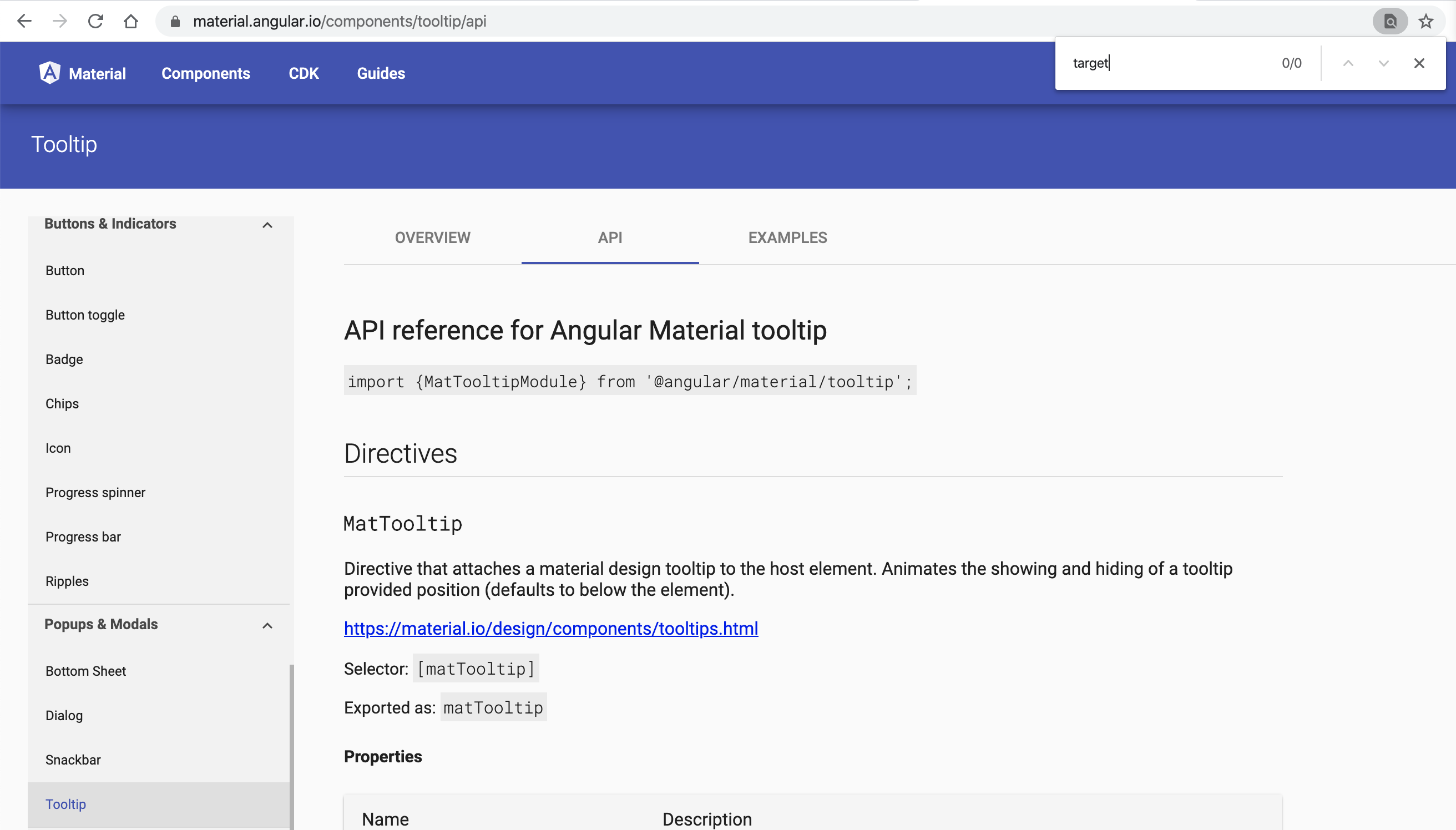
As far as I can tell, there's no popover component in Angular Material, nor target property in the tooltip component. Could you please share the link to show the use case?
 wendellhu95
on 5 Mar 2020
wendellhu95
on 5 Mar 2020
On my mobile at the moment so it's hard to find but maybe it was the parent attribute I was thinking of in their other simular components. Either way it should be nice to center a popover (or anything it dérivés from) on another element. Imagine a grouped input, 1 input with 2 buttons. The last button is an icon, click or hover I want the popover 2 center on the input plus the icon not on the icon. I can send pic if needed thanks.
whittssg
on 5 Mar 2020
Found that Fromantic UI has this for the popup component: https://fomantic-ui.com/modules/popup.html#/settings . That page states: target "If a selector or jQuery object is specified this allows the popup to be positioned relative to that element."
whittssg
on 5 Mar 2020
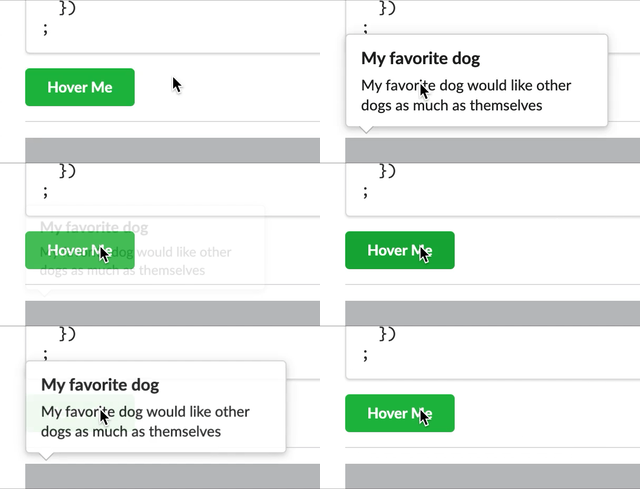
I am not sure if this is a good idea... But PR is welcome! Possibly, please void the bug in Fromantic.
wendellhu95
on 6 Mar 2020
Hello @whittssg. We totally like your proposal/feedback, welcome to send us a Pull Request for it. Please fill the Pull Request Template here, provide documentation/test cases if needed and make sure CI passed, we will review it soon. Appreciate it advance and we are looking forward to your contribution!
你好 @whittssg, 我们完全同意你的提议/反馈,欢迎直接在此仓库 创建一个 Pull Request 来解决这个问题。请务必填写 Pull Request 内的预设模板,提供改动所需相应的测试用例、文档等,并确保 CI 通过,我们会尽快进行 Review,提前感谢和期待您的贡献!

![zorro-bot[bot] picture](https://avatars.githubusercontent.com/in/33234?v=4&s=40) zorro-bot[bot]
on 6 Mar 2020
zorro-bot[bot]
on 6 Mar 2020
I am not sure if this is a good idea... But PR is welcome! Possibly, please void the bug in Fromantic.
whittssg
on 6 Mar 2020
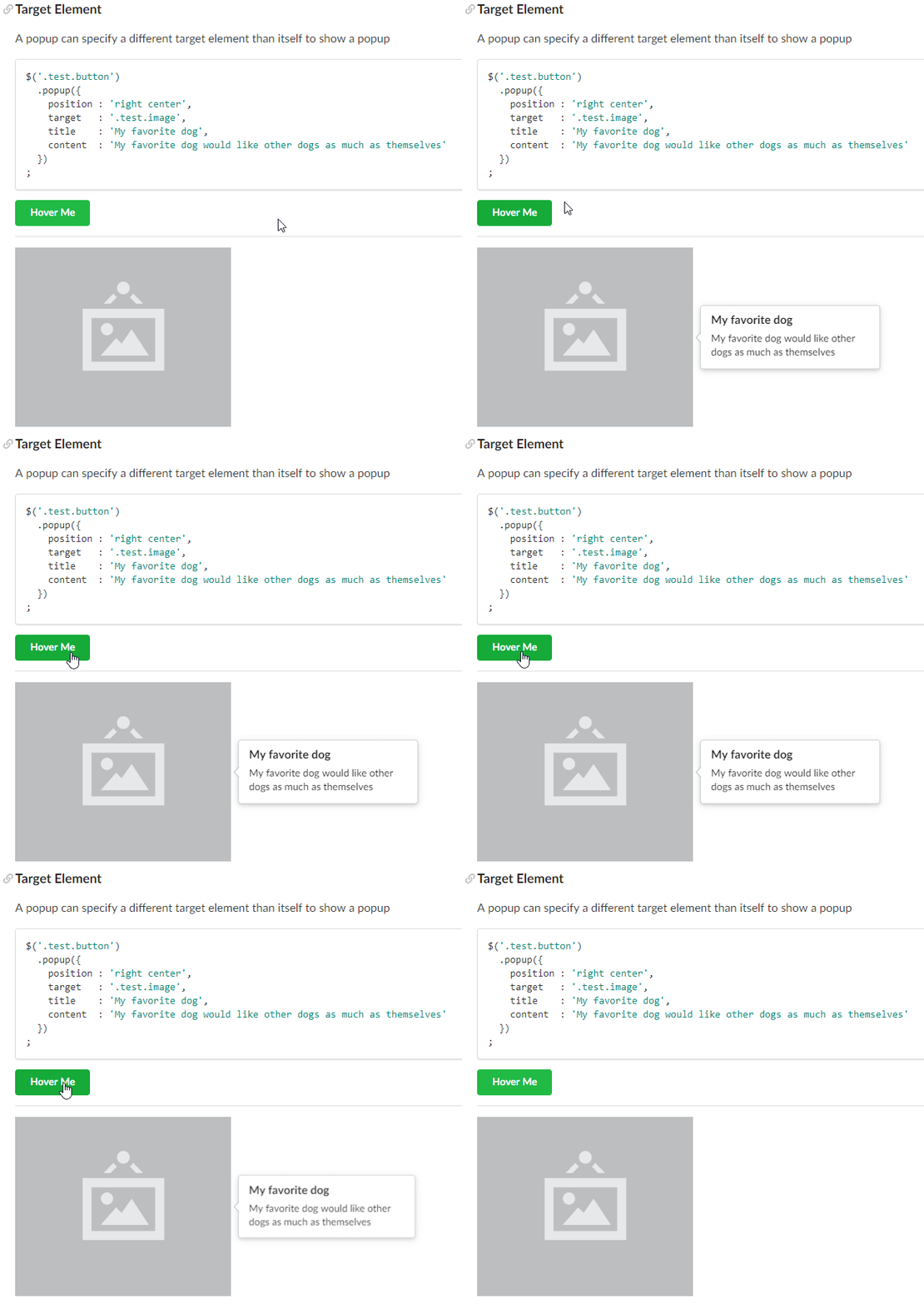
Sorry for closing an reopening, I was meant to post a gif of it working with Fomantic UI but closed the issue accidently (looks like it bugs out when there is not enough room for the popover on the right hand side of the image but it does work when there is ):
whittssg
on 6 Mar 2020
Just installed beta 4 and this seems to be working perfectly.. Thanks so much :)
whittssg
on 14 Apr 2020
Hi,
I came across this specific need and I found that react-boostrap Popover has target attribute.
I am couldn't add my codesandbox link.So I will add code.
`import React, { useRef, useState } from "react";
import "./styles.css";
import {Button, Overlay, Popover} from "react-bootstrap";
export default function App() {
const [show, setShow] = useState(false);
const [target, setTarget] = useState(null);
const ref = useRef(null);
const handleClick = (event) => {
setShow(!show);
let p = document.getElementById("test");
setTarget(p);
};
return (
);
}
`
This is the first time I am commenting on github. So ...
 AkhilsuryaA
on 20 Jan 2021
AkhilsuryaA
on 20 Jan 2021
 VincentRoth
·
VincentRoth
·
 bambooj
·
bambooj
·
 rahulmistry25425
·
rahulmistry25425
·
 s01c83l
·
s01c83l
·
 lsbbd
·
lsbbd
·