Nextcloud-notes: Remember last scrolling position per note
It would be really nice if the application could place the cursor at the end of the file.
This way you can continue to add information to a note without the need to scroll down manually the whole file.
 mfechner
All 8 comments
I totally agree, the UX expert @jancborchardt suggested to place it at the beginning some time ago.
 stefan-niedermann
on 19 Jun 2017
stefan-niedermann
on 19 Jun 2017
The issue is that this really depends on the type of note. For some notes it is best to put it at the end (if it’s a list you want to add things at the end of) for some it’s best to put it at the beginning (if you want to add more important things).
The best would be to _always_ remember where the cursor was last time you closed it, and jump to the same position. If there is no previous position, place it at the beginning like currently (cause that’s also the text you see in the preview of the list).
 jancborchardt
on 20 Jun 2017
jancborchardt
on 20 Jun 2017
Normally text is written from top to down (at least in the western countries). So placing the cursor at the end at least match the read order. I see this as not the best solution, but it is the easiest to implement.
Maybe a configuration parameter in the app?
Second, and this is maybe the best solution, store the cursor position for each note and place it where it was before. But this would be more complicated to implement. Maybe we can split this into two improvement.
- Add configuration parameter to select where to place the cursor be default (start/end)
- Store location of cursor and place it on this position. If no position is existing, use definition from 1.
What do you think?
mfechner
on 24 Jun 2017
Second, and this is maybe the best solution, store the cursor position for each note and place it where it was before.
That's exactly what I said above. ;) Additionally:
If there is no previous position, place it at the beginning like currently (cause that’s also the text you see in the preview of the list).
That will also take care of your usecase without introducing an extra setting, since it will always use the cursor position from last time.
jancborchardt
on 26 Jun 2017
I basically agree that we want to restore the position of the last edit.
The problem is, that we decided to hide the keyboard when we open a note (because this allows an easier overview about the note).
So one has to tab into the textfield in either case (and implicitly sets the cursor while tapping)
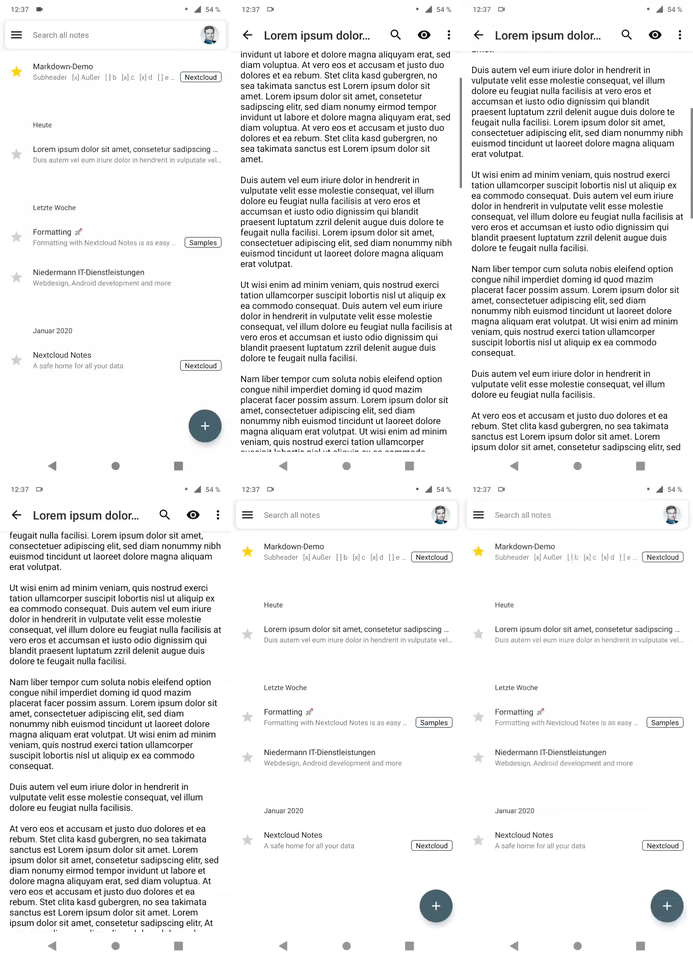
Wouldn't it make more sense to save the scrolling position?
stefan-niedermann
on 26 Jan 2020
Wouldn't it make more sense to save the scrolling position?
Yup, good point! :)
jancborchardt
on 27 Jan 2020
Will be fixed in 2.14.0. Sneak preview:
stefan-niedermann
on 8 Jun 2020
Wow, super smooth! :)
jancborchardt
on 12 Jun 2020
Related issues
 returntrip
·
4Comments
returntrip
·
4Comments
 pejakm
·
9Comments
pejakm
·
9Comments
 OpenWick
·
4Comments
OpenWick
·
4Comments
 awolfman
·
6Comments
awolfman
·
6Comments
 thgoebel
·
4Comments
thgoebel
·
4Comments
Most helpful comment
Will be fixed in
2.14.0. Sneak preview: