Nextcloud-deck: Clear storage tip: show direct button to start app info page
Describe the bug
Only a cosmetic bug...
The explanation how to delete the storage of the Nextcloud / Nextcloud Deck app does not really fit the Android naming (at least on Android 10)
https://github.com/stefan-niedermann/nextcloud-deck/blob/c45bb3ce09f5bf7aab80f89aba047c32f103b741/app/src/main/res/values/strings.xml#L231
Expected behavior
On Android 10 (maybe bad translated from German, maybe someone can give the official naming) it is:
Apps & Notifications → Show all X apps → Nextcloud / Nextcloud Deck → Storage and Cache → Delete X
(here it's possible to select between Cache and storage. sure you need storage and cache is not sufficient?)
Smartphone (please complete the following information):
- Device: Nokia 7 plus
- Android-Version: (e.g. 10)
Want to back this issue? Post a bounty on it! We accept bounties via Bountysource.
 q-wertz
All 11 comments
Yep, sure it's storage and not cache.
Hmm. I don't think there is a general description that fits to every device, rom and version...
 stefan-niedermann
on 6 May 2020
stefan-niedermann
on 6 May 2020
Maybe we can simply use a button and open this page directly on click 🤔
stefan-niedermann
on 6 May 2020
Nope, waaay too good ux. 😉
 desperateCoder
on 6 May 2020
desperateCoder
on 6 May 2020
Shut up, backend donkey!
stefan-niedermann
on 6 May 2020
❤️
desperateCoder
on 6 May 2020
❤️
stefan-niedermann
on 6 May 2020
Found this information, should be possible:
packageName = "your.package.name.here"

try {
    //Open the specific App Info page:
    Intent intent = new Intent(android.provider.Settings.ACTION_APPLICATION_DETAILS_SETTINGS);
    intent.setData(Uri.parse("package:" + packageName));
    startActivity(intent);

} catch ( ActivityNotFoundException e ) {
    //e.printStackTrace();

    //Open the generic Apps page:
    Intent intent = new Intent(android.provider.Settings.ACTION_MANAGE_APPLICATIONS_SETTINGS);
    startActivity(intent);

}
Hmm. I don't think there is a general description that fits to every device, rom and version...
Me neither. I think the "navigation description" is just a little bit misleading for non technical users.
The button idea sounds quite nice to me.
q-wertz
on 6 May 2020
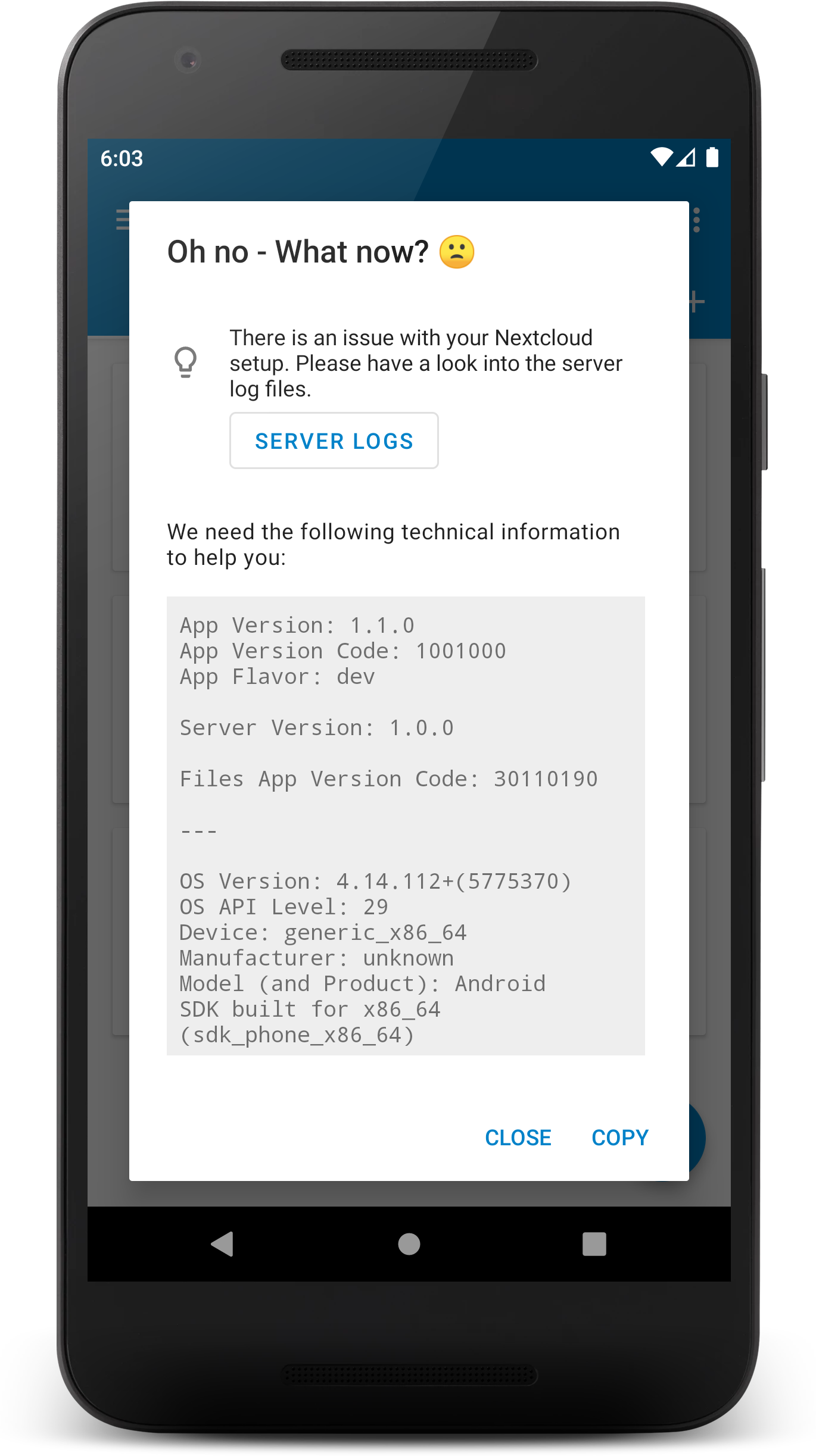
jup. will implement it that way. Something like
💡  Clear the storage of the app in the app info screen.

                  [ APP INFO SCREEN ]
Everything is ready, just waiting for a change in the Single-Sign-On library... https://github.com/nextcloud/Android-SingleSignOn/pull/203
There will be various actions depending on the kind of error, for example:
stefan-niedermann
on 11 May 2020
Fixed in 1.4.4.
stefan-niedermann
on 9 Jun 2020
Related issues
 timkrief
·
3Comments
stefan-niedermann
·
5Comments
timkrief
·
3Comments
stefan-niedermann
·
5Comments
 ghost
·
3Comments
ghost
·
3Comments
 cddf
·
4Comments
cddf
·
4Comments
 cappuMUC
·
3Comments
cappuMUC
·
3Comments