Next-pwa: OAuth flow breaks on Safari (iOS and MacOS) in PWA
Summary
When I try to use Google OAuth with next-auth and add next-pwa to my app, it doesn't work in Safari for Mac and iOS devices. The user is able to enter Google credentials, but when Google attempts to redirect back to the app next-auth returns an error.
How To Reproduce
I am using next-auth with the progressive-web-app. I created a repo which is the simplest combination of these two examples.
- Visit pwa-sage.vercel.app from an iPhone or Mac
- Click on the
Sign Inbutton in the top right corner - Enter Google credentials and try to login
- See error
Expected Behaviors
You will not be able to login from an iOS or Mac device
Screenshots
next-auth generates this error ONLY when attempting to authenticate in a Mac or iOS device.
[GET] /api/auth/callback/google?state=a18d41d8...bd&code=4%2...lHx1JC-fg&scope=email+profile+openid+https%3A%2F%2Fwww.googleapis.com%2Fauth%2Fuserinfo.profile+https%3A%2F%2Fwww.googleapis.com%2Fauth%2Fuserinfo.email&authuser=0&prompt=none
12:57:40:47
Status: 302
Duration: 3.58ms
Memory Used: 108 MB
ID: l...d-160...1-79c...4
User Agent: Mozilla/5.0 (iPhone; CPU iPhone OS 14_2 like Mac OS X) AppleWebKit/605.1.15 (KHTML, like Gecko) Version/14.0.1 Mobile/15E148 Safari/604.1 2020-12-12T17:57:40.487Z  a...c-690c-4ac7-b...7-f8...82   ERROR   [next-auth][error][callback_oauth_error] Error: Invalid state returned from oAuth provider
    at /var/task/node_modules/next-auth/dist/server/lib/oauth/callback.js:46:27
    at Generator.next (<anonymous>)
    at asyncGeneratorStep (/var/task/node_modules/next-auth/dist/server/lib/oauth/callback.js:26:103)
    at _next (/var/task/node_modules/next-auth/dist/server/lib/oauth/callback.js:28:194)
    at /var/task/node_modules/next-auth/dist/server/lib/oauth/callback.js:28:364
    at new Promise (<anonymous>)
    at /var/task/node_modules/next-auth/dist/server/lib/oauth/callback.js:28:97
    at /var/task/node_modules/next-auth/dist/server/lib/oauth/callback.js:143:17
    at /var/task/node_modules/next-auth/dist/server/routes/callback.js:58:31
    at Generator.next (<anonymous>)
https://next-auth.js.org/errors#callback_oauth_error
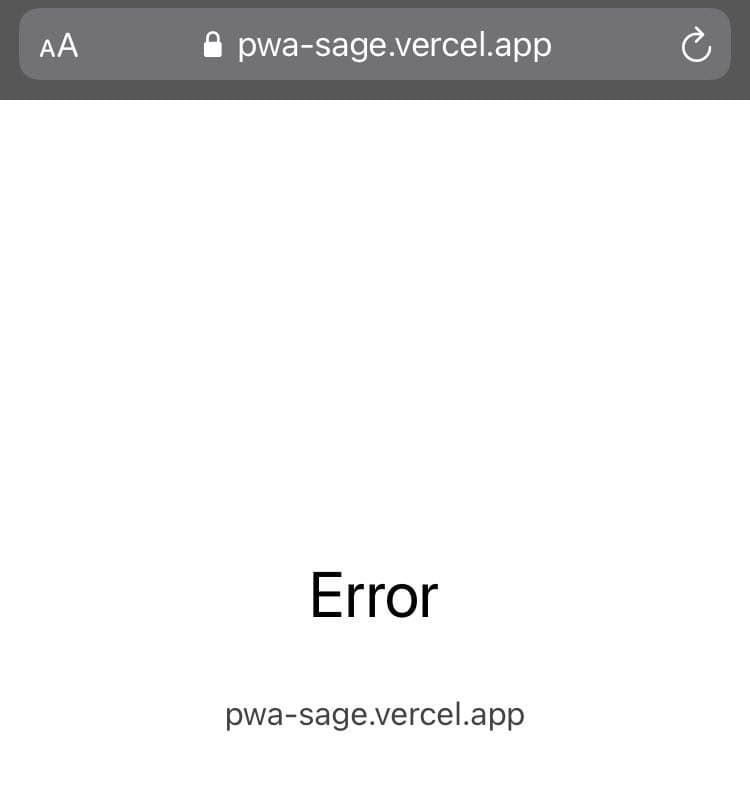
Everything that I've read points that the issue is caused by PWA and not the next-auth or my implementation of next-auth.
Additional Context
I've already asked in other repos about this issue, see here, but I'm still looking for a solution.
I don't mind completely disabling everything related to next-pwa in iOS and Mac devices if that means having my OAuth work and still have PWA for the other devices.
 returndiego
All 12 comments
Can you try to use the runtimeCaching without the following api cache strategy
https://github.com/shadowwalker/next-pwa/blob/5064d424a90fd62248c9620d14002730f9a19512/cache.js#L87-L99
 shadowwalker
on 24 Dec 2020
shadowwalker
on 24 Dec 2020
Unfortunately, it didn't work. I was a able to login twice and had to press the login bottom twice, but then I could no longer login. Quite a strange behavior. Just like before, I logged in on my PC and Android with no problems.
I'm getting the same error in the command line. Here is the preview link corresponding to the test commit I made implementing your suggestion.
returndiego
on 24 Dec 2020
I am also experiencing the same issue @returndiego.
Can anyone please help here?
PS: We are using it in our app and it is blocking our deployment.
 yashSangai
on 28 Jan 2021
yashSangai
on 28 Jan 2021
@yashSangai This issue is currently being worked on the next-auth repo, see here.
I think disabling the state will fix the issue. This is an optional setting that will not generate vulnerabilities. See documentation.
// [...nextauth].js
Providers.Google({
  clientId: process.env.NEXTAUTH_GOOGLE_ID,
  clientSecret: process.env.NEXTAUTH_GOOGLE_SECRET,
  state: false, // Disable the state feature
}),
@yashSangai This issue is currently being worked on the next-auth repo, see here.
I think disabling the state will fix the issue. This is an optional setting that will not generate vulnerabilities. See documentation.
// [...nextauth].js
Providers.Google({
  clientId: process.env.NEXTAUTH_GOOGLE_ID,
  clientSecret: process.env.NEXTAUTH_GOOGLE_SECRET,
  state: false, // Disable the state feature
}),
Okay... I will have a look there!
yashSangai
on 28 Jan 2021
I have the same issue when using Passport.js
 iyromanov
on 1 Feb 2021
iyromanov
on 1 Feb 2021
@returndiego @yashSangai I found a workaround for my case. I don't understand exactly why this happens with using Service Worker, but if I set session cookies with SameSite=None;Secure, OAuth SignIn will work in Safari. Of course this is less secure, but it may be useful for you too.
iyromanov
on 1 Feb 2021
Can you try to use the
runtimeCachingwithout the followingapicache strategyhttps://github.com/shadowwalker/next-pwa/blob/5064d424a90fd62248c9620d14002730f9a19512/cache.js#L87-L99
@shadowwalker I have tried this, but unfortunately, it's not working. It's been a long time since I am struggling with this issue and I encountered that after removing the api cache strategy, there is something more that needs to be done in the cache strategy rules. Please help me out with this!
PS: @returndiego Also by disabling state didn't help me in fixing the issue.
yashSangai
on 11 Feb 2021
@returndiego @shadowwalker I have found a solution for it without keeping state:false but it would require a change in source code of next-pwa.
We have to use the custom runtimeCaching strategies for next-pwa without the api and start-url cache strategy.
module.exports = withPWA({
  pwa: {
    disable: process.env.NODE_ENV === "development",
    dest: "public",
    runtimeCaching: [
      {
        urlPattern: /\.(?:eot|otf|ttc|ttf|woff|woff2|font.css)$/i,
        handler: "StaleWhileRevalidate",
        options: {
          cacheName: "static-font-assets",
          expiration: {
            maxEntries: 4,
            maxAgeSeconds: 7 * 24 * 60 * 60, // 7 days
          },
        },
      },
      {
        urlPattern: /\.(?:jpg|jpeg|gif|png|svg|ico|webp)$/i,
        handler: "StaleWhileRevalidate",
        options: {
          cacheName: "static-image-assets",
          expiration: {
            maxEntries: 64,
            maxAgeSeconds: 24 * 60 * 60, // 24 hours
          },
        },
      },
      {
        urlPattern: /\.(?:js)$/i,
        handler: "StaleWhileRevalidate",
        options: {
          cacheName: "static-js-assets",
          expiration: {
            maxEntries: 32,
            maxAgeSeconds: 24 * 60 * 60, // 24 hours
          },
        },
      },
      {
        urlPattern: /\.(?:css)$/i,
        handler: "StaleWhileRevalidate",
        options: {
          cacheName: "static-style-assets",
          expiration: {
            maxEntries: 32,
            maxAgeSeconds: 24 * 60 * 60, // 24 hours
          },
        },
      },
    ],
  },
});
Then in the source code of next-pwa i.e. index.js, we have to comment out the below mentioned lines OR give user an option whether to have start-url cache strategy or not. For testing, comment out lines from 60-63 and line 70.
https://github.com/shadowwalker/next-pwa/blob/5064d424a90fd62248c9620d14002730f9a19512/index.js#L58-L72
After doing the above changes, start your App and the auth should work fine in Safari.
@shadowwalker Let me know your thoughts on this!!
yashSangai
on 16 Feb 2021
Please fix the problem ASAP. O__O.
Using Next-auth + Next-PWA with thousand users. I am getting feedback can't log in to accounts - I can't log in to my account on iPhone too.
 meotimdihia
on 15 Apr 2021
meotimdihia
on 15 Apr 2021
This issue still occur when using next-auth and next-pwa.
Hope that it will be fixed soon.
 quypb
on 16 Apr 2021
quypb
on 16 Apr 2021
Summary
Once user authorize on OAuth provider and it redirect back to /api/auth/callback/google*, the cookies get cleared right before the redirect request proceeds. This caused the csrf token and hash getting regenerated on server, which is used to compute a expectedState and compare to the state in the query parameter. The compare will fail and throw Invalid state returned from OAuth provider error.
Took me a while to investigate the issue and figure out the nature of the issue in Safari.

Solution
Upgrade to next-pwa version 5.2.11 should fix the problem
This seems to be an issue with Safari running a PWA. However, disable state for next-auth when detect the request is from Safari will introduce a security flaw in the OAuth workflow.
The right solution is to NOT capture fetch request in service worker for route /api/auth/callback/**
shadowwalker
on 18 Apr 2021
Related issues
 panjiesw
·
7Comments
panjiesw
·
7Comments
 TrejoCode
·
6Comments
TrejoCode
·
6Comments
 LucasMallmann
·
4Comments
LucasMallmann
·
4Comments
 marcofranssen
·
5Comments
marcofranssen
·
5Comments
 mohammadgarmroodi
·
5Comments
mohammadgarmroodi
·
5Comments
Most helpful comment
Summary
Once user authorize on OAuth provider and it redirect back to
/api/auth/callback/google*, the cookies get cleared right before the redirect request proceeds. This caused the csrf token and hash getting regenerated on server, which is used to compute aexpectedStateand compare to thestatein the query parameter. The compare will fail and throwInvalid state returned from OAuth providererror.Took me a while to investigate the issue and figure out the nature of the issue in Safari.
Solution
Upgrade to
next-pwaversion5.2.11should fix the problemThis seems to be an issue with Safari running a PWA. However, disable
statefornext-authwhen detect the request is from Safari will introduce a security flaw in the OAuth workflow.The right solution is to NOT capture fetch request in service worker for route
/api/auth/callback/**