Next.js: Image layout="intrinsic" and "fixed" add extra margin below image
Bug report
Describe the bug
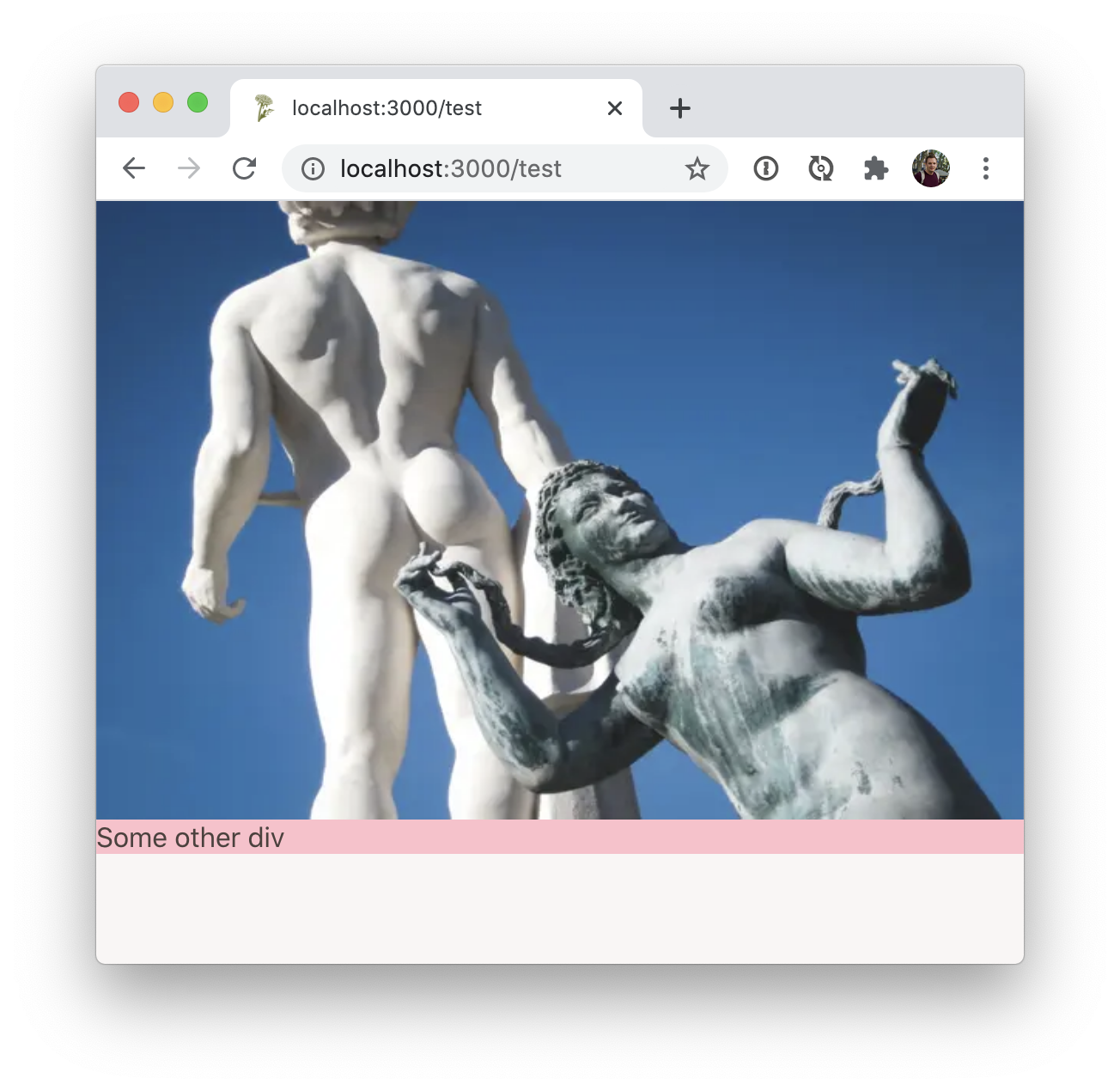
I tested the new "layout" prop for the image component in Next.js 10.0.1-canary.5 and I noticed that image get some extra margin due to the display: inline-block; style on the outer wrapper. This only happens when layout="intrinsic" or layout="fixed" is used.
To Reproduce
Add an image component with layout="intrinsic" and add another div directly below it:
<div>
      <Image src="/example.jpg" width={600} height={400} layout="intrinsic" />
      <div style={{ background: 'pink' }}>Some other div</div>
</div>
There will be some space between the image and the other div:

If you replace layout="intrinsic" with layout="responsive" the extra space is gone:
Expected behavior
The image component should be self containing. So there should be no extra margin around it.
System information
- OS: macOS (latest)
- Browser: Chrome (latest)
- Version of Next.js: 10.0.1-canary.5
 sboerrigter
All 5 comments
This is the expected behavior because it's how the default <img /> component works. Please use the responsive or fill modes if you need a different behavior.
 Timer
on 2 Nov 2020
Timer
on 2 Nov 2020
Thanks for your quick reply!
With a regular <img /> element you can easily overwrite the default behaviour with some CSS (e.g. <img style={{display: flex}}>). There is no simple way to overwrite this for the Image component. Or is there?
I prefer not to use "responsive" or "fill" because I in many cases this loads the image way too large. If I add a 60x40 px image with `layout="responsive" it will load a 1200x800 px image on large screens...
sboerrigter
on 2 Nov 2020
Sounds like we need to add an easier way to change display modes then! Could you chime in on #18637?
Timer
on 3 Nov 2020
I've fixed it now by setting the layout mode to "responsive" and adding a sizes prop. Like this:
<Image
  src="example.jpg"
  sizes="60px"
  width={60}
  height={40}
/>
So I guess that will be what I use in 90% of the cases then.
I did notice that every size you specify via the "sizes" prop should also be in the deviceSizes array. This can results in all images having a lot of sizes in te srcset. It would be nice if you can set the required image sizes for each image instead of globally in next.config.js. Shall I open a new issue for this?
sboerrigter
on 3 Nov 2020
This sounds like a great idea and may not be resolved with responsive, as it includes many device sizes in the resulting srcset attribute. By using intrinsic, only 1x, 2x and 3x sizes are generated.
 kripod
on 6 Nov 2020
kripod
on 6 Nov 2020
Related issues
 DvirSh
·
3Comments
DvirSh
·
3Comments
 jesselee34
·
3Comments
jesselee34
·
3Comments
 YarivGilad
·
3Comments
YarivGilad
·
3Comments
 wagerfield
·
3Comments
wagerfield
·
3Comments
 ghost
·
3Comments
ghost
·
3Comments