Bug report
Describe the bug
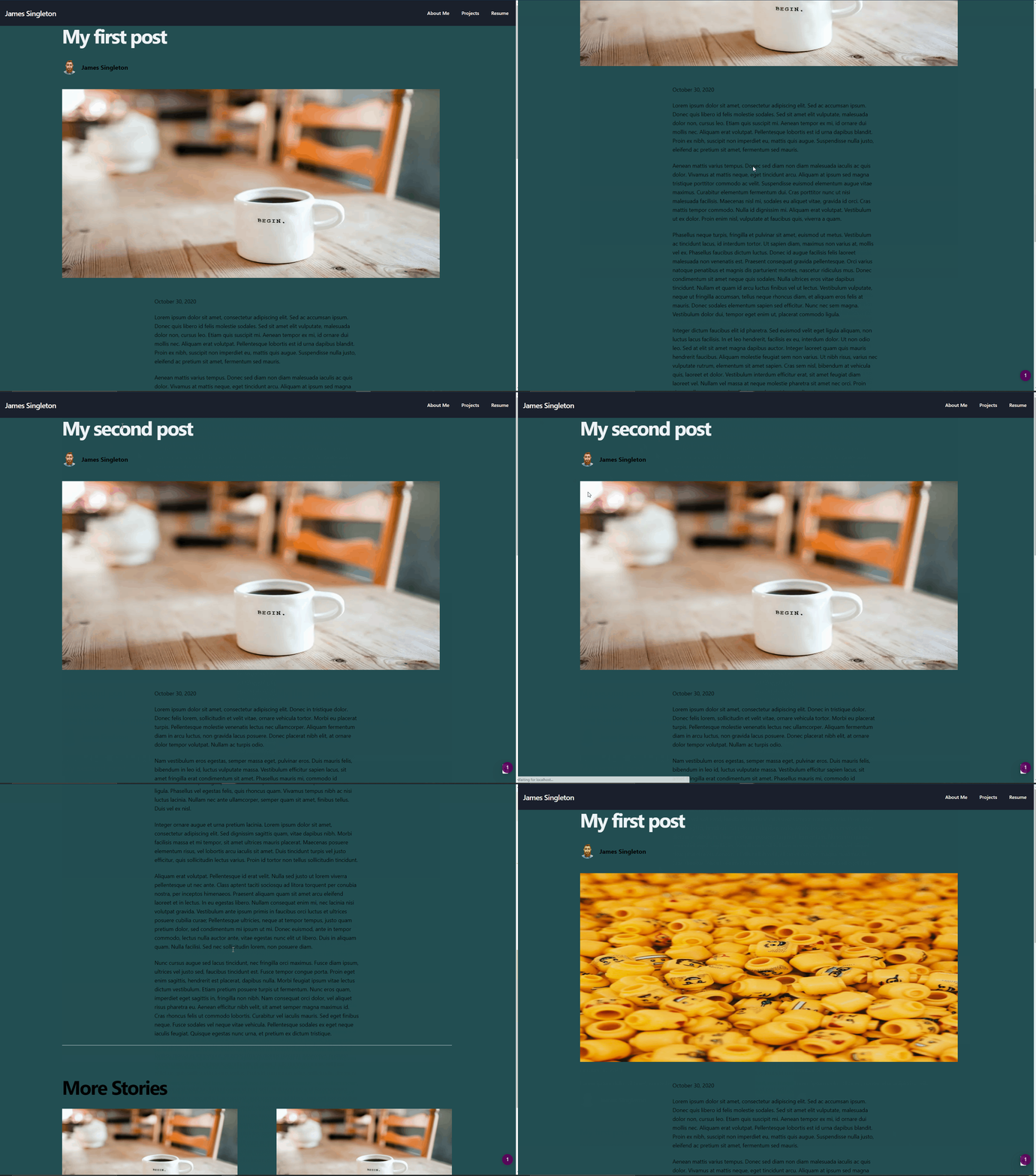
Image component caching image unless there is a page refresh. This does not happen with a normal <img /> tag.
To Reproduce
Steps to reproduce the behavior, please provide code snippets or a repository:
- Clone https://github.com/vercel/next.js/tree/canary/examples/cms-contentful
- Open up
components/cover-image.js - Change out the
<img />for<Image />fromnext/image - Change
src={url}tosrc={https:${url}}due to #18536 - Start up Next
yarn dev - Go to an article
Click on an article from
More Stories⚠️ Don't forget to add the following to your
next.config.js
module.exports = {
  images: {
    domains: ['images.ctfassets.net'],
  },
}
Expected behavior
Image from the new story should be the cover photo
Screenshots
System information
- OS: Windows
- Browser (if applies) Chrome
- Version of Next.js: 10.0.0
- Version of Node.js: 12.18.4
 JamesSingleton
All 4 comments
Thanks for reporting! I believe we're already tracking this but it doesn't hurt to have again.
 Timer
on 31 Oct 2020
Timer
on 31 Oct 2020
👍1
@Timer, I couldn't find an open issue when I was searching, but maybe I just didn't search the right keywords.
JamesSingleton
on 31 Oct 2020
18499
Timer
on 31 Oct 2020
❤1
Closing since I found the duplicate above, thanks!
Timer
on 31 Oct 2020
❤1
Was this page helpful?
0 / 5 - 0 ratings
Related issues
 ghost
·
3Comments
ghost
·
3Comments
 formula349
·
3Comments
formula349
·
3Comments
 havefive
·
3Comments
havefive
·
3Comments
 timneutkens
·
3Comments
timneutkens
·
3Comments
 YarivGilad
·
3Comments
YarivGilad
·
3Comments