Next.js: Built-in CSS Module Support Not Injecting *.module.css styling during SSR
Bug report
Describe the bug
The new built-in css module support does not work during SSR, at least not without further configuration that I'm not aware of. Once the page is loaded client side, the styles are injected for the component and everything looks as it should.
I checked the html using Postman http client and noticed that there's no <style></style> element injected in the <head /> element. However, after the page loads in a browser, that <style></style> element is injected with the expected scoped css.
I tried the basic example from the blog post, and it worked. However, there's no example with SSR and components.
To Reproduce
I have a custom pages/_app.jsx and a component somewhere in my pages/index.jsx page, which is server side rendered using getInitialProps(). The component imports its own ./comp.module.css file.
Expected behavior
The css modules imported across my app structure should be gathered during server side rendering and injected into the <head/> of my html that is sent to the client. That way, when the user first sees my page, all the styling is in place.
Screenshots
What's sent down from SSR:

What's show after the module's css is finally injected into the <head/> on the client:

System information
OS: macOS
Browser: Chrome
Version of Next.js: 9.2.1
Additional context
This may be related to https://github.com/zeit/next.js/issues/10267
This is the feature I'm referring to: https://nextjs.org/blog/next-9-2#built-in-css-module-support-for-component-level-styles
 Lwdthe1
All 18 comments
I see that the CSS modules page mentions having to also use the postcss plugin to use css modules on the server side. Is postcss the suggested solution to my issue?
I'd greatly appreciate an example of this new feature with a basic SSR app to see how I'm supposed to hook this up.
https://github.com/css-modules/css-modules#server-side-and-static-websites
Lwdthe1
on 26 Jan 2020
I think I am hitting same issue. I am using static export alongside scss modules and when I build my app for production my .module styles are not applied to the page initially. After I reload the page everything looks alright. I am not using any service worker caching or anything similar.
Everything works as expected in development mode.
 IljaDaderko
on 26 Jan 2020
IljaDaderko
on 26 Jan 2020
having the same issue as well for both development and production mode.
 joonhocho
on 27 Jan 2020
joonhocho
on 27 Jan 2020
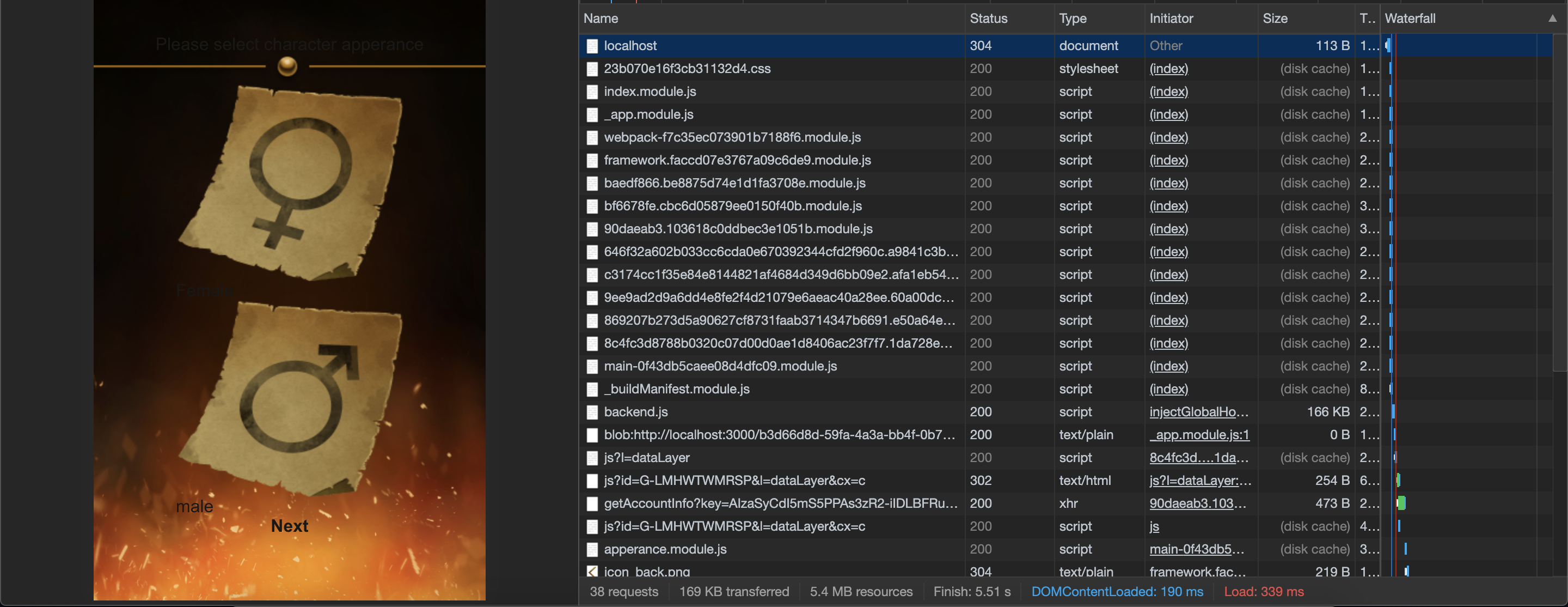
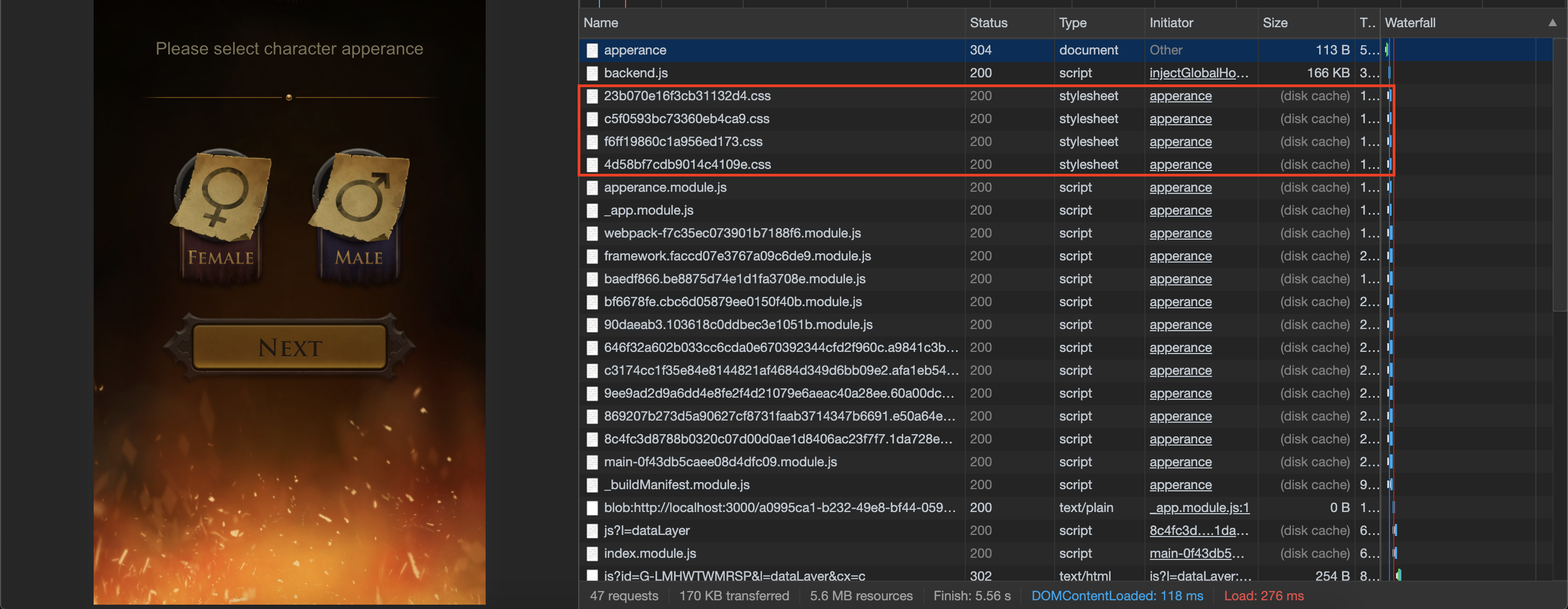
For some reason css files are not loaded during first page access for me (built using experimental scss)
Initial page access (no css module files for the page, some global and modular css is loaded for _app component however)
After I reload the page (modular page css is loaded)
System information
OS: macOS
Browser: Chrome
Version of Next.js: 9.2.1
IljaDaderko
on 27 Jan 2020
Can you provide a complete reproducible demo so that we can have a look
 timneutkens
on 27 Jan 2020
timneutkens
on 27 Jan 2020
@timneutkens @Timer sorry for not providing it earlier, here it is https://github.com/IljaDaderko/next.js-10268
To recreate the issue:
- Install npm dependencies
- Run
yarn build-> notice in package.json I changed build command tonext build; next export - Run
yarn start - When app loads click on
secondpage link
This page should have blue background, but in my case it doesn't. If you reload the page that blue background is applied
IljaDaderko
on 27 Jan 2020
@IljaDaderko this is because you're using experimental options. experimental.modern is not compatible with CSS support — if you turn off this feature, the CSS works as expected.
Also, your report is unrelated to the OP: OP says there are no styles on SSR, but yours only affects client-side transitions due to the usage of an experimental feature.
 Timer
on 27 Jan 2020
Timer
on 27 Jan 2020
@Lwdthe1 can you please provide a reproducible demo? 🙏
Timer
on 27 Jan 2020
Hey, I'm sorry for the delay, but my table is currently a bit full with interview projects, so I don't have time today to make the repro. I can shoot for tomorrow.
Lwdthe1
on 28 Jan 2020
@Lwdthe1 any update?
Timer
on 3 Feb 2020
Created issue https://github.com/zeit/next.js/issues/10404 for a very similar issue. Repro is https://github.com/ramasilveyra/bug-repro-next-global-css.
 ramasilveyra
on 3 Feb 2020
ramasilveyra
on 3 Feb 2020
I'm also noticing a problem with the injecting * .module.css to SSR header.
@timneutkens @Timer Reproduction is simple. Clone with-next-css example. Execute. Disable JS in the browser and refresh the page.
In my opinion, it would be appropriate to include CSS modules to the SSR page header, because SSR is very often used to improve user experience and speed up loading. Unfortunately, a site without styles looks tragic.
 mzygmunt
on 6 May 2020
mzygmunt
on 6 May 2020
My apologies for never following up on this. I never figured it out and have moved away from it since.
Lwdthe1
on 7 May 2020
 yanv1991
on 2 Jun 2020
yanv1991
on 2 Jun 2020
Closing since OP no longer has the issue.
Timer
on 3 Jun 2020
This should be fixed in next@^9.4.5-canary.15! Please upgrade and let us know.
Timer
on 22 Jun 2020
Thanks @Timer, it seems to work! Is JavaScript disabled also supported? When I disable JS I don't see my custom styles but it could be that my setup is wrong or outdated.
 CrocoDillon
on 22 Jun 2020
CrocoDillon
on 22 Jun 2020
No, JavaScript cannot be disabled in development.
Timer
on 22 Jun 2020
Related issues
 nickredmark
·
60Comments
nickredmark
·
60Comments
 rauchg
·
208Comments
Timer
·
90Comments
rauchg
·
208Comments
Timer
·
90Comments
 poyiding
·
73Comments
poyiding
·
73Comments
 Knaackee
·
122Comments
Knaackee
·
122Comments
Most helpful comment
having the same issue as well for both development and production mode.