Next.js: <Head> Rendering only on client side
Bug report
Describe the bug
I tried to use something like
      <Head>
        <title>{`${article.title} - Mais Esports`}</title>
        <meta
          property="og:image"
          content={article.featured_image.thumbnail}
        />
But it only changed the title on client side. The biggest problem is that I can't use og and twitter tags, then I can't create a card on twitter ou a facebook post that receives images and titles from my pages
A clear and concise description of what the bug is.
To Reproduce
just add some title and meta tags using the Head provied by Next
      <Head>
        <title>{`${article.title} - Mais Esports`}</title>
        <meta
          property="og:image"
          content={article.featured_image.thumbnail}
        />
Then click to see the source code of the page, the tags are not there, but they are on the dev tools.
If I use Head on the _document.js the tags and title works fine on the source code, as it should do, but there I don't have the initialProps to make them dynamic.
Expected behavior
It should render on server side too as meta tags are used for third parties to get access into some properties of our pages.
Screenshots
If applicable, add screenshots to help explain your problem.
System information
- Version of Next.js: [e.g. 9.0.5]
Additional context
Thanks for reading, and if it is not a bug, can someone explain how could I do that behavior?
 rodolphonetto
All 6 comments
It's hard to say what's causing this because a clear and concise reproduction is missing (as asked for in the issue template). Please this 🙏
 timneutkens
on 21 Oct 2019
timneutkens
on 21 Oct 2019
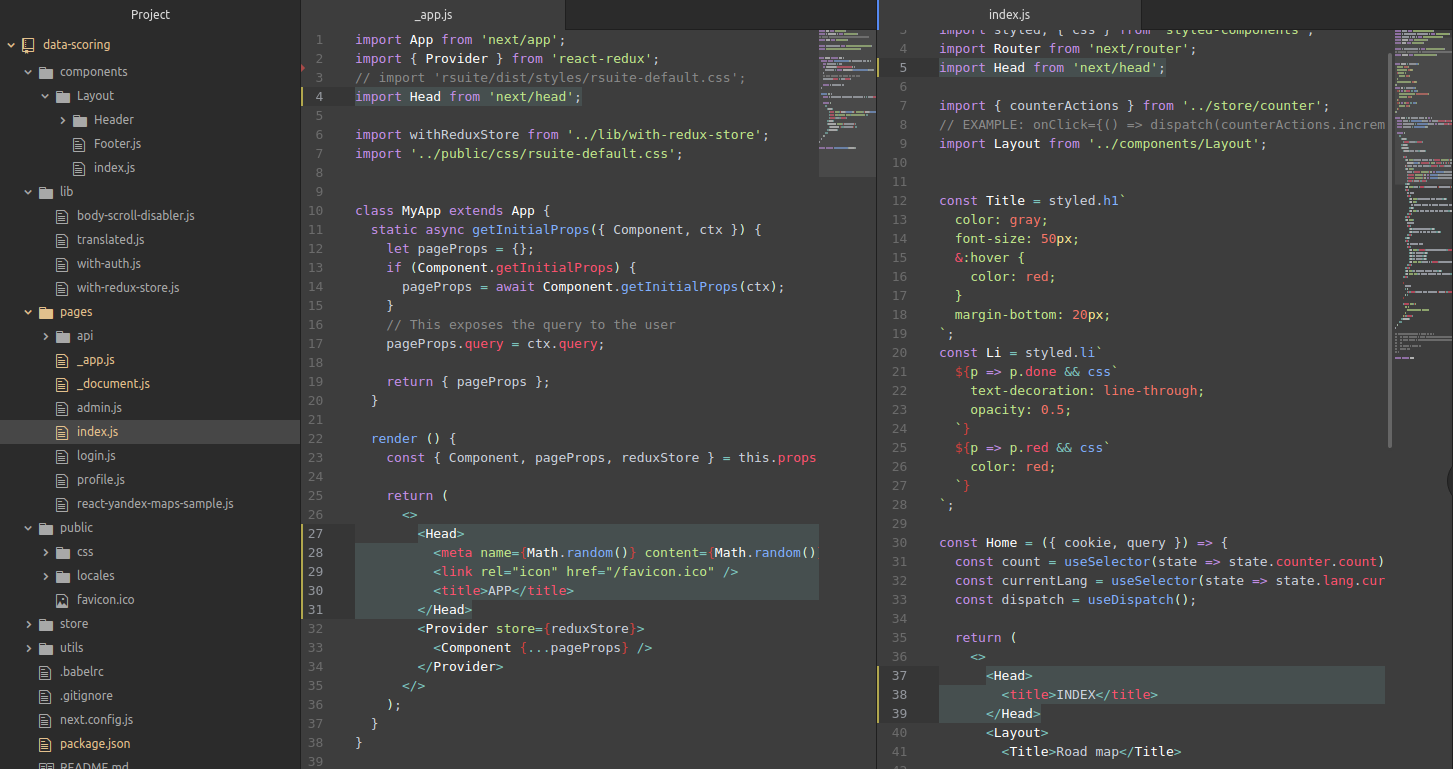
This issue should be closed. It's Ok in production mode (I'm using [email protected])
 pravosleva
on 25 Oct 2019
pravosleva
on 25 Oct 2019
I'm getting this issue using [email protected]. So far just tested in dev mode.
As a workaround, you can create a function component which returns the meta tags you need, then call that component as a function and interpolate the result in your JSX instead of adding the component directly as a JSX tag. E.g.
const tags = SocialMetaTags({
description: blogPost.description,
fbAppId: FACEBOOK_APP_ID,
image: blogPost.mainImgUrl,
title: blogPost.title,
url: `${DEFAULT_SITE_URL}/blog/${blogPost.slug}`,
});
return (
<Head>
{tags}
<title>{blogPost.title}</title>
</Head>
);
 brendanAx
on 25 Oct 2019
brendanAx
on 25 Oct 2019
I could make it work on dev and production when I removed a
rodolphonetto
on 25 Oct 2019
@rodolphonetto, can you describe in more detail what this component was please, perhaps give an example? I've got no wrapper components around App (_app.tsx in my case).
If you have to remove functionality to make this work, it sounds like you are doing a workaround. Why should adding a social meta tag mean that you cannot use this wrapper component?
brendanAx
on 25 Oct 2019
Well, to be honest Idk why it started to work... but here is the component I switched from de _app.js and put direct on the pages.
import PropTypes from "prop-types"
import { useMemo, useState, useEffect } from "react"
import { ThemeProvider } from "styled-components"

import light from "../../utils/light-theme"
import dark from "../../utils/dark-theme"
import GlobalStyles from "./styled"
import NavBar from "../NavBar/NavBar"
import Footer from "../Footer/Footer"

const Layout = ({ children }) => {
  const [DarkMode, setDarkMode] = useState(false)
  const [ready, setReady] = useState(false)

  useEffect(() => {
    setReady(true)
    const stored = localStorage.getItem("isDarkMode")
    if (stored === "true") {
      setDarkMode(true)
    }
  }, [])

  const onThemeChangeHandler = () => {
    if (DarkMode) {
      localStorage.setItem("isDarkMode", "false")
      setDarkMode(false)
    } else {
      localStorage.setItem("isDarkMode", "true")
      setDarkMode(true)
    }
  }

  const memoizedNavBar = useMemo(() => {
    return (
      <NavBar isDarkMode={DarkMode} themeClicked={() => onThemeChangeHandler} />
    )
  }, [DarkMode])

  return (
    <ThemeProvider theme={DarkMode ? dark : light}>
      <GlobalStyles />
      {memoizedNavBar}
      {ready && children}
      {/* {ready && <Footer />} */}
    </ThemeProvider>
  )
}
Related issues
 acanimal
·
74Comments
acanimal
·
74Comments
 nvartolomei
·
78Comments
nvartolomei
·
78Comments
 iamstarkov
·
119Comments
iamstarkov
·
119Comments
 Timer
·
87Comments
Timer
·
87Comments
 baldurh
·
74Comments
baldurh
·
74Comments
Most helpful comment
Well, to be honest Idk why it started to work... but here is the component I switched from de _app.js and put direct on the pages.