Next.js: npm run build success but got an error when I run next start
I execute npm run build success but got an error message
> Could not find a valid build in the '.next' directory! Try building your app with 'next build' before starting the server.
I try removing node_module and reinstall them but still got an error.
 zigxas
All 19 comments
is your script build in package.json actually doing next build ?
 lfades
on 31 Jul 2017
lfades
on 31 Jul 2017
yes
"scripts": {
"dev": "node server.js",
"build": "next build",
"start": "next start -p 80 server.js",
"start2": "next start server.js"
},
zigxas
on 31 Jul 2017
remove the .next folder and try again
lfades
on 31 Jul 2017
not work.
zigxas
on 31 Jul 2017
I found this https://github.com/arunoda/next.js/blob/6d0511b96ab4d32b09879ecff53fa46e18f93fb1/bin/next-start
if (!existsSync(resolve(dir, '.next', 'build-stats.json'))) {
console.error(> Could not find a valid build in the '.next' directory! Try building your app with 'next build' before starting the server.)
process.exit(1)
}
zigxas
on 31 Jul 2017
Mmmm, try not to use next start in the script start and use NODE_ENV=production server.js instead
lfades
on 31 Jul 2017
Wow thanks it works !
zigxas
on 31 Jul 2017
I have the same issue, next build works fine but next start fails. No custom server. next build doesn't seem to create a build-stats.json when I run it.
 dbkaplun
on 4 Oct 2017
dbkaplun
on 4 Oct 2017
@dbkaplun can you share a repo ?
lfades
on 4 Oct 2017
Here's the repo: https://github.com/dbkaplun/dbkaplun
UPDATE: glitch has since been fixed, but I'm not sure how.
dbkaplun
on 4 Oct 2017
your project worked very well with me
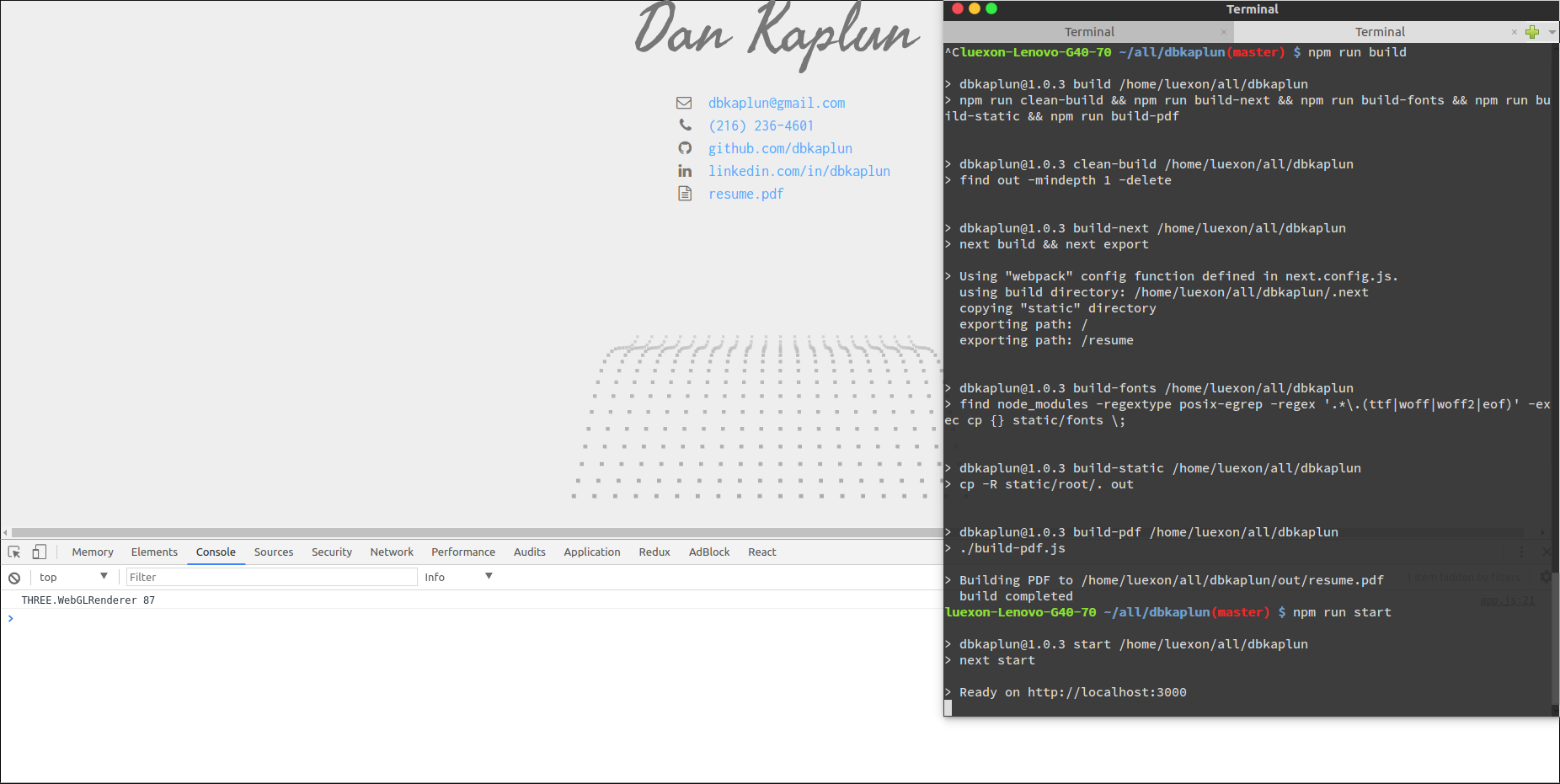
with next 3.0.1-beta.17 - node 8.0.0 - npm 5.4.2
Maybe you have a lower version of node ?
btw nice canvas :D
lfades
on 4 Oct 2017
@dbkaplun I am having the same issue - how did you resolve yours? I checked your repo and can't find the glitch.
 boriswexler
on 18 Jan 2018
boriswexler
on 18 Jan 2018
I can confirm i am seeing this, when I run next in development mode
 khrome83
on 16 Feb 2018
khrome83
on 16 Feb 2018
Deleting .next folder and restarting dev server fixed the problem.
I am using nodemon to run next in dev mode after using babel-register. So I am guessing something go out of wack.
khrome83
on 16 Feb 2018
Another updated, it fixed the issue briefly. Now it started doing it all over again.
khrome83
on 16 Feb 2018
Try running npm run build then run npm start again it should work
 MiguelCedric
on 17 Jun 2018
MiguelCedric
on 17 Jun 2018
thanks @MiguelCedric . worked for me
 faeghe-hajiabadi
on 2 Oct 2018
faeghe-hajiabadi
on 2 Oct 2018
@lfades could you please tell me that what these are doing:
"dev": "node server.js",
"build": "next build",
"start": "NODE_ENV=production node server.js"
I just started with next.js and I want to know wy thses are used.
 PiyankaYadav
on 9 Jan 2019
PiyankaYadav
on 9 Jan 2019
@PiyankaYadav When you're using a custom server next start will not start your server, therefore you need to use node and start Next.js inside your node server.
Side note: Don't use a custom server if you're not 110% sure that you need one.
lfades
on 9 Jan 2019
Related issues
 baldurh
·
74Comments
baldurh
·
74Comments
 dunika
·
58Comments
dunika
·
58Comments
 iamstarkov
·
119Comments
iamstarkov
·
119Comments
 Timer
·
90Comments
Timer
·
90Comments
 arunoda
·
103Comments
arunoda
·
103Comments
Most helpful comment
Try running
npm run buildthen runnpm startagain it should work