Next-i18next: v8. beta 6 message on the server "It seems you are using the old wait option..."
Describe the bug
I kickstarted a trial on the v8 beta and see following server message:
react-i18next:: It seems you are still using the old wait option, you may migrate to the new useSuspense behaviour.
Occurs in next-i18next version
v8.beta6
Steps to reproduce
Following the simple example
Expected behaviour
Probably some more option to hide/disable the message or show an example with Suspense (even though I am not sure in NextJS environment about this)
 dohomi
All 5 comments
I can confirm I'm seeing this in 7.0.1
 axmachina
on 24 Feb 2021
axmachina
on 24 Feb 2021
Thanks @dohomi – this is fixed by #973.
Also, you can always pass your own config.react object if you want to override values.
 isaachinman
on 24 Feb 2021
isaachinman
on 24 Feb 2021
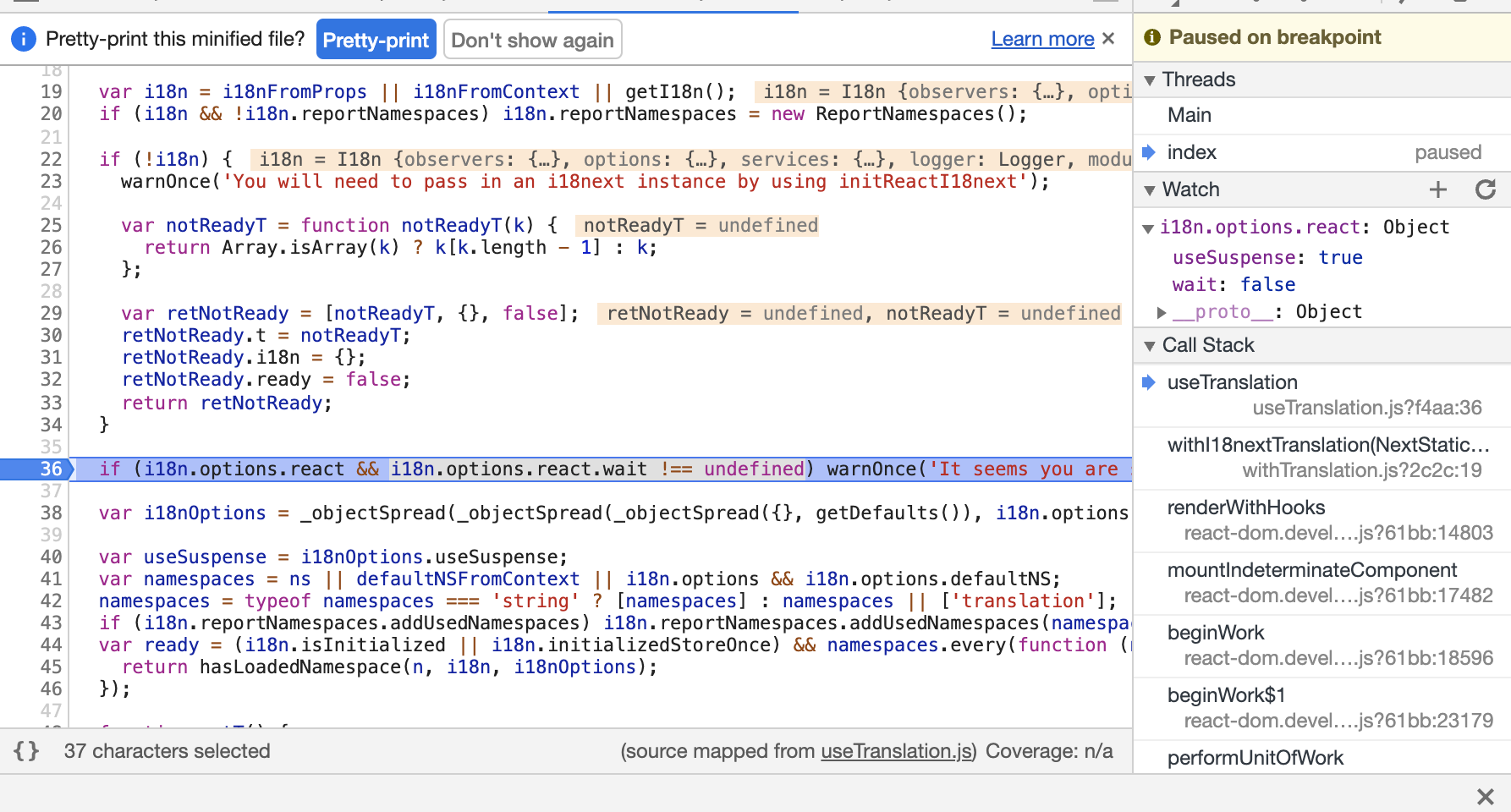
For others stumbling into here, ensure react.wait is literally undefined or it would fail.
This will result in warning/break:
react: { wait: false, useSuspense: true }
While this will not,
react: { useSuspense: true }
axmachina
on 25 Feb 2021
Hey @axmachina, v8.0.0 has been released now, and this is fixed.
isaachinman
on 25 Feb 2021
Note when using appWithTranslation with React Suspense as follows:
import { appWithTranslation } from 'next-i18next';
import React, { Component, Suspense } from "react";

const MyApp = ({ Component, pageProps }) => <Suspense fallback={"loading..."}><Component {...pageProps} /></Suspense>;

export default appWithTranslation(MyApp);
appWithTranslation can/will still fail as it sits outside Suspense.
To fix, consider moving appWithTranslation within Suspense like so
import { appWithTranslation } from 'next-i18next';
import React, { Component, Suspense } from "react";

const MyApp = ({ Component, pageProps }) => {

const TranslatedComponent = appWithTranslation(Component);

return <Suspense fallback={"loading..."}><TranslatedComponent {...pageProps} /></Suspense>;

};

export default MyApp;
As well, if you wish to avoid SSR rendering, use react/next dynamic:
export default dynamic(() => Promise.resolve(MyApp), {
  ssr: false,
});
Related issues
 nataliaroque77
·
3Comments
isaachinman
·
7Comments
nataliaroque77
·
3Comments
isaachinman
·
7Comments
 chayakornwc
·
6Comments
chayakornwc
·
6Comments
 andrenaught
·
6Comments
andrenaught
·
6Comments
 HectorLS
·
6Comments
HectorLS
·
6Comments
Most helpful comment
Thanks @dohomi – this is fixed by #973.
Also, you can always pass your own
config.reactobject if you want to override values.