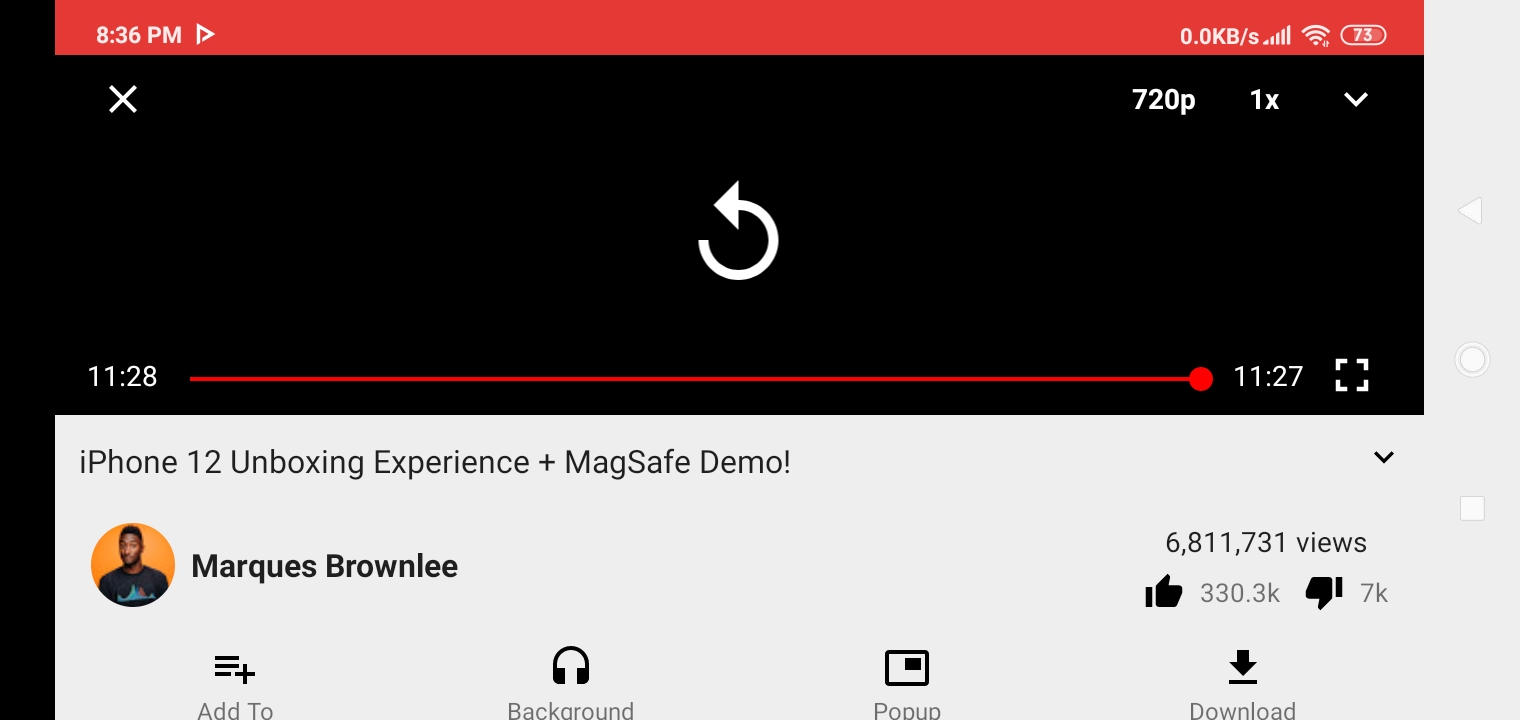
Newpipe: Video Details tab is in landscape after watching video fully if used the cross button.
Checklist
- [x] I am using the latest version.
- [ x] I checked, but didn't find any duplicates of this issue in the repo.
- [ x] I have read the contribution guidelines given at https://github.com/TeamNewPipe/NewPipe/blob/HEAD/.github/CONTRIBUTING.md.
- [ ] This issue contains only one bug. I will open one issue for every bug report I want to file.
Steps to reproduce the bug
- Go to 'Newpipe'
- Press on 'any video'
- Watch on fullscreen where landscape is default
Actual behaviour
Now after finishing video, if u go back to video details page/ overview, it's in landscape mode even though my phone is set to portrait mode.
Expected behavior
It should be that the overview page to be in portrait even though I watched a vid in landscape.
Screenshots/Screen recordings
Logs
Device info
- Android version/Custom ROM version: Android 10
- Device model:
question
 demonff1
All 3 comments
Tap the Back button. It will rotate the phone back to portrait mode.
 opusforlife2
on 21 Oct 2020
opusforlife2
on 21 Oct 2020
Using the cross button should also make the app in default portrait mode. It's a minor bug n the tab is present in the bottom of u click the cross button.
demonff1
on 22 Oct 2020
👍1
Could you change your issue to say that instead, then? Thanks.
opusforlife2
on 22 Oct 2020
👍1
Was this page helpful?
0 / 5 - 0 ratings
Related issues
 ghost
·
3Comments
ghost
·
3Comments
 danialbehzadi
·
3Comments
danialbehzadi
·
3Comments
 mouarfff
·
3Comments
mouarfff
·
3Comments
 hassanseoul123
·
3Comments
hassanseoul123
·
3Comments
 Hunter9888x
·
3Comments
Hunter9888x
·
3Comments