[Add in v0.19.0] It would be amazing if you could put a button to mute the app regardless of the volume of the smartphone, similar to what it has in MX Player, for example. This function would be sensational.
 RickyM7
All 22 comments
I would like to take this one. Is it ok?
 karkaminski
on 15 Jan 2020
karkaminski
on 15 Jan 2020
@karkaminski I don't know if I understand, because English is not my main language, but if you add this function to NewPipe, I would find it wonderful!
RickyM7
on 15 Jan 2020
@karkaminski I think you can take it. But I'm not sure how this could be implemented without cluttering the GUI by adding a button that would be used rarely. @TobiGr what do you think?
 Stypox
on 16 Jan 2020
Stypox
on 16 Jan 2020
Maybe adding this button to the upper drawer would be good?
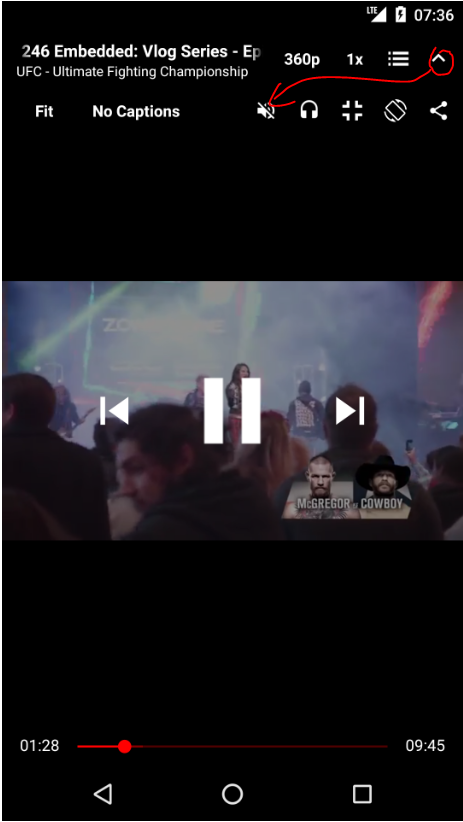
karkaminski
on 16 Jan 2020
I thought about that, too, but how would it behave? Would its value be reset every time the video is opened or would the previous state be restored?
Stypox
on 16 Jan 2020
In my opinion: if you mute one video, you mute for every other video (if you have queue for instance). It corresponds with second scenario you've mentioned - restore previous state.
Other questions are:
- What after reloading whole app?
- What when you muted the video, and after that picked "backgroud mode" or "popup window"?
For popup I would keep it muted. Not sure if for backgroud should be the same. Maybe dialogbox asking if you want to unmute? I think it is a rare situation when one would like to have muted video in the background... ;)
karkaminski
on 16 Jan 2020
About the queue, as you said, the previous state should be restored.
- After the whole app is reloaded, I'd reset the state to "Not muted". It would be strange if one used NewPipe always muted, so resetting upon restart seems a good choice.
- The "Muted" state only makes sense in main and popup players, and since this is obvious, I don't think a dialogbox is needed.
Stypox
on 16 Jan 2020
By the way, the button should be accessible from the popup player queue, otherwise how would one mute/unmute the popup player? Also, the plan with players is #2907, so it is a good idea to add buttons to queue views.
Stypox
on 16 Jan 2020
- The "Muted" state only makes sense in main and popup players, and since this is obvious, I don't think a dialogbox is needed.
So, if user watches muted video, and use background option -> video should gone to background and unmuted ?
karkaminski
on 16 Jan 2020
Yes. Then, if the user goes back to main/popup player, the video should become muted again.
Stypox
on 16 Jan 2020
For some reasons I would mutate and use a muted background queue for a long time, so it would be nice if the button was implemented when playing a background playlist as well, and keep mutating as much as one wants, even if the queue in the background, completely mute. Since I'm not a programmer, I don't know how hard it is to implement something like that, but I hope you can do that. (Sorry for my bad English, I'm using Google translate to translate.)
RickyM7
on 16 Jan 2020
Mmmh ok, then I assume adding a button to the background queue should be good @karkaminski.
@TobiGr what do you think about all of this?
Stypox
on 16 Jan 2020
I am still working on this, but I get some doubts... :)
I've added "mute-button" in 2 places currently:
- In main player upper drawer (pic below)
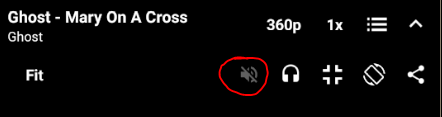
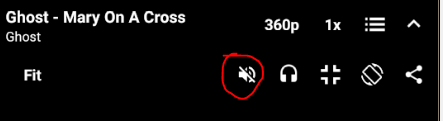
- In background player's menu in notification drawer
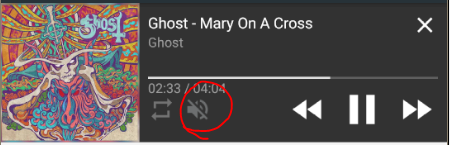
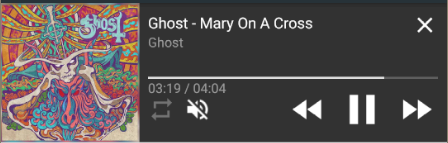
Using "mute" funcion, user mutes the music chanel in Android:
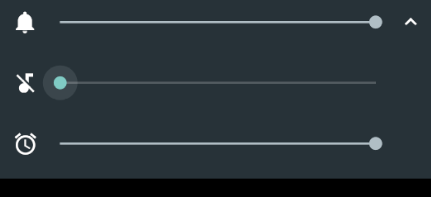
Is this approach we are looking for?
karkaminski
on 21 Jan 2020
@karkaminski I liked the position of the buttons, however, muting the music channel is not what I expected. I was thinking of something like muting the app's audio regardless of the Android music channel, as you can see in Mx Player when you disable the option to synchronize the volume of the sound with the system volume, for example. So you could leave a muted list playing in the background while you listen to other things in another app or watch a muted video on Newpipe while listening to music with another app in the background. I don't know if you could understand what I meant because of my English, but I hope so. I also hope that what I said is possible to do.
RickyM7
on 21 Jan 2020
should I open another issue for 'mute by default?'
 StyXman
on 9 Feb 2020
StyXman
on 9 Feb 2020
Sorry for delay guys.
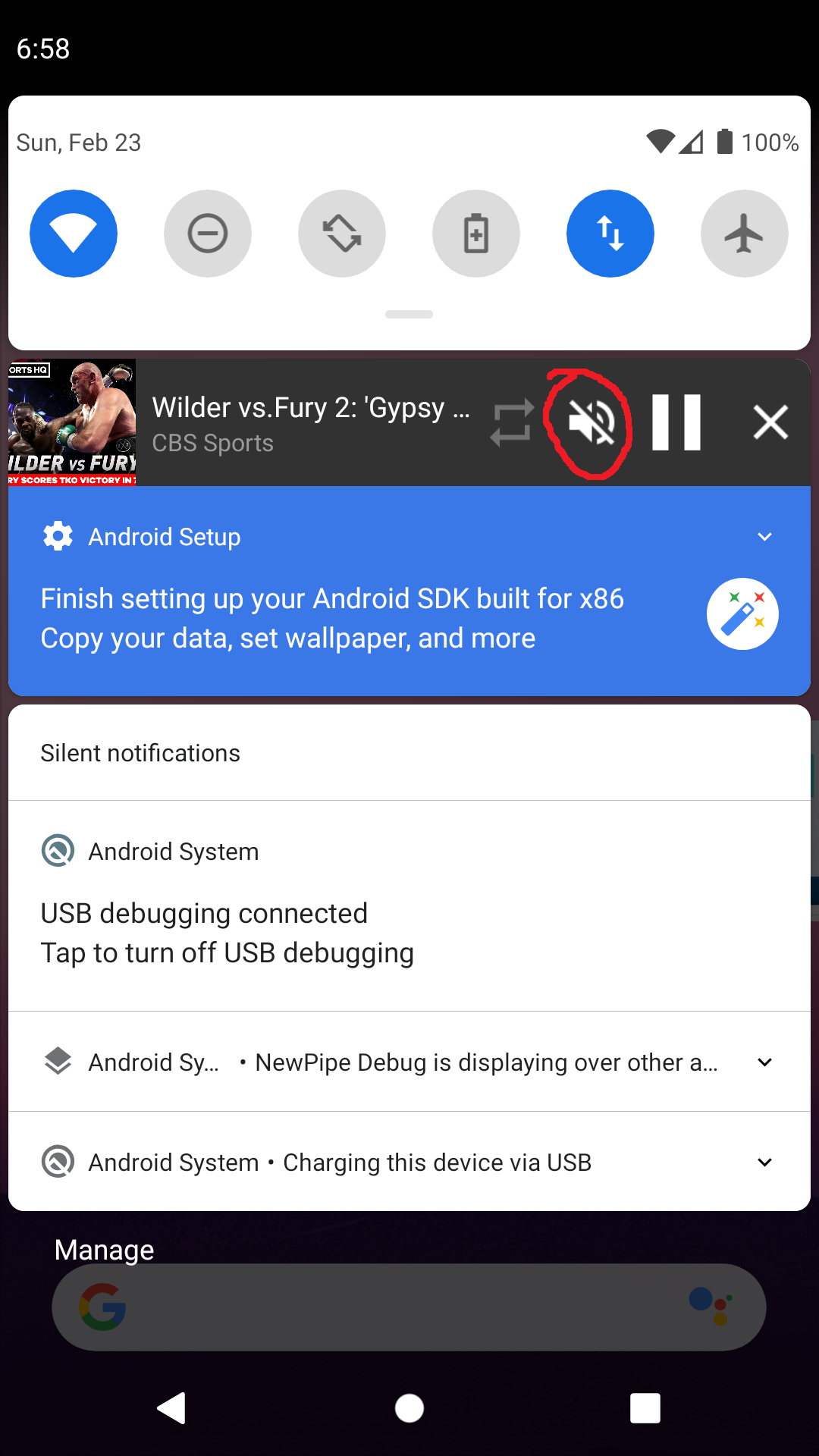
I've implemented mute button in some places. I am wondering where else i should put it, so any advice/suggestions would be much appreciated. Check below screenshots. White icon = video is muted.
- Main player
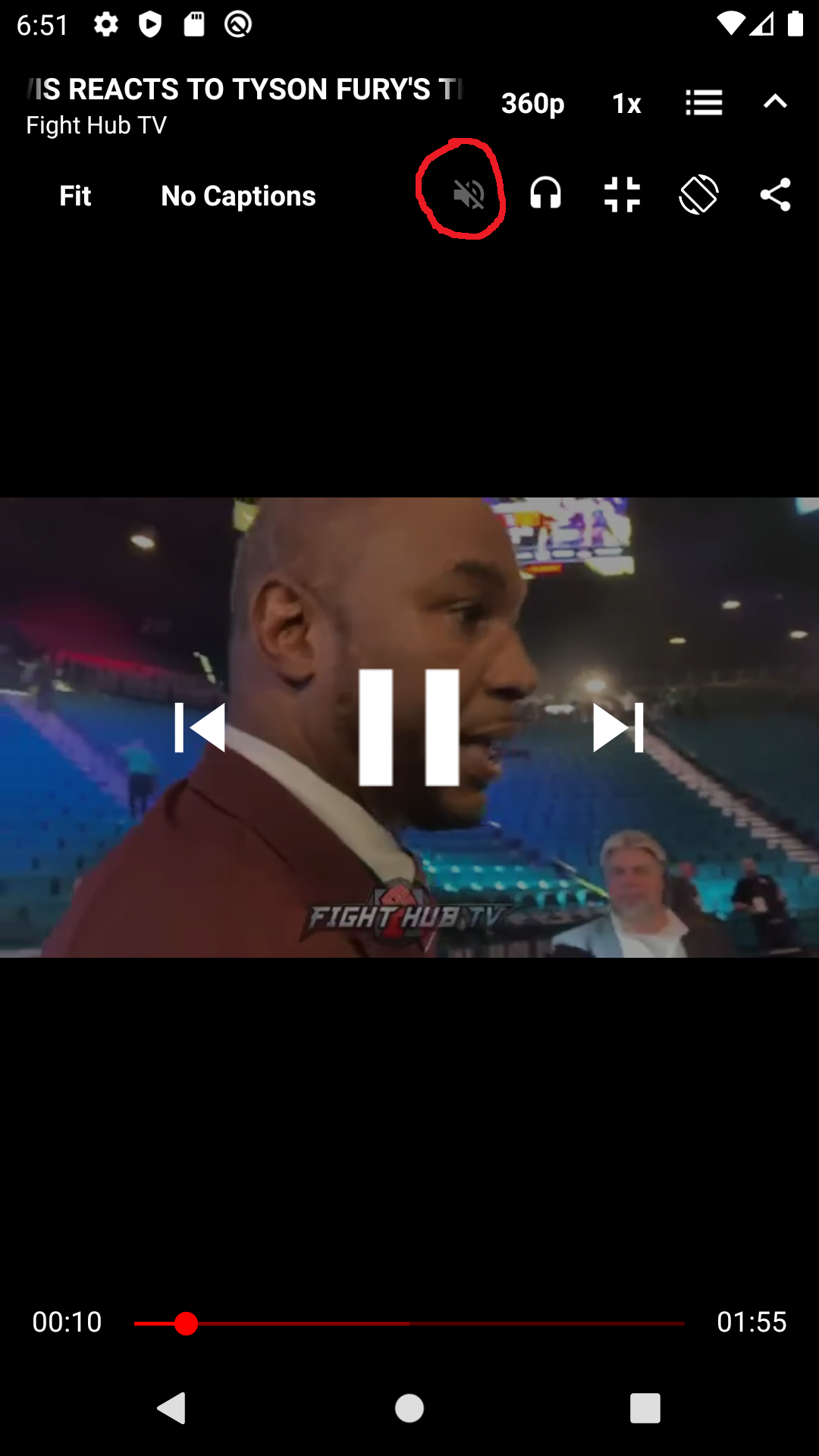
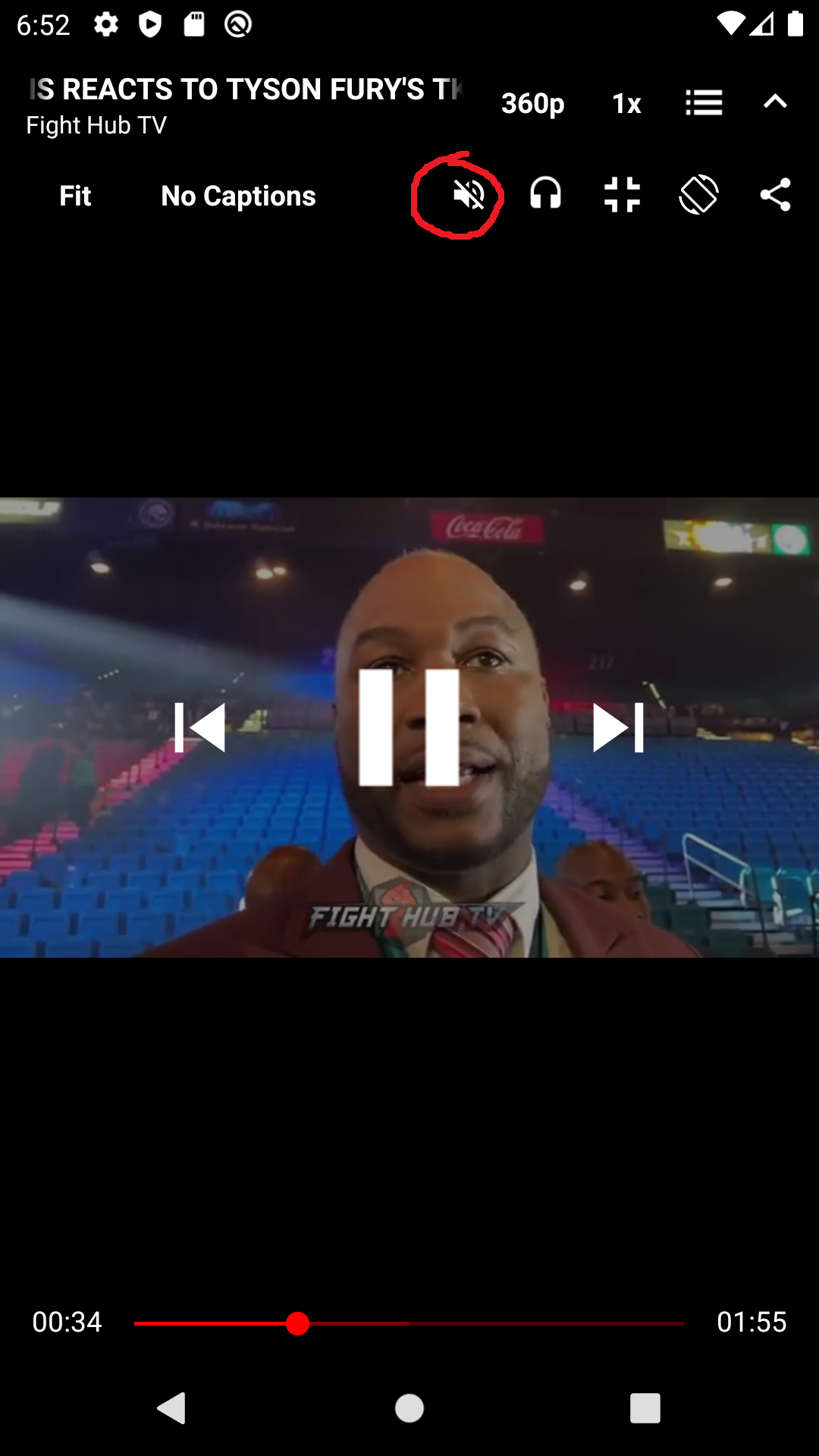
- Background player
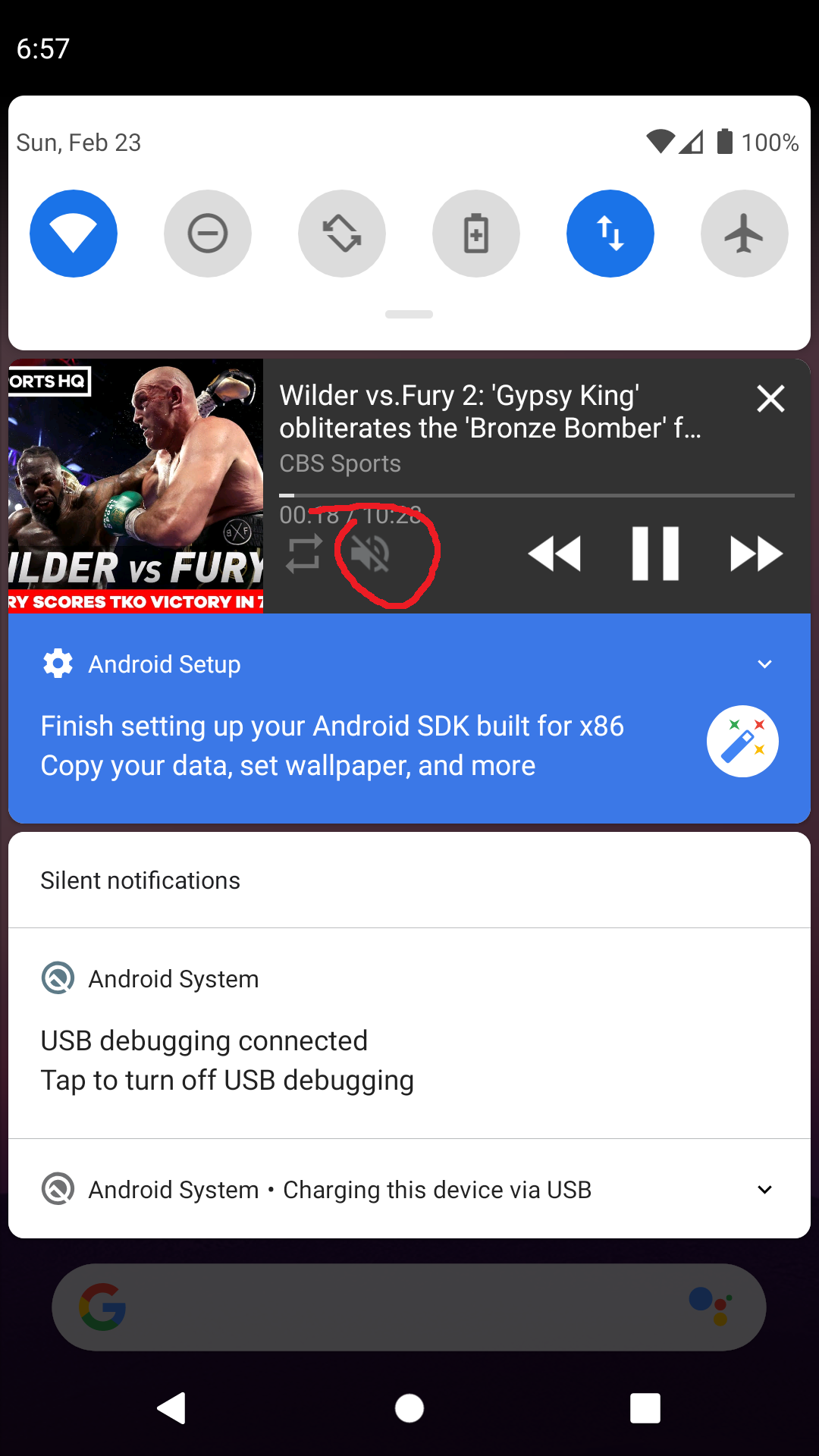
- Popup player. I put mute-button just in notification drawer. I think there is to little place to put it there.
karkaminski
on 23 Feb 2020
@karkaminski: Do not put it in notifications, as we'll move to Android's standard media notifications, where that won't be possible, see #1660.
 wb9688
on 23 Feb 2020
wb9688
on 23 Feb 2020
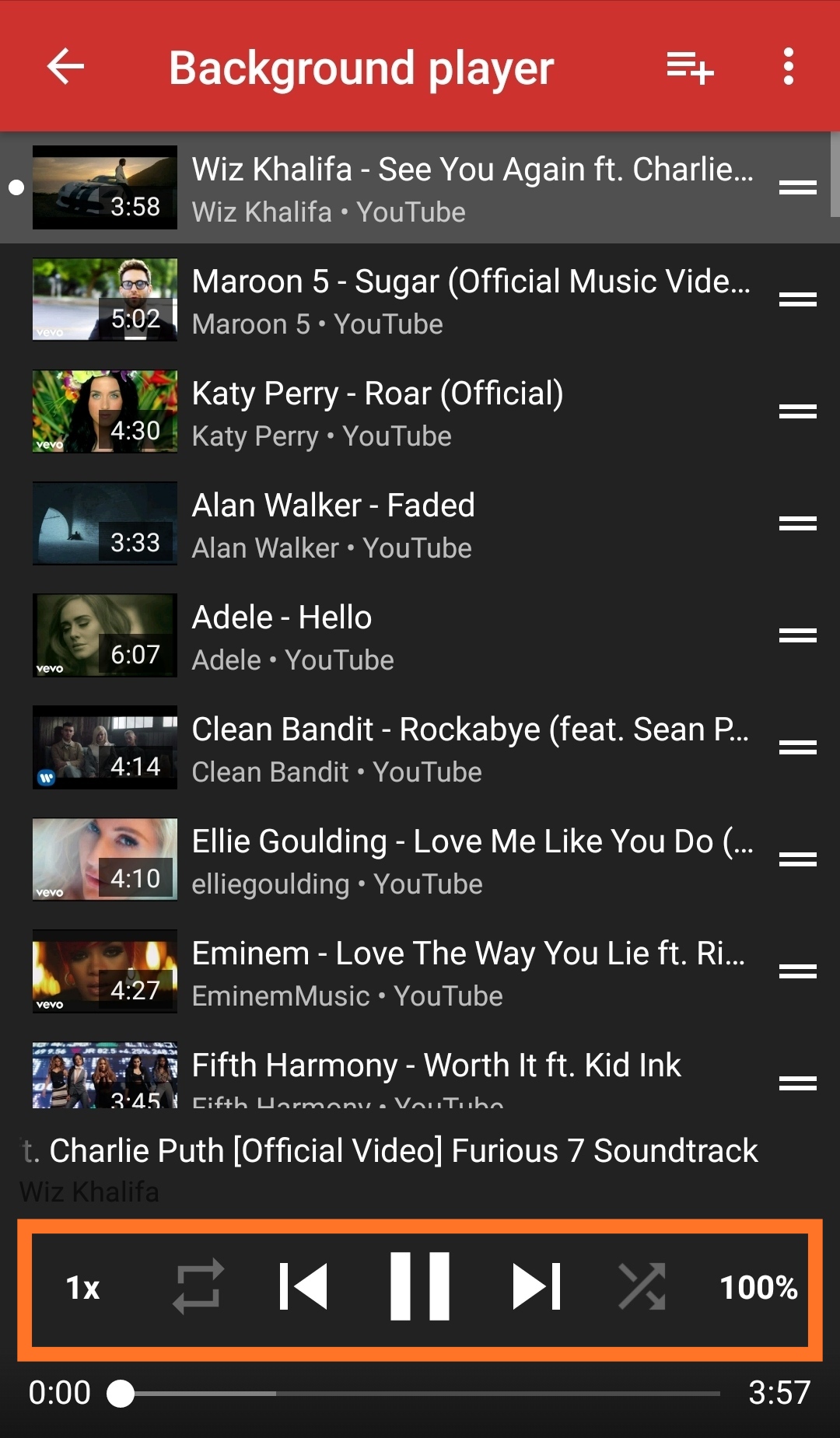
@karkaminski For me it's great, but if it won't work if it is in the notifications, as the friend said above, then I think you could add the mute button directly in that part where we control the list in the background. Anywhere in that area marked in orange the mute button would be fine.
RickyM7
on 23 Feb 2020
@RickyM7 since it would be a feature used very rarely by just a few users it would be better to add it to the dot menu, IMO
Stypox
on 23 Feb 2020
@Stypox It will indeed be a rarely used feature, but it is still a good one. And for me I think that it doesn't matter where the button is, as long as it works, whether in notifications or anywhere else. I don't know if I could understand what I meant in the previous message or this one, but in summary, I am excited about the progress I saw. (Sorry for my bad English.)
RickyM7
on 23 Feb 2020
@RickyM7 since it would be a feature used very rarely by just a few users it would be better to add it to the dot menu, IMO
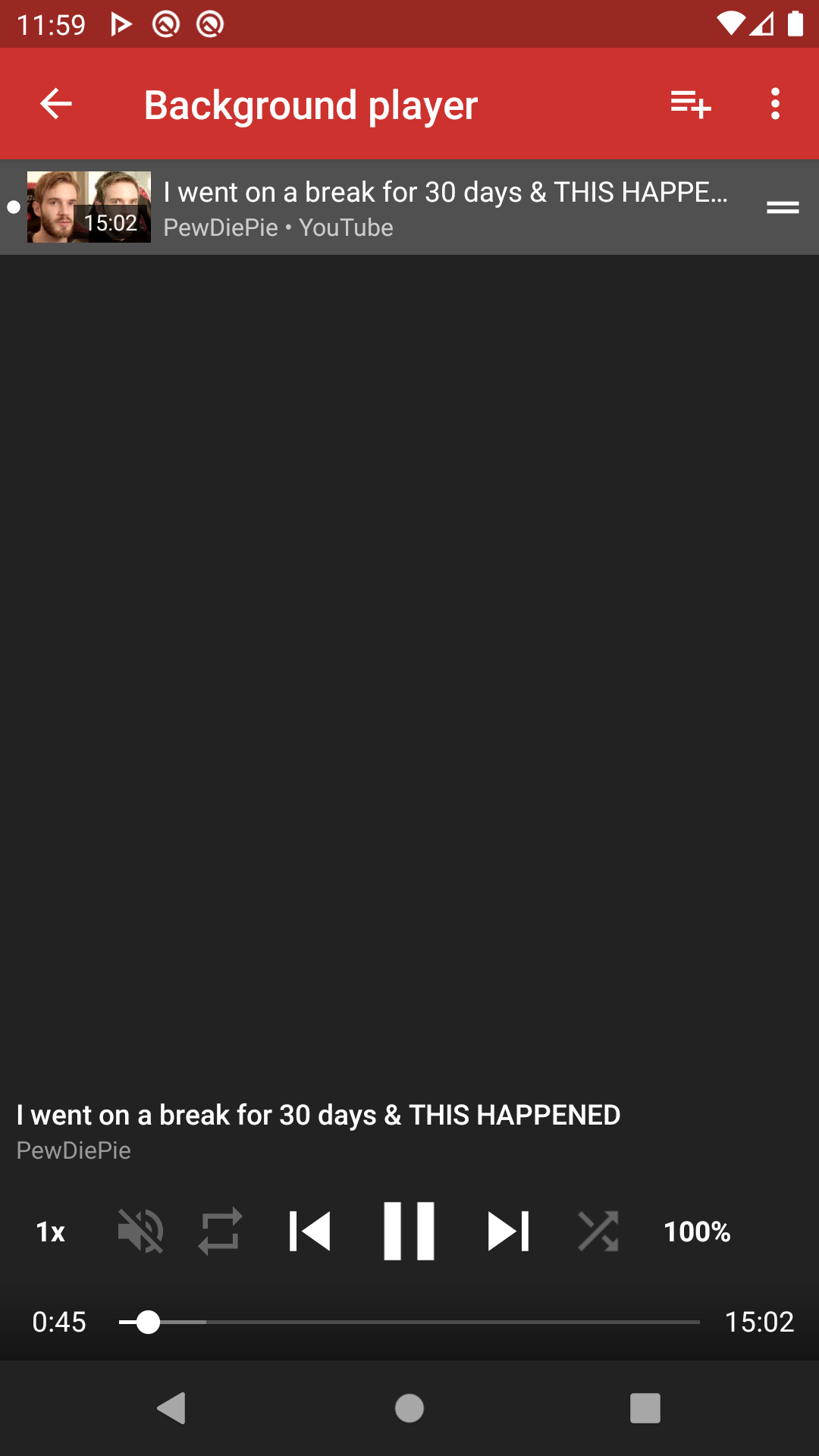
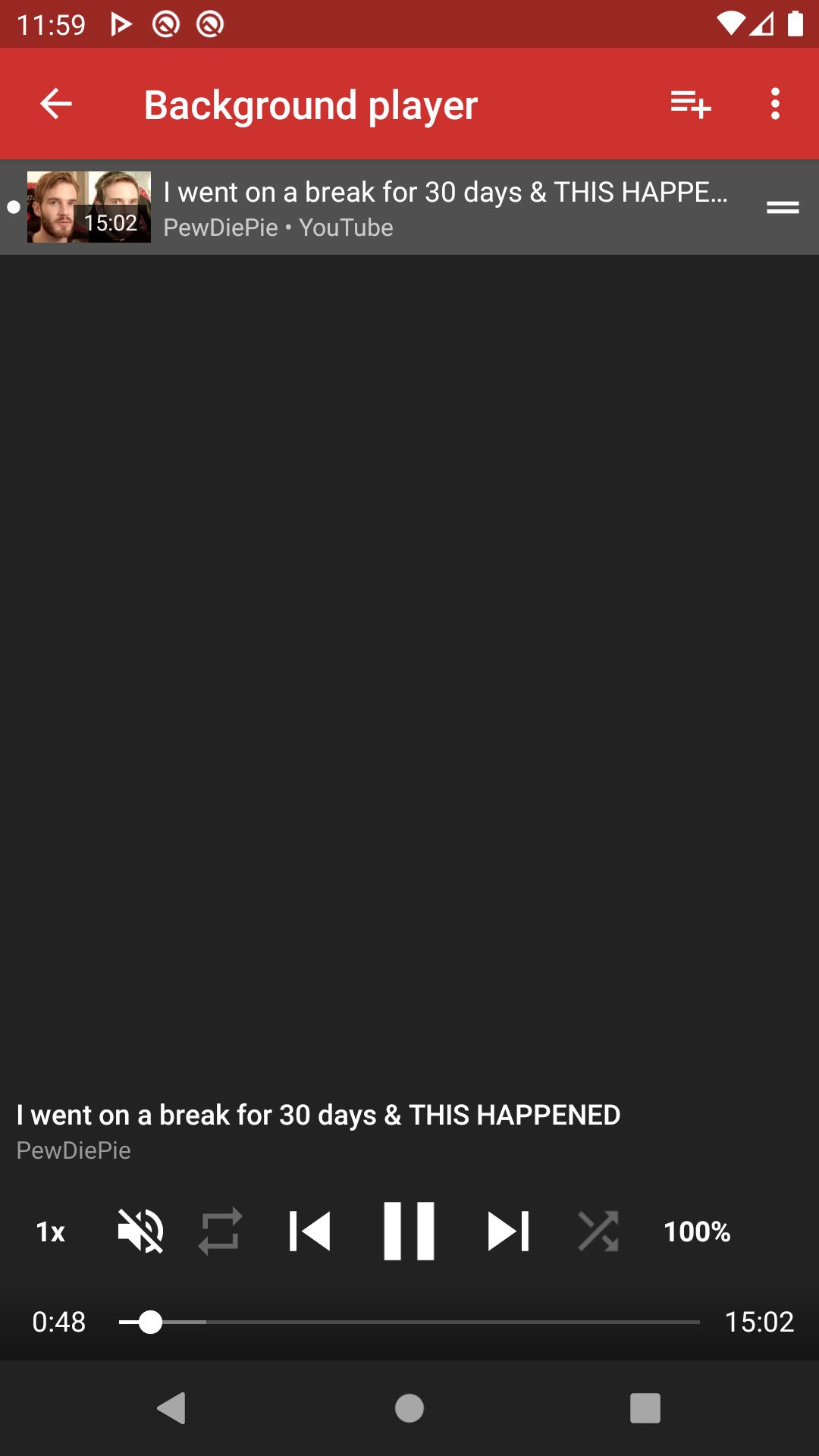
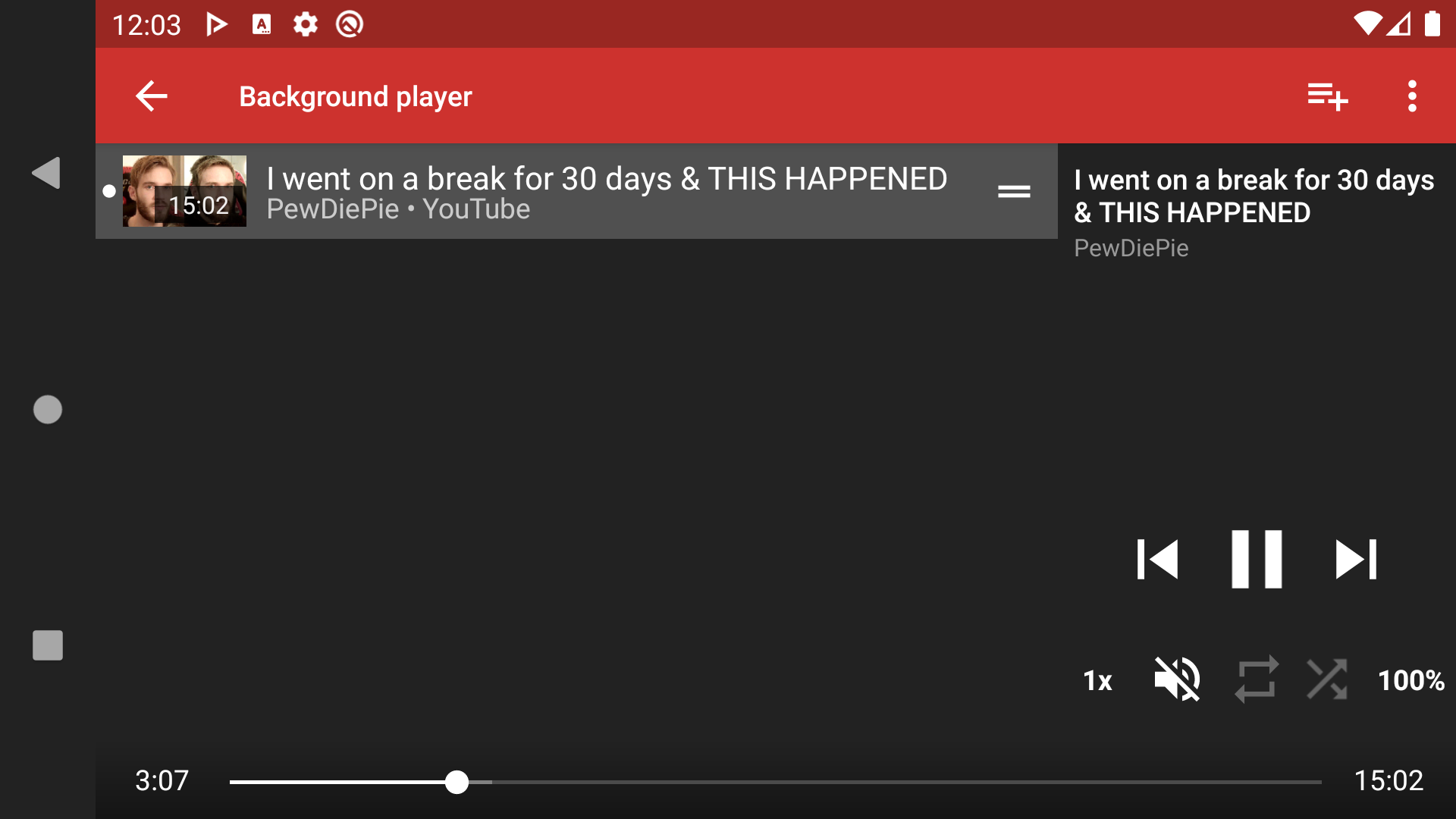
I gave it a try. It doesn't look cluttered. What you think?
karkaminski
on 24 Feb 2020
@karkaminski In my opinion, this is wonderful.
RickyM7
on 24 Feb 2020
Related issues
 ghost
·
3Comments
ghost
·
3Comments
 Knowbody42
·
3Comments
Knowbody42
·
3Comments
 hassanseoul123
·
3Comments
hassanseoul123
·
3Comments
 cool-student
·
3Comments
cool-student
·
3Comments
 mouarfff
·
3Comments
mouarfff
·
3Comments
Most helpful comment
I gave it a try. It doesn't look cluttered. What you think?


