Newpipe: Can't install new v0.15.0 version on android 6
Hi!
First of all thank you for such wonderful app and great work. It seems like this is the only app that lets me watch youtube videos without being annoyed as hell.
Now. All previous newpipe versions was installed and worked perfectly (both from f-droid and github). For some reason i can't even install v0.15.0. I reviewed release notes and only one update caught my eye: android 4 support was dropped.
But i have andoird 6 -_-
Screenshots:

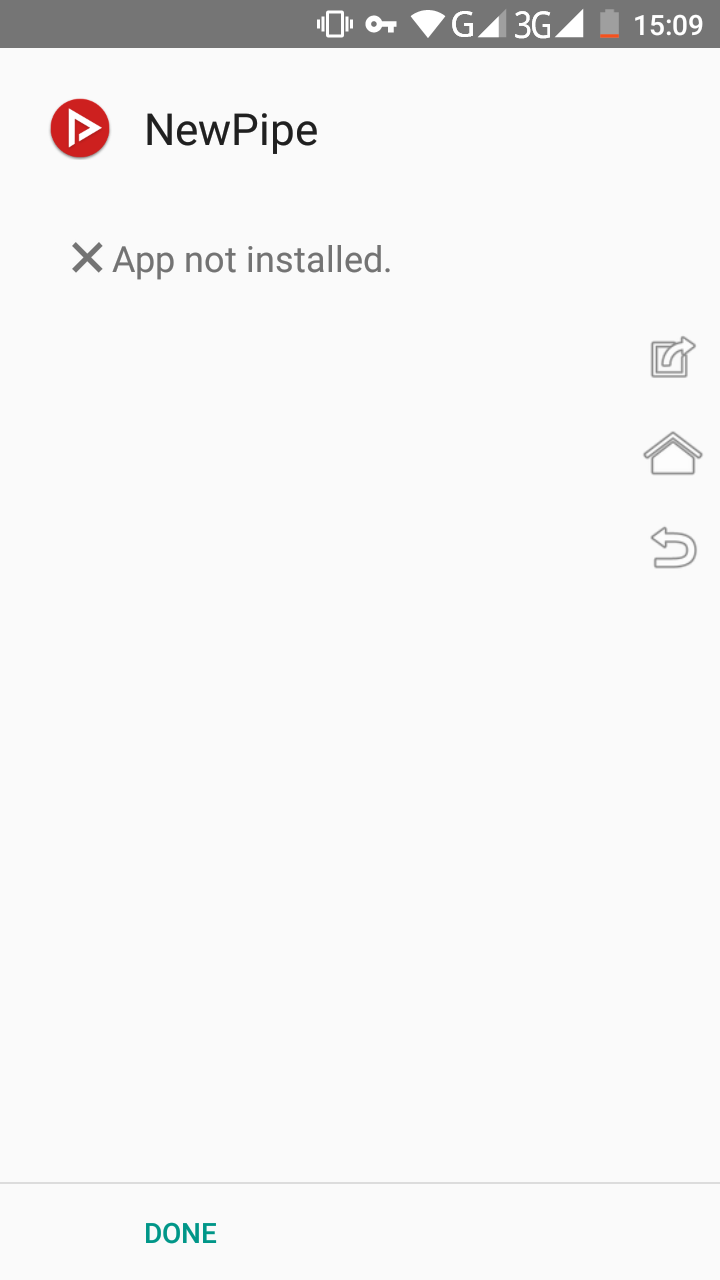

Well, I could try to remove existing newpipe app and install it again, but I have enormous number of videos saved in playlists, and I have no idea how to save them.
- [ + ] I carefully read the contribution guidelines and agree to them.
- [ + ] I checked if the issue/feature exists in the latest version.
- [ - ] I did use the incredible bugreport to markdown converter to paste bug reports.
 xdevelnet
All 10 comments
Same for me on my Samsung S8 with Android 8.1
 WebBuddha
on 19 Jan 2019
WebBuddha
on 19 Jan 2019
- First uninstal the previous version that u already have on your phone (dont forget to export your data and settings before)
- then just run the apk and it should work :)
Its not a question of android version, its just that your previous version of NP doesnt have the same signature :)
 justanidea
on 19 Jan 2019
justanidea
on 19 Jan 2019
@justanidea thank you for quick answer!
dont forget to export your data and settings before
Unfortunately, I can export only subscriptions with app. How I should export playlists? As I said before, I have huge number of videos in it.
xdevelnet
on 19 Jan 2019
By the way, there is the odd thing:
1) My friend have Doogee Y100 (android 5.1) phone with old newpipe 0.14.1 (or 0.14.2? i can't remember)
2) This old version is STILL working with youtube. No "guru meditation" and other newpipe-extractor related errors things. That's weird.
3) I asked him to download&install new version from github.
4) He just installed it without issues and without removing old version. All his subscriptions and playlist was also saved
One question: how?
I don't get it.
xdevelnet
on 19 Jan 2019
Do you mean that you dont know how to export playlists, or that it doesnt work? To export all your settings and playlists, go to setting --> content --> export database (the file exported should be a .zip)
justanidea
on 19 Jan 2019
@xdevelnet The apk came from the same place :
- ex : if you download it from fdroid, the apk doesnt have the same signature than from NP website
If you try to update NP with an apk with another signature, it just doesnt work
justanidea
on 19 Jan 2019
Do you mean that you dont know how to export playlists, or that it doesnt work?
Well, before this point of time I thought that this feature is not available. Before opening issue I googled a bit and found only this issue without activity: https://github.com/TeamNewPipe/NewPipe/issues/1788
Soo, I was sure that there is no possibility to do that.
go to setting --> content --> export database
By the way, it's not really clear how i suppose to figure that out without ext help. I switched to subscriptions tab -> I have an option to import/export subscriptions. I switched to playlists tab -> I have nothing.
ok, that's probably not right place to discuss UI/UX and etc. Maybe I should open new issue about that someday...
The apk came from the same place
As far as I know he's using apk's from github, like me.
Because updates comes to f-droid tooooo slow (idk why).
xdevelnet
on 19 Jan 2019
Ok, so I did export settings, uninstalled app, installed it again.
It throwed me "app not installed" (like in screenshot), but when I closed that screen, I got same screen with successful installation. Weird? Weird.
But app works fine again!
Thanks a lot man <3
I guess I can close this issue.
xdevelnet
on 19 Jan 2019
Oh f* I get the fear that I mixed up the signing key files 🤦♂️
 theScrabi
on 20 Jan 2019
theScrabi
on 20 Jan 2019
i get the app not installed message.. version 20.0
 Goggle36
on 15 Oct 2020
Goggle36
on 15 Oct 2020
Related issues
 Wang-GY
·
3Comments
Wang-GY
·
3Comments
 cool-student
·
3Comments
cool-student
·
3Comments
 Aevann
·
3Comments
Aevann
·
3Comments
 cavemandaveman
·
3Comments
cavemandaveman
·
3Comments
 android1973
·
3Comments
android1973
·
3Comments
Most helpful comment
Do you mean that you dont know how to export playlists, or that it doesnt work? To export all your settings and playlists, go to setting --> content --> export database (the file exported should be a .zip)