Netlify-cms: Netlify CMS, self-hosted Gitlab, localhost redirect URI included is not valid
I am trying to Netlify CMS and a self-hosted instance of Gitlab. I went to the Start with a template on the Netlify CMS site and created a Gatsby project and automatically deployed it to a cloud-hosted version of Gitlab I have access to and everything worked fine. I then wanted to move it to an offline environment where I have another self-hosted, on-prem version of Gitlab so what I did was:
- Cloned the repo from the live gitlab
- Added the on-prem Gitlab as a remote
- Pushed the repo to the on-prem Gitlab
Then in order to run the project on local host I did:
npm installcreated an application on the on-prem Gitlab with the following settings:

changed the
config.ymlto:
name: gitlab
  repo: Syd/netlify-cms-test # Path to your GitLab repository
  auth_type: implicit # Required for implicit grant
  app_id: ********** # Application ID from your GitLab settings
  api_root: http://gitlab.sq.tlm.cloud/api/v4
  base_url: http://gitlab.sq.tlm.cloud
  auth_endpoint: oauth/authorize
- ran
npm run start - went to
http://localhost:8000/admin - clicked
Login with Gitlab, at which point I see:
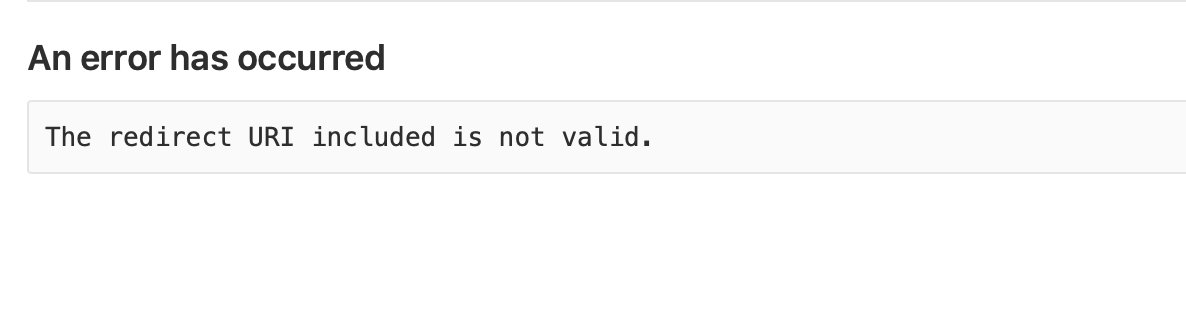
in my on-prem Gitlab instance, the url is:
http://gitlab.sq.tlm.cloud/oauth/authorize?client_id=e60ead1dc7ff4266a4cecf35dfd82303cd1c6abc81610d04f96a115dac6965da&redirect_uri=http%3A%2F%2Flocalhost%3A8000%2Fadmin%2F&response_type=token&scope=api&state=ff29269c-83b8-4a16-9652-2722fb934794
I am not sure at all why it is not working. The couple things I have noticed and tried:
I tried navigating to
http://localhost:9000/admin/and I get this:

the redirect url in the big url above, when the application redirects me says
redirect_uri=http%3A%2F%2Flocalhost%3A8000%2Fadmin%2F- is that correct? I putlocalhost:9000in the Gitlab settings, so I am not sure why it is not9000as the query parameter- In my Gitlab settings, am I supposed to put
http://localhost:8000/admin/orhttp://localhost:9000/admin/? - I tried changing the application setting for
Redirect URIto behttp://localhost:8000/admin/but then I just get redirected to the Gitlab admin home screen
One strange thing, is this was working last week when I did the same thing and I came in this morning and now it is not working. I deleted everything and tried doing the whole process again and cannot seem to get it to work.
Is there something special on localhost that I need to do to set it up?
 blubberbo
>All comments
I solved the problem quite simply (100% my misunderstanding). I read the readme generated by the quick start and reread the following section:
To test the CMS locally, you'll need run a production build of the site:

$ npm run build
$ npm run serve
I also had to add enableIdentityWidget: false, beneath line 65 resolve: 'gatsby-plugin-netlify-cms', in the gatsby-config.js.
I set my redirect value to http://localhost:9000/admin/ and then did npm run build and npm run serve and it works perfectly.
cheers to the Netlify, Netlify CMS and Gatsby team for great products!
blubberbo
on 19 Mar 2019
Related issues
 ghost
·
3Comments
ghost
·
3Comments
 tech4him1
·
3Comments
tech4him1
·
3Comments
 papandreou
·
3Comments
papandreou
·
3Comments
 emckay
·
3Comments
emckay
·
3Comments
 ciokan
·
3Comments
ciokan
·
3Comments
Most helpful comment
I solved the problem quite simply (100% my misunderstanding). I read the readme generated by the quick start and reread the following section:
I also had to add
enableIdentityWidget: false,beneath line 65resolve: 'gatsby-plugin-netlify-cms',in thegatsby-config.js.I set my redirect value to
http://localhost:9000/admin/and then didnpm run buildandnpm run serveand it works perfectly.cheers to the Netlify, Netlify CMS and Gatsby team for great products!