Netlify-cms: Media Gallery Thumbnail For Image Missing Until Refresh (Gitlab Self-hosted Repo)
Describe the bug
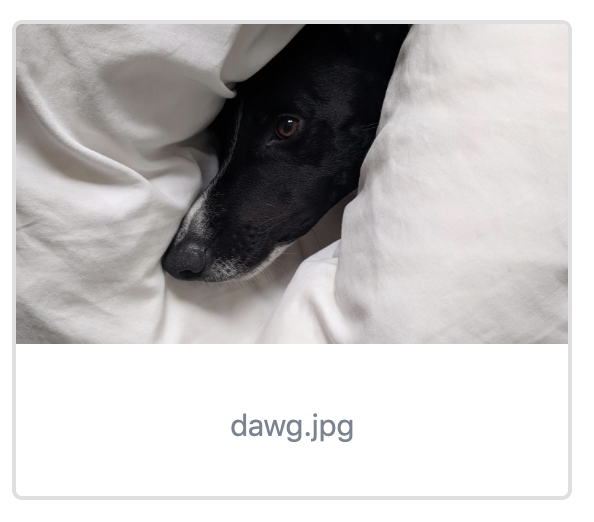
When a new image is uploaded to the Media Gallery, no image is displayed for it until the page is refreshed.
To Reproduce
- Upload an image to the media gallery (
.pngor.jpg)
Expected behavior
An image appears as a preview for the image file.
Observations
- No error in console
- Element html doesn't contain an
<img>element:
<div width="280px" tabindex="-1" class="css-1pm9uix e984n9b0">
  <div>
    <div class="css-2294xc e984n9b2"></div>
  </div>
  <p class="css-5gfplu e984n9b3">dawg.jpg</p>
</div>
- If image is added it is correctly rendered inline.
- If Media Gallery is reopened it is still not rendered.
- It will only be rendered after a page refresh.
- Looks like this is related to #993. Either a regression or something that was never fixed for Gitlab
Screenshots
After Upload:

After Page Refresh:
Additional
Refreshing the page causes its own problems. After a page refresh, any images that were uploaded subsequent to the most recent deploy will be broken. Although the path is correct, there is no image at that location. The images will only work after a new deploy, at which point images do exist at the same paths. I've noticed some mention of this is other issues, but there doesn't appear to be an issue that captures this problem. Should I file a separate issue for it?
Applicable Versions:
- Netlify CMS version: netlify-cms 2.3.2
- Git provider: Gitlab
- OS: OSX
- Browser version: 71.0.3578.98
- Node.JS version: 8.11.3
CMS configuration
backend:
  name: gitlab
  repo: company/repo
  auth_type: implicit
  app_id: XXXXXXXXX
  api_root: https://gitlab.comnpany.com/api/v4
  base_url: https://gitlab.comnpany.com
  auth_endpoint: oauth/authorize
  slug:
    clean_accents: true
    sanitize_replacement: '-'
media_folder: static/images/uploads
public_folder: /images/uploads
 Undistraction
All 8 comments
I had not noticed that they are missing until the next deploy because my infrastructure autodeploys. So I am just adding my me-too comment here -- I am living with this, and since my infra auto-deploys it typically takes less than 30 seconds for the images to be available on a refresh, but it's kind of an ugly "feature" for a non-technical-user to have to accept.
 wyhaines
on 6 Feb 2019
wyhaines
on 6 Feb 2019
We used to hold onto the local file object and reuse that, but if you refreshed before your deploy completed, the image was gone, and the experience was even more confusing because it was working at first.
The route we've been using instead is to pull the image through the API, but it's a pain when the image is huge, so we need to augment with generating thumbnails and pushing those to the backend in some sort of remote cache.
 erquhart
on 8 Feb 2019
erquhart
on 8 Feb 2019
I'm having the same problem.
 ayedo
on 19 Feb 2019
ayedo
on 19 Feb 2019
This issue has been automatically marked as stale because it has not had recent activity. It will be closed if no further activity occurs. Thank you for your contributions.
![stale[bot] picture](https://avatars3.githubusercontent.com/in/1724?v=4&s=40) stale[bot]
on 29 Oct 2019
stale[bot]
on 29 Oct 2019
Not stale. Still an issue.
Undistraction
on 29 Oct 2019
What's the best workaround for this? Experiencing the same issue.
 brandnewguys
on 18 Nov 2019
brandnewguys
on 18 Nov 2019
I this still happening? A lot had changed in regards with asset management in the CMS since this was opened
 erezrokah
on 7 Jul 2020
erezrokah
on 7 Jul 2020
Closing, please comment if still relevant
erezrokah
on 9 Jul 2020
Related issues
 emckay
·
3Comments
emckay
·
3Comments
 zebapy
·
3Comments
zebapy
·
3Comments
 ghost
·
3Comments
ghost
·
3Comments
 papandreou
·
3Comments
papandreou
·
3Comments
 andresalerno
·
3Comments
andresalerno
·
3Comments