Netlify-cms: List widget requires "fields" for one-field, contrary to the offical docs
Hello;
Contrary to the official docs, i've realized that single-item list widgets always need the key to be "fields" - not "field" - in order to work
Describe the bug
The example for a single-field list widget on the official docs won't work:
````
- label: "Gallery"
name: "galleryImages"
widget: "list"
field:
- {label: Image, name: image, widget: image}
````
- {label: Image, name: image, widget: image}
It seems that now it needs to be "fields" instead.
Expected behavior
Either recover the "field" value or correct the misleading documentation.
Screenshots
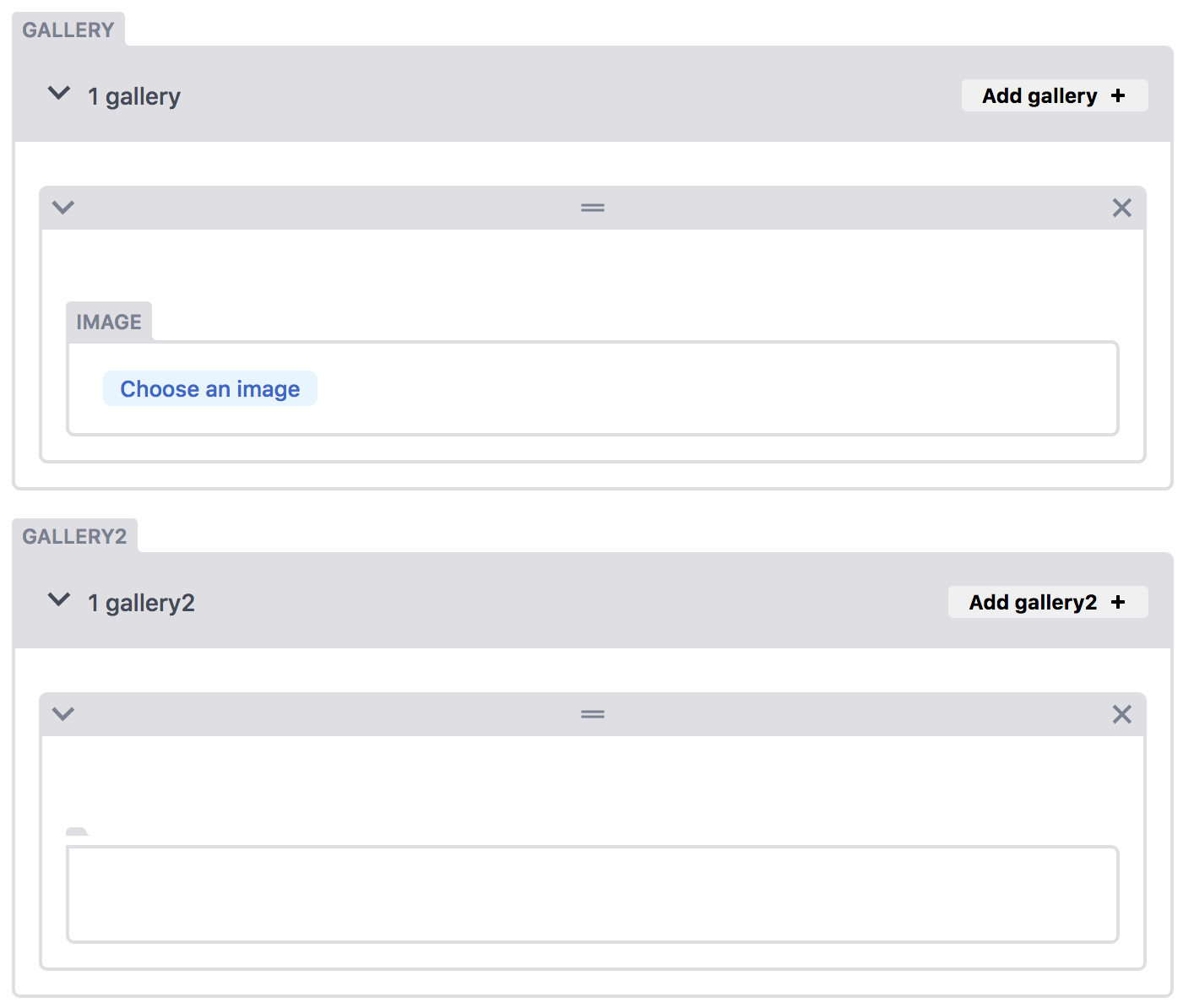
Applicable Versions:
- Netlify CMS version: 2.0.11
- Git provider: GitHub
CMS configuration
(only the two fields shown on screenshot)
- label: "Gallery"
name: "galleryImages"
widget: "list"
fields:
- {label: Image, name: image, widget: image}
- label: "Gallery2"
name: "galleryImages2"
widget: "list"
field:
- {label: Image, name: image, widget: image}
 idiazroncero
All 8 comments
Hmm, weird, that bug should have been fixed in 2.0.10 via https://github.com/netlify/netlify-cms/pull/1395?
 papandreou
on 4 Sep 2018
papandreou
on 4 Sep 2018
@idiazroncero I'm not able to reproduce. Are you certain you're on 2.0.11? You can check the console when the CMS loads to be sure. If so, can you share a repo that reproduces this?
 erquhart
on 4 Sep 2018
erquhart
on 4 Sep 2018
It's the same repo as in 1709 _(edited to prevent misleading references, they're not linked except from the fact that I reported both of them...)_
The repo is https://github.com/idiazroncero/dc-fotografia. It's based on https://github.com/danurbanowicz/eleventy-netlify-boilerplate wich pulls the NetlifyCMS from Unpkg.com using:
````
````
And the console.log prints 2.0.11 as the version.
The error happens both on Chrome and Firefox.
idiazroncero
on 5 Sep 2018
You can check the config.yml here:
https://github.com/idiazroncero/dc-fotografia/blob/master/admin/config.yml
Lines 17-34 are the ones to check.
The List widget fields are copied from the docs, that's why they wont' use single quotes for the field definitions as the rest of the file. Nevertheless, I tried everything, even both with and without quotes, to no avail.
idiazroncero
on 5 Sep 2018
Ah! It's because you're defining field with a list. Needs to be a map:
# wrong
field:
  - {label: Image, name: image, widget: image}

# right
field:
  {label: Image, name: image, widget: image}
@erquhart If that's the case the docs need to be fixed because the example shows it as a list.
 Herohtar
on 5 Sep 2018
Herohtar
on 5 Sep 2018
Yep, I copy-pasted from the docs.
idiazroncero
on 5 Sep 2018
Awesome, thx
idiazroncero
on 5 Oct 2018
Related issues
 mikecrittenden
·
3Comments
mikecrittenden
·
3Comments
 dur41d
·
3Comments
dur41d
·
3Comments
 bkroggel
·
3Comments
bkroggel
·
3Comments
 ghost
·
3Comments
ghost
·
3Comments
 jake-101
·
3Comments
jake-101
·
3Comments
Most helpful comment
@erquhart If that's the case the docs need to be fixed because the example shows it as a list.