Netbox: White cables - color not visible
Environment
- Python version: 3.5.2
- NetBox version: 2.5.12
Steps to Reproduce
- Click on an interface to add a cable to another interface
- Set the cable color to White and save
- Click on the cable ID
Expected Behavior
Cable colour to be visible
Observed Behavior
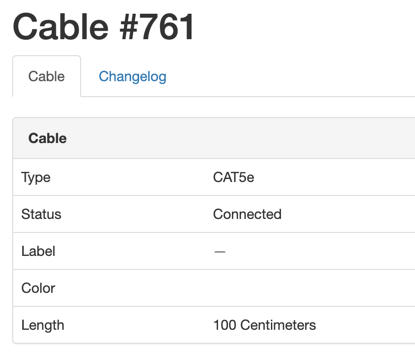
But if you hover, the bar is visible (since the background color changes).
The HTML looks like this:
<span class="label color-block" style="background-color: #ffffff"> </span>
Possible solution is to add border: 1px solid grey; (either always, or only when the color is white). With this:
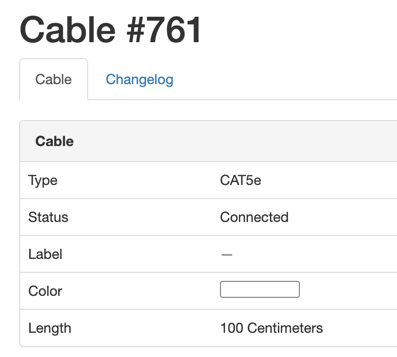
Relates to: #2693
 candlerb
All 4 comments
This also applies to the "cable trace" view:
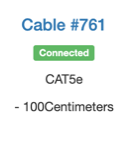
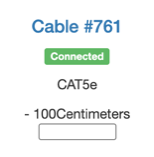
Again there is a hidden bar which is revealed if you add a border (e.g. by adding a border to the color-block CSS)
candlerb
on 14 May 2019
I prefer something like the border ones with the hex value as text in front of the colored span label.
As the text is display too you could check them easier.
 tb-killa
on 14 May 2019
tb-killa
on 14 May 2019
Seems like an easy fix. Anyone want to volunteer a PR?
 jeremystretch
on 14 May 2019
jeremystretch
on 14 May 2019
I have made a PR for the simple border fix.
Displaying of hex values should be a separate issue I think, but there is one case where that matters to me. If I have 10 cables to create, then usually I write text in the CSV importer, because the Netbox UI is currently so clunky. But CSV cable import requires hex values for colors, and these are not displayed anywhere in the UI, short of using browser CSS inspector.
However, if the CSV import were to accept the same color names as the dropdown menu, that would work for me.
candlerb
on 20 May 2019
Related issues
 tyler-8
·
3Comments
candlerb
·
3Comments
tyler-8
·
3Comments
candlerb
·
3Comments
 benjy44
·
3Comments
benjy44
·
3Comments
 markve-sa
·
4Comments
markve-sa
·
4Comments
 shugotek
·
3Comments
shugotek
·
3Comments