Netbox: Unable to assign IP to devices
Issue type
[ x] Bug report
Environment
Ubuntu 16.04.3 LTS
- Python version: 3.5.2
- NetBox version: 2.2.8
Apache2 Apache/2.4.18
After installing v2.2.8, I can add devices, sites, racks etc, but when I go to attach an IP to a device there is nothing in the IP drop down box. I have created several IPs in two ranges.
There is no option to an an IP to a device directly or even to an interface. There is an option to assign to a device from the IP address option but it never saves.
 wembrey
All 11 comments
Thank you for taking the time to report a bug. We'll need more information to investigate this issue. Per the contributing guidelines please ensure that you have included all of the following:
- The environment in which NetBox is running
- The exact steps that can be taken to reproduce the issue
- Any error messages generated
- Screenshots (if applicable)
Please update your issue to include all of the information listed above. If no response is received within a week, this issue will be closed. Thanks!
 jeremystretch
on 2 Jan 2018
jeremystretch
on 2 Jan 2018
Environment - initially encountered on ESXi6 running Ubuntu 16.04.3 LTS installed as a VM.
Exact steps, follow the install guide to the letter with two exceptions:
- Apache failed to start because WSGI was not installed so I had to do "apt-get install libapache2-mod-wsgi" to install, restart and then Apache worked fine. (docs do not mention installing this)
- Generate key - had to edit generate_secret_key.py with correct path to python3.
Create new Ubuntu server VM with 20Gig storage. Using current 16.04 version on website last week.
Start VM with ISO as attached CD drive and run normal Ubuntu server install
Set static IP and only install SSH server.
Start Netbox install from here: http://netbox.readthedocs.io/en/stable/installation/postgresql/ using Apache2. Set netbox.conf virtual host to listen on , [server-ip]:80"
Add secret key generated by script.
Follow install instructions including Napalm install but not configured.
To repeat this, I installed Ubuntu again from the 16.04 ISO on my machine running VMWorkstation with the type 7 machine with bridged adapter. Installed postgres but just tested with the test web server on 8000 "python3 manage.py runserver 0.0.0.0:8000 --insecure"
In both instances, netbox login works fine but I just cant add an IP address to a device. I have populated some demo values for screen shots.
Demo device

No option to add an IP to the interface

No IP available to the device in the drop down list for management IP address
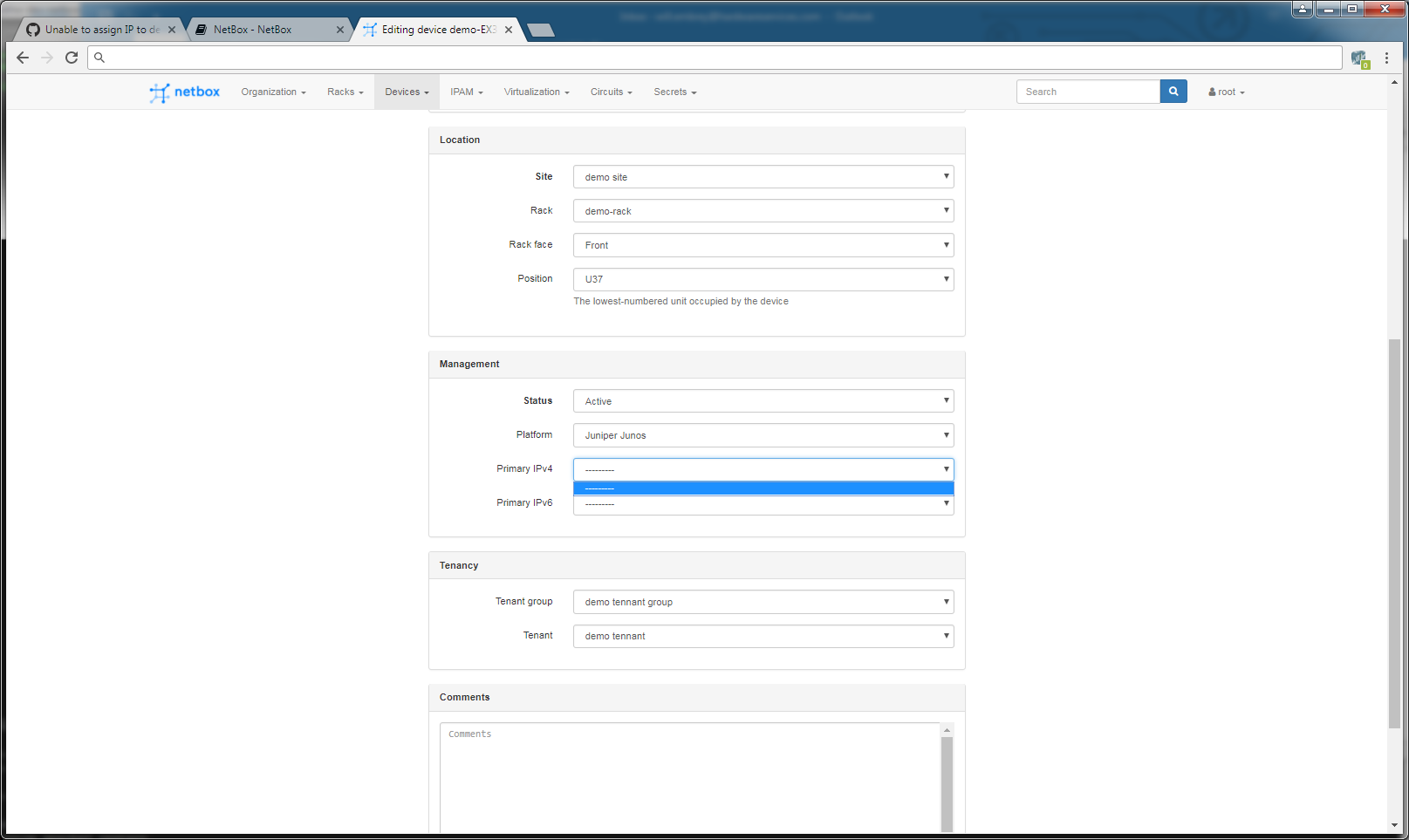
Created IPs ready to assign to device (there's dropdown options for secondary/loopback etc. but no primary?)

Try to add the device by type and IP dropdown is blank:

I will be happy to add the deviations to installation to a doc update request after getting this sorted and suggest adding primary as an address role afterwards.
wembrey
on 2 Jan 2018
Wembry,
to use those dropdowns, the IP addresses already have to be assigned to an Interface on the device. Otherwise it has no idea where to look. Keeping in mind that if you checkbox the "Primary IP" checkbox when assigning the IP address to the interface, you will never have to use this dropdown. In addition, you will find this fixes the NAT IP as a cascading fix! XD
Let us know if you see any more issues
 DirtyCajunRice
on 2 Jan 2018
DirtyCajunRice
on 2 Jan 2018
I dont see any option to assign an IP to an interface - what am I missing?
wembrey
on 2 Jan 2018
You have to create an interface on the device, then press the green plus button on the interface to assign an IP address
DirtyCajunRice
on 2 Jan 2018
Ok so would you expect to see that button on the second screen shot? I can do others if you need?
wembrey
on 2 Jan 2018
When a device is already created the page has an empty interfaces section:

When you click add interfaces and create an interface and make one:
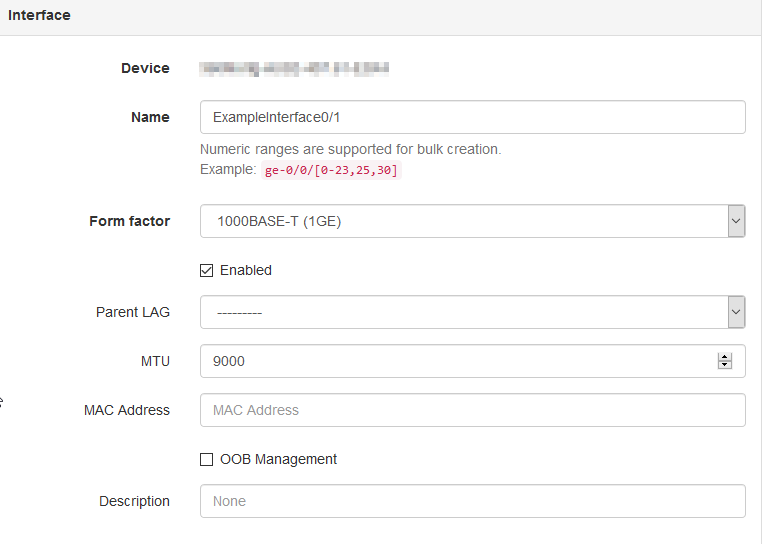
it then will look like this:

if you hit the add ip address button:
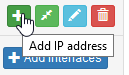
it will let you either create or assign an existing ip.
then you can set that IP as primary
DirtyCajunRice
on 2 Jan 2018
Please keep in mind this is all in the documentation:
http://netbox.readthedocs.io/en/latest/data-model/dcim/#devices
http://netbox.readthedocs.io/en/latest/data-model/ipam/#ip-addresses
DirtyCajunRice
on 2 Jan 2018
Thanks Nicholas, that last images answers the question. While the docs explained you "can" add the IP, they don't mention the method which is what I was missing. Thanks for clearing this up.
wembrey
on 3 Jan 2018
I took the steps you managed above for a virtual machine... was never offered a list of IP addresses..
I have filled the IP tables, the virtual machine tables.. even assigned Clusters to the virtual machines.. but cannot get the IP addresses to tie to the virtual machines... This is ovm manager.. DO I need to create OVS physical servers as well before I create the VMs?
 lmlavinjr1
on 20 Jun 2018
lmlavinjr1
on 20 Jun 2018
Gday, @DirtyCajunRice > Many thanks for this. I was going crazy with the same issue. Now up and dancing again.
 jcbrandis
on 7 Jun 2019
jcbrandis
on 7 Jun 2019
Related issues
 luto
·
3Comments
luto
·
3Comments
 shugotek
·
3Comments
shugotek
·
3Comments
 mrfroggg
·
3Comments
mrfroggg
·
3Comments
 benjy44
·
3Comments
benjy44
·
3Comments
 bellwood
·
3Comments
bellwood
·
3Comments
Most helpful comment
When a device is already created the page has an empty interfaces section:




When you click add interfaces and create an interface and make one:
it then will look like this:
if you hit the add ip address button:
it will let you either create or assign an existing ip.
then you can set that IP as primary