Nerd-fonts: Unexpected Characters in FiraCode Nerd Font Mono
🎯 Subject of the issue
The FiraCode Nerd Font Mono appears to have a problem in the latest release (v2.1.0) that did not exist in v2.0.0. The FiraCode Nerd Font appears to be unaffected. I have attached screenshots of both below for comparison.
A few examples of the issues I'm seeing in FiraCode Nerd Font Mono v2.1.0:
idisplays asjif proceeded byf(filesdisplays asfjles):displays as(when adjacent to a number or(or)-displays as≪when adjacent to a letter
There are too many examples to list them all here. The screenshots below show more examples.
🔧 My Setup
_Which font are you using (e.g.
Anonymice Powerline Nerd Font Complete.ttf)?_FiraCode Nerd Font Mono
_Which terminal emulator are you using (e.g.
iterm2,urxvt,gnome,konsole)?_Terminal.app
_Are you using OS X, Linux or Windows? And which specific version or distribution?_
macOS 10.15.3
★ Screenshots
FiraCode Nerd Font

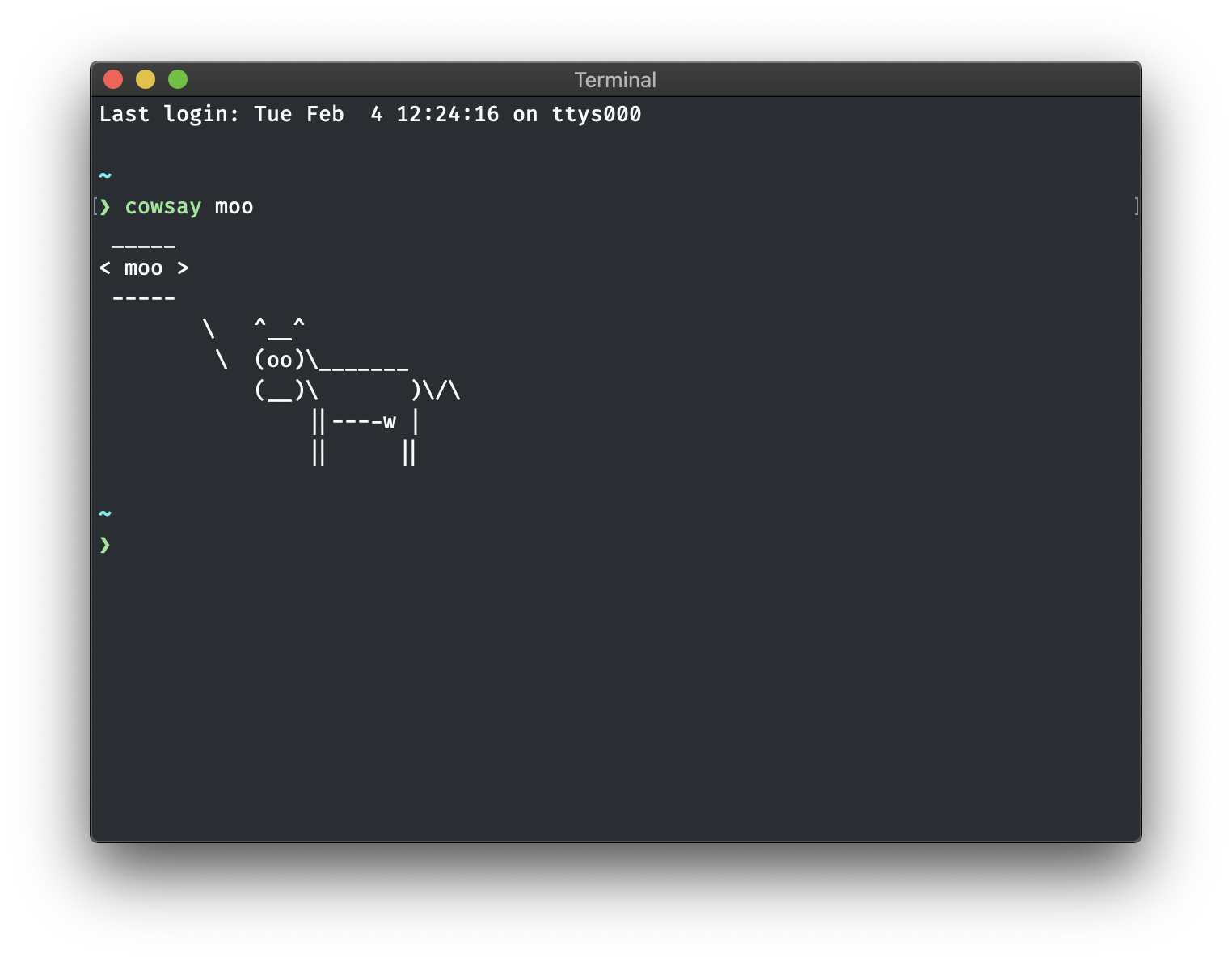
FiraCode Nerd Font Mono


 parkerbxyz
All 4 comments
I'm also seeing this issue
 austinmatherne-wk
on 11 Feb 2020
austinmatherne-wk
on 11 Feb 2020
Started seeing this too recently - switching to FiraCode Nerd Font looks better for me. Just reading around the subject and see - https://github.com/ryanoasis/nerd-fonts/tree/master/patched-fonts/FiraCode - "By the Nerd Font policy, the variant with the 'Mono' suffix is not supposed to have any ligatures. Use the non-Mono variants to have ligatures". Maybe firacode, nerd, mono and ligatures are never meant to mix. When I use FiraCode Nerd Font mono in iterm and disable ligatures, the text renders OK, albeit without ligatures.
 ianhomer
on 29 Feb 2020
ianhomer
on 29 Feb 2020
If you installed this font with Homebrew, running the following command may fix your issue:
brew cask reinstall font-firacode-nerd-font-mono
I'm no longer seeing this problem after reinstalling the font.
parkerbxyz
on 13 Apr 2020
Seems like I can close this issue. Anyone still having the problem?
 ryanoasis
on 13 Apr 2020
ryanoasis
on 13 Apr 2020
Related issues
 maxwellmckinnon
·
3Comments
maxwellmckinnon
·
3Comments
 logarytm
·
5Comments
logarytm
·
5Comments
 lilyball
·
5Comments
ryanoasis
·
6Comments
lilyball
·
5Comments
ryanoasis
·
6Comments
 IsOverThere
·
6Comments
IsOverThere
·
6Comments