Neovim: Fix ambiguous terminal key strokes? [$35]
For example, in modern Linux terminal emulator like mate-terminal or gnome-terminal there is no difference between pressing <c-i> and <tab>, among others.
Neovim not only should renovate vim, but also the terminals that vim runs on because the functionality allowed by terminals is very much a part of what defines vim functionality when in a terminal environment.
I'd like to be able to use neovim in modern Linux terminal while being able do both
map <c-i> :echo "hello"
and
map <tab> :echo "awesome"
Try these two mappings in terminal vim then try both
Such issues as these should definitely be addressed in a modern renovation of vim.
Please see this long thread on the topic in the vim_dev group: https://groups.google.com/forum/m/#!topic/vim_dev/2bp9UdfZ63M
There is a
 trusktr
All 48 comments
See also #34
 ashleyh
on 28 Feb 2014
ashleyh
on 28 Feb 2014
There is libtermkey for parsing terminal input. Cannot comment on parsing quality, but it has at least two problems: 0.* version and no packages anywhere. It is referenced in the vim_dev thread referenced here, right in first message. This may or may not help with some input terminals are able to generate, but vim is not able to recognize (e.g. for <A-a> my terminal generates <C-x>@s<Esc>a, for <C-A-a>: <C-x>@s<Esc><C-a>, for <A-F1>: <Esc>[11;3~, <A-S-F1>: <Esc>[11;3~, <A-S-C-F1>: <Esc>[11;8~, <C-F1>: <Esc>[11;5~).
By the way, konsole can be configured to output any sequence for any modifier(s)+key combinations so if there is some standard which is followed by libtermkey then teaching konsole it is only a matter of pushing new key combinations profile to konsole developers and teaching users how to switch to it from the menu. Using konsole to map <C-I> to string HERE without touching <Tab> was successful.
 ZyX-I
on 28 Feb 2014
ZyX-I
on 28 Feb 2014
Regarding libtermkey, here's some extra context:
There was an effort to generate an iTerm2 preset, based on the fixterms specification:
https://groups.google.com/forum/#!topic/iterm2-discuss/KpSlgnY_zxw
And, for posterity, I've copied the script and output in these two gists:
https://gist.github.com/cstrahan/9419138
https://gist.github.com/cstrahan/9419473
It was suggested on the vim_dev thread that the settings of interest for xterm users are modifyOtherKeys: 2 and formatOtherKeys: 1.
For those unfamiliar with the fixterms/libtermkey idea, the TLDR is:
- Most terminals send the same escape sequences for different key sequences (e.g.
Ctrl-I,Ctrl-Shift-i,Tabare all identical) - However, the CSI codes (as described in ECMA-48) _can_ be used to unambiguously encode the different key sequences.
- But, the problem is: if you configure your terminal to, say, send a special CSI code for
CTRL-I, it's likely that existing programs will still expect the the same sequence asTaband thus won't know what to do when you hitCtrl-I. In fact, because most programs in existence don't use a proper CSI parser, and instead use dumb prefix matching via terminfo/termcap, it's likely that an app will do very strange things in response to CSI codes (e.g. this example by Paul Evans). This is a bit of a chicken-and-egg problem: until most applications/libraries switch over to _proper_ handling of CSI codes, most users wont want to reconfigure their terminals, since all other programs will be effected. - Here's where
libtermkeycomes in.libtermkeyimplements a proper CSI parser, while also usingterminfo/termcapfor backwards compatibility (the fixterms spec details how this backwards compatibility works). So, if you uselibtermkeyto handle key recognition, and your users are still using the old, overlapping escapes codes, your application will still work as it always has (i.e. they can expectTabandCtrl-Ito behave identically). However, if your users feel bold and configure their terminals to use disambiguated CSI codes, they can now define different key bindings, aslibtermkeywill know how to properly parse those escape codes. If all applications usedlibtermkey(or re-implemented the same logic), we could all safely update our terminal configs to take advantage of proper CSI codes and everything would "just work".
I hope that saves someone some time spent googling/researching the implications of all this stuff.
 cstrahan
on 7 Mar 2014
cstrahan
on 7 Mar 2014
@ZyX-I
Using konsole to map
to string HERE without touching was successful
That will work as a hack, but will limit the use of H in NORMAL mode (assuming what you've done is to make the key sequence H``E``R``E be typed when you press Ctrl+I).
+1 for libtermkey (@leonerd). We need this to become a standard! A renovated vim will surely make terminal developers follow suit (hopefully).
@cstrahan Can the terminal UI for neovim make use of the libtermkey logic specifically, or does it need to be explicitly a feature of the terminal that the UI runs in?
trusktr
on 8 Mar 2014
@trusktr I did never say that HERE is the only option or that I recommend it. You can map <C-i> to any sequence in konsole, just you need to agree on what it should be mapped to. Mapping it to e.g. \e[c-i; or proper CSI should not limit anything as \e[ is already the start of a bunch of keys, so you can just then map it in neovim.
ZyX-I
on 8 Mar 2014
Not that I'm adding anything by saying it, but I think it'd be worthwhile to investigate libtermkey.
Also, you may want to look at the docs for vim-fixkey as there's a lot of useful information there on getting your terminal configured correctly, and some of the issues with vim and your choice of terminal.
 jszakmeister
on 8 Mar 2014
jszakmeister
on 8 Mar 2014
You mention wanting a standard. There is one. I wrote it
http://www.leonerd.org.uk/hacks/fixterms/
This is what libtermkey parses, and also what libvterm/pangoterm will output. xterm will /mostly/ output that, but gets it a bit wrong in places depending on the value of the formatOtherKeys setting. It's either too eager or not eager enough to use CSI u encoding. But that's a relatively small bug that should be easy enough for xterm to fix.
 leonerd
on 8 Mar 2014
leonerd
on 8 Mar 2014
@leonerd #34 and #316 discuss using your proposed standard.
Do you have any pointers to what fixes are required for terminal CSI compatability? It would be great if we could begin engaging the xterm and libvte teams to provide proper CSI output.
 saamalik
on 8 Mar 2014
saamalik
on 8 Mar 2014
@saamalik Surely my fixterms page, linked above? That contains the spec. If it follows that spec, great.
Test it by just sitting in front of it and pressing all the keys ensuring it gives all those outputs.
leonerd
on 8 Mar 2014
@trusktr The problem has two sides:
- The terminal needs to translate keyboard sequences into unambiguous encodings. Out of the box, almost all terminal emulators fail here. As a result, most people will need to remap some of the seqs. Imagine you need to disambiguate
Ctrl-IfromTab: a conservative[1] change would be to leave the encoding forTabas-is, and use a new CSI code forCtrl-I. This kind of mapping scheme is whatfixtermsproposes. - There's also the app side of things - most are written such that they _expect_ the status quo of ambiguous key encodings, and they'll choke on any CSI codes that they don't anticipate (e.g. anything aside from what termcap reports, and maybe a couple that the app has hardcoded).
libtermkeyprovides a proper CSI parser, along with support for thefixtermsmapping scheme.
In short: using libtermkey is a _really_ good idea _regardless_ of the user's terminal config, as proper parsing at least prevents some of the craziness you would otherwise get. But, to have the ability to map Tab and Ctrl-I differently in vim, it is also necessary to make some terminal configuration changes as proposed in fixterms.
(P.S. - @leonerd wrote both libtermkey and the fixterms spec, so he can correct any bits that I might misunderstand. I just spent a while reading about, and figured I'd share what I managed to distill.)
cstrahan
on 19 Mar 2014
@cstrahan I've never seen this explained so succinctly and clearly. Thanks. And thanks to @leonerd of course.
you find yourself using an old crusty app; if you find yourself reaching for Ctrl-I, you can instead hit Tab ... Or you could convince the app maintainers to support fixterms,
Is there a way to tell a terminal "use fixterms for x, but crusty legacy for y", via a bash alias or something?
 justinmk
on 19 Mar 2014
justinmk
on 19 Mar 2014
@cstrahan - that all sounds about right
@justinmk - I designed it very carefully so that such a control woudn't be necessary. Any keypress you could send by "legacy" means is encoded in exactly the same way as before. The new encoding scheme only applies to keypresses like Ctrl-I, Ctrl-Shift-A, and so on, that were literally impossible to send beforehand /anyway/. You would have no need to press these key combinations in legacy software that doesn't understand CSI u, because that software wouldn't be expecting it.
In short, this scheme simply extends the encoding of keypresses, by giving a universal mechanism to encode any key combionation that previously did not have a way to represent it.
leonerd
on 19 Mar 2014
@leonerd I actually do use both <Tab> and <C-i>: latter is easier to press when working with the jump list (I mean I can press <C-o><C-o><C-o><C-i>: without removing little finger from Caps Lock (Left Ctrl)) or when I need literal tab (<C-v><C-i> is easier for the same reasons). So I would be very careful when saying “you would have no need to press these key combinations…”.
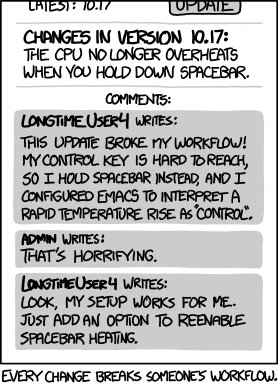
Since I use this only in applications that allow easy remapping (i.e. vim and zsh) such a change would be welcome. But it does break.
ZyX-I
on 19 Mar 2014
We should revisit this when the new curses UI is being reimplemented. Looking forward to seeing how @leonerd's libtermkey works
 tarruda
on 4 Apr 2014
tarruda
on 4 Apr 2014
@tarruda at which point I might suggest not using Curses to implement it ;)
Curses, FYI, is a name of a specific implementation of "lets talk to the terminal", rather than the generic idea. It's kindof old and rusty now, and somewhat limited in its abilities.
leonerd
on 5 Apr 2014
To this issue: #59 (true color support). It also advices against using curses.
ZyX-I
on 5 Apr 2014
@leonerd I don't have experience in programming for terminals, I suggested curses because its the only abstraction I was familiar with. Clearly you are very experienced in the field so I will be sure to contact you when we get there.
tarruda
on 5 Apr 2014
One option is libgnt used by finch, the Pidgin/libpurple command line
application. It's higher level than curses and provides widget, in case
neovim in the future would want to provide a gvim-like terminal
application, i.e. with menus and dialogues and so on. The window manager
used by libgnt is pluggable.
See e.g.
http://pidgin.sourcearchive.com/documentation/2.4.3-2/dir_f38fcd29391096afaf64ea11f93b991f.html
for
source code reference and and screenies in e.g.
http://inconsolation.files.wordpress.com/2013/01/2013-01-24-solo-2150-finch.png
and http://www.whatsbeef.net/wabz/finch.png
Opinions?
2014-04-05 1:21 GMT+02:00 Thiago de Arruda [email protected]:
@leonerd https://github.com/leonerd I don't have experience in
programming for terminals, I suggested curses because its the only
abstraction I was familiar with. Clearly you are very experienced in the
field so I will be sure to contact you when we get there.
Reply to this email directly or view it on GitHubhttps://github.com/neovim/neovim/issues/176#issuecomment-39620839
.
 mikaelj
on 5 Apr 2014
mikaelj
on 5 Apr 2014
@mikaelj That's a great suggestion. Any idea if libgnt runs in the Windows console?
Also, the python-gnt page says libgnt uses glib events, so I guess nvim would have to pull in glib. Does that make sense for a terminal application? I'm asking out of genuine ignorance.
justinmk
on 5 Apr 2014
I don't know how much of glib you'd have to pull in to make libgnt work,
and how/if it would cooperate with liuv. Sorry for not checking that up. It
was the first non-curses console UI library that came to mind, since I use
finch (purple/libpidgin for console) and like it. I really doubt it
supports Windows, at least from looking quickly through the INSTALL file.
Yet mor eignorance is that it uses NCurses in the background: The GLib
Ncurses Toolkit. Hadn't thought about that.
In any event-- it's worth investigating alternatives to curses.
2014-04-05 22:10 GMT+02:00 Justin M. Keyes [email protected]:
@mikaelj https://github.com/mikaelj That's a great suggestion. Any idea
if libgnt runs in the Windows console?Also, the python-gnt page https://code.google.com/p/python-gnt/ says
libgnt uses glib events, so I guess nvim would have to pull in glibhttps://developer.gnome.org/glib/.
Does that make sense for a terminal application? I'm asking out of genuine
ignorance.
Reply to this email directly or view it on GitHubhttps://github.com/neovim/neovim/issues/176#issuecomment-39649494
.
mikaelj
on 5 Apr 2014
@mikaelj No problem, thanks for the followup.
justinmk
on 5 Apr 2014
@justinmk For reference, while libtickit doesn't yet support Windows, I am aware of the general shape of what the Windows console can do, and I've always intended to get that filled in at some point. The abstracted nature of its driver model means that adding Windows support should be a small and simple matter.
leonerd
on 15 Apr 2014
+1 libtickit.
/#!/JoePea
On Apr 15, 2014 2:07 AM, "Paul Evans" [email protected] wrote:
@justinmk https://github.com/justinmk For reference, while libtickit
doesn't yet support Windows, I am aware of the general shape of what the
Windows console can do, and I've always intended to get that filled in at
some point. The abstracted nature of its driver model means that adding
Windows support should be a small and simple matter.—
Reply to this email directly or view it on GitHubhttps://github.com/neovim/neovim/issues/176#issuecomment-40460201
.
trusktr
on 15 Apr 2014
@leonerd I have some question about libtickit, but have not found a bug tracker. These are:
- Where is the bug tracker?
- Where is VCS repository? Is it this one? Or this?
- What about true colour support? Since it still looks as alpha it should be rather easy to make API true colour-aware and add actual support later. Basically you need
- to use
int_least32_tfor colour attributes, saying that lower 8 bits are for 256 colours unless 25'th bit (counting from the end:(colour >> 24) & 1) is set, otherwise it is true colour attribute. Most of time this will not even break existing applications (are there any?) sinceint_least32_tis an alias toint. - to make drawing function transform true colour attributes into 8-bit colour index. When it is detected that terminal supports true color or libtickit was instructed to pretend terminal does it should result in
\e[38;2;{R};{G};{B}m(48for background) or same, but with colons in place of semicolons (there was a bit of noise about semicolons being not back/forward compatible, but most terminals supporting true colour still support either _both_ or _only semicolon_ form).
- to use
ZyX-I
on 20 Apr 2014
Bug tracker? There isn't one currently, for the C library. Currently the C library's only public outing thus far has he been as a backing for the Tickit perl distribution, which gets its own bugtracker for free. For support currently I'd suggest the best approach would be the #tickit channel on Freenode.
The primary public repo is my own bazaar one.
True colour support would indeed be useful, and the API currently has space to allow those to work. It's so far not been a priority to add it, but adding it should be easy enough yes.
leonerd
on 20 Apr 2014
@leonerd Maybe you can use launchpad.net for your projects to give them more visibility? Or, since GItHub seems to be the most active place on the web for collaborative development (maybe it's just my perspective?), perhaps you might convert from bzr to git to more easily encourage community involvement.
trusktr
on 20 Apr 2014
@trusktr There's a few I push to LP currently. It's slightly annoying to do that because it lags a few hours behind, meaning it's not quite canonical (pardon the pun). I guess I could push this one too; not sure if it'd help or not though.
leonerd
on 21 Apr 2014
Based on the following statistics along with the rapid growth of GitHub compared to others (e.g. SourceForge), it's arguable that moving to git (and hosting on GitHub) would be a good move for attracting new involvement to any open source project.
trusktr
on 22 Apr 2014
@justinmk thanks for reopening. I'd love to see this addressed in neoVim.
saamalik
on 12 Jul 2014
This would be awesome!
 anfractuosity
on 19 Oct 2014
anfractuosity
on 19 Oct 2014
@tarruda @leonerd Since https://github.com/neovim/neovim/pull/1820 was merged, isn't this issue as close to resolved as can be expected? Will nvim recognize CSI codes if configured as mentioned in https://github.com/neovim/neovim/issues/176#issuecomment-37070131 and https://github.com/neovim/neovim/issues/176#issuecomment-38017737 ?
justinmk
on 9 Mar 2015
@cstrahan @leonerd Do you know of a document or tutorial that explains how to configure CSI codes for, say, xterm or gnome-terminal or iterm2? This link seems to imply that it's just a single checkbox to enable CSI magic (I don't use iterm2 so I can't check).
justinmk
on 9 Mar 2015
@justinmk I don't know of any readily available configurations - perhaps @leonerd knows of some?
I use urxvt, so I might take a stab at writing a configuration for that.
cstrahan
on 9 Mar 2015
To set the high bit (instead of sending an escape character) for meta, you can use the following (for URXVT) in .Xresources:
URxvt.meta8: true
So, that's a start :).
cstrahan
on 9 Mar 2015
I do wonder if there's an existing program that will echo (in English) the the key sequences entered, according to fixterms... Would be a really nice tool for quickly sanity checking terminal configurations.
cstrahan
on 9 Mar 2015
To set the high bit (instead of sending an escape character) for meta, you can use the following (for URXVT) in .Xresources:
URxvt.meta8: true
You can't do that for Neovim since libvtermkey requires the leading esc to parse alt/meta
tarruda
on 9 Mar 2015
@tarruda @leonerd Since #1820 was merged, isn't this issue as close to resolved as can be expected? Will nvim recognize CSI codes if configured as mentioned in #176 (comment) and #176 (comment) ?
Yes nvim is now capable of recognizing these through libtermkey.
@justinmk I don't know of any readily available configurations - perhaps @leonerd knows of some?
I use urxvt, so I might take a stab at writing a configuration for that.
@cstrahan Something you can do check what codes pangoterm sends when a key combination is pressed(using xxd or cat) and configure urxvt to send the same codes. Pangoterm is also another project by @leonerd and consequently it uses the same encoding used by libtermkey. For example, to map ctrl+alt+j you need to add this to you .Xresources:
urxvt.keysym.C-M-j: \033[106;7u
The above code is what pangoterm sends when ctrl+alt+j is pressed
tarruda
on 9 Mar 2015
You can't do that for Neovim since libvtermkey requires the leading esc to parse alt/meta
From fixterms:
Certain key presses have special behaviours with modifiers. Alt tends to prefix Escape or set the top bit. Ctrl ends to mask with 0x1f. When the simplest form of these keys are pressed, they should be encoded as previously.
I haven't looked at libtermkey's source, but if it follows fixterms - and assuming I interpreted that quote correctly - it should be okay to set the high bit for alt/meta for the "simplest form of these keys."
cstrahan
on 12 Mar 2015
And Escape shouldn't be necessary for alt/meta, as you can use the 8bit CSI code 0x9b instead of the 7bit multibyte 0x1b 0x4b (Escape [). If you use 0x9b, programs can be configured to no longer employ timeouts for determining if Escape <blah> means Alt-<blah> or Escape followed by <blah>.
cstrahan
on 12 Mar 2015
@cstrahan If a program sends S8C1T to the libvterm instance, then that's exactly what will happen. :)
leonerd
on 23 Mar 2015
@leonerd: I'm afraid I don't follow. Being unfamiliar with S8C1T, I tried looking it up, but I don't know how to interpret the documentation (http://vt100.net/docs/vt510-rm/S8C1T).
cstrahan
on 29 Mar 2015
@cstrahan, I think @leonerd was saying if nvim prints(?) <Esc><Space>G, then libvterm will upgrade from 7-bit controls to 8-bit controls, and 8bit CSI codes will be used instead of 7bit multibyte. The ANSI Control Functions Summary in the docs you linked was informative. (http://vt100.net/docs/vt510-rm/chapter4#S4.1)
...and I just ran printf "\e G" within nvim's :terminal and now readline is choking on my arrow keys. I think it works.
 boxofrox
on 3 May 2015
boxofrox
on 3 May 2015
Oh, gotcha. So sending S8C1T requests that the terminal emulator send 8-bit controls. @leonerd is there a standard way to test (within a terminal application) that S7C1T/S8C1T is supported by the terminal emulator, and which mode is currently active? Is SMCUP/RMCUP supposed to persist/restore this setting? Trying to think of ways that 8-bit controls could be sent per application, while restoring back to default 7-bit on exit so other terminal apps don't break.
cstrahan
on 15 Oct 2015
@cstrahan Definitely. What you do is ask to enable S8C1T then immediately enquire the state of some terminal mode using DECRQSS or similar. The result will come back in either 7- or 8-bit form. If it comes back in 8bit form then all is fine. If it comes back in 7- rather than 8-bit form, then you know it wasn't recognised, and you can continue working as it does now.
I don't offhand know how DECAM ("DEC Alternate buffer Mode", the mode that SMCUP/RMCUP usually modify) interacts with this setting on most terminals; though I expect it's largely independent. Certainly on libvterm they are independent. It would be easy enough to do the DECRQSS dance first on startup, and remember if you need to reset back to S7C1T on exit.
leonerd
on 16 Oct 2015
@leonerd Very cool, thanks! I was initially under the impression that configuring one's terminal would have to be an all-or-nothing ordeal, potentially breaking mappings in other apps. It sounds like a reasonable migration path would be:
- Have terminal emulators follow
fixtermswhen inS8C1T, and behave as usual inS7C1T. - Have applications use
DECRQSSto check for support for S8C1T. That doesn't necessarily mean that the terminal followsfixterms, but it could be a good enough heuristic: an app could provide an option along the lines ofset fixtermsthat would first check for 8-bit controls, using fixterms mappings if so, otherwise falling back to the status quo.
As a user, that doesn't sound too inconvenient. I think the big thing that needs to happen is getting support into the terminals (either upstream, or providing a robust third-party solution via plugins or some such), and then we need to expand awareness about this "progressive-enhancement" approach. Neovim could potentially spearhead this technique, and if others will follow suit, we could one day live in a world where keybindings work somewhat intuitively :).
cstrahan
on 16 Oct 2015
Does anyone know the terminal escape code for <D-CR>?
I found all the other <CR> combo escape codes:
| KeyCombo | EscapeCode |
|----------------|------------|
| \
 mskar
on 24 Oct 2020
mskar
on 24 Oct 2020
@mskar Don't think of them as a flat list; there's thousands of combinations, you'll be there forever. Think of them as a bitmask. "Shift" adds 1 (1<<0), "Meta" or "Alt" adds 2 (1<<1), "Ctrl" adds 4 (1<<2). Add them together, add 1 more for silly legacy reasons, and that gives the "modifier" value in the "CSI u" sequence.
As to the "D-" part, I'm not sure what the "D-" modifier might be, but perhaps you just want to make that 8 (1<<3)?
leonerd
on 24 Oct 2020
Thanks @leonerd, the modifier for D-CR will depend on the OS:
- Mac: cmd
- Linux: super
- Windows: win
It may be that new sequences will be required, e.g. [13;9u for D-CR, [13;10u for D-S-CR, [13;13u for D-C-CR, etc., but the terminal program I am using (neovim of course 😄) will have to be able to process those code. I know neovim supports D-...:
https://github.com/neovim/neovim/commit/99d4c8c29c4a9371c268cc20e4805709d86fb686
It also works by default in some vim GUIs like macvim and vimr, but I think I will have to submit an issue or pull request to have neovim expect [13;9u the way it expects the other terminal codes in the table I made above.
Thanks again for your help!
mskar
on 24 Oct 2020
Related issues
 jbaiter
·
3Comments
jbaiter
·
3Comments
 Phlosioneer
·
3Comments
Phlosioneer
·
3Comments
 nhooyr
·
3Comments
nhooyr
·
3Comments
 coditva
·
3Comments
coditva
·
3Comments
 mqudsi
·
3Comments
mqudsi
·
3Comments
Most helpful comment
Regarding libtermkey, here's some extra context:
There was an effort to generate an iTerm2 preset, based on the fixterms specification:
https://groups.google.com/forum/#!topic/iterm2-discuss/KpSlgnY_zxw
And, for posterity, I've copied the script and output in these two gists:
https://gist.github.com/cstrahan/9419138
https://gist.github.com/cstrahan/9419473
It was suggested on the vim_dev thread that the settings of interest for xterm users are
modifyOtherKeys: 2andformatOtherKeys: 1.For those unfamiliar with the fixterms/libtermkey idea, the TLDR is:
Ctrl-I,Ctrl-Shift-i,Tabare all identical)CTRL-I, it's likely that existing programs will still expect the the same sequence asTaband thus won't know what to do when you hitCtrl-I. In fact, because most programs in existence don't use a proper CSI parser, and instead use dumb prefix matching via terminfo/termcap, it's likely that an app will do very strange things in response to CSI codes (e.g. this example by Paul Evans). This is a bit of a chicken-and-egg problem: until most applications/libraries switch over to _proper_ handling of CSI codes, most users wont want to reconfigure their terminals, since all other programs will be effected.libtermkeycomes in.libtermkeyimplements a proper CSI parser, while also usingterminfo/termcapfor backwards compatibility (the fixterms spec details how this backwards compatibility works). So, if you uselibtermkeyto handle key recognition, and your users are still using the old, overlapping escapes codes, your application will still work as it always has (i.e. they can expectTabandCtrl-Ito behave identically). However, if your users feel bold and configure their terminals to use disambiguated CSI codes, they can now define different key bindings, aslibtermkeywill know how to properly parse those escape codes. If all applications usedlibtermkey(or re-implemented the same logic), we could all safely update our terminal configs to take advantage of proper CSI codes and everything would "just work".I hope that saves someone some time spent googling/researching the implications of all this stuff.