Nelmioapidocbundle: Assets returning 404
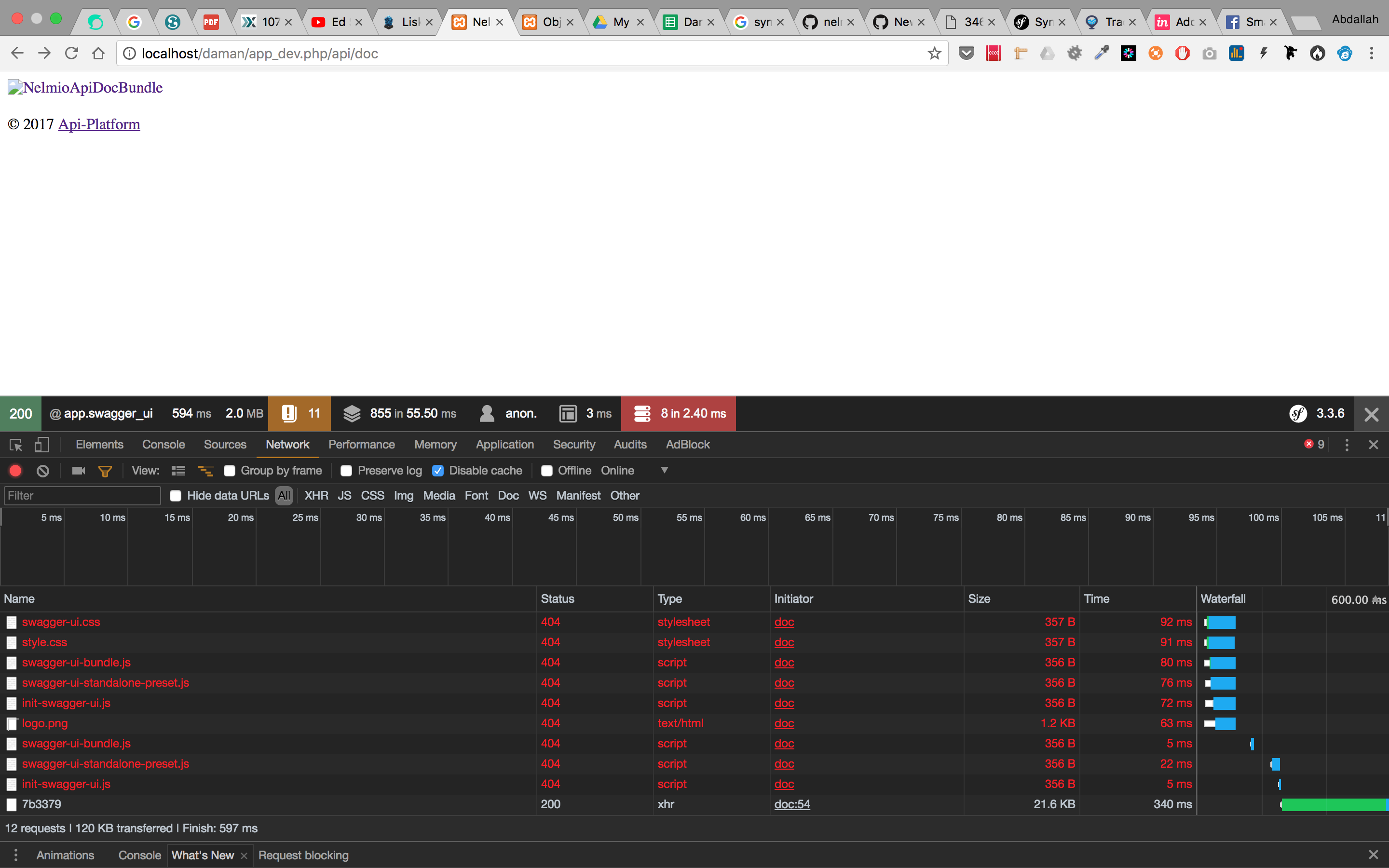
i installed the bundle and every things working fine but the css files and js not loaded
i reinstall it and try this command
php bin/console assets:install --symlink
Relative symbolic link in bundle directory doesn't contain the nelmio directory as the following screen shoot ,

 abdallahmaali
All 8 comments
Does it work better with server:run? (See @dbu's comment https://github.com/nelmio/NelmioApiDocBundle/issues/1173#issuecomment-358574530).
 GuilhemN
on 22 Jan 2018
GuilhemN
on 22 Jan 2018
same problem
abdallahmaali
on 22 Jan 2018
the symlink should be in public/bundles, no?
 dbu
on 22 Jan 2018
dbu
on 22 Jan 2018
yes i found the assets installed under public/uploads ,,,i copy the files under /bundles and it's working fine but why the assets path under bundles
http://localhost/daman/bundles/nelmioapidoc/swagger-ui/swagger-ui-bundle.js
and it's should be under public/bundles , i don't find any configuration related for symlink path
abdallahmaali
on 23 Jan 2018
I have a similar problem I think...my api/docs page is renedering ok but nelmioapidoc resources are aborted -->
localhost/bundles/nelmioapidoc/swagger-ui/swagger-ui-bundle.js net::ERR_ABORTED"
It seems page is looking for resources at the wrong place instead of at vendor/nelmio/api-doc-bundle... In fact if I search inside web folder I have a new folder named bundles and inside there is a nelmioapidoc folder with a broken link. I have installed Symfony 3.4 and nelmio/api-doc-bundle ^3.2. I know I should be doing something wrong but I've been here for a while...
 daviddsr
on 6 Apr 2018
daviddsr
on 6 Apr 2018
I have the same problem. the assets:install --symlink shows that I don't have access to that folder, so might be a permission issue and not nelmio.
 simonberton
on 11 May 2018
simonberton
on 11 May 2018
this is a general symfony setup problem and not specific to this bundle. it only uses the general way how web assets work for symfony bundles.
if you are on windows or some other strange file system, symlink might not work - did you try without the --symlink? if that does not help, i'd recommend to check stackoverflow for symfony assets:install problems and if you don't find the solution, post a question there.
dbu
on 11 May 2018
In my case I solved without the --symlink. I believe this is an apache misconfiguration on my part. Thanks !!!
simonberton
on 11 May 2018
Related issues
 BafS
·
3Comments
BafS
·
3Comments
 yalagin
·
5Comments
yalagin
·
5Comments
 andydandy80
·
4Comments
andydandy80
·
4Comments
 jhkchan
·
4Comments
GuilhemN
·
6Comments
jhkchan
·
4Comments
GuilhemN
·
6Comments
Most helpful comment
this is a general symfony setup problem and not specific to this bundle. it only uses the general way how web assets work for symfony bundles.
if you are on windows or some other strange file system, symlink might not work - did you try without the
--symlink? if that does not help, i'd recommend to check stackoverflow for symfony assets:install problems and if you don't find the solution, post a question there.