Nebular: «QUESTION» Can be used on Ionic 4
QUESTION
I am sure someone else already asked,but can I use this components on Ionic 4?
I did searched but havent found an answer.
- [ ] bug report
- [ ] feature request
- [X] question
 moplin
All 18 comments
hie am also interested in this question
 theFallen78
on 10 Apr 2019
theFallen78
on 10 Apr 2019
Hi @moplin, I don't see any issues with using Nebular with Ionic or any other Angular based framework, except for possible styles conflicts.
We didn't test this though, so would appreciate if you let us know how did the integration go.
 nnixaa
on 11 Apr 2019
nnixaa
on 11 Apr 2019
i'm interested too
i spend 1 day on migrating nebular and ionic
 timsar2
on 11 Apr 2019
timsar2
on 11 Apr 2019
Under current release of both Ionic and Nebular, it doesn't work.
➜ ionic info

Ionic:

   Ionic CLI                     : 5.0.2
   Ionic Framework               : @ionic/angular 4.4.2
   @angular-devkit/build-angular : 0.13.9
   @angular-devkit/schematics    : 7.3.9
   @angular/cli                  : 7.3.9
   @ionic/angular-toolkit        : 1.5.1

Utility:

   cordova-res : not installed
   native-run  : not installed

System:

   NodeJS : v11.14.0
   npm    : 6.7.0
   OS     : macOS Mojave
➜ ng add @nebular/theme
Your global Angular CLI version (8.0.2) is greater than your local
version (7.3.9). The local Angular CLI version is used.

To disable this warning use "ng config -g cli.warnings.versionMismatch false".
Installing packages for tooling via npm.
npm WARN @nebular/[email protected] requires a peer of @angular/animations@^7.0.0 but none is installed. You must install peer dependencies yourself.
npm WARN @nebular/[email protected] requires a peer of @angular/cdk@^7.2.1 but none is installed. You must install peer dependencies yourself.
npm WARN @nebular/[email protected] requires a peer of nebular-icons@^1.1.0 but none is installed. You must install peer dependencies yourself.

+ @nebular/[email protected]
added 2 packages from 2 contributors and audited 53284 packages in 7.036s
found 0 vulnerabilities

Installed packages for tooling via npm.
? Which Nebular theme do you want to use: cosmic
? Use customizable scss themes? Yes
? Set up browser animations for Nebular? Yes
UPDATE package.json (1899 bytes)
added 4 packages from 3 contributors and audited 57549 packages in 7.794s
found 0 vulnerabilities

Cannot read property 'initializer' of undefined
 svallory
on 12 Jun 2019
svallory
on 12 Jun 2019
any updates? did someone use it with ionic 4 ?
 Ademking
on 6 Jul 2019
Ademking
on 6 Jul 2019
Under current release of both Ionic and Nebular, it doesn't work.
➜ ionic info

Ionic:

   Ionic CLI                     : 5.0.2
   Ionic Framework               : @ionic/angular 4.4.2
   @angular-devkit/build-angular : 0.13.9
   @angular-devkit/schematics    : 7.3.9
   @angular/cli                  : 7.3.9
   @ionic/angular-toolkit        : 1.5.1

Utility:

   cordova-res : not installed
   native-run  : not installed

System:

   NodeJS : v11.14.0
   npm    : 6.7.0
   OS     : macOS Mojave
➜ ng add @nebular/theme Your global Angular CLI version (8.0.2) is greater than your local version (7.3.9). The local Angular CLI version is used. To disable this warning use "ng config -g cli.warnings.versionMismatch false". Installing packages for tooling via npm. npm WARN @nebular/[email protected] requires a peer of @angular/animations@^7.0.0 but none is installed. You must install peer dependencies yourself. npm WARN @nebular/[email protected] requires a peer of @angular/cdk@^7.2.1 but none is installed. You must install peer dependencies yourself. npm WARN @nebular/[email protected] requires a peer of nebular-icons@^1.1.0 but none is installed. You must install peer dependencies yourself. + @nebular/[email protected] added 2 packages from 2 contributors and audited 53284 packages in 7.036s found 0 vulnerabilities Installed packages for tooling via npm. ? Which Nebular theme do you want to use: cosmic ? Use customizable scss themes? Yes ? Set up browser animations for Nebular? Yes UPDATE package.json (1899 bytes) added 4 packages from 3 contributors and audited 57549 packages in 7.794s found 0 vulnerabilities Cannot read property 'initializer' of undefined
@svallory @ademking I did the same and it works, at least in dev mode. I haven't tried yet compiling an APK and installing it in a phone. I'll try it soon and give you updates. For now it works with some style conflicts as @nnixaa said but nothing dramatic. Actually I'd like to know if using
 matiascoar
on 11 Sep 2019
matiascoar
on 11 Sep 2019
`
Ionic:
Ionic CLI : 5.4.1 (C:\Users\ARC\AppData\Roaming\npmnode_modules\ionic)
Ionic Framework : @ionic/angular 4.9.1
@angular-devkit/build-angular : 0.801.3
@angular-devkit/schematics : 8.1.3
@angular/cli : 8.1.3
@ionic/angular-toolkit : 2.0.0
Utility:
cordova-res : not installed
native-run : not installed
System:
NodeJS : v10.16.3 (C:\Program Files\nodejs\node.exe)
npm : 6.9.0
OS : Windows 10
`
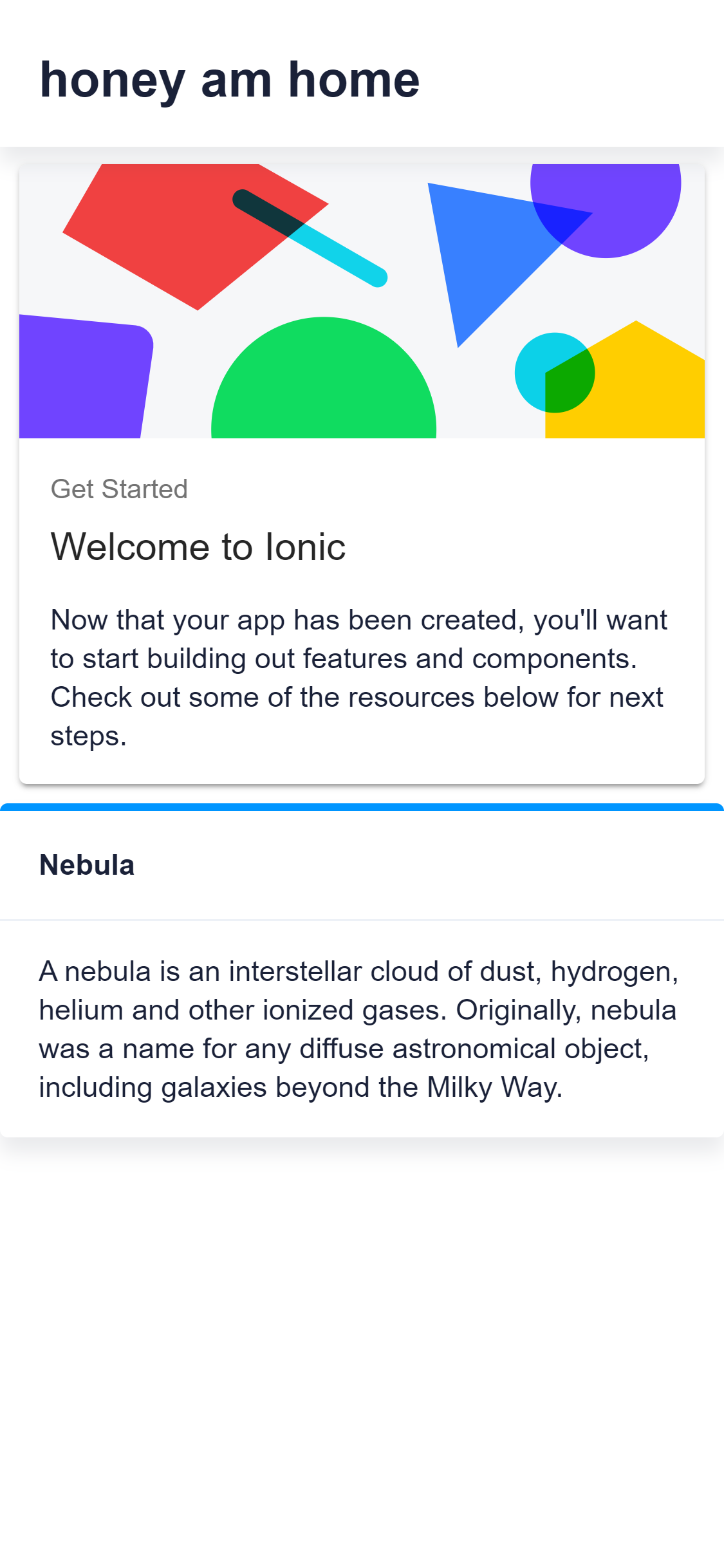
it works for me with this config i used the installation instructions on the Nebular docs "for adding nebular to an existing project"
i used the ionic starter app "sidemenu"
but you might need a little setting up
i also haven't deployed the app
theFallen78
on 1 Oct 2019
@theFallen78 , I would be interested to know if you can successfully build an app for Android and iOS. Also what version of Nebular are you using?
 rkanswers
on 12 Oct 2019
rkanswers
on 12 Oct 2019
@rkanswers sorry i haven't compiled yet maybe early December
and remember my approach was creating an ionic app first
then adding nebular as per the nebular docs .
` "dependencies": {
"@angular/animations": "~8.1.2",
"@angular/cdk": "^8.0.0",
"@angular/common": "~8.1.2",
"@angular/compiler": "~8.1.2",
"@angular/core": "~8.1.2",
"@angular/forms": "~8.1.2",
"@angular/platform-browser": "~8.1.2",
"@angular/platform-browser-dynamic": "~8.1.2",
"@angular/router": "~8.1.2",
"@ionic-native/core": "^5.0.0",
"@ionic-native/splash-screen": "^5.0.0",
"@ionic-native/status-bar": "^5.0.0",
"@ionic/angular": "^4.7.1",
"@nebular/eva-icons": "4.3.1",
"@nebular/theme": "^4.3.1",
"core-js": "^2.5.4",
"eva-icons": "^1.1.1",
"rxjs": "~6.5.1",
"tslib": "^1.9.0",
"zone.js": "~0.9.1"
}`
theFallen78
on 14 Oct 2019
@moplin No, you can not. As mentioned before by @nnixaa, it causes a lot of styles conflicts.
And if you want to know why, you should to remember what is ionic framework? In general it is an angular application with ionic theme that runs atop of apache cordova that packs all this stuff in to the apk file.
So why not to add Nebular to your angular application and wrap with Apache Cordova
Further reading: How to wrap an Angular app with Apache Cordova
 khex
on 15 Jan 2020
khex
on 15 Jan 2020
I got the same error after ng add i cant use nebular components in my ionic 5 app.
 SvenBudak
on 29 Feb 2020
SvenBudak
on 29 Feb 2020
@SvenBudak what error did you get ?
i think this thread was/is with regards to ionic 4.
theFallen78
on 29 Feb 2020
@theFallen78 I get Cannot read property 'initializer' of undefined. But it seems that this means only that he can not find the scss file to add the blueprint style stuff. i added it manually and it seems that it works now.
SvenBudak
on 29 Feb 2020
@SvenBudak, Hi, Im also getting the Cannot read property 'initializer' of undefined error on Ionic 5, what scss file did u add?
 AlbertoD94
on 8 Apr 2020
AlbertoD94
on 8 Apr 2020
@theFallen78 I get
Cannot read property 'initializer' of undefined. But it seems that this means only that he can not find the scss file to add the blueprint style stuff. i added it manually and it seems that it works now.
@SvenBudak which scss file did you add please
 en1tan
on 25 Apr 2020
en1tan
on 25 Apr 2020
hi every one
https://akveo.github.io/nebular/docs/guides/install-nebular#manually
this works for me ..
try manually installation and please do not install @nebular/auth @nebular/security it will create config
 pioneersingh321
on 25 May 2020
pioneersingh321
on 25 May 2020
@pioneersingh321
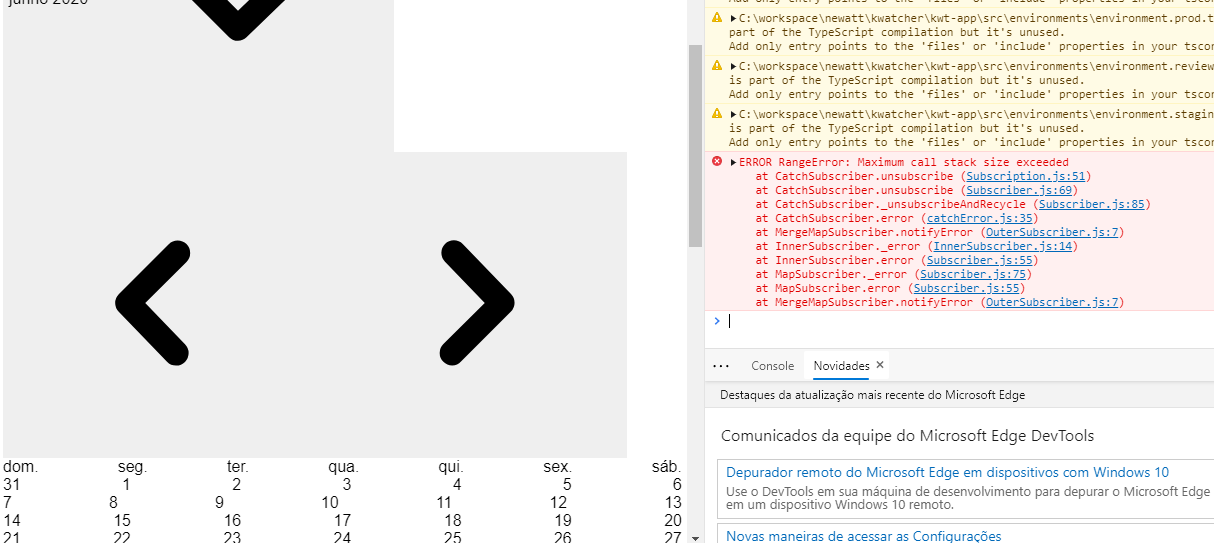
Please help me, I include the css in styles but its not work. See:
 saulofr
on 3 Jun 2020
saulofr
on 3 Jun 2020
later i try with latest version of ionic
ng add @nebular/theme also work
after adding that it may give you error of theme is not found then in variable.scss correct the file path
@import '../themes';
everything will work fine ..
pioneersingh321
on 3 Jun 2020
Related issues
nnixaa
·
4Comments
 mobarokhossain
·
4Comments
mobarokhossain
·
4Comments
 bestasholli
·
3Comments
bestasholli
·
3Comments
 suku-h
·
3Comments
suku-h
·
3Comments
 maihannijat
·
3Comments
maihannijat
·
3Comments
Most helpful comment
later i try with latest version of ionic
ng add @nebular/theme also work
after adding that it may give you error of theme is not found then in variable.scss correct the file path
@import '../themes';
everything will work fine ..