Nebular: NbDatePicker: validation fails when using format="dd.MM.yyyy"
Issue type
- [x] bug report
- [ ] feature request
Issue description
Current behavior:
When using format="dd.MM.yyyy" on NbDatePicker only dates from the 1st till 12th of a month are valid in the formGroup. Using @nebuler/moment and @nebular/date-fns does not make any difference. The issue here seems to be that the form validation does not use the date format I provided. This is the validation error: nbDatepickerParse: {value: "19.12.2018"}
As days from 1 to 12 are valid my guess is that days are taken for months?
Expected behavior:
19.12.2018 is a valid date when using format="dd.MM.yyyy".
Steps to reproduce:
See above.
Other information:
npm, node, OS, Browser
<!--
Node, npm: 10.13.0, 6.4.1
OS: macOS
Browser: any
-->
Angular, Nebular
"@angular/core": "7.1.1",
"@nebular/date-fns": "3.0.0",
"@nebular/moment": "3.0.0",
"@nebular/theme": "3.0.0",
 mahnuh
All 16 comments
Hi !
Same problem in 3.0.1
 tomadj
on 16 Dec 2018
tomadj
on 16 Dec 2018
Hi Guys! Thanks for reporting this issue. But, As I see it, the solution is quite straightforward. You are trying to set format as dd.MM.yyyy but if we refer to moment or date-fns docs we'll find out we have to use all uppercase letters in format, like that: DD.MM.YYYY.
I'm closing the issue. If your issue isn't resolved, feel free to reopen it.
 Tibing
on 18 Dec 2018
Tibing
on 18 Dec 2018
Hi @Tibing,
No uppercase letters don't work :
DD.MM.YYYY --> output DD.12.YYYY
MM.DD.YYYY--> output 12/DD/YYYY
dd/MM/yyyy --> output 20/12/2018 OK BUT the formcontrol is not valid as @mahnuh said.
As days from 1 to 12 are valid my guess is that days are taken for months
(With date-fns)
Thank's
tomadj
on 18 Dec 2018
Same issue for me .
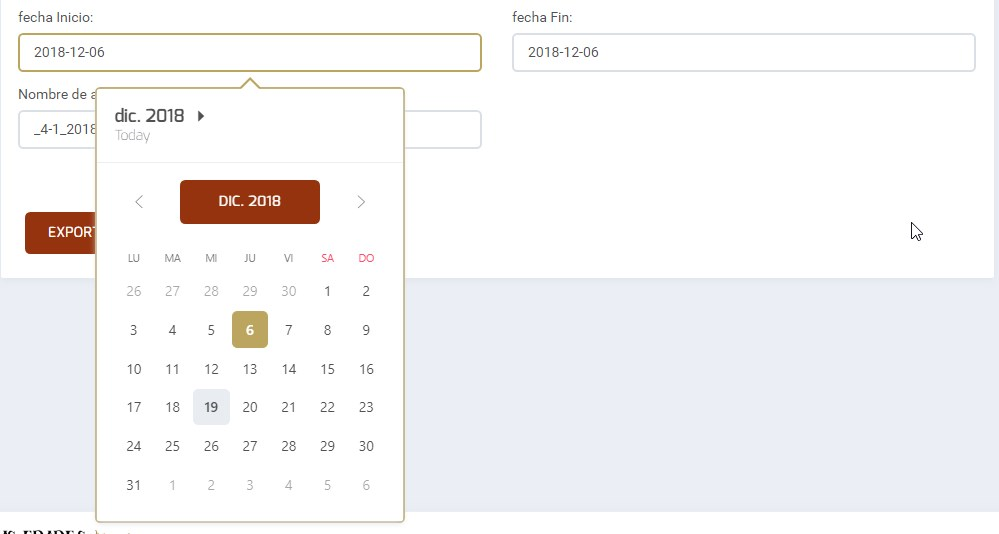
Shows wrongs

Shows right but validation fails

 jromerob
on 19 Dec 2018
jromerob
on 19 Dec 2018
Works right, validate the control, but isn't the correct format for spanish date
jromerob
on 19 Dec 2018
@Tibing as @jromerob and @tomadj pointed out, it is still an issue. Can you please reopen it?
mahnuh
on 19 Dec 2018
Hello,
The same problem for me.
As days from 1 to 12 are valid my guess is that days are taken for months
In the ThemeModule I have:
  ...NbDateFnsDateModule.forRoot({
    format : 'DD.MM.YYYY',
    parseOptions: { awareOfUnicodeTokens: true },
    formatOptions: { awareOfUnicodeTokens: true }
  }).providers,
  NbDateFnsDateService,
In my component.ts I have :
constructor(private formBuilder: FormBuilder,
    private dateService: NbDateFnsDateService,
    private route: ActivatedRoute) {

  }

...

    this.plantationForm = this.formBuilder.group({
      exploitant: [null, Validators.required],
      parcelle: [null, Validators.required],
      surface: [null, Validators.required],
      denree: [null, Validators.required],
      densite: [1, Validators.required],
      dateDebut: [today, Validators.required],
      dateFin: [new Date().setMonth(new Date().getMonth() + 4)]
      // dateDebut: [today, Validators.required],
      // dateFin: [today, Validators.required]
    });
In my view I have :
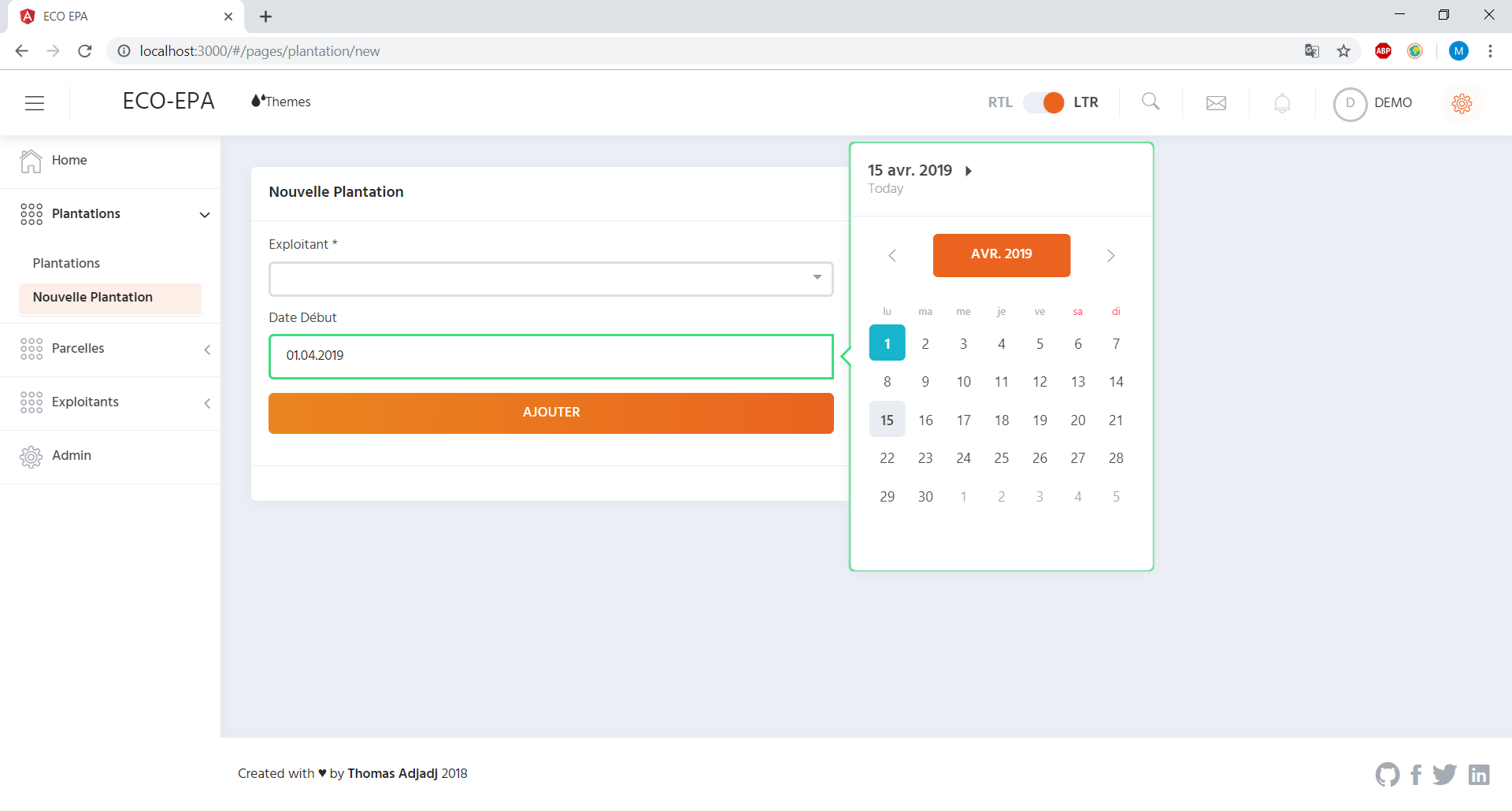
and

In my FormGroup errors I have :
nbDatepickerParse:{value: "18.04.2019"}
It looks like the issue wasn't resolved...
 Maxxil
on 15 Apr 2019
Maxxil
on 15 Apr 2019
Hi,
The problem is here. Any ideas how to solve this ?
/**
* We haven't got capability to parse date using formatting without third party libraries.
* */
NbNativeDateService.prototype.parse = function (date, format) {
   return new Date(Date.parse(date));
};
 romainpurchla
on 18 Apr 2019
romainpurchla
on 18 Apr 2019
I still get same error when upgrade all package to latest version today
 lukele1607
on 26 Apr 2019
lukele1607
on 26 Apr 2019
I solved the problem of the date invalid, in the format dd / MM / yyyy, as follows:
I installed via npm the package moment:
npm i moment @ types / moment --save
I edited the native-date.service.js file, which in my case is in components \ calendar-kit \ services:
added to line 34: import * as moment from 'moment';
changed the NbNativeDateService.prototype.parse function:
NbNativeDateService.prototype.parse = function (date, format) {
        var mydate = moment(date, 'DD/MM/YYYY');
        console.log('moment', mydate);
        return new Date(moment(mydate).format("MM/DD/YYYY"));
    };
Solved for me.
 riquemoraes
on 13 May 2019
riquemoraes
on 13 May 2019
Is there a code sample to watch? I want nb datepicker date format dd/mm/yyyy
 bboy437
on 26 Jun 2019
bboy437
on 26 Jun 2019
Hey everyone, I've just bumped into this issue while using the date-fns adapter and what solved it for me was to install date-fns v2 instead of v1. Note that v2 was in beta until a couple of days ago so it wasn't installed by default by npm.
I've noticed it due to the call signature of the parse function in @nebular/date-fns DateService
 luca-nardelli
on 23 Aug 2019
luca-nardelli
on 23 Aug 2019
Still same problem v4.4.0. A lot of problems with nebular :|
 cuciacik
on 10 Oct 2019
cuciacik
on 10 Oct 2019
Hi Tibing and yggg,
Still facing same validation issue with nebular 4.5.0., it is latest version.
When we select 11th november, it's valid and for other dates, it's invalid. Screenshots attached.
Expected :- The dates which are selectable, should be valid.

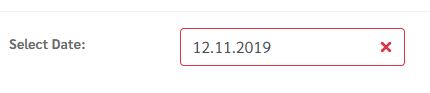
I hope, please suggest, because latest nebular version released with this issue.
Also request you, whenever releasing version, issue should be fixed.
In html
Select Date is required
In Ts file
this.min = this.dateService.addDay(this.dateService.today(), -3);
this.max = this.dateService.addDay(this.dateService.today(), 1);
 mayanksudden
on 13 Nov 2019
mayanksudden
on 13 Nov 2019
I have been having issues with the datepicker too but I think I undertstand it now.
Any time you import NbDatepickerModule and you want to use the format function you must include your format module (e.g. NbMomentDateModule) AFTER NbDatepickerModule. I believe this is because NbDatepickerModule provides NbNativeDateService (NatveDate) for use as the NbDateService by default, and in this case we want to override that with NbMomentDateService from NbMomentDateModule.
I think it would be simpler if Nebular made you choose the default NbDateService, rather than making NbNativeDateService default and forcing you to override it every time you include NbDatepickerModule.
 cwmrowe
on 12 Dec 2019
cwmrowe
on 12 Dec 2019
I made it work! I installed @nebular/date-fns with the version of nebular that I'm using npm i --save @nebular/[email protected] (Change to the version that you use). At my app.module.ts I added after NbDatepickerModule.forRoot(), the following line NbDateFnsDateModule.forRoot({ format: 'dd/MM/yyyy' }), (Change to the format that you want). Also, you need to add NbDatepickerModule in the imports of the module that you want to use, in my case was pages module pages.module.ts:
@NgModule({
  imports: [
    ...
    NbDatepickerModule,
    ...
  ],
 augustoicaro
on 31 Aug 2020
augustoicaro
on 31 Aug 2020
Related issues
 maihannijat
·
3Comments
maihannijat
·
3Comments
 aqsdc1
·
3Comments
aqsdc1
·
3Comments
 mmezian
·
3Comments
mmezian
·
3Comments
 johnsnow20087349
·
3Comments
johnsnow20087349
·
3Comments
 henry74
·
3Comments
henry74
·
3Comments
Most helpful comment
I have been having issues with the datepicker too but I think I undertstand it now.
Any time you import
NbDatepickerModuleand you want to use the format function you must include your format module (e.g.NbMomentDateModule) AFTERNbDatepickerModule. I believe this is becauseNbDatepickerModuleprovidesNbNativeDateService(NatveDate) for use as theNbDateServiceby default, and in this case we want to override that withNbMomentDateServicefromNbMomentDateModule.I think it would be simpler if Nebular made you choose the default
NbDateService, rather than makingNbNativeDateServicedefault and forcing you to override it every time you includeNbDatepickerModule.