Nds-bootstrap: Glitchy brushstroke behavior in Okamiden
Your console:
Old 3DS NTSC-U
Launch Method:
TWiLight Menu++ 14.2.0
Version used:
nds-bootstrap Release 0.34
Game tested/used/applicable:
Okamiden (USA) (Game ID: BOOE)
Expected Behavior:
Brush stroke should not automatically sporadically release while your stylus is pressed down


Actual Behavior:
Brush stroke automatically & sporadically releases on touch screen while stylus is held down


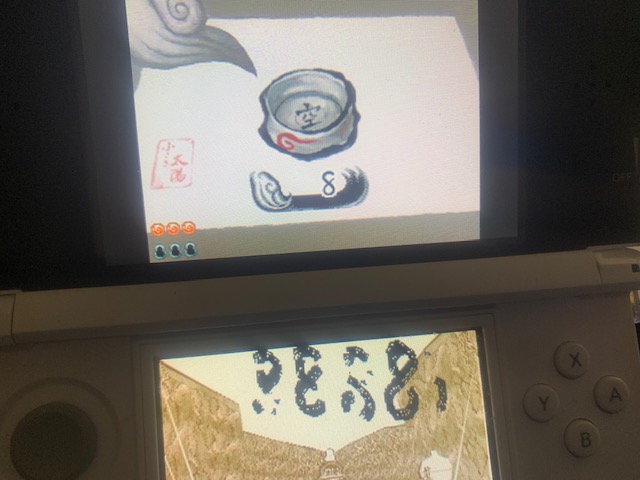
Steps to reproduce
Run Okamiden (USA) with default TWiLight Menu++ settings
Logs
Other notes
Bug confirmed also on EUR and JAP versions (GBAtemp thread):
https://gbatemp.net/threads/ds-i-3ds-twilight-menu-gui-for-ds-i-games-and-ds-i-menu-replacement.472200/page-536#post-9030127
 wad11656
All 10 comments
Were the first images taken from the actual cartridge or a flashcart?
 SleepyLark
on 26 Apr 2020
SleepyLark
on 26 Apr 2020
1st images (the working ones) were running on my R4 flashcart dualbooted in YsMenu firmware
wad11656
on 26 Apr 2020
Hi, I'm having the same issue with my New 3DS. Also running the game with this version of Twilight Menu. My console is New 3DS XL and I have tried both american and european ROMs.
 raphaelalmeidamartins
on 26 Apr 2020
raphaelalmeidamartins
on 26 Apr 2020
I'm also having this issue on New 3DSXL, Luma 3DS, TwilightLaunchMenu, nds-bootstrap Ver. 5b975395. On this same system, I'm able to run it without issues via a Supercard DS2. I haven't tried my physical copy yet though.
 oneup03
on 27 Apr 2020
oneup03
on 27 Apr 2020
Tested it on DSi on v0.34.0 and I didn't seem to have any problems with the stylus
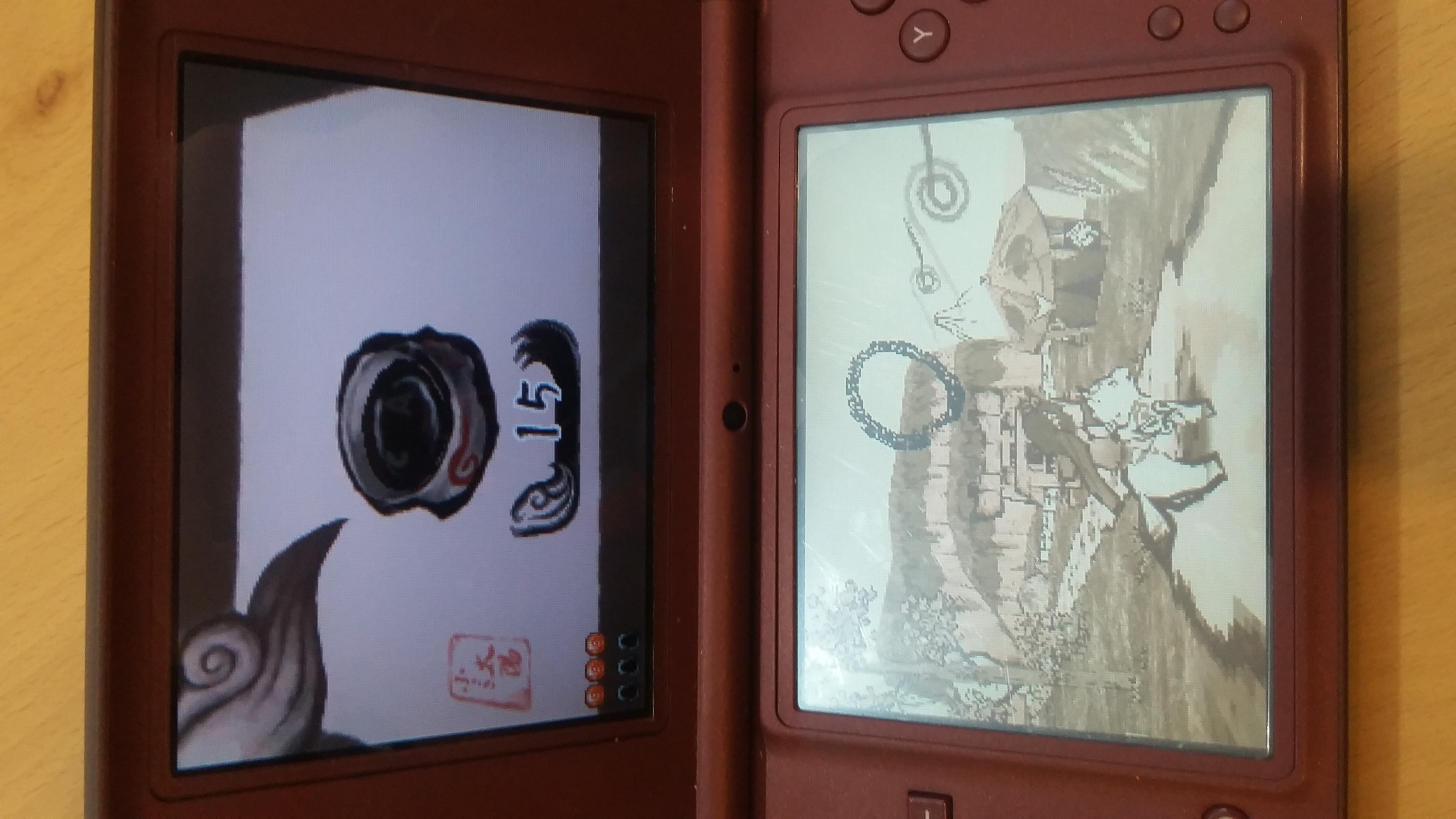
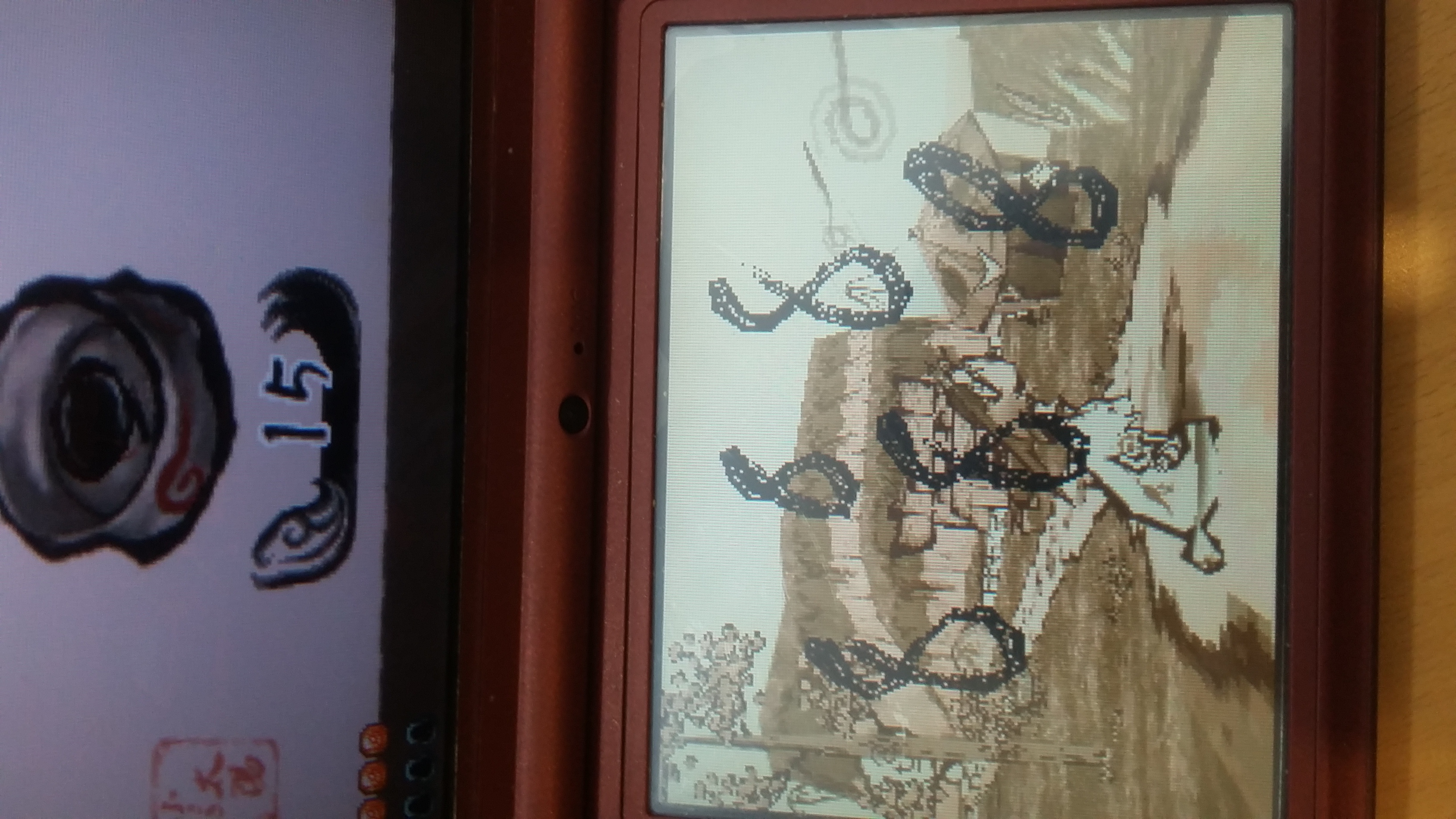
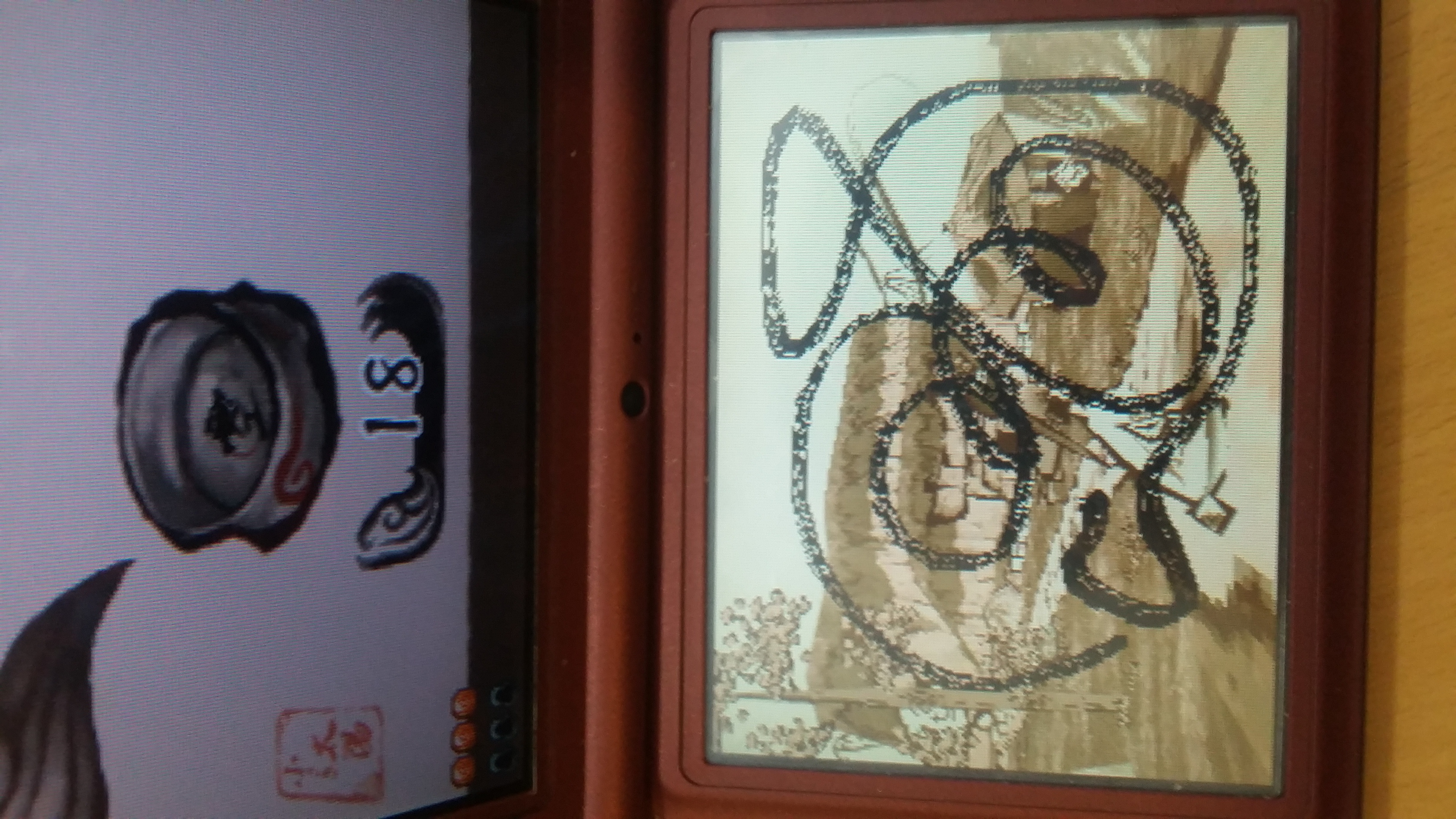
Unless someone says otherwise, I think this may be only a problem on the 3DS
SleepyLark
on 29 Apr 2020
Hi, I am having this same issue on the New 2DS XL using Luma and Twilight Menu++. Looks like its only effecting 3DS models.
 TheBadger77
on 2 May 2020
TheBadger77
on 2 May 2020
I run with the same issue it kinda makes running the game hard I try today using the updator app to make sure I have the last version of everything but the big still persist
I use a eu rom version of the game
My twilight launcher is (release version):
V15.1.0
new-bootstrap is (release version):
V0.35.1
Full name of my rom of okamiden is:
5605 - Ookami Den (Europe).nds
SDK ver: 5 (TWLSDK) TID: BOOP
The picture are accurate to my issue as well I notice the touch input act weird in this game for some reason some times the touch screen stay following your input a the other second it stop to follow it than again
That how I can most accurate tell the problem I also run the rom via drastic on my phone a the issue isn't on there every thing works as intended on drastic emulator on phone so it isn't a issue on it rom
But yeah In short seems input ok the touch screen is reacting wrong not keeping track of your movement fully
I can do some test or if you like me to try soemthing let me know as I really like to play the game
I also already try run ing the nightly last version as well but the same issue persist
Also forget to add I'm using the orginal Nintendo 3ds from Europe I'm not sure with designation it has
(Don't mind the odd visual I kinda forgot to change the aspect ratio back when I was testing it has nothing to do with the touchscreen issue)
Here is a video file of the issue sorry for the low quality but 10 mb limit was hard to fight back against
The pictures the others send pretty much show the issue but here you have a more detail view of the issue as you can see what happend
 ILynS
on 17 May 2020
ILynS
on 17 May 2020
I have this issue as well, although interestingly I believe that when I was using a previous version (released around late/mid 2019 I think) of nds-bootstrap i didnt have this issue.
(I am using this with a new 3ds, no matter what settings I use in twilight menu it does not seem to work, or even when i use a nds forwarder cia)
 Drazini
on 15 Aug 2020
Drazini
on 15 Aug 2020
Should be fixed in #1002 , I've attached a nightly build with the fix applied for testing.
nds-bootstrap-nightly.zip
 Rokkubro
on 25 Aug 2020
Rokkubro
on 25 Aug 2020
I have just tested with this new nightly build and was able to consistently draw using this touch screen. Touch input appears to be responding as expected. Thank you very much for you assistance with this issue!
TheBadger77
on 26 Aug 2020
Related issues
 irod14
·
3Comments
irod14
·
3Comments
 Xeddius
·
5Comments
Xeddius
·
5Comments
 Valeri0p
·
7Comments
Valeri0p
·
7Comments
 sapfel93
·
7Comments
sapfel93
·
7Comments
 adamj-codethink
·
12Comments
adamj-codethink
·
12Comments
Most helpful comment
I have just tested with this new nightly build and was able to consistently draw using this touch screen. Touch input appears to be responding as expected. Thank you very much for you assistance with this issue!