Nbconvert: Figures are left-aligned when converting --to html -no-input
When converting a notebook to html and using the -no--input flag, figures (matplotlib, plotly) appear left-aligned, and hence are not aligned with the markdown cells anymore. Is it the intended behavior?
Using
jupyter-client==5.2.2
jupyter-console==5.2.0
jupyter-core==4.4.0
notebook==5.7.0
nbconvert==5.4.0
 smerigon
All 6 comments
I have a similar problem when converting to html. The left alignment is not the same when I define a cell as Markdown and when I write to Markdown from Python code. The converted document doesn't look nice.
I attached two files (alignment_test.ipynb and alignment_test.html). The html file was converted with:
jupyter nbconvert alignment_test.ipynb --no-input
Any idea how to get all text properly left-aligned in the html output?
It was not possible to attach ipynb and html file so I attached graphics instead

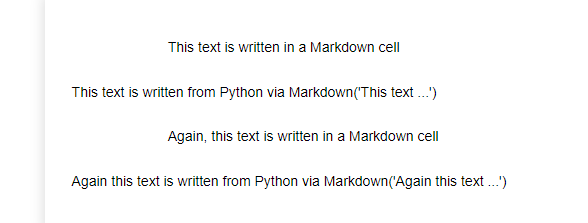
 simbalsyd
on 27 Aug 2019
simbalsyd
on 27 Aug 2019
I am having the same problem:
Without --no-input:

Here, the same notebook with --no-input (notice how the image is not aligned with the text):
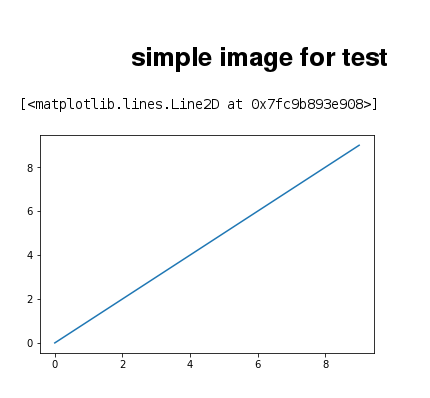
After looking at the html code I noticed that a div element that gives the padding is missing in the --no-input case:
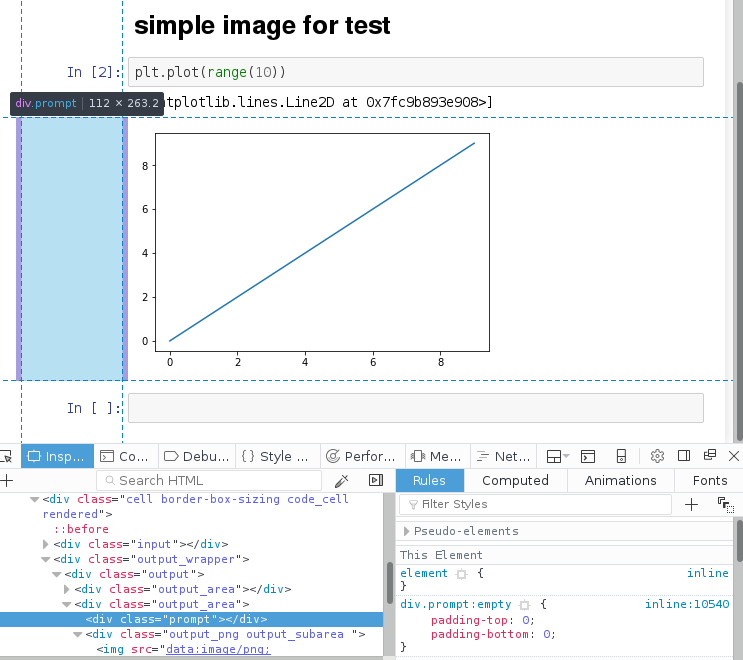
I hope this helps to solve the issue.
 fidelram
on 27 Sep 2019
fidelram
on 27 Sep 2019
Having the same problem here. Tried modified a bunch of templates but no success so far
Best solution I've found so far is this one:
--TemplateExporter.exclude_input=True
The problem is that in some cells, Out[number]: still appears:
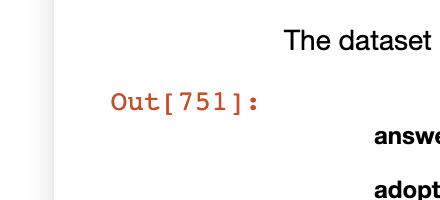
EDIT
Using the flag --no-prompt kinda fixes it too. More info here
 xoelop
on 11 Dec 2019
xoelop
on 11 Dec 2019
Confirming @xoelop s workaround:
--to html --TemplateExporter.exclude_input=True --no-prompt
gives equivalent output, but with identical indentation for all content.
(Without the --no-prompt i similarly get Out[] for some cells. The Out[]'s seems randomly toggled thoughout the document.)
+1 for fixing the --no-input alignment.
 th0ger
on 29 Feb 2020
th0ger
on 29 Feb 2020
I faced the same problem but could not solve it. Hopefully, someone can help.
 genzhupanda
on 19 Mar 2020
genzhupanda
on 19 Mar 2020
Would love to have some more contributors help knock out the HTML issues that are open, I don't think any of the maintainers have had time to dig into these recently.
 MSeal
on 19 Mar 2020
MSeal
on 19 Mar 2020
Related issues
 jrovegno
·
5Comments
jrovegno
·
5Comments
 matiasdahl
·
3Comments
matiasdahl
·
3Comments
 Carreau
·
4Comments
Carreau
·
4Comments
 vlbrown
·
3Comments
vlbrown
·
3Comments
 joelostblom
·
3Comments
joelostblom
·
3Comments
Most helpful comment
Having the same problem here. Tried modified a bunch of templates but no success so far
Best solution I've found so far is this one:
--TemplateExporter.exclude_input=TrueThe problem is that in some cells,

Out[number]:still appears:EDIT
Using the flag
--no-promptkinda fixes it too. More info here