All 11 comments
Yes, it is. It will probably be available first for clients through the Subsonic API, and not long after that in the UI. I'm still working on some other improvements and will tackle this next, maybe in a 2-4 weeks timeframe.
 deluan
on 31 Mar 2020
deluan
on 31 Mar 2020
@deluan do you think it will support multi tags? I am not sure if this will be possible to tackle multiple variations, for example
Rap/Hip Hop - expected Rap Hip Hop
Pop; Rock - expected Pop Rock
Pop; Rap/Hip Hop, Folk/Soul - expected Pop Rap Hip Hop Folk Soul
 mariof1
on 4 Apr 2020
mariof1
on 4 Apr 2020
Yes it will. It is related to #119
My idea is to allow the separator(s) to be specified as a configuration. So in your examples, if this configuration is set to "/,;" it will work as you described.
Just keep in mind that for clients of the Subsonic API, songs and albums will only show the first genre, as the API does not support multi-genres. But you will be able to filter by genre and get songs/albums that lists that genre in their genre field (not all subsonic clients support filtering by genres, though)
deluan
on 4 Apr 2020
In principle the id3v2 tag spec has a standard separator (the null termination code), see section 4.2:
All text information frames supports multiple strings, stored as a null separated list, where null is reperesented by the termination code for the charater encoding.
Similarly, multiple MP4 gnre atoms are also allowed. But: in practice, people don't use null separators, but use one they can find on their keyboard like ; or /
Problem is also that navidrome doesn't actually read the tags itself, but uses ffmpeg as an intermediary. So the question is more: how does ffmpeg deal with separators? And if it does support it, with which separator does ffmpeg output multiple genres (or artists, album artist, composer, etc)?
My idea is to allow the separator(s) to be specified as a configuration. So in your examples, if this configuration is set to "/,;" it will work as you described.
The main problem with custom separators is always false positives - we don't want to accidentally split "AC/DC", "Earth, Wind & Fire", "Rhythm & Blues" or this album title containing ";" .
So if you want to go down that route, you'd probably need to expand this idea to one separator list for genres (with / and , and ; but not &), another for artist/album artist/composers (including vs and featuring but probably not , or &, and what about / ?), and exclude album and track titles completely. Can be done but maybe too complex/confusing for the users?
If supporting unnormalized forms was easy, everyone would already have done it :)
 certuna
on 23 Apr 2020
certuna
on 23 Apr 2020
The main problem with custom separators is always false positives - we don't want to accidentally split "AC/DC", "Earth, Wind & Fire", "Rhythm & Blues" or this album title containing ";"
I'm not planing to apply this configuration to artists or albums, only to genre. As you said:
If supporting unnormalized forms was easy, everyone would already have done it :)
Things like featuring and vs and feat would make it impossible.
deluan
on 23 Apr 2020
@tonydub Browse by genre in Subsonic clients was released in version 0.15.0.
I'm keeping this issue open to track work on the WebUI
deluan
on 24 Apr 2020
@deluan I've been successfully testing with my subsonic client. Thank you very much.
You're on the right track.
Will it be possible to edit the metadata later in the web interface?
 tonydub
on 24 Apr 2020
tonydub
on 24 Apr 2020
I don't think that this fits into the scope of navidrome (a music player).
What about using beet or Picard instead?
 jvoisin
on 24 Apr 2020
jvoisin
on 24 Apr 2020
@tonydub Not really. As @jvoisin said, there are excellent options out there. What I may do is add some kind of integration with these tools (ex: support the beets subsonic plugin)
deluan
on 24 Apr 2020
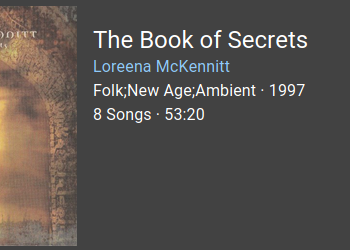
We could use chips to display multiple genres. Could also add mood below that eventually (really not a priority though)
https://material-ui.com/components/chips/
 Extarys
on 20 May 2020
Extarys
on 20 May 2020
There are no plans to introduce mood ATM, but for genres I think it would be great!
deluan
on 20 May 2020
Related issues
 ElleshaHackett
·
5Comments
ElleshaHackett
·
5Comments
 pagdot
·
4Comments
pagdot
·
4Comments
 BobWs
·
3Comments
BobWs
·
3Comments
 brianpierson2020
·
4Comments
brianpierson2020
·
4Comments
 delucks
·
3Comments
delucks
·
3Comments
Most helpful comment
Yes, it is. It will probably be available first for clients through the Subsonic API, and not long after that in the UI. I'm still working on some other improvements and will tackle this next, maybe in a 2-4 weeks timeframe.