Navcontainerhelper: 'vmcompute.dll' error when creating container from ISE but not from PS
Hi, I am experiencing this bug on a new Notebook .
navcontainerhelper is v 5.0.4.0 and I am running the following commands on the ISE and on Powershell CLI
New-NavContainer cs-test -accept_eula -includeCSide -doNotExportObjectsToText -includeTestToolkit -licenseFile 'C:\Users\user\Documents\company_BC_onprem_dev.flf' -imageName 'mcr.microsoft.com/businesscentral/onprem:de-ltsc2019' -useSSL -auth NavUserPassword -enableSymbolLoading
When I run this command on the ISE, I get this;

When I run it in PS-CLI, I do not see this error:
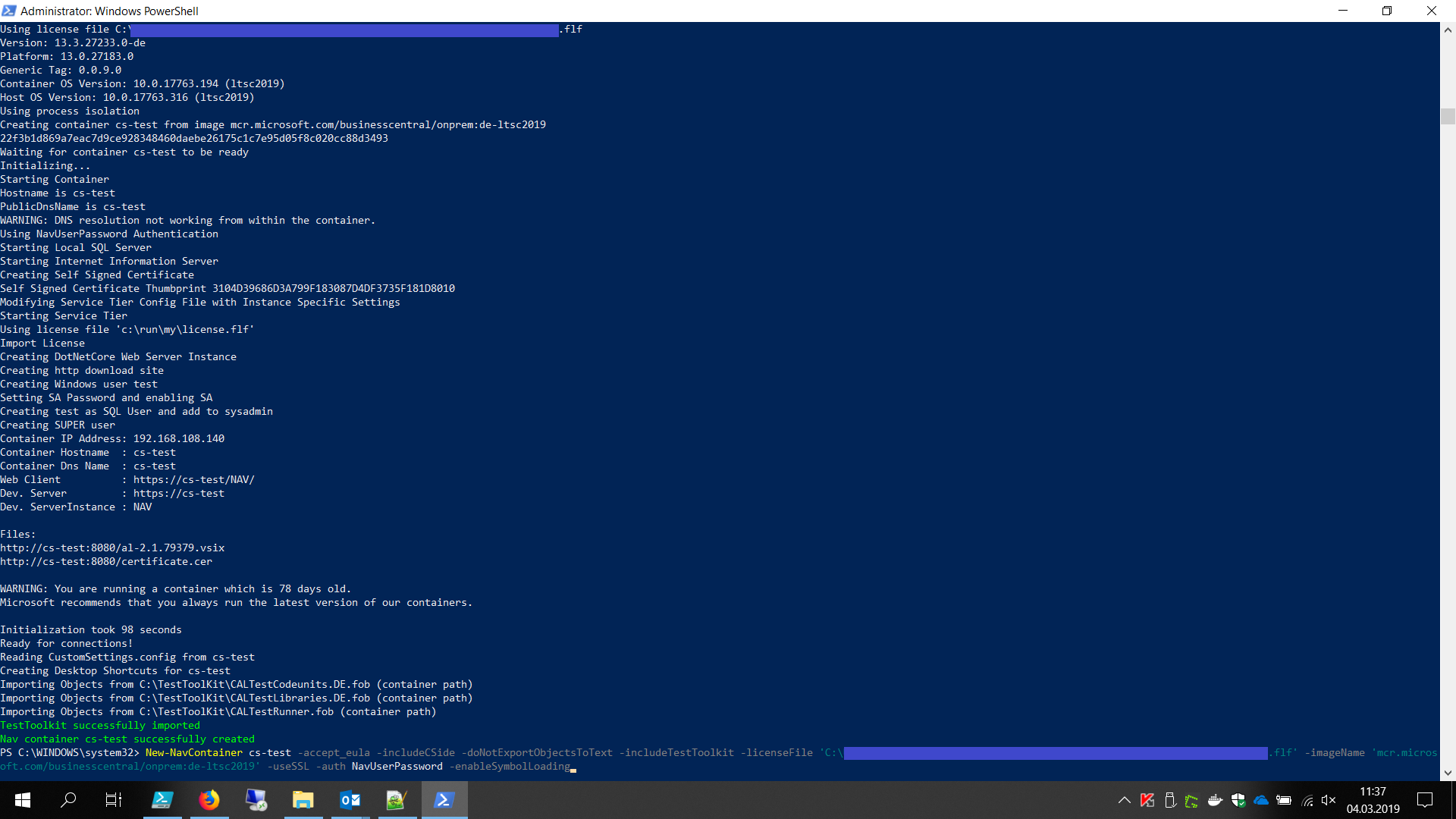
I know it has something to do with a New-PSSession inside the Get-NavContainerSession.ps1 but I do not understand what might be the difference between running it in ISE vs. running it in CLI.
Do you have any ideas?
Best regards,
Chris
 staedter
All 3 comments
Short update:
At least I figured out that I just cannot use New-PSSession or Enter-PSSession with -ContainerID at all from the ISE.
It will then throw this "'vmcompute.dll' not found error". But I can use the same commands from CLI without any problems. As a workaround I will just use our container starting script from the CLI, but i still do not understand why it is not working from ISE.
:/
staedter
on 4 Mar 2019
Ok, this Issue is closed. The Problem was, that I tried using the ISE (x86) Version which resulted in this error. That was also the reason why it worked in the CLI (x64). After switching to ISE (x64) it works without a problem
:)
staedter
on 4 Mar 2019
Nice job on finding out that this is caused by x86 in less than 2 hours - I think I have spend way more time on the vmcompute issue earlier:-)
I will try to add a check to NavContainerHelper that it is running x64
 freddydk
on 4 Mar 2019
freddydk
on 4 Mar 2019
Related issues
 lvanvugt
·
5Comments
lvanvugt
·
5Comments
 FabioC34
·
3Comments
FabioC34
·
3Comments
 MODUSCarstenScholling
·
5Comments
lvanvugt
·
3Comments
MODUSCarstenScholling
·
5Comments
lvanvugt
·
3Comments
 tfenster
·
3Comments
tfenster
·
3Comments
Most helpful comment
Nice job on finding out that this is caused by x86 in less than 2 hours - I think I have spend way more time on the vmcompute issue earlier:-)
I will try to add a check to NavContainerHelper that it is running x64