Nativescript: Can't get the emulator to work despite the tns doctor showing everything is fine
Environment
Provide version numbers for the following components (information can be retrieved by running tns info in your project folder or by inspecting the package.json of the project):
- CLI:
- Cross-platform modules:
- Android Runtime:
- iOS Runtime:
- Plugin(s):
Describe the bug
To Reproduce
Expected behavior
Sample project
Additional context
I am having the same issue here despite tns doctor indicating that everything is fine:

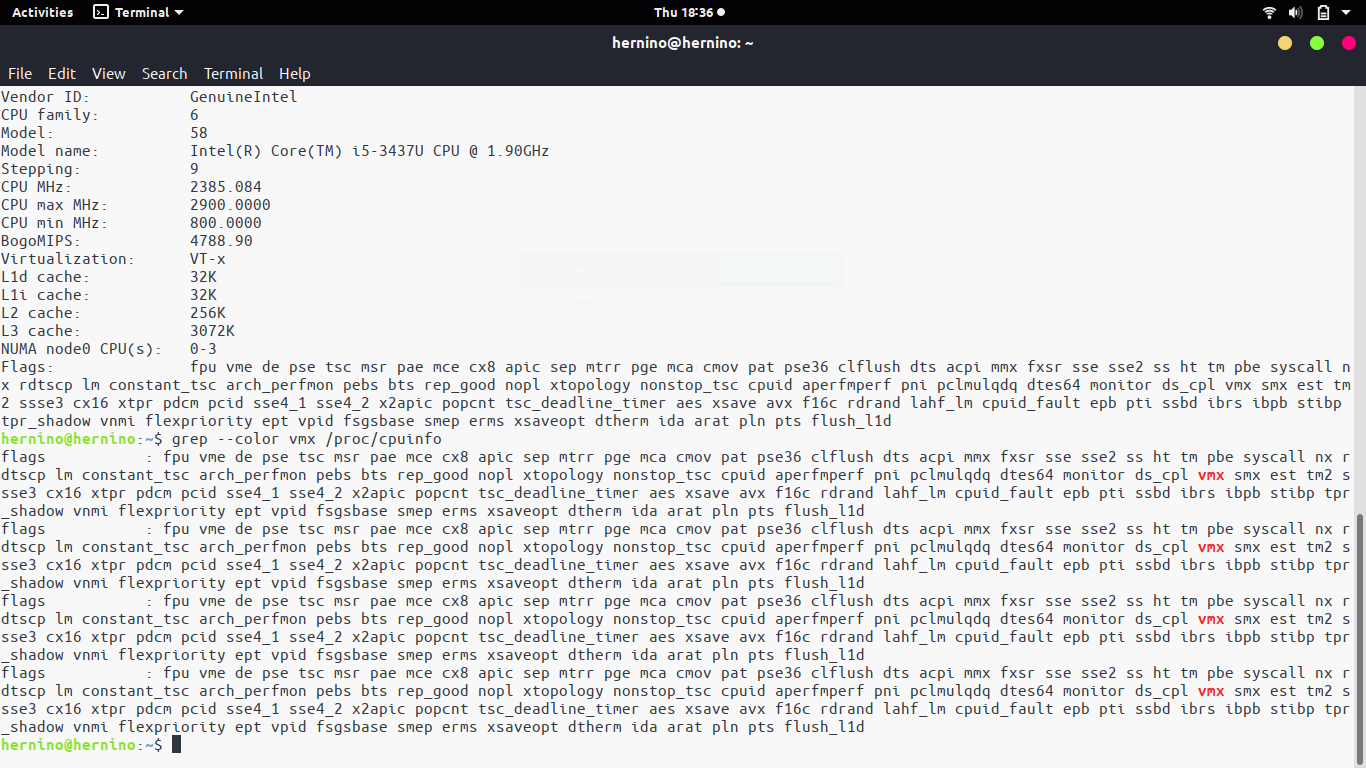
Vtx is supported on my machine as well , here is the lscpu command:
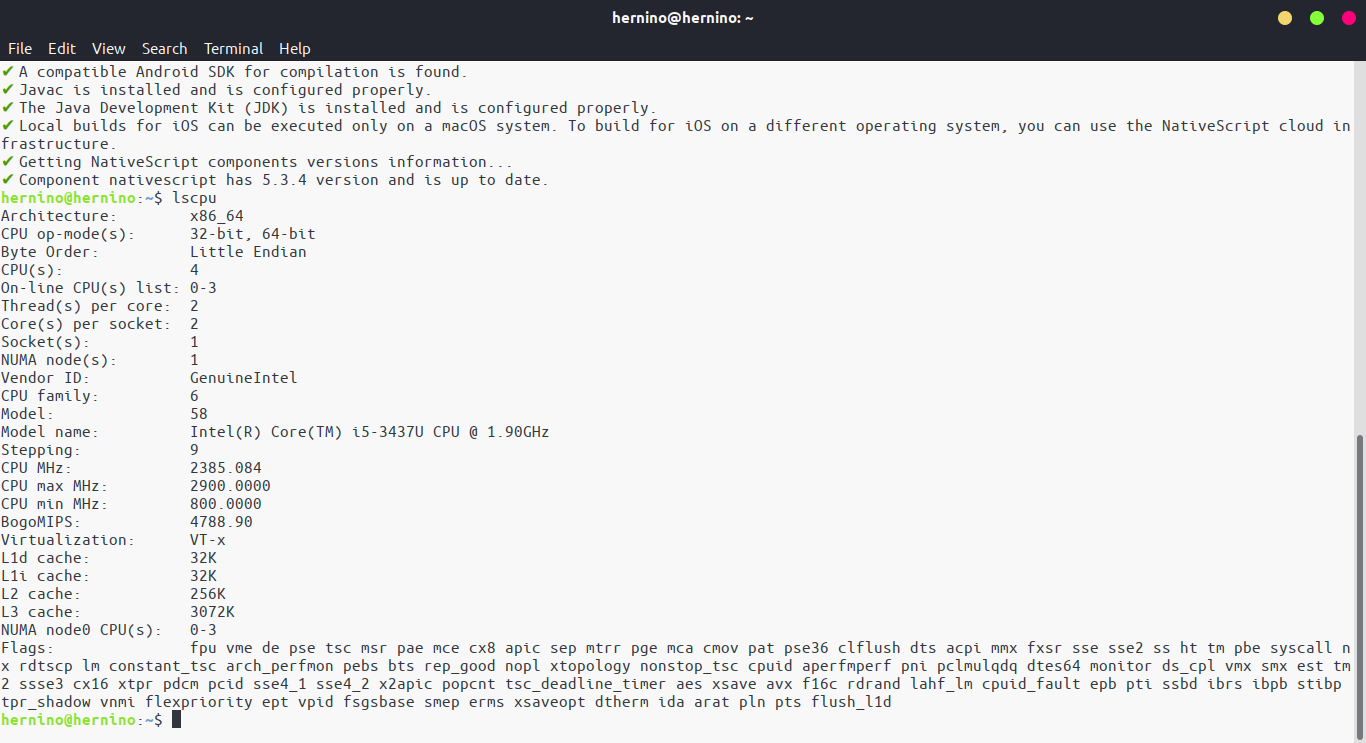
And finally the grep --color vmx /proc/cpuinfo command:
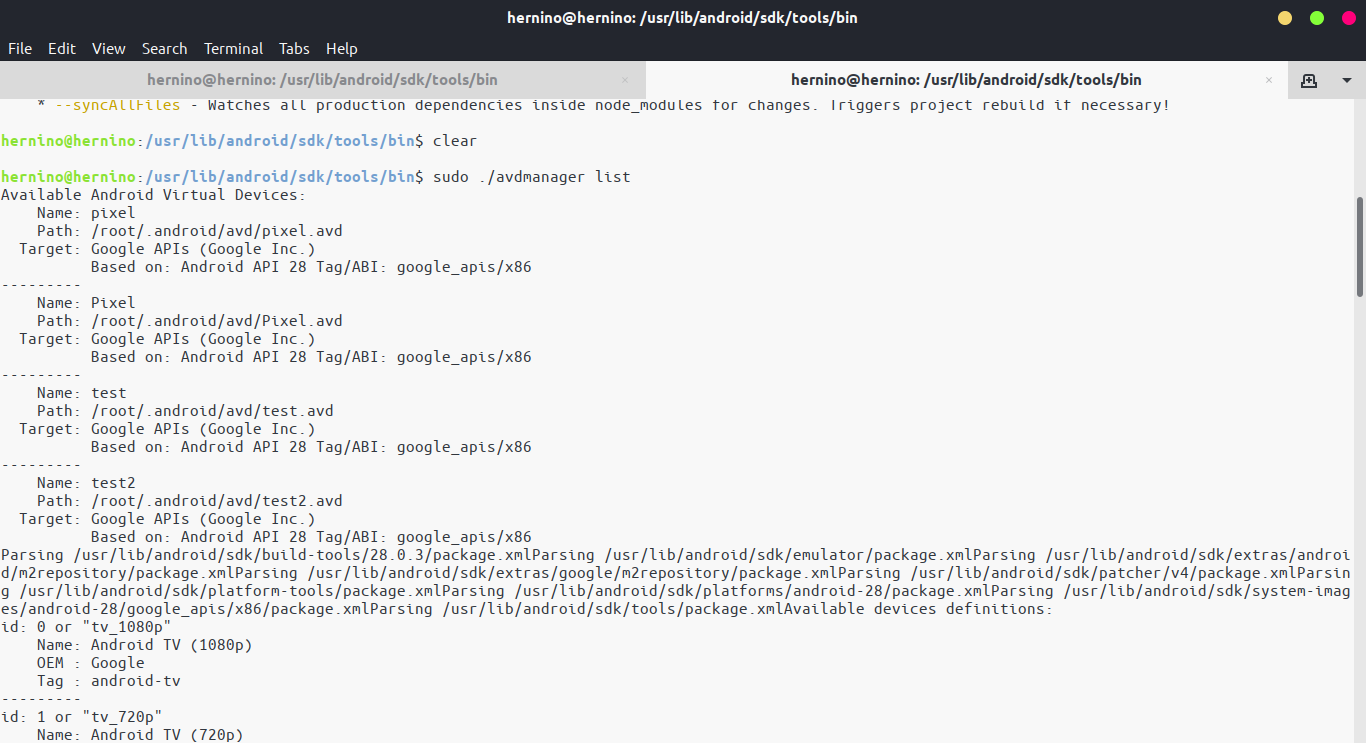
As you can see here I have a list of created devices using the avd manager
./avdmanager list
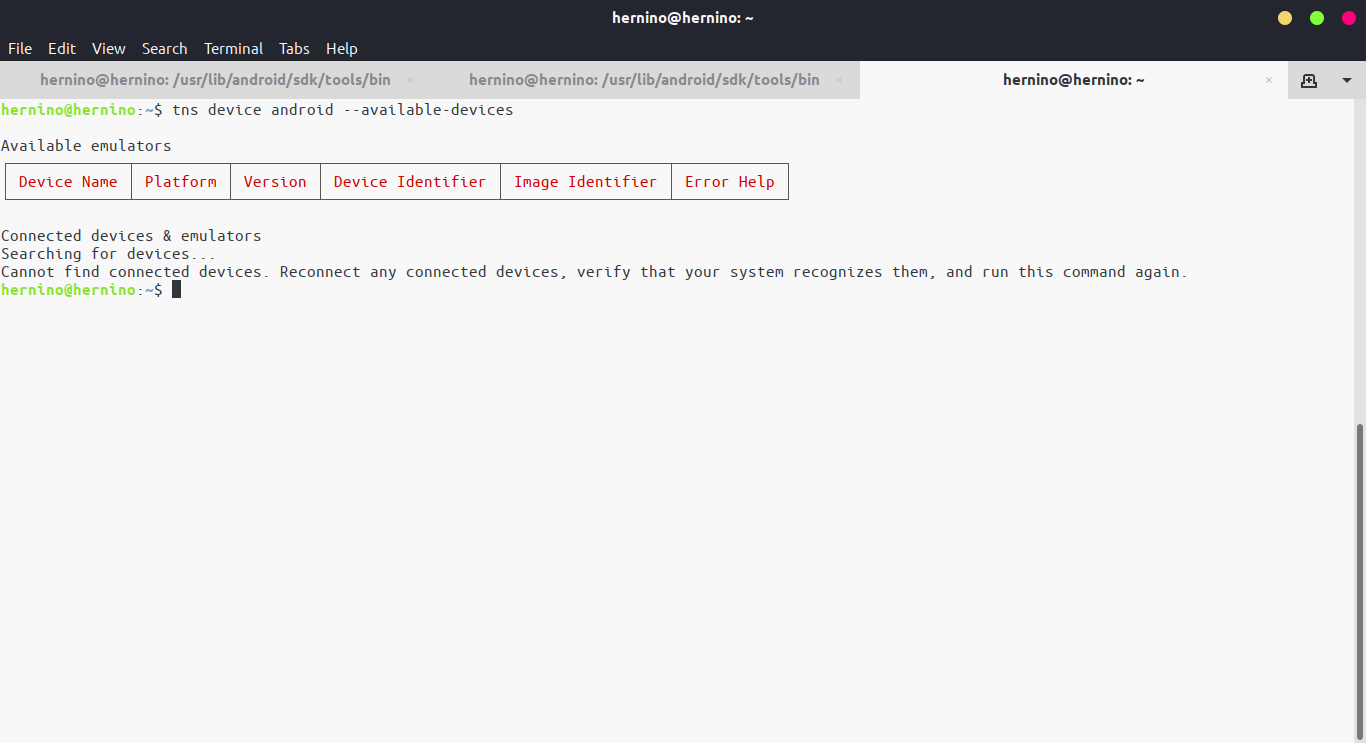
However when I run tns device android --available-devices I see none:
Can someone help figure out whats wrong with my set up, I feel like every thing checks out yet I can't start an emulator at all. Thanks
Also tns run aandroid returns this:

 bruceherve
All 8 comments
Well a couple things, I noticed:
- Have you attempted to manually start an emulator using "Android Studio" -> Tools -> AVD Manager.
- If you type "adb devices" does it show anything (especially after you started an emulator manually)?
- If you have an emulator running; and
adb devicesshows it; doestns device androidnow show it? - In your last picture; your
tns run androidseems to indicate you tried running this in a folder that didn't have a nativescript project. Is that the case? (This might be unrelated to your issue)
I had a similar issue a couple weeks back, it might be related but in my case the CLI was throwing an error: https://github.com/NativeScript/nativescript-cli/issues/4508 You might consider setting the additional environmental variables; TNS doesn't use them (or detect if they are missing), but the android tooling does use them... And in my case fixed my issue.
 NathanaelA
on 25 Apr 2019
NathanaelA
on 25 Apr 2019
You are right I was running the command outside the project but even inside it fails:
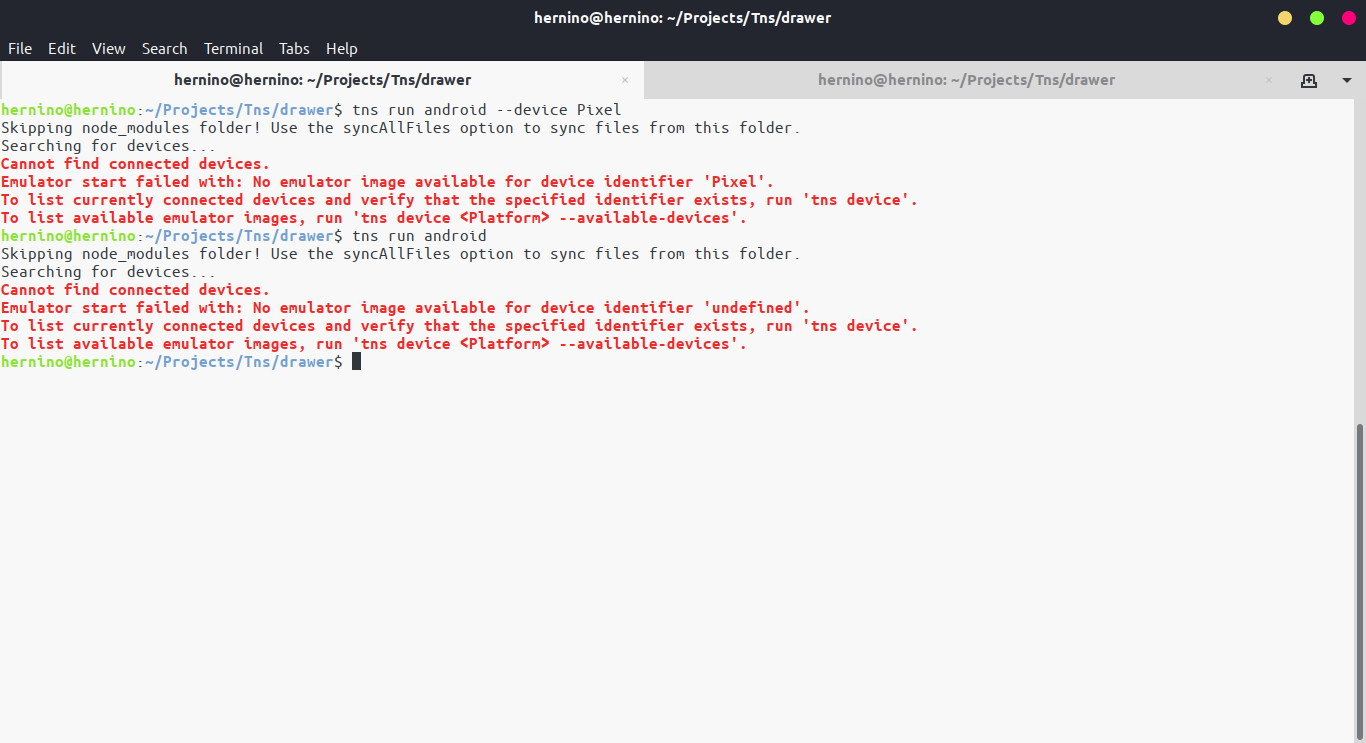
I did however managed to use tns preview on the SideDrawer starter project that works..I am now wondering If I need to use genymotion. I did not install Android Studio Since I would be using VsCode that's why I am starting manualy the emulators.. I am now wondering If I should use genymotion instead
bruceherve
on 25 Apr 2019
Well it could be a couple things then, but installing Android Studio makes everything a lot easier... :grinning: I frequently use the SDK manager and AVD manager in Android studio to install/setup things. Much, much easier than CLI... (And I love CLI for 99% of the things, I have 7 terminal windows open right now... :grinning:)
First, I don't see any reason to use Geny now (I used to use it; in fact I still have a license for it). The Android emulator are considerably better than Geny now, in my humble opinion, especially on Linux, so I never bothered to even reinstall Geny on my Linux box when I re-bricked it a couple months ago. The really nice thing about the Google emulators is that you can actually test on the latest images; I'm already testing apps on the upcoming Q. Geny probably won't have it for a while still...
Now for the emulator to work you need a couple things:
On my linux box the Android sdk is located in: ~/Android/sdk
And inside the emulator directory I have:
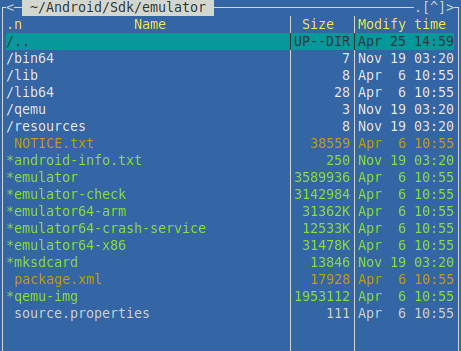
According to the source.properties; I'm currently running 28.0.25
So the first thing you need to verify is that you do have the emulator binaries installed. Now, I also recall when I first installed the emulator; the Android Studio had an helpful message about the /dev/kvm (missing rights) I needed permission to access it. So I added myself the needed groups to give my user rights to the /dev devices I needed access to. This is required on Linux.
The second thing you need to do is actually create an emulator. So in your ~/.android/avd folder you should see
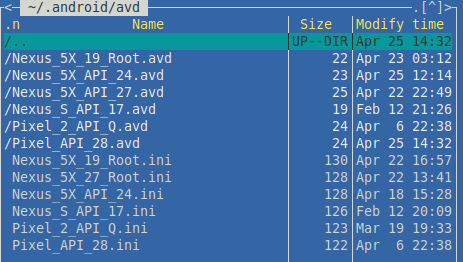
something that has both a folder and a .ini file of the same name. If you don't have any of them, then you don't have any emulators setup to run. I'm not sure how to create any via the CLI, I always using Android Studio to create the emulators I use. Once they are created; then NativeScript should be able to run them...
NathanaelA
on 25 Apr 2019
Hi @bruceherve,
Did you manage to solve the issues mentioned above, or you still can not build a project for an android emulator?
 tsonevn
on 29 Apr 2019
tsonevn
on 29 Apr 2019
@NathanaelA Thanks, I have been struggling with using genymotion until now due to my stubbornness to refuse to use install Android studio but I think I will now..
@tsonevn I have not managed to use genymotion at all.
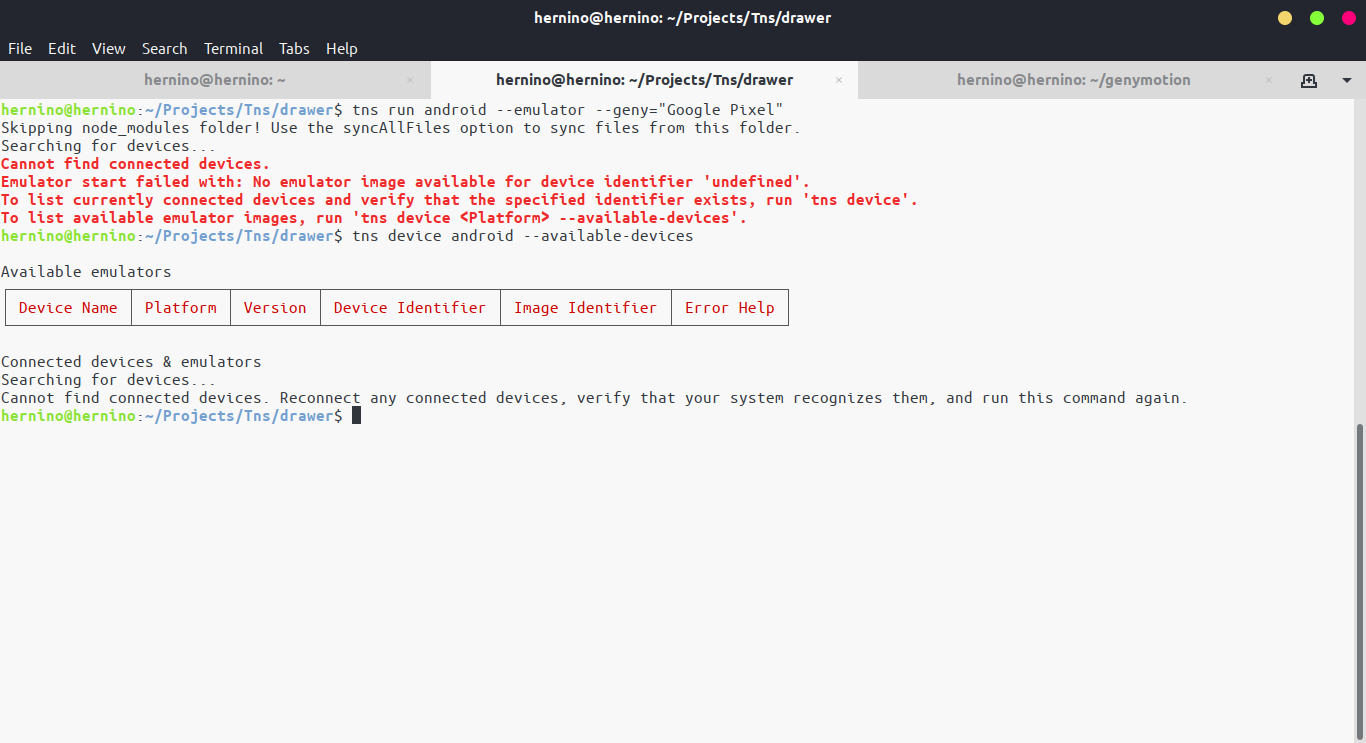
I have the emulator setup and running as genyshell confirms

But still tns command shows I have no devices at all, I even tried to run by passing -- emulator -geny="device name" but It still does not work
bruceherve
on 29 Apr 2019
Hi @bruceherve,
I would suggest setting up the path to the Android SDK tools, which is set in ANDROID_HOME variable, in the Genymotion configuration. Then restart the Genymotion, start an emulator and try to build your project with tns run android.
tsonevn
on 30 Apr 2019
@NathanaelA This was definitely a path issue when setting the path I forgot $ and since I was sure I set the path right I went looking everywhere else, thanks @NathanaelA @tsonevn It's fixed a while back I just forgot this was open, I am going ahead and closing it.
bruceherve
on 11 May 2019
This thread has been automatically locked since there has not been any recent activity after it was closed. Please open a new issue for related bugs.
![lock[bot] picture](https://avatars1.githubusercontent.com/in/6672?v=4&s=40) lock[bot]
on 20 May 2020
lock[bot]
on 20 May 2020
Related issues
 dxshindeo
·
3Comments
dxshindeo
·
3Comments
 fmmsilva
·
3Comments
fmmsilva
·
3Comments
 Leo-lay
·
3Comments
tsonevn
·
3Comments
Leo-lay
·
3Comments
tsonevn
·
3Comments
 Pourya8366
·
3Comments
Pourya8366
·
3Comments
Most helpful comment
@NathanaelA This was definitely a path issue when setting the path I forgot $ and since I was sure I set the path right I went looking everywhere else, thanks @NathanaelA @tsonevn It's fixed a while back I just forgot this was open, I am going ahead and closing it.