Nativescript: [Bug] The linear gradient is not correctly applied in Android
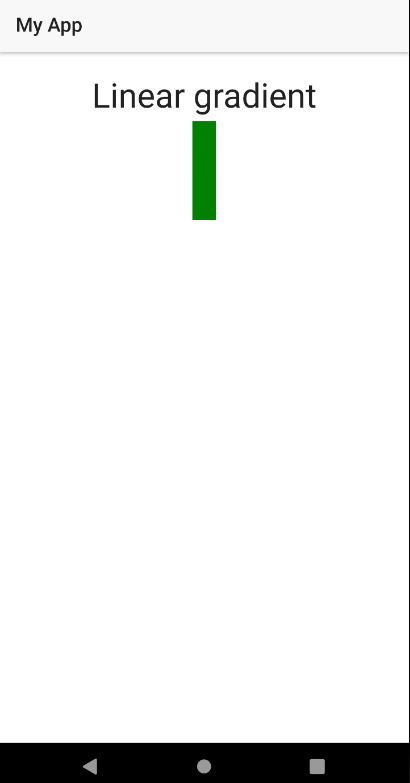
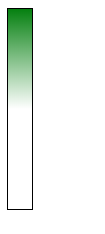
The below-attached CSS snippet with linear gradient will not be applied correctly for Android.
XML:
 <StackLayout>
        <Label text="Linear gradient" class="h1 text-center"/>
        <StackLayout  class="test" ></StackLayout>
    </StackLayout>
CSS:
.test {
    width:24;
    height: 200;
    background: linear-gradient(to top, white 50%, green);
}
Android result:
Expected result:
Want to back this issue? Post a bounty on it! We accept bounties via Bountysource.
 tsonevn
All 8 comments
% doesn't seem to be working at all, not even for IOS.
 btaluy
on 20 Jul 2018
btaluy
on 20 Jul 2018
Hi @btaluy,
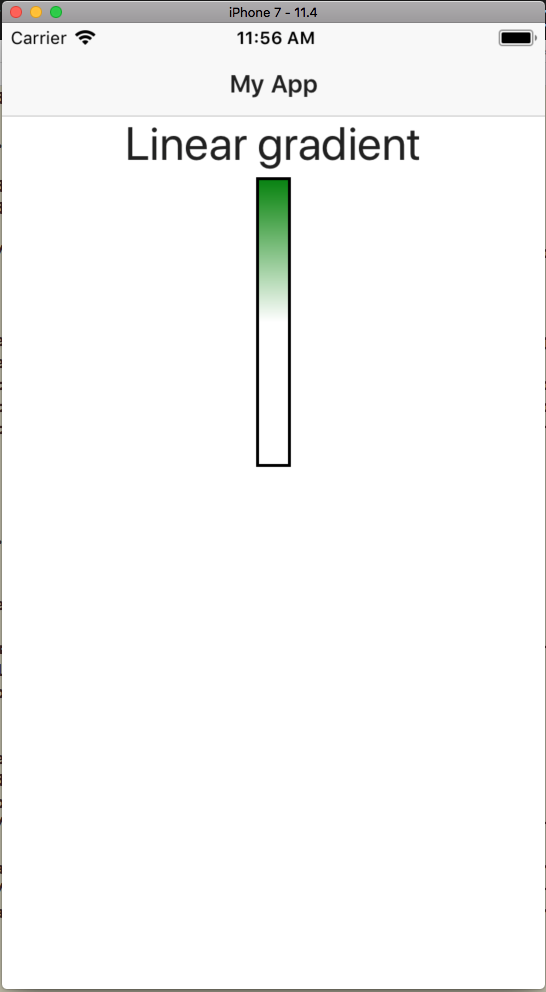
I tested the code in a sample project it seems to work as expected. For your convenience, I am attaching sample project and screenshot.
 tsonevn
on 23 Jul 2018
tsonevn
on 23 Jul 2018
50% is already what it is at default, try 10%. @tsonevn
btaluy
on 23 Jul 2018
HI @btaluy,
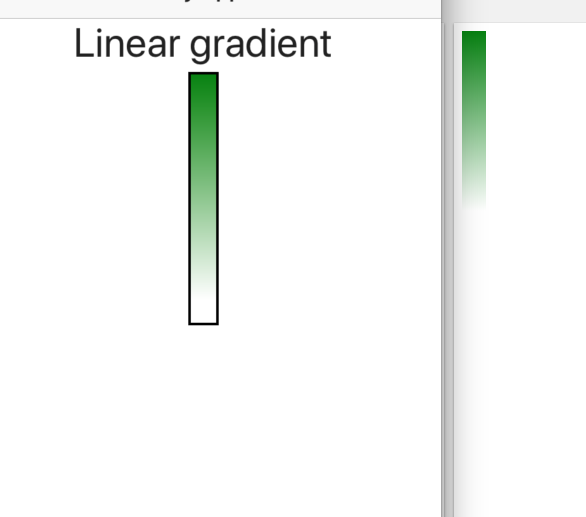
I tested the gradient with 10%, however, the color still seems to be applied correctly. I checked the project on iOS 11.4.
I am attaching an image with the results from the NativeScript and web demos.
Let me know if I am missing something.
tsonevn
on 24 Jul 2018
It seems that percents are not handled correctly at all. It might be an issue with parsing.
 vakrilov
on 4 Oct 2018
vakrilov
on 4 Oct 2018
Any news on this matter?
btaluy
on 19 Mar 2019
I just discovered that when adding the percentage, you have to add it to all colors. So instead of
background: linear-gradient(to top, white 50%, green);
you should do:
background: linear-gradient(to top, white 50%, green 0%);
This will create a solid white for the first 50%, then the gradient is applied, and in this case there is no part of solid green, so the gradient proceeds until the end of the element. If you want a larger portion of green, you should up that percentage. In CSS the 0% is optional, but Nativescript requires it.
I tested this with NS 5.3.2, on iOS 12, Android 24 and Android 28.
 Johanneke
on 17 Apr 2019
Johanneke
on 17 Apr 2019
@Johanneke it works! Thanks
 virtualbjorn
on 31 May 2019
virtualbjorn
on 31 May 2019
Related issues
 nirsalon
·
3Comments
nirsalon
·
3Comments
 fmmsilva
·
3Comments
fmmsilva
·
3Comments
 pocesar
·
3Comments
pocesar
·
3Comments
 vtisnado
·
3Comments
vtisnado
·
3Comments
 yclau
·
3Comments
yclau
·
3Comments