Nativescript: Highlighted button in Scrollable ScrollView does not deselect if finger moves away
This issue occurs on Android only as far as I can tell. If a button's highlighted attribute on a scrollable scrollview and the finger/mouse is moved away from the button, the highlighted attribute of the button stays active. The only way to clear it is to select the button again. Please see my gif for example.
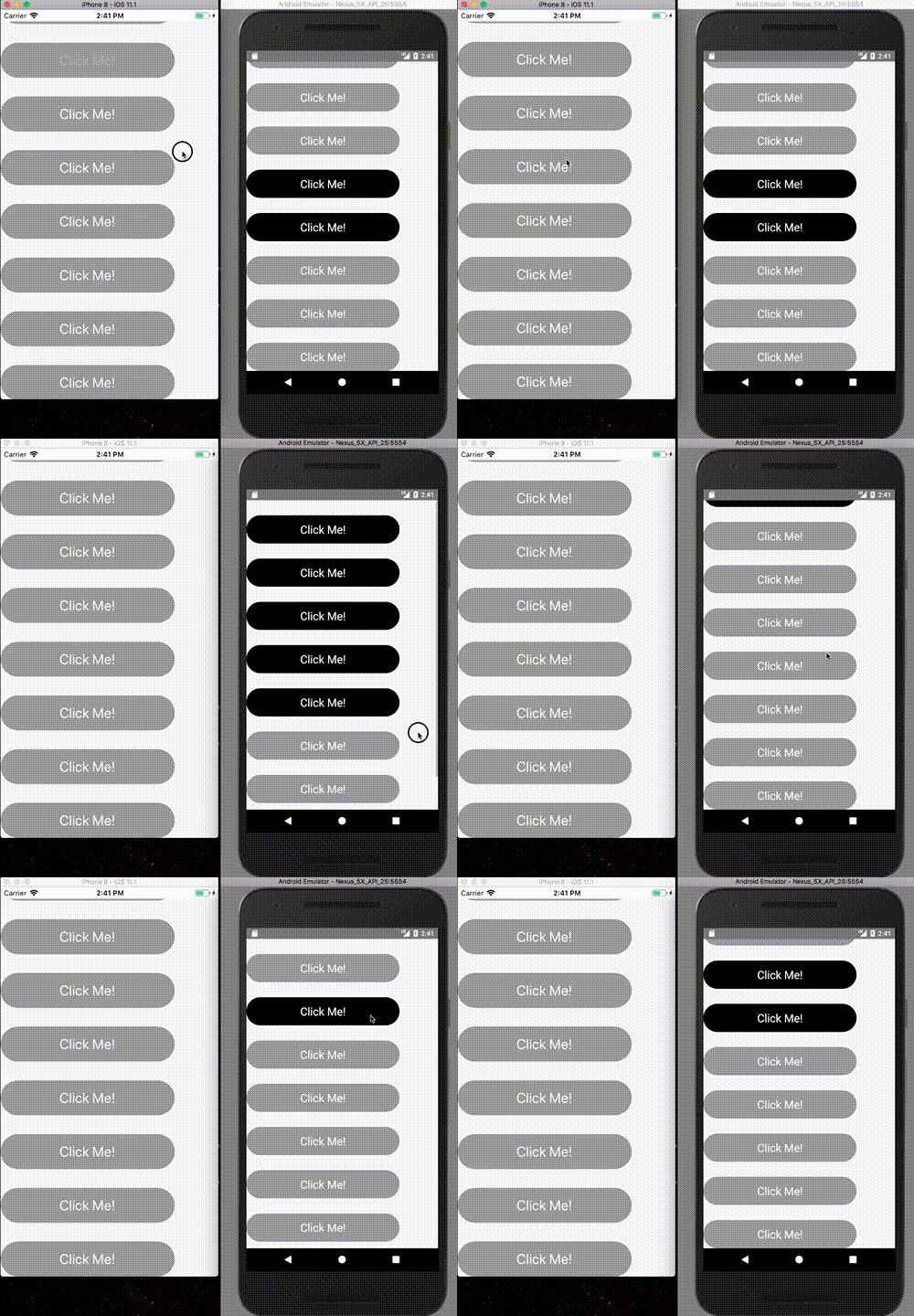
Recreate here by selecting a button and moving finger away from button:
https://play.nativescript.org/?id=a3OACnANz00E80QaUwtu0&template=play-ng
Want to back this issue? Post a bounty on it! We accept bounties via Bountysource.
 tbsf
tbsf
All 5 comments
Hello @tbsf
I can confirm that indeed if you press the button on Android and then move the finger without releasing it the highlighted effect will remain active. The reason for this is because on Android the highlighted will be reset on TouchAction.up . The up action won't be fired if the user does not press the button and leave the Button area.
Marking this as a bug and we will consider if we should introduce logic where the button state should be reset if the pointer leaves the Button area.
To reproduce the issue use the playground snippet above or this sample project
Updated demos can be found here
 NickIliev
on 19 Oct 2017
NickIliev
on 19 Oct 2017
Is there any workaround for this issue ??
 HunterJS-bit
on 21 Feb 2018
HunterJS-bit
on 21 Feb 2018
Fixing this bug would be a simple matter of adding
case TouchAction.cancel:
this._goToVisualState("normal");
break;
around there:
 ghost
on 23 Feb 2018
ghost
on 23 Feb 2018
@markomiljkovic you can add a touch handler to your button with this function:
export function onTouchHighlight(args) {
    if (args.action == "down") {
        args.view.addPseudoClass("highlighted");
    }
    else if (args.action == "up" || args.action == "cancel") {
        args.view.deletePseudoClass("highlighted");
    }
}
@mikolino Thank you will try it :)
HunterJS-bit
on 23 Feb 2018
Related issues
 nirsalon
·
3Comments
nirsalon
·
3Comments
 Leo-lay
·
3Comments
Leo-lay
·
3Comments
 fmmsilva
·
3Comments
fmmsilva
·
3Comments
 tsonevn
·
3Comments
tsonevn
·
3Comments
 dhanalakshmitawwa
·
3Comments
dhanalakshmitawwa
·
3Comments
Most helpful comment
@markomiljkovic you can add a touch handler to your button with this function: