Nativescript: Programmatically change the EditableTextBase's widgets keyboardType property
Please, provide the details below:
Did you verify this is a real problem by searching [Stack Overflow]
Yes. I have searched. But I din't get.
Tell us about the problem
I tried to change textfield/textview widget’s keyboardType property Programmatically/Dynamically based on some other widget’s onTap event.
But i can't able to refer the keyboardType property to the textfield reference in .ts file.
Which platform(s) does your issue occur on?
Android
Please provide the following version numbers that your issue occurs with:
- CLI: 3.0.3
- Cross-platform modules: 3.1.0
- Runtime(s): 3.2.0
Is there code involved? If so, please share the minimal amount of code needed to recreate the problem.
public changeKB(args){
    let cont = <View>this.texfield.nativeElement;
if(args == "num"){
cont.android.keyboardType="number";
}
else if(args == "normal"){
cont.android.keyboardType="email";
}
}
Regarding this i have raised the topic on NS forum [thread].(https://discourse.nativescript.org/t/programmatically-change-the-editabletextbases-widgets-keyboardtype-property/2665)
 kumarandena
All 7 comments
Hi @kumaran-dena,
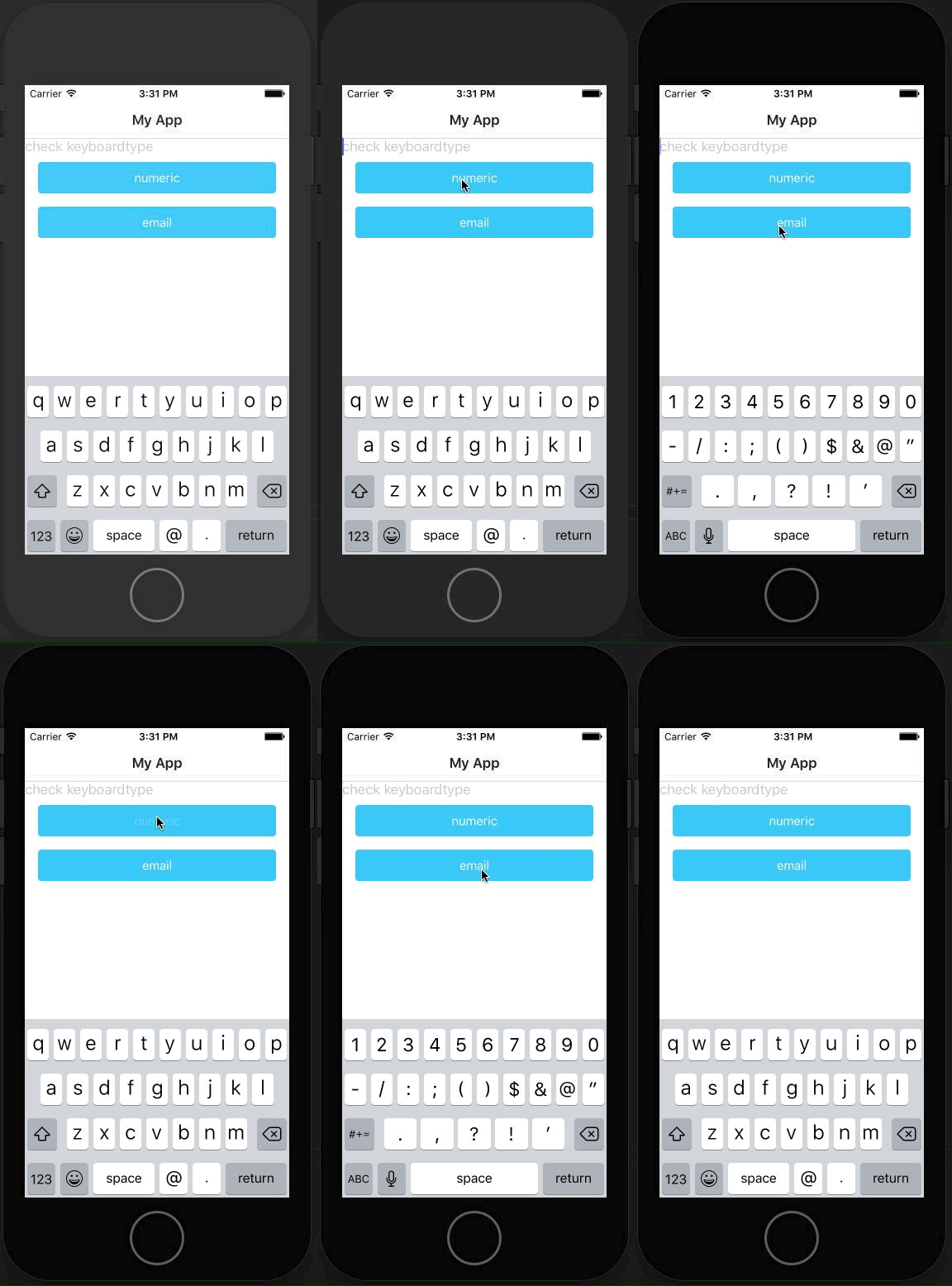
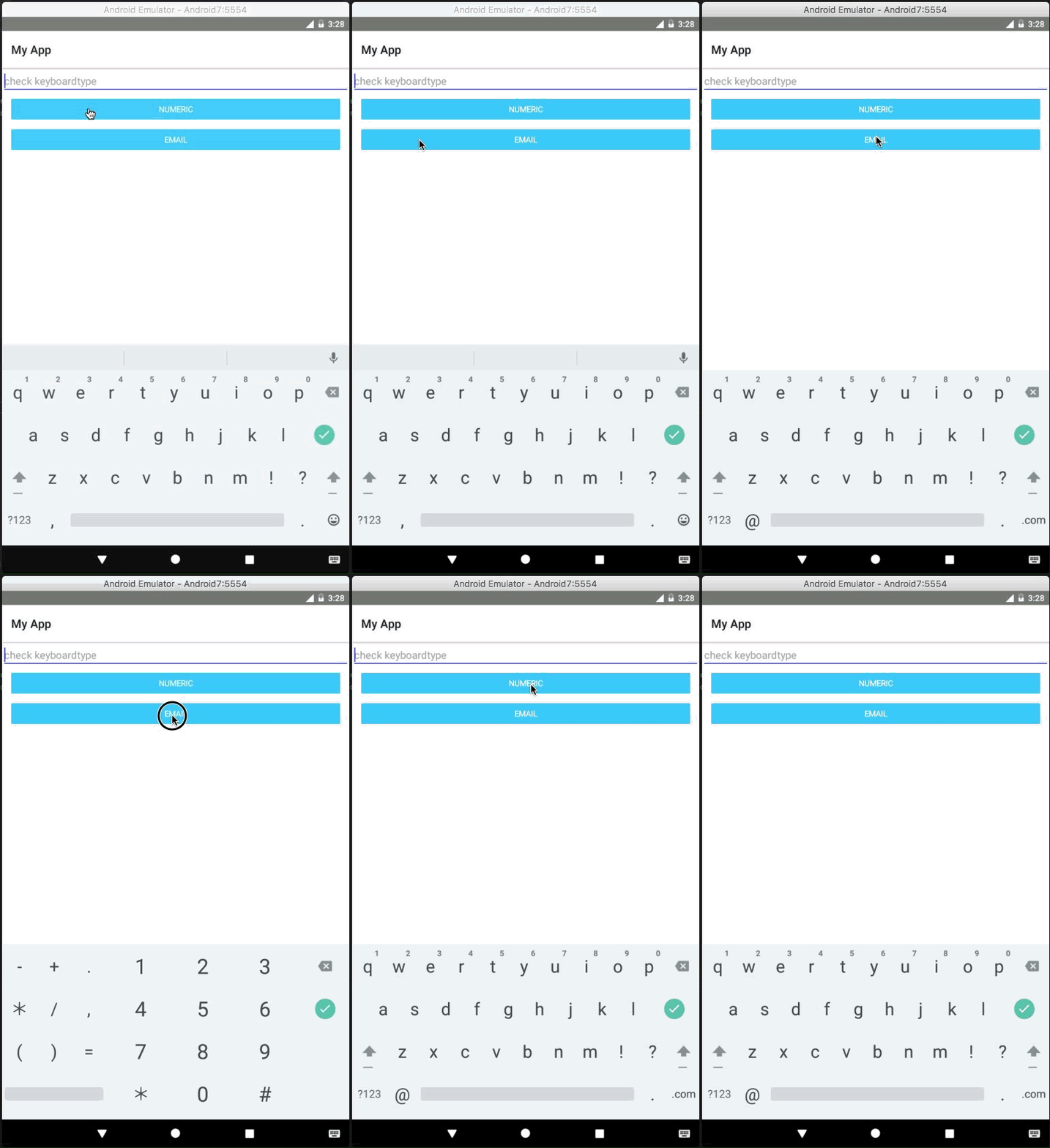
I reviewed your case and changing the keyboarType via code-behind seems to work as expected.
Keep in mind that for iOS you should close the keyboard and to show it again, because of the fact that it would not be refreshed automatically.
I am attaching a sample project. If the problem still persists, please make the needed changes in it, which will allow us to recreate this behavior.
 tsonevn
on 25 Sep 2017
tsonevn
on 25 Sep 2017
@tsonev, Now its works as expected.
But why we can't able to take reference of TextField using ViewChild & ElementRef ?
If tried to take reference using widget's id based means, Its working!
What is the difference between two of both?
Thanks
.Kumaran
kumarandena
on 26 Sep 2017
@kumaran-dena you can get a reference via ViewChild.
Here you can find a Playground demonstration.
 NickIliev
on 19 Jan 2018
NickIliev
on 19 Jan 2018
@NickIliev it doesn't appear to be working as per the information in this issue. Below is a playground of which the keyboard type is completely ignored, unless set via the attribute.
https://play.nativescript.org/?template=play-ng&id=IA4TRB&v=2
 Fedelaus
on 29 Nov 2018
Fedelaus
on 29 Nov 2018
@Fedelaus there are a few things you need to consider in your example.
- with
ngOnInityou will have reference to the Angular view but not necessarily to the native Android/iOS element. To get the reference to the native element use theloadedevent for the NativeScript control.
<TextField hint="enter PIN" (loaded)="onTFLoaded($event)"></TextField>
- The
keyboardTypeproperty is property for the NativeScript's TextField. This said you don't need the access to the native Android element (no need of '.android')
onTFLoaded(args) {
    const tf = <TextField>args.object;
    console.log('(onTFLoaded) does exist', !!tf);

    tf.keyboardType = 'phone';
    console.log('type set to phone');
}
Here is a working Playground demo demonstrating the above
NickIliev
on 29 Nov 2018
Thanks for the speedy reply @NickIliev.
I was following the example given https://github.com/NativeScript/NativeScript/issues/4881#issuecomment-358979999 which uses the ngOnInit to interact with the nativeElement, but had attempted to use the loaded event myself - when attempting to use loaded, and the android.keyboardType was not available I assumed this also was not the correct method. Thanks for pointing me in the correct direction, have managed resolved my issue
Fedelaus
on 29 Nov 2018
This thread has been automatically locked since there has not been any recent activity after it was closed. Please open a new issue for related bugs.
![lock[bot] picture](https://avatars1.githubusercontent.com/in/6672?v=4&s=40) lock[bot]
on 29 Nov 2019
lock[bot]
on 29 Nov 2019
Related issues
 fmmsilva
·
3Comments
fmmsilva
·
3Comments
 dxshindeo
·
3Comments
dxshindeo
·
3Comments
 rLoka
·
3Comments
tsonevn
·
3Comments
rLoka
·
3Comments
tsonevn
·
3Comments
 pocesar
·
3Comments
pocesar
·
3Comments
Most helpful comment
@NickIliev it doesn't appear to be working as per the information in this issue. Below is a playground of which the keyboard type is completely ignored, unless set via the attribute.
https://play.nativescript.org/?template=play-ng&id=IA4TRB&v=2